
Introduction
Thank you for choosing the Moman EOM1 Endoscope Camera. This device is designed for detailed visual inspection in hard-to-reach areas, offering high-resolution imaging and versatile connectivity. With its semi-rigid cable, adjustable LED lights, and IP67 waterproof rating, it is an ideal tool for various applications including automotive maintenance, plumbing, home appliance repair, and industrial inspections. Please read this manual thoroughly before using the product to ensure proper operation and longevity.

Image: The Moman EOM1 Endoscope Camera, showing the flexible cable, camera head with light, smartphone connection, and various adapters and attachments.
Package Contents
Please verify that all items are present in your package:
- Moman EOM1 Endoscope Camera (with semi-rigid cable)
- USB to Lightning Adapter (for iPhone/iPad)
- USB to Type-C Adapter (for Android Phone/Pad)
- USB to Micro-USB Adapter (for Android Phone/Pad)
- Hook Attachment
- Magnet Attachment
- Mirror Attachment
- User Manual (this document)
Setup
1. App Installation
The Moman EOM1 Endoscope Camera requires a companion application for operation. Please download and install the "Anesok" app from your device's app store (Google Play Store for Android, Apple App Store for iOS).
2. Device Compatibility
The endoscope is compatible with:
- Android devices running Android 4.4+
- iOS devices running iOS 9+
Important Note: This device does not support Windows PCs or MacBook computers directly. It is designed for use with mobile devices via the provided adapters.

Image: Visual representation of the endoscope's wide compatibility with iOS and Android devices, highlighting the included Lightning, Type-C, and Micro-USB adapters.
3. Connecting the Endoscope
- Connect the appropriate adapter (Lightning, Type-C, or Micro-USB) to the end of the endoscope's USB cable.
- Plug the adapter into your smartphone or tablet.
- Open the "Anesok" app. The app should automatically detect the endoscope and display the live camera feed.
- If prompted, allow the app to access your device's camera and storage.
Operating Instructions
Camera Features
- High-Resolution Camera: The endoscope features a 2-megapixel camera capable of capturing 1920x1080 HD video and images, providing clear and detailed visuals for your inspections.
- Adjustable LED Lights: Equipped with 8 adjustable LED lights around the camera lens, allowing you to illuminate dark inspection areas effectively. The brightness can be adjusted via the app.
- Optimal Focal Distance: The camera has an optimal focal distance of 2 to 10 cm (0.8 to 4 inches) for the clearest images.
- Wide Viewing Angle: Offers a 70° viewing angle to provide a broader perspective of the inspection area.

Image: An exploded view diagram illustrating the components of the 1080P HD camera lens, emphasizing its clarity for inspections.

Image: A close-up of the endoscope camera head, highlighting the 8 adjustable LED lights and indicating a 70-degree viewing angle and optimal focal distance of 2-10 cm.
Semi-Rigid Cable
The endoscope features a 3-meter (approximately 9.8 feet) semi-rigid cable. This design allows the cable to be bent and hold its shape, making it easier to navigate through pipes, conduits, and other confined spaces to reach the desired inspection point.

Image: A visual comparison demonstrating the advantage of a semi-rigid cable, which can be flexibly shaped for specific needs, versus a soft cable that cannot maintain its form.
IP67 Waterproof Rating
The camera head and cable are IP67 rated, meaning they are protected against dust ingress and can withstand immersion in water up to 1 meter for 30 minutes. This allows for effective inspection in wet or oily environments, such as drains or engine compartments.

Image: The endoscope camera submerged in an aquarium, illustrating its IP67 waterproof and oilproof capabilities, along with the included magnet, hook, and mirror attachments.
Using the Attachments
The Moman EOM1 comes with three useful attachments that can be screwed onto the camera head:
- Hook: Useful for retrieving small objects from hard-to-reach places.
- Magnet: Ideal for picking up metallic items like screws or keys.
- Mirror: Provides a side view, allowing you to inspect areas at a 90-degree angle to the camera's direct view.
App Functions (Anesok)
The "Anesok" app provides comprehensive control over the endoscope:
- Rotate Screen: Adjust the orientation of the live feed.
- Switch Modes: Toggle between photo and video modes.
- Image Comparison: Compare a live view with a previously captured image.
- Adjust Brightness: Control the intensity of the 8 LED lights.
- Take Photo/Video: Capture still images or record video footage directly to your device.
- Zoom In/Out: Digitally zoom the live feed for closer inspection.

Image: A detailed view of the "Anesok" app interface, illustrating controls for screen rotation, mode switching, image comparison, brightness adjustment, photo/video capture, and zoom functions.
Maintenance
- Cleaning: After use, especially in dirty or oily environments, gently wipe the camera lens and cable with a soft, damp cloth. For stubborn grime, a mild detergent can be used, followed by a clean, damp cloth. Ensure the lens is dry before storage.
- Storage: Store the endoscope in a cool, dry place, away from direct sunlight and extreme temperatures. Coil the cable loosely to prevent kinks or damage.
- Lens Care: Avoid touching the camera lens directly with your fingers. If smudges occur, use a lens cleaning cloth or a cotton swab with a small amount of lens cleaning solution.
- Cable Integrity: Regularly inspect the semi-rigid cable for any signs of wear, cuts, or damage. Do not use the device if the cable insulation is compromised.
Troubleshooting
- No Image/Connection:
- Ensure the endoscope is securely connected to your device via the correct adapter.
- Verify that the "Anesok" app has the necessary permissions (camera, storage).
- Restart the app and/or your mobile device.
- Check if your device's operating system (Android 4.4+ / iOS 9+) meets the minimum requirements.
- Poor Image Quality:
- Clean the camera lens.
- Adjust the LED brightness via the app to suit the environment.
- Ensure the object being inspected is within the optimal focal distance of 2-10 cm.
- LED Lights Not Working:
- Check the brightness setting in the app.
- Ensure the endoscope is properly powered via your device.
- App Crashing/Freezing:
- Ensure your app is updated to the latest version.
- Clear the app's cache or reinstall the app.
- Ensure your device has sufficient free storage and RAM.
- Device Not Supported:
- Remember that Windows PCs and MacBooks are not directly supported without specific OTG functionality and drivers, which are not provided. This endoscope is primarily designed for Android and iOS mobile devices.
Specifications
| Feature | Specification |
|---|---|
| Model | EOM1 |
| Brand | Moman |
| Color | Black |
| Effective Still Resolution | 2 Megapixels |
| Video Resolution | 1080p |
| Connectivity Technology | USB, Wi-Fi (via app) |
| Compatible Devices | Android 4.4+, iOS 9+ |
| Focal Distance | 2 - 10 cm (0.8 - 4 inches) |
| Viewing Angle | 70° |
| LED Lights | 8 Adjustable LEDs |
| Cable Type | Semi-Rigid |
| Waterproof Level | IP67 (Camera head and cable) |
| Included Components | Moman EOM1 Endoscope, 3 Adapters (Lightning, Type-C, Micro-USB), Hook, Magnet, Mirror |
Warranty and Support
Moman products are manufactured to high-quality standards. This product comes with a standard limited warranty against defects in materials and workmanship from the date of purchase. Please retain your proof of purchase for warranty claims.
For technical support, troubleshooting assistance, or warranty inquiries, please refer to the contact information provided on the Moman official website or the retailer from whom you purchased the product. Do not attempt to disassemble or repair the device yourself, as this may void the warranty and cause damage.
Applications
The Moman EOM1 Endoscope Camera is a versatile tool suitable for a wide range of inspection tasks:
- Car Maintenance: Inspecting engine components, spark plug holes, or hard-to-reach areas under the hood.
- Sewer and Pipe Repair: Identifying blockages, cracks, or corrosion in drainage systems.
- Home Appliance Repairs: Examining internal mechanisms of washing machines, refrigerators, or HVAC systems.
- Air-conditioning Inspection: Checking ducts and vents for dust, mold, or obstructions.
- Wall Inspection: Looking inside walls for wiring, insulation, or pest activity.
- General Household Use: Retrieving dropped items in tight spaces or inspecting hard-to-see corners.
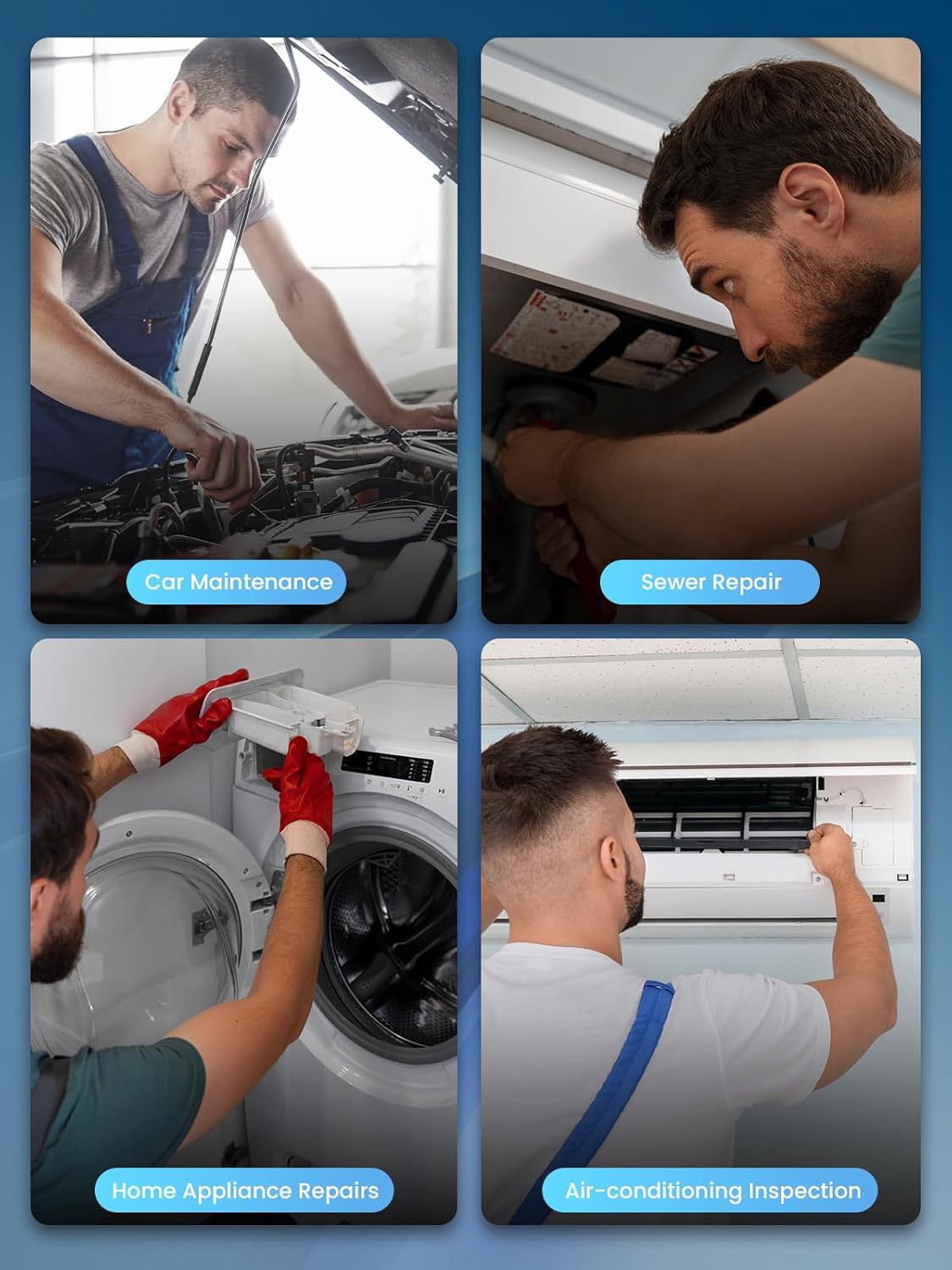
Image: Examples of the Moman EOM1 Endoscope Camera in use for car maintenance, sewer repair, home appliance repairs, and air-conditioning inspection.