
Pepisky Hero1999
XDOBO Hero1999 Portable Wireless Speaker User Manual
Model: Hero1999 | Brand: Pepisky
Introduction
The XDOBO Hero1999 is a high-performance portable wireless speaker designed for exceptional audio quality and durability. Featuring BT 5.0 technology, IPX7 waterproof rating, and a powerful 50W output, it delivers immersive 12D surround sound. Its robust 6600mAh battery provides up to 20 hours of playtime, making it ideal for outdoor adventures and extended listening sessions. The speaker supports multiple playback modes including Bluetooth, TF Card, AUX, and USB, and offers TWS interconnection for an enhanced stereo experience. Its compact design and integrated lanyard ensure easy portability.

Image: The XDOBO Hero1999 portable wireless speaker, showcasing its sleek black design and robust build.
Package Contents
Please check the package carefully to ensure all items are present:
- 1x XDOBO Hero1999 Portable Wireless Speaker
- 1x USB Type-C Charging Cable
- 1x 3.5mm AUX Audio Cable
- 1x User Manual
Product Overview and Controls
Familiarize yourself with the speaker's layout and control buttons.

Image: A diagram showing the product parameters and general layout of the speaker, including ports and buttons.
Button Functions:
- Power Button: Press and hold to power on/off. Short press to play/pause.
- Volume Up (+): Short press to increase volume. Long press for next track.
- Volume Down (-): Short press to decrease volume. Long press for previous track.
- Mode Button (M): Short press to switch between Bluetooth, TF Card, AUX, and USB modes.
- TWS Button: Short press to initiate TWS pairing.
Ports:
- Type-C Charging Port: For charging the speaker.
- TF Card Slot: For playing music from a TF (MicroSD) card (up to 64GB).
- AUX Port: For connecting external audio devices via 3.5mm audio cable.
- USB Port: For playing music from a USB drive.
Setup Guide
1. Charging the Speaker
Before first use, fully charge the speaker. Connect the provided Type-C charging cable to the speaker's Type-C port and the other end to a 5V/3A power adapter (not included). The charging indicator will show charging status and turn off when fully charged. A full charge takes approximately 3 hours.

Image: The speaker connected to a charging cable, illustrating its long battery life of 20 hours.
2. Powering On/Off
- To Power On: Press and hold the Power button for 2-3 seconds until you hear an audible prompt.
- To Power Off: Press and hold the Power button for 2-3 seconds until you hear an audible prompt.
3. Bluetooth Pairing
- Ensure the speaker is powered on and in Bluetooth mode (indicated by a flashing blue LED). If not, short press the 'M' button to switch modes.
- On your device (smartphone, tablet, etc.), enable Bluetooth and search for available devices.
- Select "XDOBO Hero1999" from the list of devices.
- Once paired, the LED indicator will turn solid blue, and you will hear a confirmation sound.
The speaker supports Bluetooth 5.0 technology, providing a stable connection up to 18 meters in open areas.
4. TWS (True Wireless Stereo) Interconnection
You can pair two XDOBO Hero1999 speakers together for a true wireless stereo experience.
- Ensure both speakers are powered on and not connected to any Bluetooth device.
- On one speaker, short press the TWS button. It will enter TWS pairing mode.
- The two speakers will automatically search and connect to each other. Once connected, you will hear a confirmation sound.
- Now, connect your device to one of the speakers via Bluetooth as described in step 3. Both speakers will play audio simultaneously.

Image: Two XDOBO Hero1999 speakers placed in a living room, demonstrating the TWS interconnection feature for a wider soundstage.
Operating Instructions
1. Music Playback
- Play/Pause: Short press the Power button.
- Volume Up: Short press the '+' button.
- Volume Down: Short press the '-' button.
- Next Track: Long press the '+' button.
- Previous Track: Long press the '-' button.

Image: The speaker emphasizing its 12D surround sound and 50W high-power output for a rich audio experience.

Image: An illustrative cutaway view of the speaker, highlighting its internal components responsible for 50W big power and super bass.
2. Switching Playback Modes
Short press the 'M' (Mode) button to cycle through available playback modes: Bluetooth, TF Card, AUX, and USB. The speaker will announce the current mode.
3. Using TF Card / USB Playback
- Insert a TF card (up to 64GB) or USB drive containing supported audio files (APE, FLAC, WAV, MP3) into the respective slot.
- The speaker will automatically switch to TF Card or USB mode and begin playing music. If not, press the 'M' button to select the correct mode.
4. Using AUX Input
- Connect one end of the 3.5mm AUX audio cable to the speaker's AUX port and the other end to the audio output of your device.
- The speaker will automatically switch to AUX mode. If not, press the 'M' button to select AUX mode.
Maintenance and Care
Proper care will extend the life of your XDOBO Hero1999 speaker.
- Cleaning: Wipe the speaker with a soft, damp cloth. Do not use harsh chemicals or abrasive cleaners.
- Storage: Store the speaker in a cool, dry place away from direct sunlight and extreme temperatures.
- Battery Care: To preserve battery life, charge the speaker at least once every three months if not used regularly. Avoid fully discharging the battery for extended periods.
- Waterproof (IPX7): The speaker is IPX7 waterproof, meaning it can be submerged in up to 1 meter of water for 30 minutes. Ensure the charging port cover is securely closed before exposing to water. Do not expose to saltwater or other chemicals. After exposure to water, dry the speaker thoroughly before charging.

Image: The speaker being splashed with water, highlighting its IPX7 waterproof and durable design.
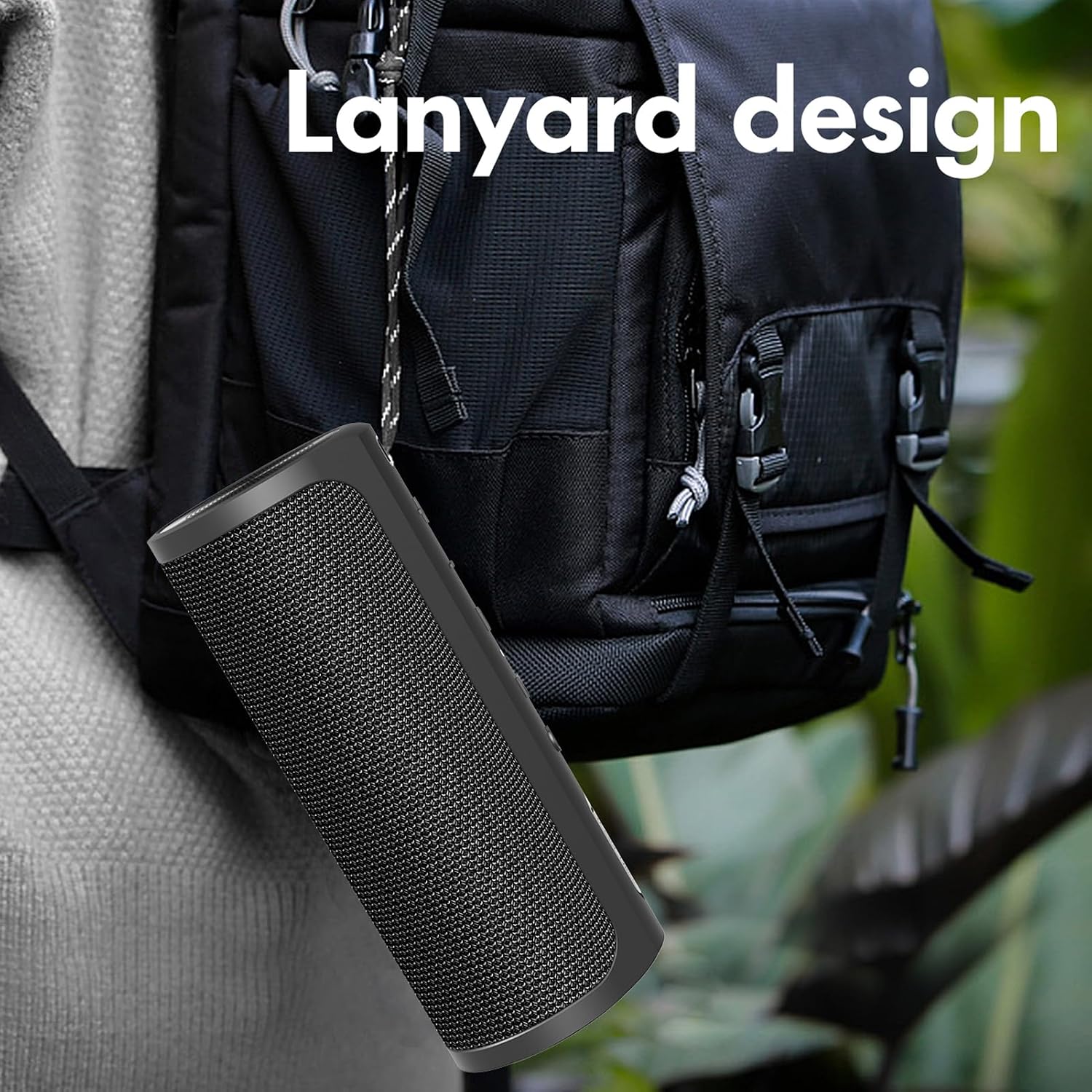
Image: The speaker attached to a backpack via its lanyard, illustrating its portable design for outdoor use.
Troubleshooting
If you encounter issues with your speaker, please refer to the following common problems and solutions:
| Problem | Possible Cause / Solution |
|---|---|
| Speaker does not power on. | Battery is low. Charge the speaker fully. |
| No sound from speaker. |
|
| Bluetooth pairing fails. |
|
| TWS pairing fails. |
|
| Poor sound quality / Distortion. |
|
Specifications
| Feature | Detail |
|---|---|
| Model | Hero1999 |
| Bluetooth Version | 5.0 |
| Output Power | 50W |
| Battery | 3.7V 6600mAh |
| Power Input | Type-C 5V 3A |
| Frequency Range | 80Hz - 18KHz |
| Waterproof Rating | IPX7 |
| Transmission Distance | 18m (Open area) |
| Supported Audio Modes | BT, TF Card (up to 64G), AUX, USB |
| Supported Audio Formats | APE, FLAC, WAV, MP3 |
| Playing Time | ~20 hours (at 50% volume) |
| Charging Time | ~3 hours |
| THD | ≤ 1% |
| SNR | ≥ 90db |
| Product Size | 220 x 80 mm |
| Product Weight | ~870g |
Warranty and Support
For warranty information and technical support, please refer to the warranty card included in your package or contact Pepisky customer service through the retailer where you purchased the product. Please have your model number (Hero1999) and purchase details ready when contacting support.
For further assistance, you may also visit the official Pepisky website or contact their support channels as listed on their product pages.
Ask a question about this manual
Ask about setup, troubleshooting, compatibility, parts, safety, or missing instructions. Manuals+ will review the question and use this page’s manual context to help answer it.