
FAMOO X15
FAMOO Bluetooth Earbuds User Manual
Model: X15
Introduction
Thank you for choosing FAMOO Bluetooth Earbuds. This manual provides detailed instructions on how to set up, operate, and maintain your new earbuds. Please read this manual carefully before use to ensure optimal performance and longevity of your device.
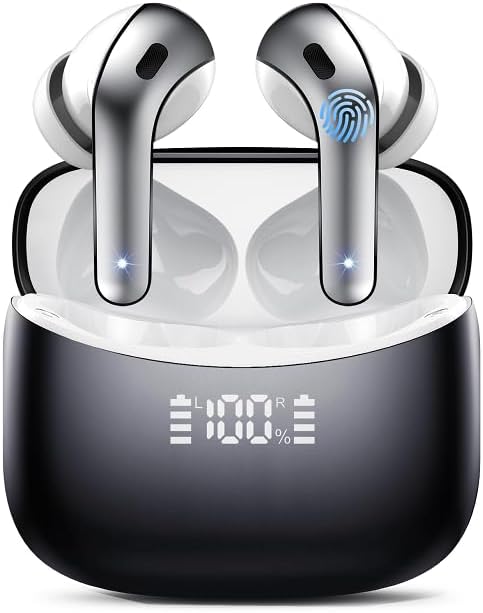
Image: FAMOO Bluetooth Earbuds in their charging case, displaying battery level. The earbuds are sleek, black and silver, and the case has a digital LED screen.
Setup
1. Charging the Earbuds and Case
Before first use, fully charge the earbuds and the charging case. The charging case has a 600 mAh capacity, providing up to 6 full charges for both earbuds, extending total playtime to 52 hours.
- Connect the charging cable (included) to the charging port on the case and a USB power source.
- The LED display on the case will show the charging progress.
- Once fully charged, the display will indicate 100%.
- The earbuds themselves offer approximately 8 hours of continuous playtime on a single charge.

Image: A visual representation of the earbuds and charging case, highlighting the 8 hours of single playtime and 52 hours of total playtime with the charging case.
2. Pairing with Your Device
The earbuds feature Bluetooth 5.3 for a stable and efficient connection. They support one-step connection with compatible Bluetooth devices.
- Open the charging case. The earbuds will automatically enter pairing mode.
- On your device (smartphone, tablet, laptop), go to Bluetooth settings.
- Search for "X15" in the list of available devices and select it to connect.
- Once connected, you will hear a confirmation tone, and the earbuds will be ready for use.

Image: An illustration showing the earbuds connecting to a smartphone via Bluetooth 5.3, emphasizing one-step connect, no delays, and more stable connection.
Operating Instructions
Basic Controls
The earbuds feature touch controls for easy operation. Specific touch gestures may vary slightly by model, but common functions include:
- Play/Pause: Single tap on either earbud.
- Next Track: Double tap on the right earbud.
- Previous Track: Double tap on the left earbud.
- Answer/End Call: Single tap on either earbud during an incoming call.
- Reject Call: Press and hold either earbud for 2 seconds during an incoming call.
- Activate Voice Assistant: Triple tap on either earbud.
Call Clarity
These earbuds are equipped with Environmental Noise Cancellation (ENC) technology to ensure your voice is heard clearly during calls, even in noisy environments. This technology reduces ambient noise by up to 65dB.

Image: A close-up of an earbud showing the effect of ENC noise reduction, with sound waves before and after noise reduction, indicating a 65dB decrease.
Audio Quality
Experience vibrant bass, balanced midrange, and clear treble thanks to the 14.2mm big speakers. The design ensures an 85%+ bass enhancement for a rich audio experience.
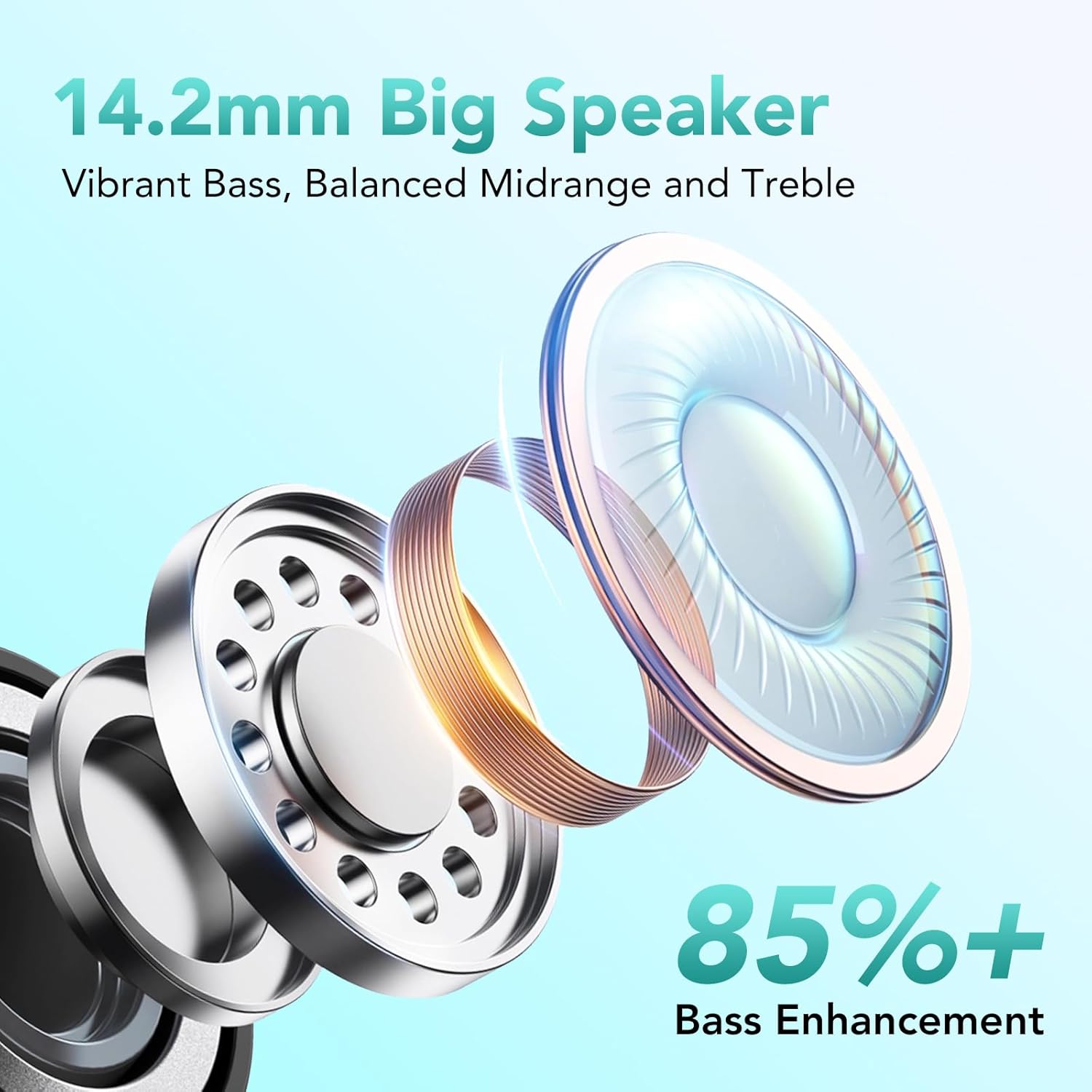
Image: An exploded view diagram of a 14.2mm big speaker, illustrating its components and highlighting vibrant bass, balanced midrange, and treble.
Comfort and Fit
The earbuds are designed for comfortable, painless wearing. They are lightweight at 3.5g per earbud and come with fitting eartips to ensure a secure and comfortable fit for extended listening sessions.

Image: Three circular insets showing the earbuds' design features: painless wearing, fitting eartips, and a 3.5g lightweight construction, with a person wearing one earbud.
Maintenance
Cleaning
- Regularly clean the earbuds and charging case with a soft, dry, lint-free cloth.
- Do not use abrasive cleaners, alcohol, or chemical solvents.
- Gently remove any earwax or debris from the eartips and speaker mesh using a small, soft brush or cotton swab.
Storage
- When not in use, store the earbuds in their charging case to protect them and keep them charged.
- Store in a cool, dry place, away from direct sunlight and extreme temperatures.
Water Resistance
The earbuds are designed to be waterproof. However, this does not mean they are suitable for swimming or submersion. Water resistance helps protect against sweat and light rain. Do not expose them to saltwater or other liquids.
Troubleshooting
- Earbuds not pairing: Ensure both earbuds are charged. Turn off and on your device's Bluetooth. Try resetting the earbuds (refer to manufacturer's website for specific reset instructions if needed).
- No sound from one earbud: Place both earbuds back in the case, close it, then open it again. Re-pair with your device.
- Charging issues: Ensure the charging cable is securely connected and the power source is working. Clean the charging contacts on both the earbuds and the case.
- Poor sound quality: Ensure earbuds are properly seated in your ears. Check for debris in the speaker mesh. Move closer to your connected device to avoid interference.
Specifications
| Model Name | X15 |
| Brand | FAMOO |
| Connectivity Technology | Wireless (Bluetooth 5.3) |
| Form Factor | In-Ear |
| Color | Black/White |
| Frequency Range | 20 Hz - 20,000 Hz |
| Battery Composition | Lithium-ion |
| Single Playtime | Approx. 8 hours |
| Total Playtime (with case) | Up to 52 hours |
| Charging Case Capacity | 600 mAh |
| Special Features | Lightweight, Environmental Noise Cancellation (ENC), Waterproof |
| Compatible Devices | Bluetooth-enabled smartphones, tablets, laptops, car audio systems |
Warranty and Support
For warranty information and customer support, please refer to the documentation included with your purchase or visit the official FAMOO website. If you encounter any issues not covered in this manual, please contact our customer service team for assistance.
Please retain your proof of purchase for warranty claims.
Ask a question about this manual
Ask about setup, troubleshooting, compatibility, parts, safety, or missing instructions. Manuals+ will review the question and use this page’s manual context to help answer it.