
Introduction
This manual provides comprehensive instructions for the installation, operation, and maintenance of your Hagibis MC40 40Gbps M.2 NVMe SSD Enclosure. Please read this manual carefully before use to ensure optimal performance and longevity of your device.
Package Contents
Verify that all items listed below are included in your package:
- Hagibis MC40 M.2 NVMe SSD Enclosure
- USB4 LED Display Cable (0.25m)
- Thermal Pads (x2)
- Screwdriver
- Mounting Screws (x5)
- User Manual

Image: All components included in the Hagibis MC40 package, including the enclosure, USB4 cable, thermal pads, screwdriver, and screws.
Setup Instructions
Follow these steps to install your M.2 NVMe SSD into the enclosure:
- Open the Enclosure: Use the provided screwdriver to carefully remove the screws securing the enclosure's cover. Gently slide open the enclosure to reveal the internal circuit board.
- Install the SSD: Insert your M.2 NVMe SSD (compatible with M Key and B+M Key, sizes 2230/2242/2260/2280) into the M.2 slot on the circuit board. Secure the SSD with the provided screw.
- Apply Thermal Pads: Place the thermal pads onto both the SSD and the main control chip. This ensures efficient heat transfer to the enclosure's heat dissipation fins.
- Close the Enclosure: Carefully align the cover and slide it back into place. Secure it with the screws using the screwdriver.

Image: The internal circuit board of the Hagibis MC40 enclosure, showing the M.2 slot for SSD installation and areas for thermal pad placement.

Image: The Hagibis MC40 enclosure opened, illustrating the internal structure and the large fins designed for heat dissipation.
Operating Instructions
This section details how to use your Hagibis MC40 SSD Enclosure.
Connecting to Devices
Connect the enclosure to your device using the provided USB4 LED Display Cable. The enclosure is compatible with various devices and operating systems, including Windows, Mac OS, Linux, and Android. It supports Thunderbolt 4/3, USB4, USB3.2, USB3.1, and USB3.0 interfaces.

Image: The Hagibis MC40 enclosure connected to a laptop, demonstrating its use for efficient file transfer.

Image: The Hagibis MC40 enclosure connected to a tablet, suitable for quick backups of photos and videos.

Image: The Hagibis MC40 enclosure connected to a smartphone, allowing for easy file access and management.
LED Indicator Functionality
The enclosure features a bi-color LED indicator to show the current connection speed mode:
- Green Indicator: Illuminates when connected via USB4 or Thunderbolt 4/3 interface, indicating 40Gbps mode.
- White Indicator: Illuminates when connected via USB3.1 or lower standard interfaces, indicating 10Gbps mode.

Image: Close-up of the Hagibis MC40 enclosure showing the bi-color LED indicator, which visually communicates the current connection speed.
USB4 LED Display Cable
The included USB4 cable features an integrated LED display that shows real-time current, voltage, and power supply status. This allows for immediate monitoring of the enclosure's power consumption.
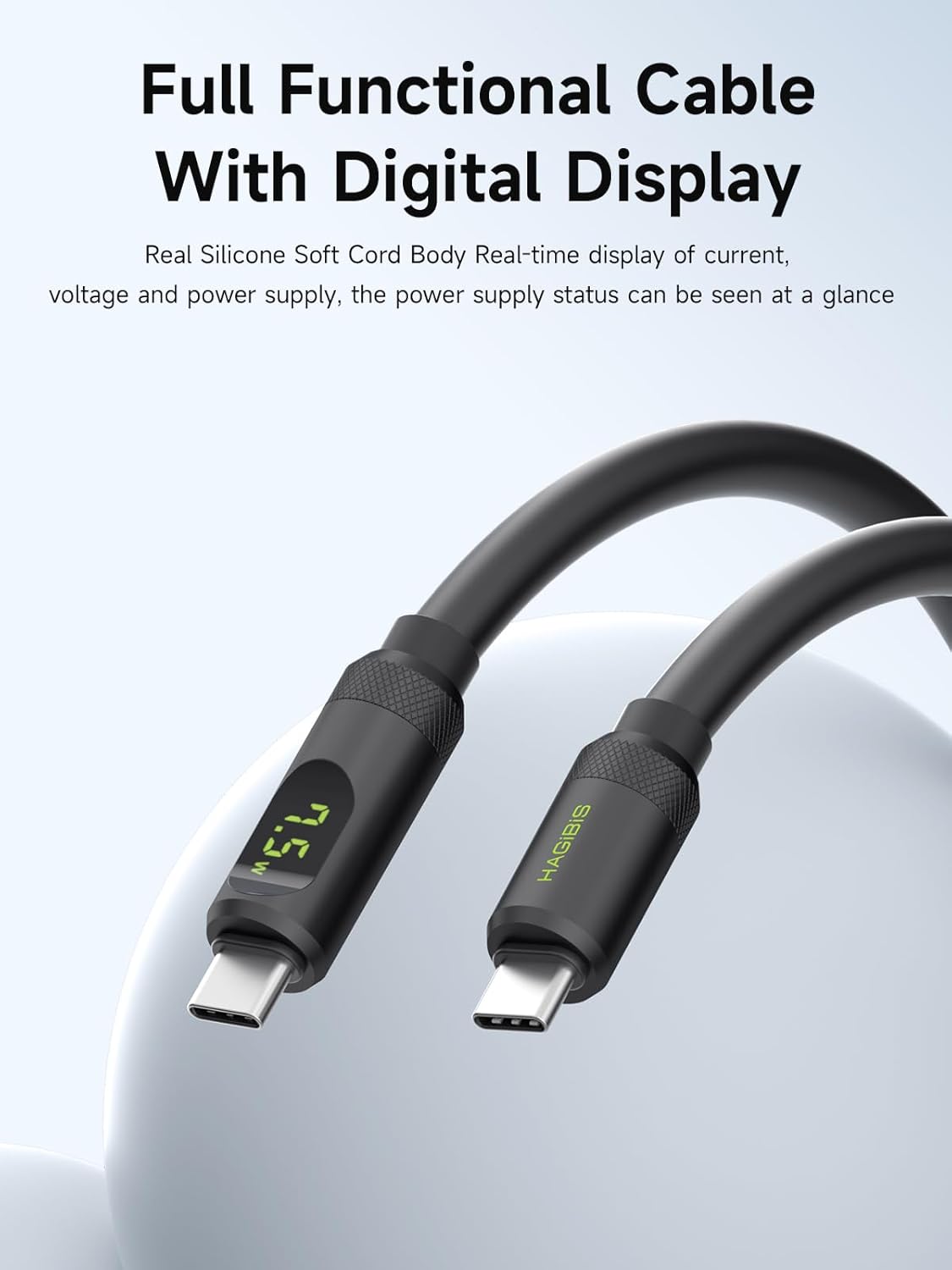
Image: The USB4 cable with an integrated LED display showing real-time power information.
Video: An official demonstration of the Hagibis LED Display M.2 NVMe SSD Enclosure, highlighting its features and operation.
Maintenance
Proper maintenance ensures the longevity and performance of your enclosure.
Heat Dissipation
The Hagibis MC40 features a large alloy body with finned heat dissipation plates. This design allows the SSD to operate at low temperatures without requiring a fan, ensuring stable and quiet operation. Ensure the fins are not obstructed to maintain optimal airflow.
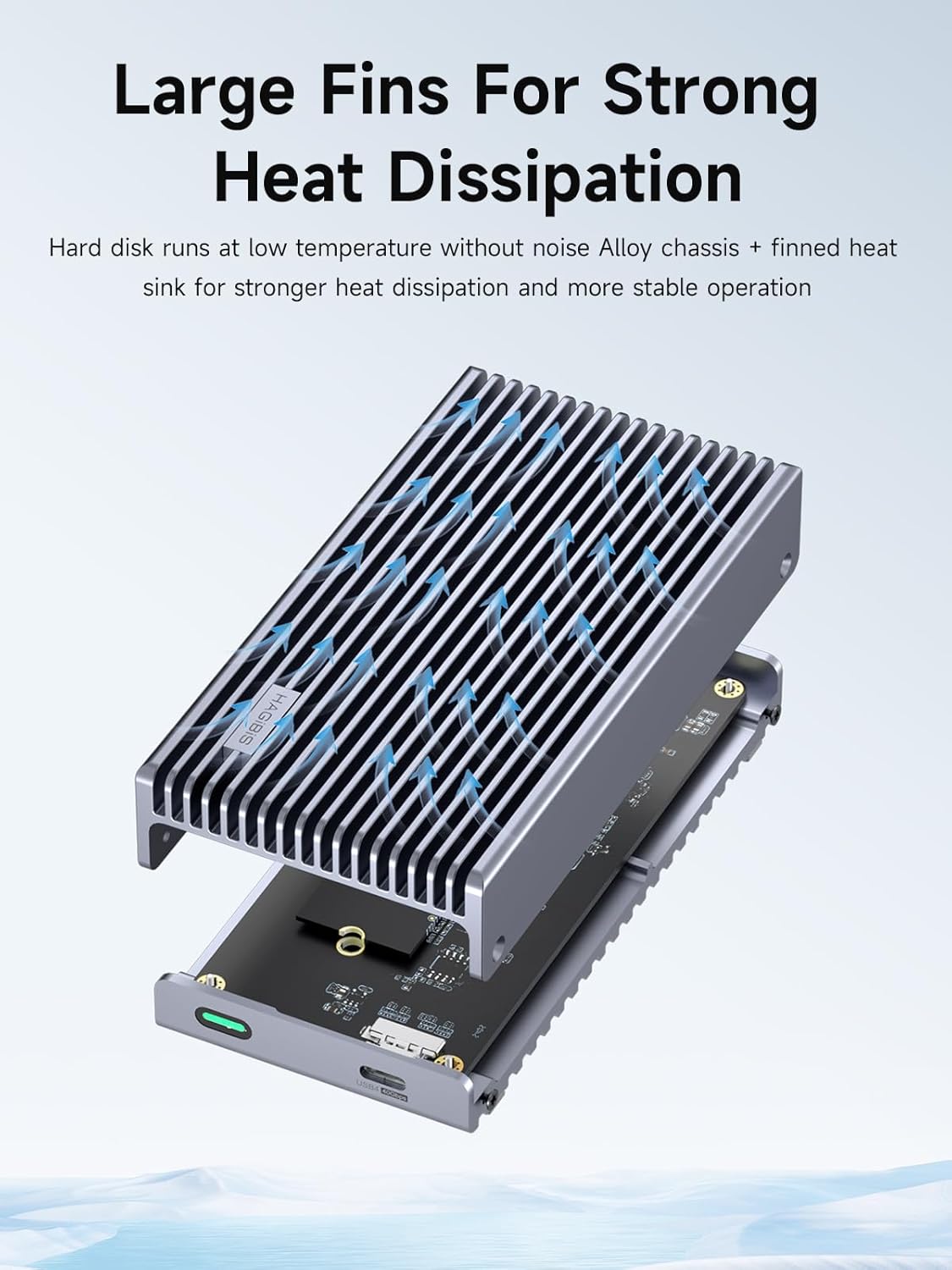
Image: The Hagibis MC40 enclosure showcasing its large alloy fins designed for superior heat dissipation.
Cable Usage Recommendation
It is recommended to use the original USB4 data cable or another high-quality USB4 data cable within 0.5 meters in length for this hard drive enclosure. Using a data cable that is too long may cause the hard drive enclosure to run unstably or reduce performance.

Image: Important tip regarding the recommended length for the USB4 data cable to ensure stable operation.
Troubleshooting
If you encounter issues with your Hagibis MC40 enclosure, consider the following common solutions:
- No Detection: Ensure the SSD is correctly installed and secured within the enclosure. Verify the USB4 cable is firmly connected to both the enclosure and your device. Try connecting to a different USB-C/Thunderbolt port or another compatible device.
- Slow Speeds: Confirm your device's port supports USB4 or Thunderbolt 3/4 for maximum 40Gbps speeds. The LED indicator on the enclosure should be green for 40Gbps mode. Ensure you are using the provided USB4 cable or a certified short USB4 cable. Older USB standards (e.g., USB 3.0/3.1) will result in lower speeds (white LED indicator).
- Overheating: While the enclosure is designed for efficient heat dissipation, ensure it is placed in an area with adequate airflow and the fins are not covered. Verify thermal pads are correctly applied to the SSD and controller chip.
- Compatibility Issues: Ensure your M.2 SSD is an NVMe (M Key or B+M Key) type. This enclosure is NOT compatible with M.2 SATA SSDs, M.2 PCIe AHCI SSDs, or other M.2 PCIe devices.
Specifications
| Feature | Detail |
|---|---|
| Model Name | MC40 |
| Brand | Hagibis |
| Digital Storage Capacity (Supported) | Up to 8TB |
| Hard Disk Interface | M.2 NVMe (PCIe3.0x4) |
| Compatible SSD Keys | M Key, B+M Key |
| Compatible SSD Sizes | 2230, 2242, 2260, 2280 |
| Connectivity Technology | USB4, Thunderbolt 4/3, USB3.2/3.1/3.0 |
| Data Transfer Rate | Up to 40 Gigabits Per Second (40Gbps) |
| Theoretical Read Speed | Up to 3000 MB/s |
| Enclosure Material | Aluminum Alloy |
| Color | Grey |
| Special Features | Portable, LED Display Cable, Bi-Colour LED Indicator, Finned Heat Dissipation Design |
| Compatible Operating Systems | Windows, Mac OS, Linux, Android |
| Item Weight | 8.8 Ounces |

Image: The Hagibis MC40 enclosure connected to a laptop, illustrating its 40Gbps data transfer capability.

Image: Diagram showing the dimensions (125mm x 65mm x 23mm) and basic information of the Hagibis MC40 enclosure.
Warranty and Support
The Hagibis MC40 M.2 NVMe SSD Enclosure comes with a 1-Year Warranty from the date of purchase.
For technical support, warranty claims, or further inquiries, please contact Hagibis customer service through the retailer where the product was purchased or visit the official Hagibis website for contact information.