
BAOFENG BAOFENG 5RX
Contents
BAOFENG 5RX Ham Radio User Manual
Model: BAOFENG 5RX
1. Introduction
The BAOFENG 5RX is an advanced multi-band two-way radio designed for versatile communication. It offers a wide range of receiving frequencies including AM, FM, VHF, 1.25M, and UHF, alongside transmitting capabilities on VHF, 1.25M, and UHF bands. This manual provides essential instructions for the proper setup, operation, maintenance, and troubleshooting of your BAOFENG 5RX radio.
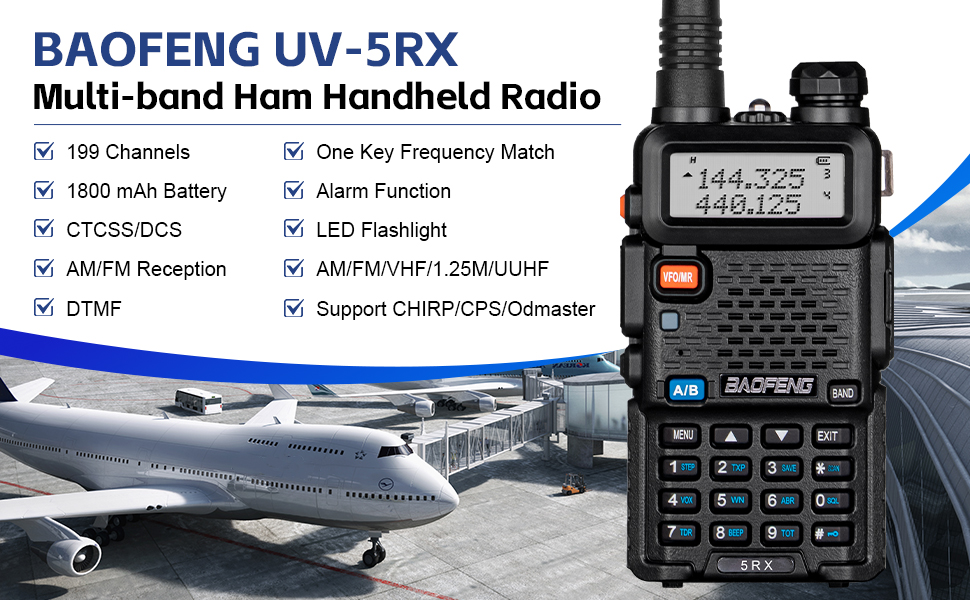
Image: Overview of the BAOFENG 5RX Multi-band Ham Handheld Radio.
2. What's in the Box
Verify that all items are present in your package:
- 2 x BAOFENG 5RX Handheld Radios
- 4 x 1800mAh Lithium Polymer Batteries
- 2 x BAOFENG Earpieces
- 2 x TD-771 High Gain Long Antennas
- 2 x TD-805s Mini Antennas
- 1 x USB Programming Cable
- 2 x Desktop Chargers
- 2 x Belt Clips
- 2 x Hand Straps
- 1 x User Manual
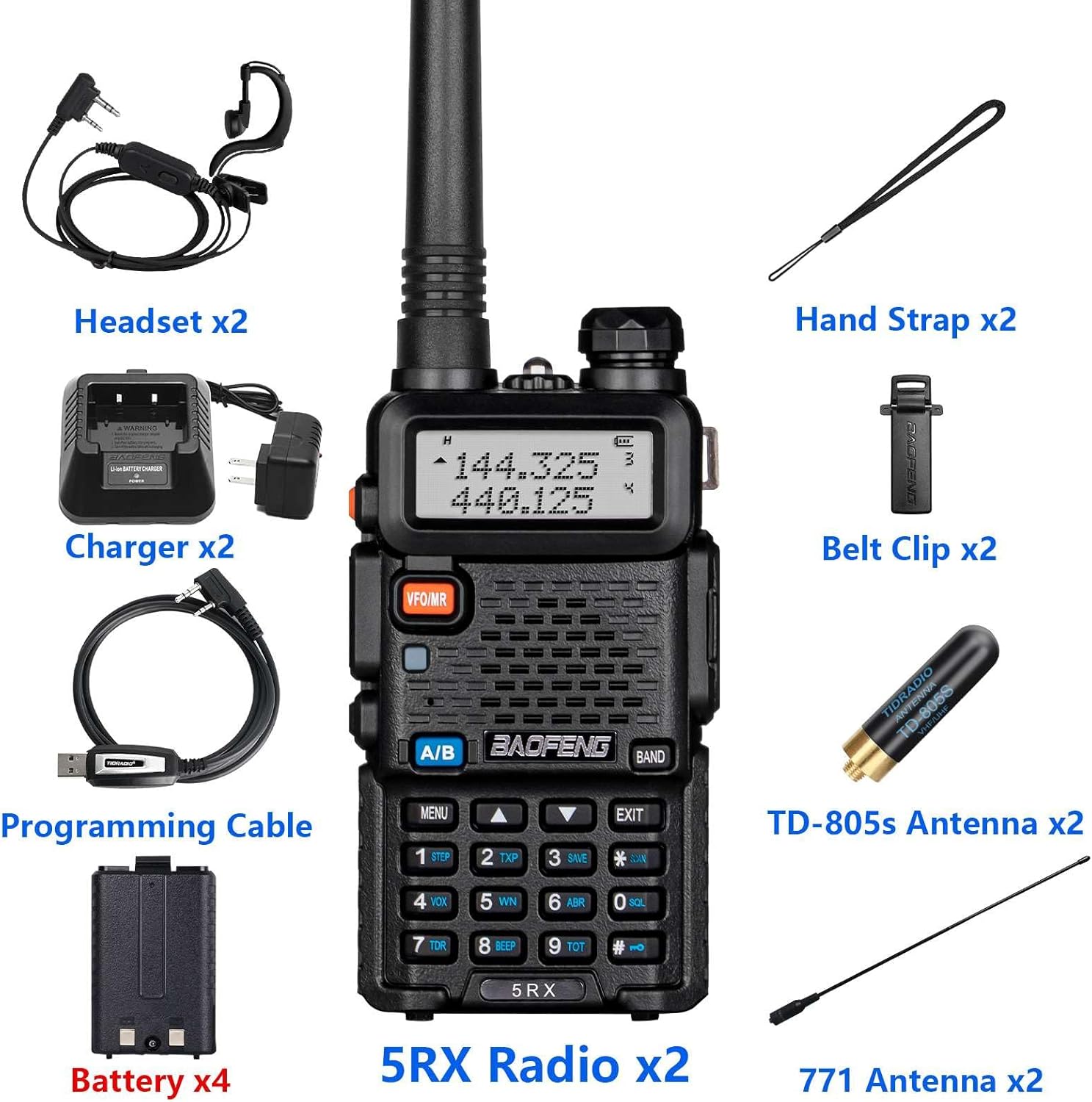
Image: Detailed view of all components included in the BAOFENG 5RX package.
3. Key Features
- Multi-band receiving (AM, FM, VHF, 1.25M, UHF)
- 3-band transmission (VHF: 144-148MHz, 1.25M, UHF: 420-450MHz)
- One-key frequency matching
- DTMF group call functionality
- 128 memory channels
- 50 CTCSS and 210 DCS codes
- SOS emergency function
- Scan function
- VOX (Voice Operated Exchange)
- Dual band operation, dual display, and dual standby
- Built-in flashlight
- Automatic keypad lock
- FCC ID: 2AJGM-5RX
- Supports programming via Chirp software (compatible with UV-5RX profile)

Image: Visual representation of the BAOFENG 5RX's primary features.
3.1. Comparison with BAOFENG UV-5R
The BAOFENG 5RX offers several enhancements over the previous UV-5R model, including expanded receiving bands and additional features.
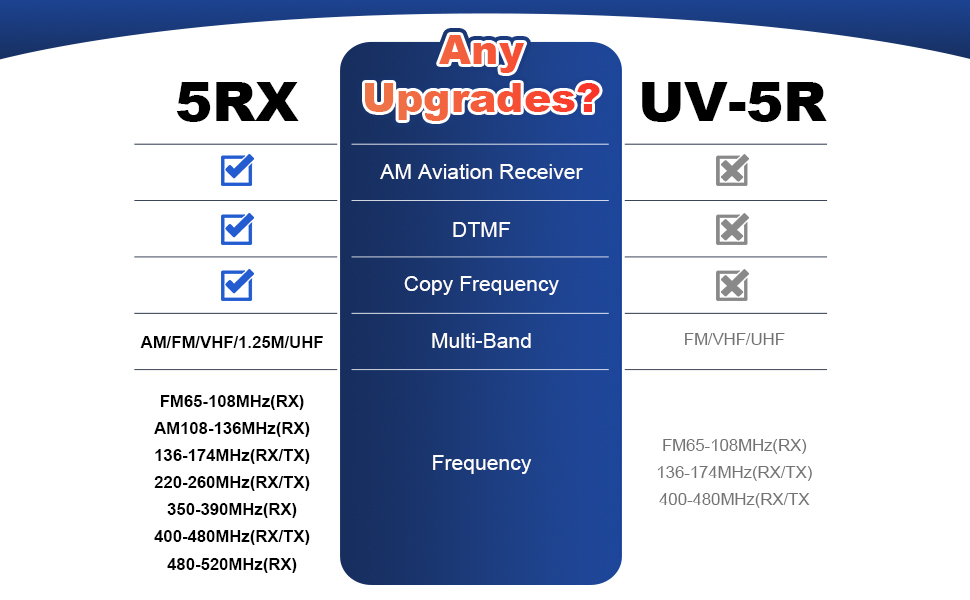
Image: Feature comparison between BAOFENG 5RX and UV-5R models.
4. Initial Setup
4.1. Battery Installation
- Align the battery pack with the grooves on the back of the radio.
- Slide the battery pack upwards until it clicks into place.
- To remove, press the release latch at the bottom of the battery and slide it downwards.
4.2. Antenna Attachment
- Screw the desired antenna (TD-771 long antenna or TD-805s mini antenna) clockwise onto the connector at the top of the radio until it is finger-tight.
- Do not overtighten.
4.3. Charging the Battery
- Connect the desktop charger to a power outlet.
- Place the radio with the battery installed, or the battery alone, into the charging cradle.
- The charger indicator light will show the charging status (typically red for charging, green for fully charged).
5. Operation
5.1. Power On/Off and Volume Control
- To power on/off, rotate the volume knob clockwise/counter-clockwise.
- Adjust the volume by rotating the same knob.
5.2. Frequency Bands and Reception
The BAOFENG 5RX supports a wide range of frequencies for both transmission and reception.
- Transmit Bands: VHF (144-148MHz), 1.25M, UHF (420-450MHz)
- Receive Bands: VHF (2M), 1.25M, UHF (70CM), 220-260MHz, AM, FM (65-108MHz), AM (108-136MHz), 136-174MHz, 174-350MHz, 350-400MHz, 400-480MHz, 480-520MHz
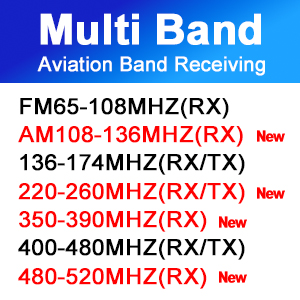
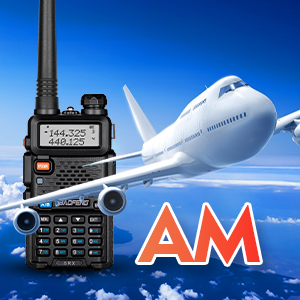
Image: Visuals of multi-band reception capabilities, including AM aviation band.
5.3. One-Key Frequency Match
This feature allows for quick frequency acquisition from another radio.
- Press and hold the [BAND] key. The screen will display “SEARCH UHF”.
- If a CTCSS or DCS code is present on the transmitting radio, its value will be displayed.
- Press the [MENU] key to save the searched frequency and any associated CTCSS or DCS codes.
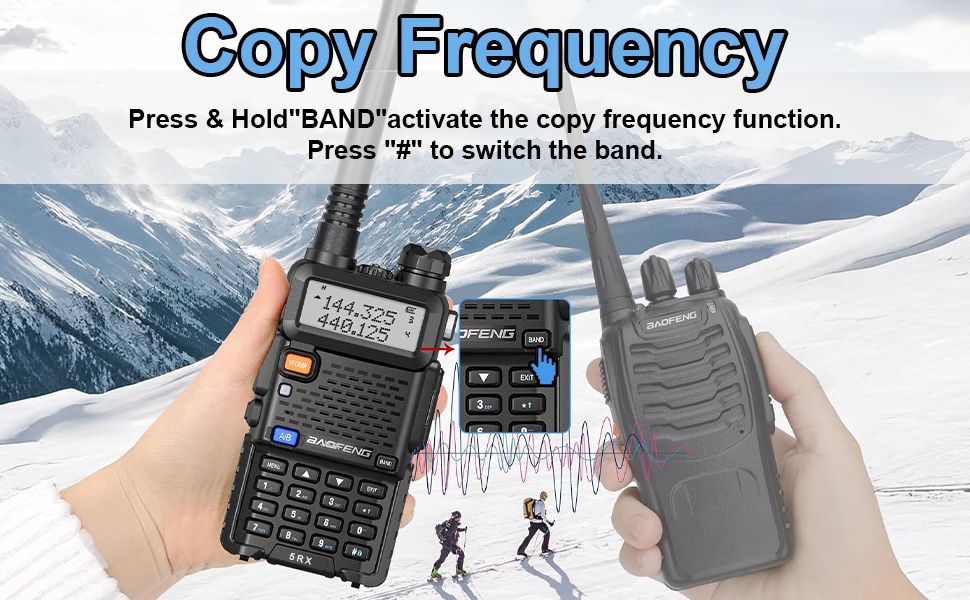
Image: Illustration of the one-key frequency matching feature.
5.4. Dual Watch, Dual Display, Dual Standby
The radio can monitor two different frequencies simultaneously, displaying both on the screen, and will prioritize the first incoming signal.
5.5. VOX Function
VOX (Voice Operated Exchange) allows for hands-free transmission. The radio will automatically transmit when it detects your voice, eliminating the need to press the PTT button.
5.6. Scan Function
The scan function allows the radio to automatically search for active signals across programmed channels or within a specified frequency range.
5.7. Built-in Flashlight
Activate the integrated LED flashlight for illumination in low-light conditions.

Image: The BAOFENG 5RX's built-in flashlight in use.
5.8. DTMF Group Call
DTMF (Dual-Tone Multi-Frequency) allows for selective calling within a group, enhancing communication privacy and efficiency.

Image: DTMF group call feature icon.
6. Programming
The BAOFENG 5RX can be programmed using various methods to customize channels, frequencies, and other settings.
6.1. Programming Software Options
- Chirp: A popular open-source programming tool. Select 'BAOFENG → UV-5RX' as the radio model.
- CPS (Manufacturer Software): Official programming software available from walkietalkiesoftware.com.
- Odmaster (Wireless Programming): An application available on Google Play Store/App Store for wireless programming, requiring a compatible wireless programmer.
6.2. Using the USB Programming Cable
Connect the radio to your computer using the provided USB programming cable to use Chirp or CPS software for programming.
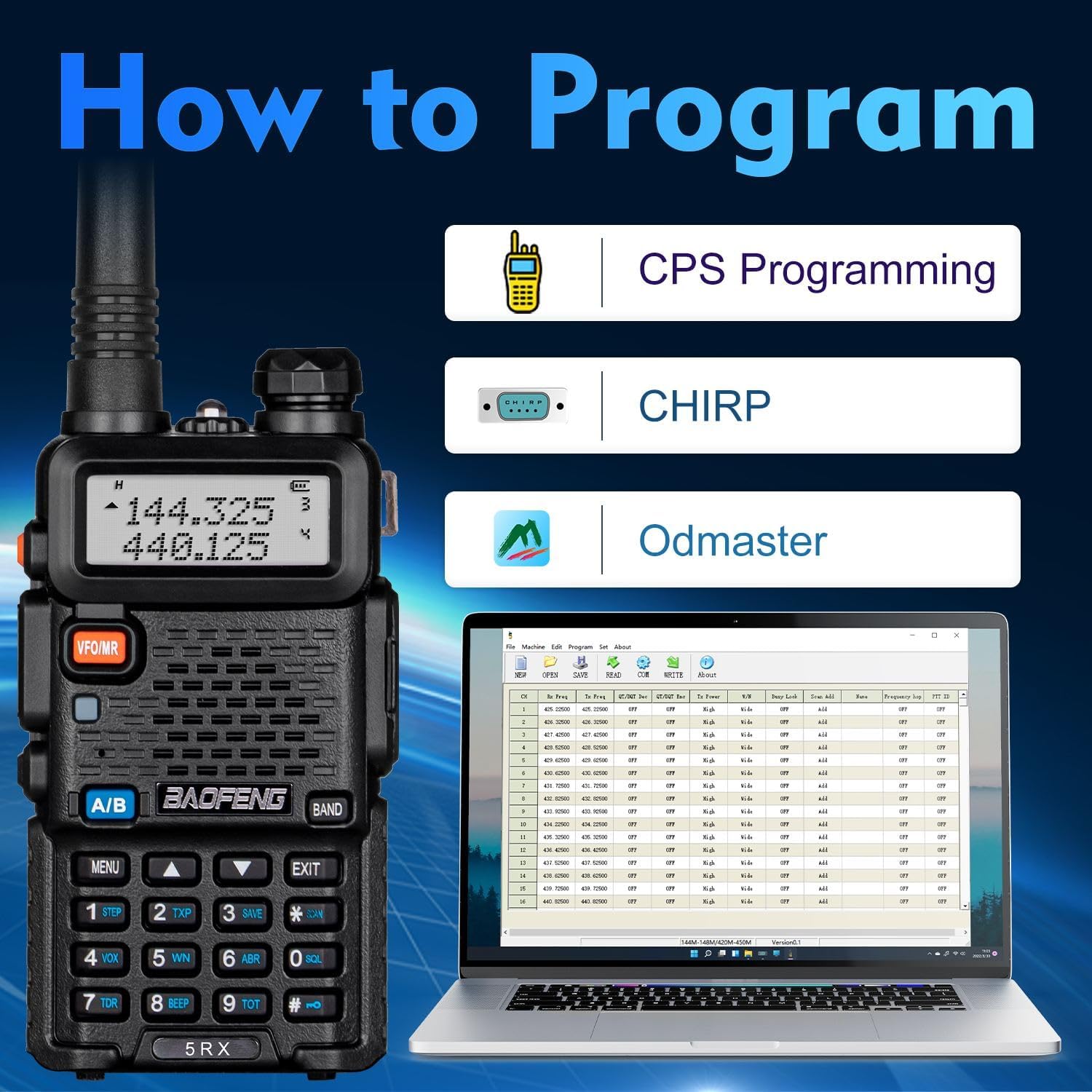
Image: Programming methods for the BAOFENG 5RX.
7. Maintenance
7.1. Battery Care
- Avoid overcharging or completely draining the batteries to prolong their lifespan.
- Store batteries in a cool, dry place when not in use.
- If storing for extended periods, charge batteries to approximately 50% capacity.
7.2. Cleaning
- Wipe the radio's exterior with a soft, damp cloth.
- Do not use harsh chemicals or abrasive cleaners.
- Ensure the radio is dry before use or storage.
7.3. Storage
- Store the radio in a dry, dust-free environment.
- Remove batteries if the radio will not be used for an extended period.
8. Troubleshooting
8.1. Unable to Transmit
- The BAOFENG 5RX is preset to transmit on frequency bands 144-148MHz and 420-450MHz. Ensure you are attempting to transmit within these ranges.
- Verify that the battery is sufficiently charged.
- Consider resetting the radio to factory settings if issues persist.
8.2. Unable to Hit Repeaters
- In VFO mode, confirm that the receiving and transmitting frequencies for the repeater are correctly set.
- Ensure correct offset and tone settings (CTCSS/DCS).
- Refer to page 22 of the detailed manual for more repeater programming instructions.
- A factory reset may resolve configuration issues.
8.3. Programming Difficulties
- Ensure you are using the correct programming software (Chirp, CPS, or Odmaster) and the appropriate radio profile (UV-5RX for Chirp).
- Verify that the USB programming cable drivers are correctly installed on your computer.
- For wireless programming, confirm that the wireless programmer is properly connected and the Odmaster app is configured.
9. Specifications
| Feature | Detail |
|---|---|
| Model Number | BAOFENG 5RX |
| Brand | BAOFENG |
| Item Weight | 2.48 pounds |
| Product Dimensions | 3 x 5 x 7 inches |
| Batteries | 4 Lithium Polymer batteries required (included) |
| Number of Channels | 128 |
| Frequency Range | AM, FM, VHF, 1.25M, UHF |
| Talking Range Maximum | 5 Kilometer |
| Voltage | 7.4 Volts |
| Water Resistance Level | Water Resistant |
| Color | Black |
10. Warranty and Customer Support
10.1. Warranty Information
The BAOFENG 5RX Ham Radio typically comes with a 1-year limited warranty from the date of purchase. Please retain your proof of purchase for warranty claims.
10.2. Customer Support
For any product inquiries, technical assistance, or warranty support, please contact our customer service team. You can reach us through the Amazon messaging system for prompt assistance. Our dedicated technical team is available to provide professional support and resolve any issues you may encounter.
For more detailed repeater programming instructions, refer to page 22 of the full user manual.
Documents and downloads
Ask a question about this manual
Ask about setup, troubleshooting, compatibility, parts, safety, or missing instructions. Manuals+ will review the question and use this page’s manual context to help answer it.