
1. Introduction
This manual provides detailed instructions for the installation, operation, maintenance, and troubleshooting of your MekedeTech Mekede M6 Plus Android 13 Car Radio. This unit is specifically designed for Toyota RAV4 models manufactured between 2005 and 2013.
The Mekede M6 Plus features an Android 13 operating system, a 2K 9.5-inch QLED IPS touch screen, Bluetooth 5.1, an Octa-Core processor, and 8GB RAM with 128GB storage. It integrates advanced audio processing with DSP and DTS support, wireless CarPlay, and Android Auto for an enhanced in-car experience.

Figure 1.1: MekedeTech M6 Plus Android 13 Car Radio main unit. This image displays the front view of the car radio unit, showcasing its 9.5-inch QLED IPS touch screen and the integrated dash kit designed for Toyota RAV4.
2. Compatibility
This Android car screen is exclusively compatible with Toyota RAV4 models from 2005 to 2013. Please ensure your vehicle falls within this model year range for proper fitment and functionality.
3. Setup and Installation
The Mekede M6 Plus is designed for a Plug & Play installation in compatible Toyota RAV4 vehicles. While the unit is designed for ease of installation, professional installation is recommended to ensure correct wiring and optimal performance, especially for users unfamiliar with car audio system installations.
3.1. Pre-Installation Check
- Verify all components are present in the package.
- Ensure the vehicle's battery is disconnected before starting installation.
- Confirm vehicle compatibility (Toyota RAV4 2005-2013).
3.2. Installation Steps (General Guidelines)
- Carefully remove the existing factory radio and dash trim.
- Connect the wiring harness from the Mekede M6 Plus to the vehicle's factory harness. Ensure all connections are secure.
- Connect the GPS antenna and 4G antenna (if applicable) to the designated ports on the head unit. Position antennas for optimal signal reception.
- Mount the Mekede M6 Plus into the dashboard opening, securing it with appropriate brackets.
- Reconnect the vehicle's battery and perform initial power-on tests.
- Reinstall the dash trim.

Figure 3.1: Visual comparison of the dashboard before and after installing the MekedeTech M6 Plus unit in a Toyota RAV4. This illustrates the integrated fit and modern appearance of the new head unit.
4. Operating Instructions
4.1. System Overview
The unit runs on Android 13, providing a familiar smartphone-like interface. Navigate using the 9.5-inch QLED touch screen. The system is powered by an 8-core processor (2 cores ARM Cortex A75 + 6 cores ARM Cortex A55) with 8GB RAM and 128GB internal storage.
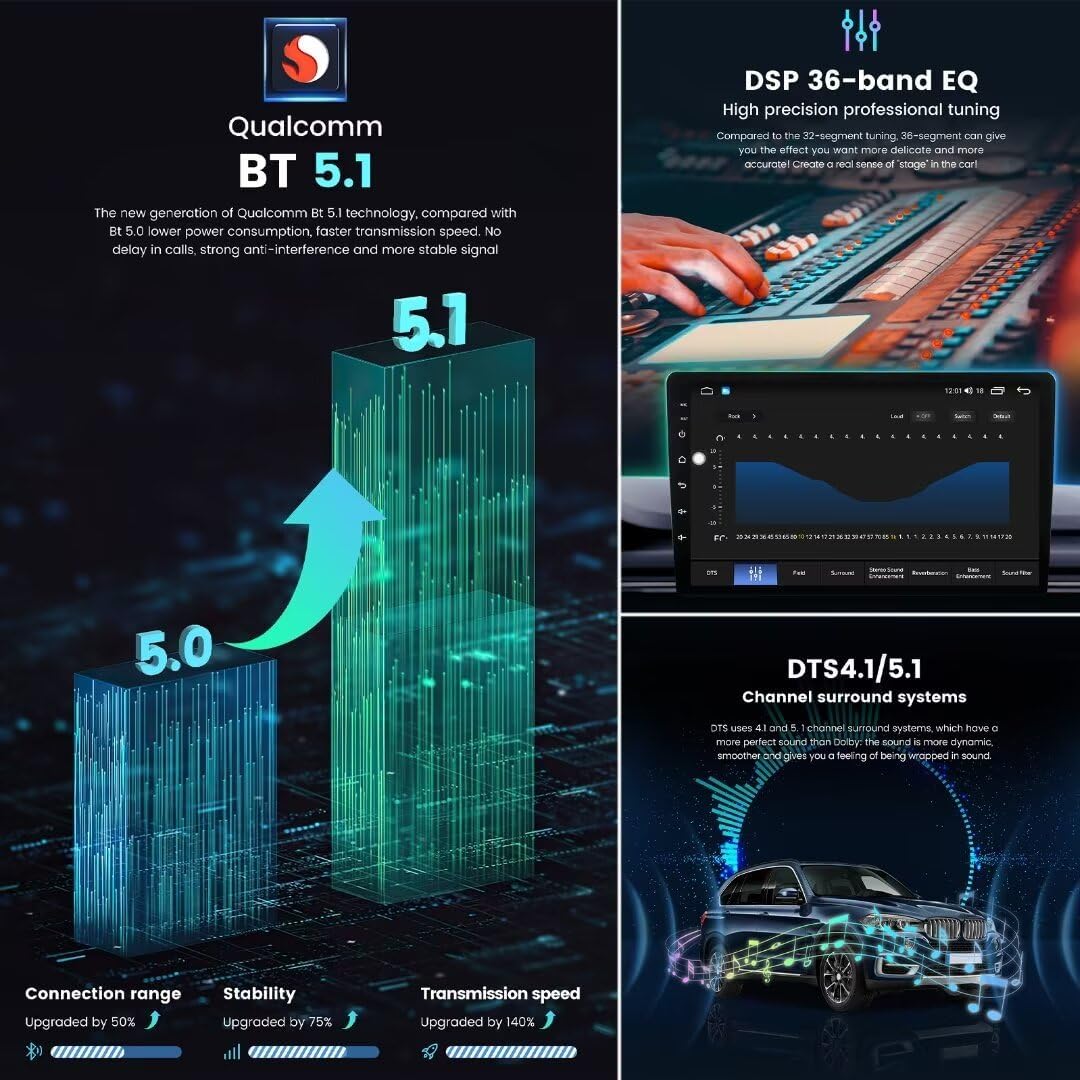
Figure 4.1: Detailed view of the 12NM processor (UIS7862S 2.0GHz 8-core) and the 2000x1200 QLED full-fit screen technology. This image highlights the performance benefits and superior display quality, including reduced reflection and improved clarity.
4.2. Connectivity
- Bluetooth 5.1: Equipped with a Qualcomm 3031 chip for stable and fast wireless connections. Pair your smartphone for hands-free calling and audio streaming.
- 4G LTE & 5GHz WiFi: Supports high-speed internet connectivity. Insert a 4G SIM card (not included) for mobile data or connect to a WiFi hotspot.
- Wireless CarPlay / Android Auto: Connect your compatible smartphone wirelessly for seamless integration of navigation, music, messages, and calls.

Figure 4.2: Illustration of Qualcomm Bluetooth 5.1 technology, demonstrating improved connection range, stability, and transmission speed compared to Bluetooth 5.0. Also shown are the DSP 36-band EQ and DTS 4.1/5.1 channel surround sound systems for enhanced audio experience.
4.3. Audio Features
- DSP 36-Band Equalizer: Provides precise audio tuning with 36 adjustable frequency bands. Access settings for low-pass filter, tone compensation, balanced mode, and surround sound.
- DTS 4.1/5.1 Channel Surround System: Delivers a dynamic and immersive audio experience, creating a "stage" effect within the vehicle.
- Power Amplifier: TDA7850/7851 for robust sound output.
- Radio IC: TDA7708 for clear radio reception.
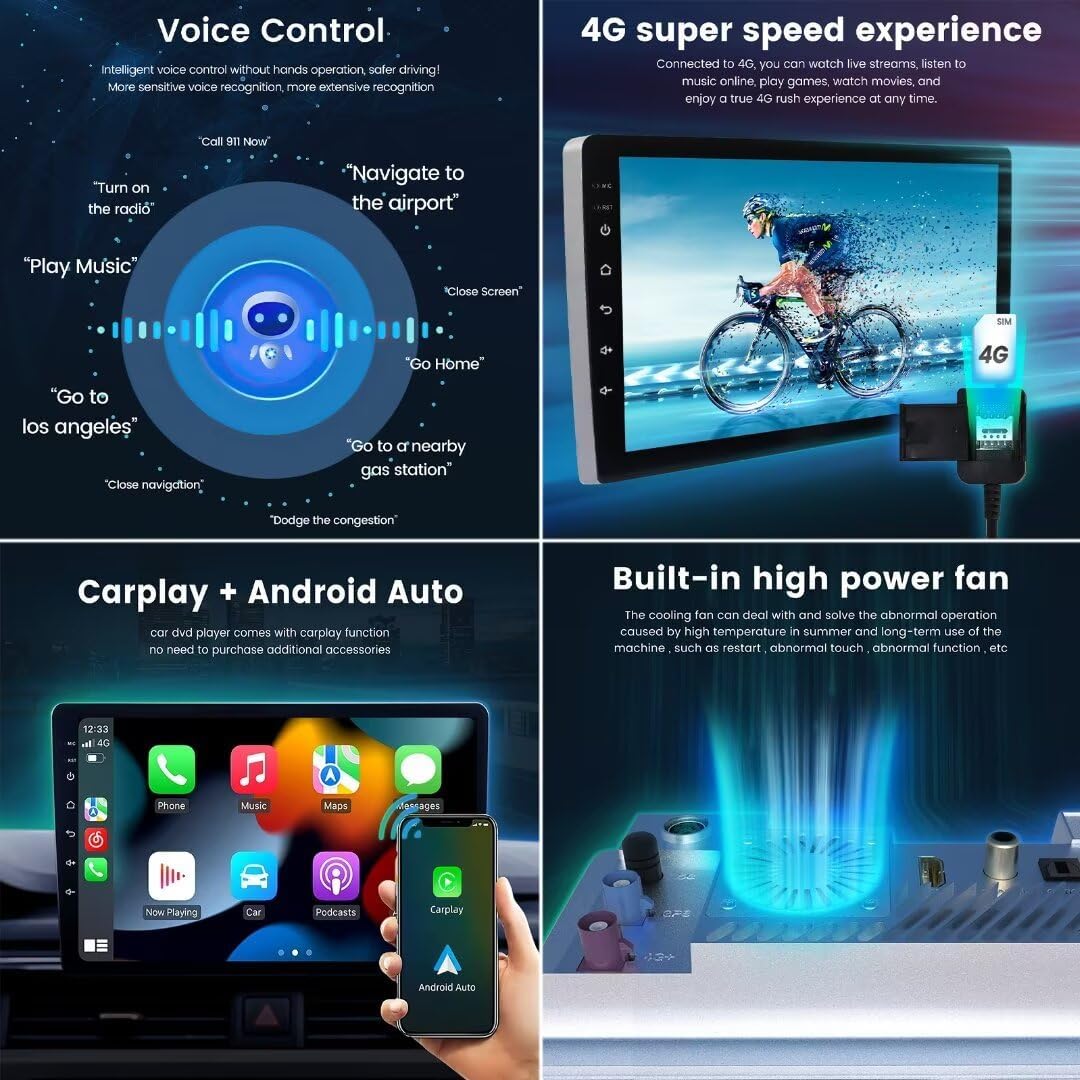
Figure 4.3: This image details the DSP 36-band equalizer interface for high-precision professional tuning and a collection of customizable UI display themes (UI08, UI22, UI29, UI34) available on the MekedeTech M6 Plus.
4.4. Navigation and Multimedia
- GPS Accurate Positioning: Supports GPS, GLONASS, and BDS for reliable and real-time navigation.
- FM/AM RDS Radio: Automatic search and manual tuning for radio stations. Supports RDS for station information display.
- Voice Control: Intelligent voice control allows hands-free operation for navigation, music playback, calls, and system commands.
- Split Screen: Run two applications simultaneously on the screen for enhanced multitasking.
- ADAS DVR & AHD Camera Support: Connect compatible ADAS DVR front cameras and AHD rear cameras for enhanced driving safety and parking assistance.

Figure 4.4: This image illustrates the voice control capabilities with example commands, the 4G super speed experience for streaming, the integration of Wireless CarPlay and Android Auto, and the built-in high power fan for cooling.

Figure 4.5: This image displays various operational features including the FM/AM RDS Radio interface, options to customize the main user interface, split-screen functionality for multitasking, support for multiple languages, and accurate GPS positioning with dedicated antennas.
5. Maintenance
- Screen Cleaning: Use a soft, lint-free cloth to gently wipe the screen. Avoid abrasive cleaners or solvents.
- Software Updates: Periodically check for system updates through the unit's settings menu to ensure optimal performance and access to new features.
- General Care: Keep the unit free from excessive dust and moisture. The built-in cooling fan helps manage internal temperatures.
6. Troubleshooting
| Problem | Possible Cause | Solution |
|---|---|---|
| Unit does not power on. | Loose power connection, blown fuse. | Check power wiring and vehicle fuses. Consult a professional if necessary. |
| No sound output. | Volume too low, incorrect audio source, wiring issue. | Increase volume, select correct audio source, verify speaker connections. |
| GPS signal loss or inaccuracy. | Poor antenna placement, environmental interference. | Ensure GPS antenna has a clear view of the sky. Check antenna connection. |
| Bluetooth device fails to connect. | Device not in pairing mode, incorrect pairing code, interference. | Ensure device is in pairing mode. Delete previous pairings and try again. Restart both devices. |
| Touch screen unresponsive. | System freeze, temporary software glitch. | Perform a soft reset (refer to device specific reset instructions if available, or power cycle the vehicle). |
7. Specifications
| Feature | Detail |
|---|---|
| Model Name | M6Plus |
| Operating System | Android 13 |
| CPU | UIS7862S 2.0GHz Octa-core (2x ARM Cortex A75 + 6x ARM Cortex A55) |
| Display Screen | 9.5 inch QLED IPS Touch Screen |
| Display Resolution | 2000x1200 |
| Memory (RAM) | 8GB |
| Storage (ROM) | 128GB |
| Bluetooth Version | 5.1 (Qualcomm 3031 chip) |
| WiFi | 5GHz WiFi Support |
| 4G LTE | Supported (Fakra 4G Antenna) |
| GPS | GPS, GLONASS, BDS (Fakra GPS Antenna) |
| Audio Amplifier | TDA7850/7851 |
| Radio IC | TDA7708 (DSP RDS) |
| Equalizer | 36-band EQ, Low-pass filter, Tone compensation, Balanced mode, Surround sound mode |
| Surround Sound | DTS 4.1/5.1 Channel |
| Car Integration | Wireless CarPlay, Android Auto |
| Voice Control | Supported |
| Camera Support | ADAS DVR front camera, AHD rear camera |
| Cooling System | Built-in powerful cooling fan |
| Manufacturer | Shenzhen Mekede Technology Co.,Ltd |
The internal design features a specially designed board with components such as the UNISOC UIS7862S 8-core processor, TDA 7850 sound amplifier, Fakra GPS and 4G antennas, and a Qualcomm 3031 Bluetooth 5.1 chip.
8. Warranty Information
The MekedeTech Mekede M6 Plus Car Radio comes with a 1-Year Warranty from the date of purchase. This warranty covers manufacturing defects and malfunctions under normal use. Please retain your proof of purchase for warranty claims. For specific terms and conditions, refer to the warranty card included with your product or contact MekedeTech customer support.
9. Customer Support
For technical assistance, troubleshooting beyond this manual, or warranty inquiries, please contact MekedeTech customer support. You can often find support contact information on the official MekedeTech website or through your purchase platform.
For additional resources and product information, visit the official MekedeTech store: MekedeTech Amazon Store.
