1. Introduction and Overview
The Membrane Solutions MSB5 Air Purifier is designed to improve indoor air quality by effectively filtering out various airborne particles and odors. Featuring a multi-stage filtration system, it provides a healthier living environment by reducing common allergens and pollutants.

Image: The MSB5 Air Purifier unit shown alongside two replacement HEPA filters.
2. Product Features
The MSB5 Air Purifier incorporates advanced features for optimal air purification:
- Efficient Particle Filtration: Utilizes a HEPA filter capable of filtering out particles such as smoke, pollen, dander, hair, and more effectively.
- Upgraded 3-Stage HEPA Filter: Features a comprehensive filtration design including a Pre-Filter, H13 TRUE HEPA Filter, and an Activated Carbon Filter. The activated carbon is enhanced with OdallerPure technology for improved odor removal.
- Genuine Filter Requirement: Only genuine Membrane Solutions MSB5 air purifier HEPA filters are compatible and ensure optimal working efficiency and extended machine life.
- Air Quality Display & Auto Mode: The desk air purifier offers three fan speeds: Auto Mode, Sleep Mode, and Turbo Mode. The touch panel displays real-time air quality. In Auto Mode, a TVOC sensor automatically adjusts fan speed based on air quality.
- Properly Sealed & Easy Use: The original air cleaner filter is designed for a perfect fit and is sealed to preserve shelf life.

Image: H13 True HEPA Filter layers.
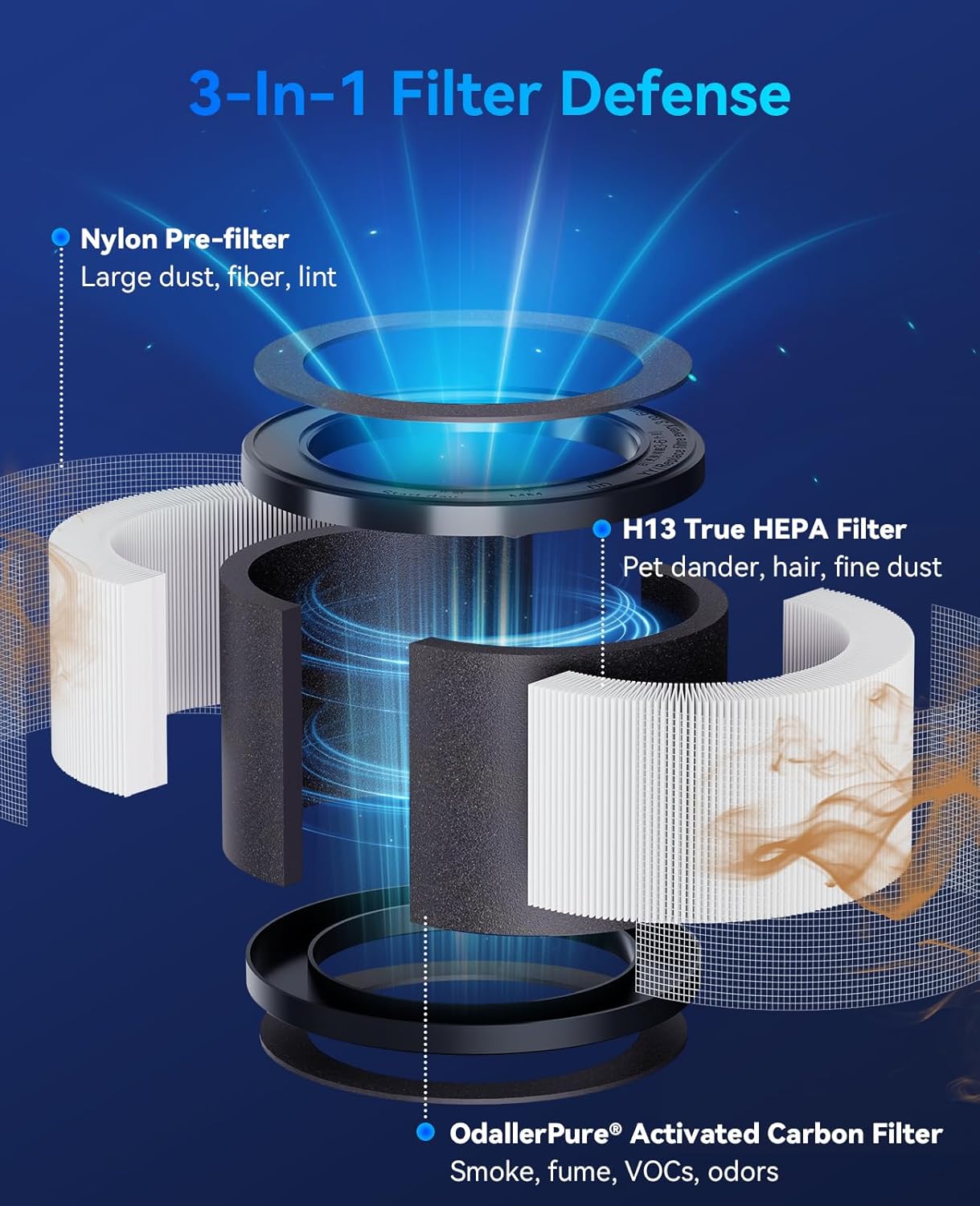
Image: 3-in-1 Filter Defense system.
3. Setup and Initial Use
Follow these steps to set up your MSB5 Air Purifier for the first time:
- Carefully remove the air purifier from its packaging.
- Flip the machine over and rotate the base counterclockwise to remove it.
- Take out the old filter (if any) or the new filter that comes pre-installed.
- Important: Remove the new filter from its plastic bag before placing it into the air purifier. The filter is sealed to preserve its shelf life.
- Insert the new filter into the base of the air purifier.
- Close the cover by rotating the base clockwise until it is securely locked.
- Plug in the air purifier using the provided USB cable.

Image: The MSB5 Air Purifier and its filter.
4. Operating Instructions
The MSB5 Air Purifier features an intuitive touch panel for easy operation:
- Power On/Off: Press the power button on the touch panel to turn the unit on or off.
- Fan Speed Adjustment: Cycle through fan speeds (Auto Mode, Sleep Mode, Turbo Mode) by pressing the fan speed button.
- Auto Mode: In this mode, the built-in TVOC sensor detects air quality and automatically adjusts the fan speed to optimize purification.
- Sleep Mode: Reduces fan speed and light output for quiet operation during rest.
- Air Quality Display: The touch panel displays real-time air quality readings, allowing you to monitor your environment.

Image: Control panel of the MSB5 Air Purifier.
5. Maintenance: Filter Replacement
Regular filter replacement is crucial for maintaining the air purifier's efficiency. The filter service life is approximately 99 days, depending on usage. The unit will indicate when a filter change is needed.
Filter Replacement Steps:
- Unplug the USB cable from the air purifier.
- Flip the machine over and rotate the base counterclockwise to remove it.
- Take out the old filter and dispose of it properly.
- Unwrap the new filter from its plastic packaging.
- Insert the new filter into the base of the air purifier.
- Close the cover by rotating the base clockwise until it is securely locked.
- Plug in the air purifier.
- Press and hold the power button for 3 seconds to reset the filter time indicator.
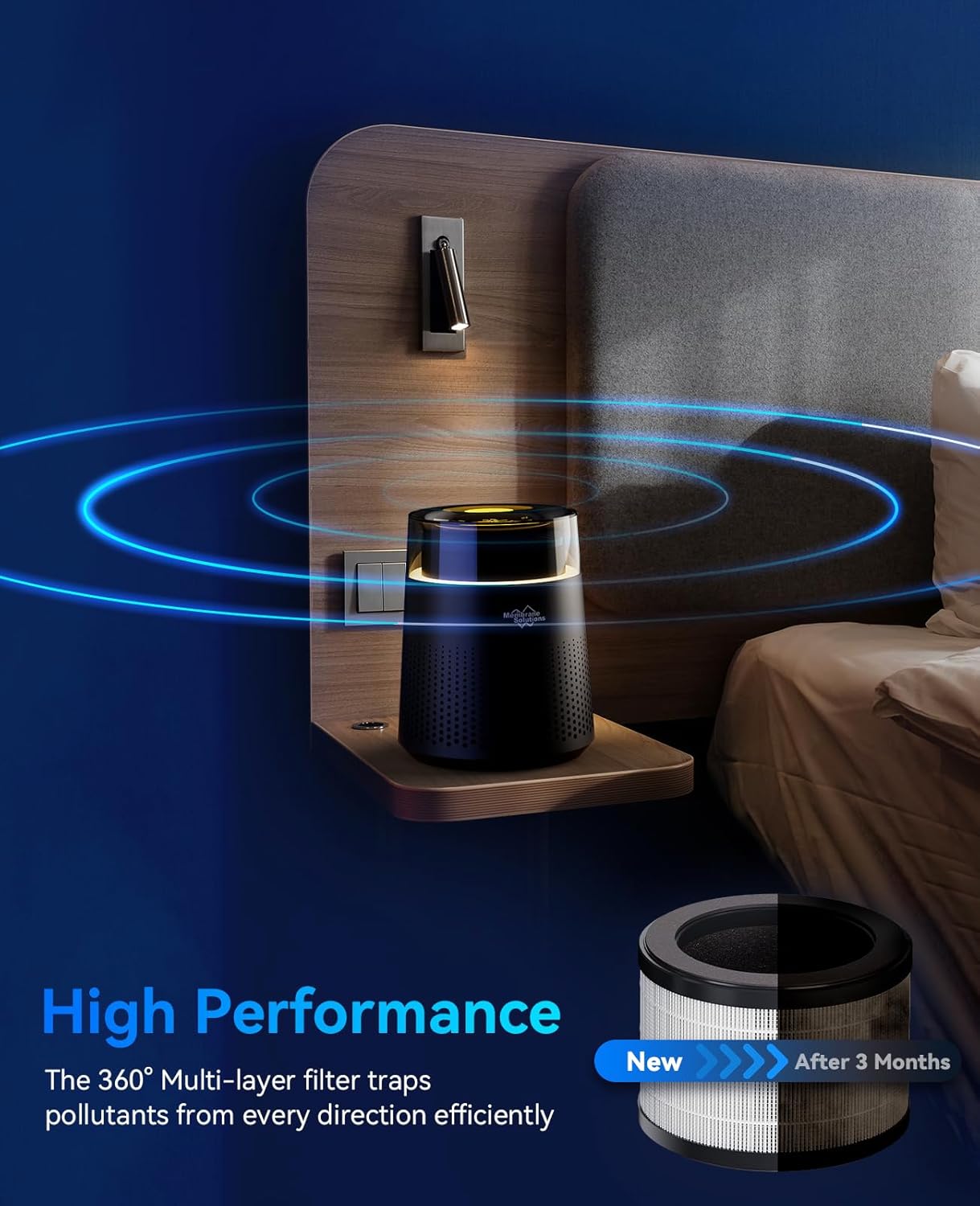
Image: Step-by-step guide for filter replacement.
Official Filter Replacement Video:
Video: Official guide on how to replace the MSB5 Air Purifier filter.
6. Troubleshooting
If you encounter issues with your MSB5 Air Purifier, refer to the following common problems and solutions:
| Problem | Possible Cause | Solution |
|---|---|---|
| Unit does not turn on | Not plugged in; power outlet issue; filter not unwrapped. | Ensure power cable is securely plugged in. Try a different outlet. Verify filter plastic packaging is removed. |
| Reduced airflow or purification efficiency | Clogged filter; incorrect filter installation. | Check filter condition and replace if necessary. Ensure filter is installed correctly and base is securely closed. |
| Unusual noise | Obstruction in fan; unit not on a flat surface. | Check for any foreign objects near the fan. Place the unit on a stable, flat surface. |
| Filter reset indicator remains on after replacement | Filter timer not reset. | Press and hold the power button for 3 seconds to reset the filter timer. |
7. Specifications
| Feature | Detail |
|---|---|
| Brand | Membrane Solutions |
| Model | MSB5 |
| Filter Type | HEPA (3-stage: Pre-Filter, H13 True HEPA, Activated Carbon) |
| Controller Type | Button Control |
| Filter Service Life | Approx. 99 days (usage dependent) |
8. Warranty and Support
For warranty information, technical support, or any product-related inquiries, please contact Membrane Solutions customer service. Keep your purchase receipt for warranty claims.
You can also visit the official Membrane Solutions Store for more information and product support: Membrane Solutions Store


