
iScooter i8
Contents
iScooter i8 Electric Scooter User Manual
Model: i8
1. Introduction
This manual provides essential information for the safe operation, maintenance, and troubleshooting of your iScooter i8 Electric Scooter. Please read this manual thoroughly before first use to ensure proper function and to prevent damage or injury.

Figure 1: Rear view of the iScooter i8 Electric Scooter, showcasing the illuminated brake light and overall design.
2. Safety Information
Your safety is paramount. Adhere to all local laws and regulations regarding electric scooter use. Always wear a helmet and appropriate safety gear. Avoid riding in wet conditions, on uneven surfaces, or at night without proper lighting.
2.1 General Safety Guidelines
- Always wear a certified helmet and protective gear (knee pads, elbow pads, wrist guards).
- Do not ride under the influence of alcohol or drugs.
- Observe all traffic laws and regulations.
- Maintain a safe distance from other vehicles and pedestrians.
- Avoid sudden turns or maneuvers at high speeds.
- Do not carry passengers.
- Ensure the scooter is fully charged and all components are secure before each ride.
2.2 Braking System
The iScooter i8 features a dual braking system for enhanced safety: a disc brake and an EABS regenerative anti-lock braking system. This system has been tested for reliability.

Figure 2: Illustration of the iScooter i8's dual braking system, highlighting the electronic brake lever and the rear drum brake mechanism.
3. Package Contents
Upon unpacking, verify that all items listed below are present and in good condition.
- iScooter i8 Electric Scooter
- Power Adapter/Charger
- User Manual (this document)
- Screws and Screwdriver (for assembly)
4. Product Features
The iScooter i8 is designed for efficient and convenient urban commuting, offering a balance of performance and portability.
- Motor: 350W powerful motor for speeds up to 29 KM/H (18 MPH).
- Battery: High-capacity 36V/5.2AH battery, providing a max travel range of 20 KM (12 Miles).
- Tires: 8.5-inch pneumatic tires for improved shock absorption and ride comfort.
- Braking System: Dual braking system (disc brake and EABS regenerative anti-lock braking).
- Portability: One-step folding design, weighing approximately 12 KG (26.4 LBS).
- Safety Features: Warning taillights and ultra-bright headlights (up to 15 meters range).
- Cruise Control: Built-in cruise control for a consistent speed.
- UL2272 Certified: Ensures electrical safety compliance.

Figure 3: Overview of the iScooter i8's main features, including travel distance, max speed, braking system, tire size, folding system, and motor power.

Figure 4: Detail of the 8.5-inch pneumatic tire, designed for durability and a smooth ride.
5. Setup
Follow these steps to assemble and prepare your iScooter i8 for its first ride.
5.1 Unfolding the Scooter
- Place the scooter on a flat surface.
- Locate the folding mechanism near the base of the handlebar stem.
- Release the locking latch and carefully lift the handlebar stem until it clicks into place.
- Secure the safety lock to prevent accidental folding.
5.2 Handlebar Assembly
- Attach the handlebars to the stem, ensuring the cables are not pinched.
- Use the provided screws and screwdriver to secure the handlebars firmly.
- Test the stability of the handlebars before riding.
5.3 Initial Charging
Before first use, fully charge the scooter's battery. The charging port is typically located on the side of the deck.
- Connect the charger to the scooter's charging port.
- Plug the charger into a power outlet.
- The charging indicator light on the charger will change (e.g., red to green) when fully charged.
- Charging time is approximately 5-6 hours.
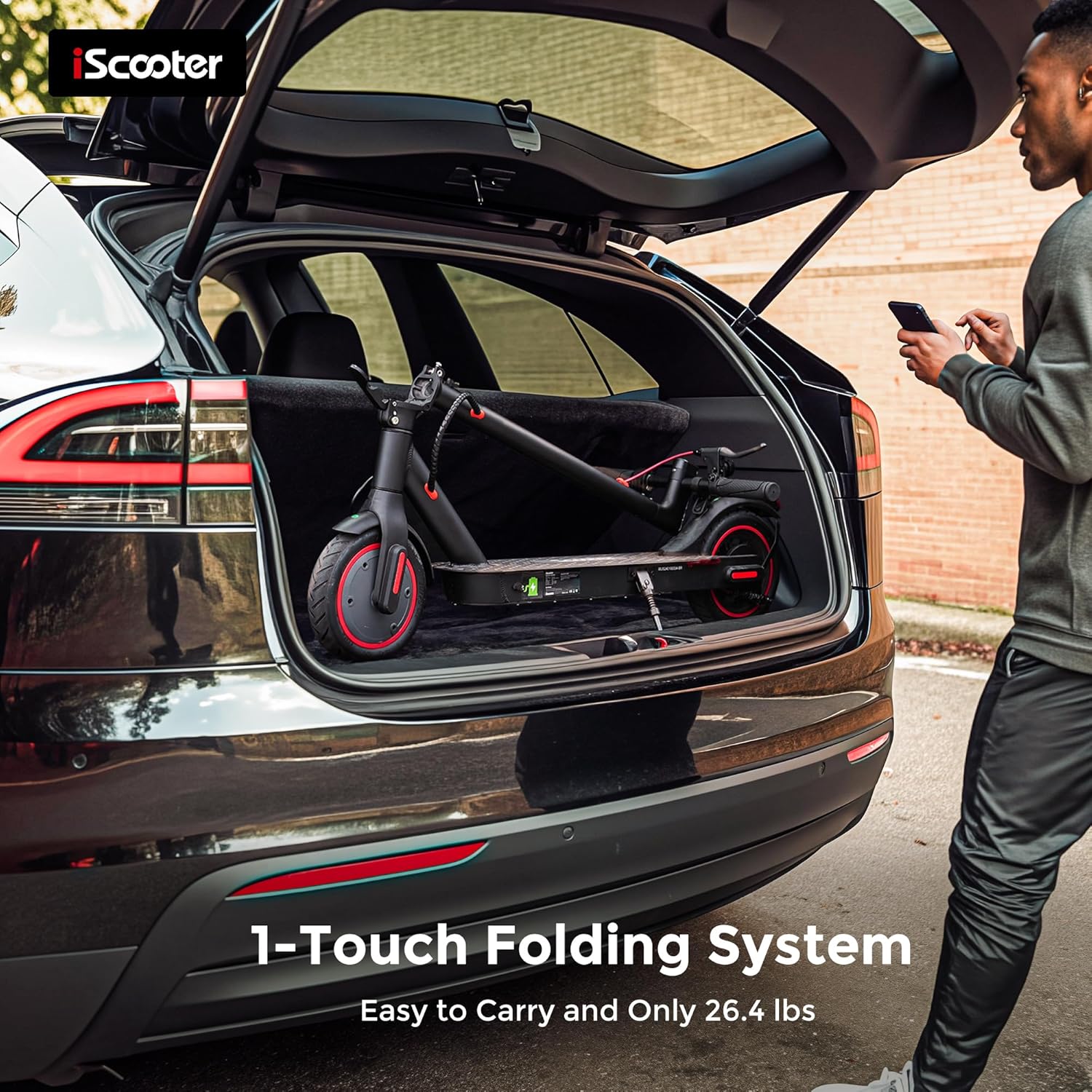
Figure 5: The iScooter i8 demonstrating its one-touch folding system, easily fitting into a car trunk for convenient transport.
6. Operating Instructions
Familiarize yourself with the controls and riding techniques before operating the scooter in public areas.
6.1 Power On/Off
- To power on, press and hold the power button on the display panel.
- To power off, press and hold the power button again until the display turns off.
6.2 Riding the Scooter
- Place one foot firmly on the deck and push off with the other foot to gain initial momentum.
- Once moving, place both feet on the deck.
- Gently press the throttle lever to accelerate.
- To brake, release the throttle and gently squeeze the brake lever.
6.3 Display and Controls
The handlebar display provides essential information and control options.

Figure 6: The iScooter i8 control panel, illustrating functions such as light control, gear switching, mileage display, start mode selection, and cruise control activation.
- Power Button: Turns the scooter on/off.
- Light Control: Press to turn headlights and taillights on/off.
- Gear Switch: Cycles through speed modes (e.g., Eco, Standard, Sport).
- Mileage Display: Shows current trip distance or total mileage.
- Start Mode: Selects between kick-start or zero-start modes.
- Cruise Control: Activates/deactivates cruise control (maintain a steady speed for a few seconds to engage).
7. Maintenance
Regular maintenance ensures the longevity and safe operation of your scooter.
7.1 Cleaning
- Wipe the scooter with a damp cloth. Do not use high-pressure water jets or corrosive cleaners.
- Ensure the charging port cover is securely closed to prevent water ingress.
7.2 Battery Care
- Charge the battery regularly, even if not in use, to maintain battery health.
- Avoid completely draining the battery.
- Store the scooter in a cool, dry place, away from direct sunlight and extreme temperatures.
7.3 Tire Pressure
- Regularly check the tire pressure of the pneumatic tires. Refer to the tire sidewall for recommended PSI.
- Proper tire pressure improves ride quality and battery efficiency.
7.4 Brake Adjustment
- Periodically check the brake effectiveness.
- If braking feels weak or inconsistent, consult a qualified technician for adjustment or replacement of brake components.
8. Troubleshooting
This section addresses common issues you might encounter with your iScooter i8.
| Problem | Possible Cause | Solution |
|---|---|---|
| Scooter does not power on. | Low battery; Loose connections; Faulty power button. | Charge the battery; Check all cable connections; Contact support if issue persists. |
| Reduced range or speed. | Low tire pressure; Overloaded scooter; Battery degradation; Riding uphill frequently. | Inflate tires to recommended PSI; Ensure rider weight is within limits (100kg); Charge battery fully; Adjust riding style. |
| Brakes are not effective. | Worn brake pads; Loose brake cable; Air in hydraulic system (if applicable). | Inspect brake pads and replace if worn; Adjust brake cable tension; Seek professional service. |
| Unusual noises during operation. | Loose components; Debris in wheels; Motor issue. | Inspect scooter for loose screws or parts; Clear any debris from wheels/fenders; Contact support if motor noise is suspected. |
9. Specifications
Detailed technical specifications for the iScooter i8 Electric Scooter.
| Feature | Detail |
|---|---|
| Model | i8 |
| Motor Power | 350W |
| Max Speed | 29 KM/H (18 MPH) |
| Max Range | 20 KM (12 Miles) |
| Battery | 36V/5.2AH Lithium Polymer |
| Charging Time | 5-6 hours |
| Tire Size | 8.5 Inches (Pneumatic) |
| Braking System | Dual (Disc Brake + EABS Regenerative Anti-lock) |
| Max Load Capacity | 100 kg (220 lbs) |
| Product Dimensions (Unfolded) | 105 x 45 x 110 cm |
| Item Weight | 12.6 kg (26.4 lbs) |
| Frame Material | Aluminum |
| Certification | UL2272 Certified |

Figure 7: Dimensional diagram of the iScooter i8, showing its height (105cm) and handlebar width (45cm) when unfolded, and folded height (48cm).
10. Warranty and Support
iScooter is committed to delivering quality products. For any questions or assistance, please contact our customer support.
- Customer Service Phone: +1 (855) 916-2366
- Customer Service Email: support@iscooterglobal.com
- Please refer to your purchase documentation for specific warranty terms and conditions.

Figure 8: iScooter customer support team ready to assist with inquiries.
Ask a question about this manual
Ask about setup, troubleshooting, compatibility, parts, safety, or missing instructions. Manuals+ will review the question and use this page’s manual context to help answer it.