
HyperGear 15827
HyperGear Transparent Portable Charger Power Bank - User Manual
Model: 15827 | Brand: HyperGear
1. Introduction
Thank you for choosing the HyperGear Transparent Portable Charger Power Bank. This 20,000mAh battery pack is designed for fast charging your iPhone, Android, and other compatible devices with its 20W USB-C Power Delivery and dual USB Adaptive Fast Charge ports. Its unique transparent design allows you to see the advanced technology within. This manual provides essential information for safe and efficient use of your power bank.

Figure 1: HyperGear Transparent Portable Charger Power Bank.
2. Product Overview
The HyperGear power bank features a transparent casing, an LED digital display, and multiple charging ports for versatile use.
- Transparent Design: Showcases internal components.
- LED Digital Display: Indicates remaining battery percentage.
- USB-C PD Port: One 20W USB-C Power Delivery port for fast input and output.
- USB Adaptive Fast Charge Ports: Two standard USB-A ports for additional device charging.

Figure 2: Top view of the power bank showing the LED display and charging ports.
3. Setup and Initial Use
3.1 Charging the Power Bank
Before first use, fully charge your HyperGear power bank.
- Connect a USB-C cable to the power bank's USB-C PD port.
- Connect the other end of the cable to a compatible USB-C Power Delivery wall charger (not included).
- The LED display will show the charging progress. The power bank recharges from 0% to 100% in approximately 1.5 hours with a 20W USB-C PD charger.
- Once fully charged, the display will show "100". Disconnect the power bank from the charger.

Figure 3: Illustration of the power bank being recharged.
4. Operating Instructions
4.1 Charging Your Devices
The power bank can charge up to three devices simultaneously.
- Connect your device's charging cable to one of the available ports on the power bank (USB-C PD or USB Adaptive Fast Charge ports).
- Connect the other end of the cable to your device.
- Charging will begin automatically. The LED display will show the power bank's remaining charge.
- For optimal fast charging, use the USB-C PD port with a compatible USB-C to USB-C or USB-C to Lightning cable. This port can charge devices like an iPhone to 50% in approximately 30 minutes.

Figure 4: Fast charging capabilities with the power bank.
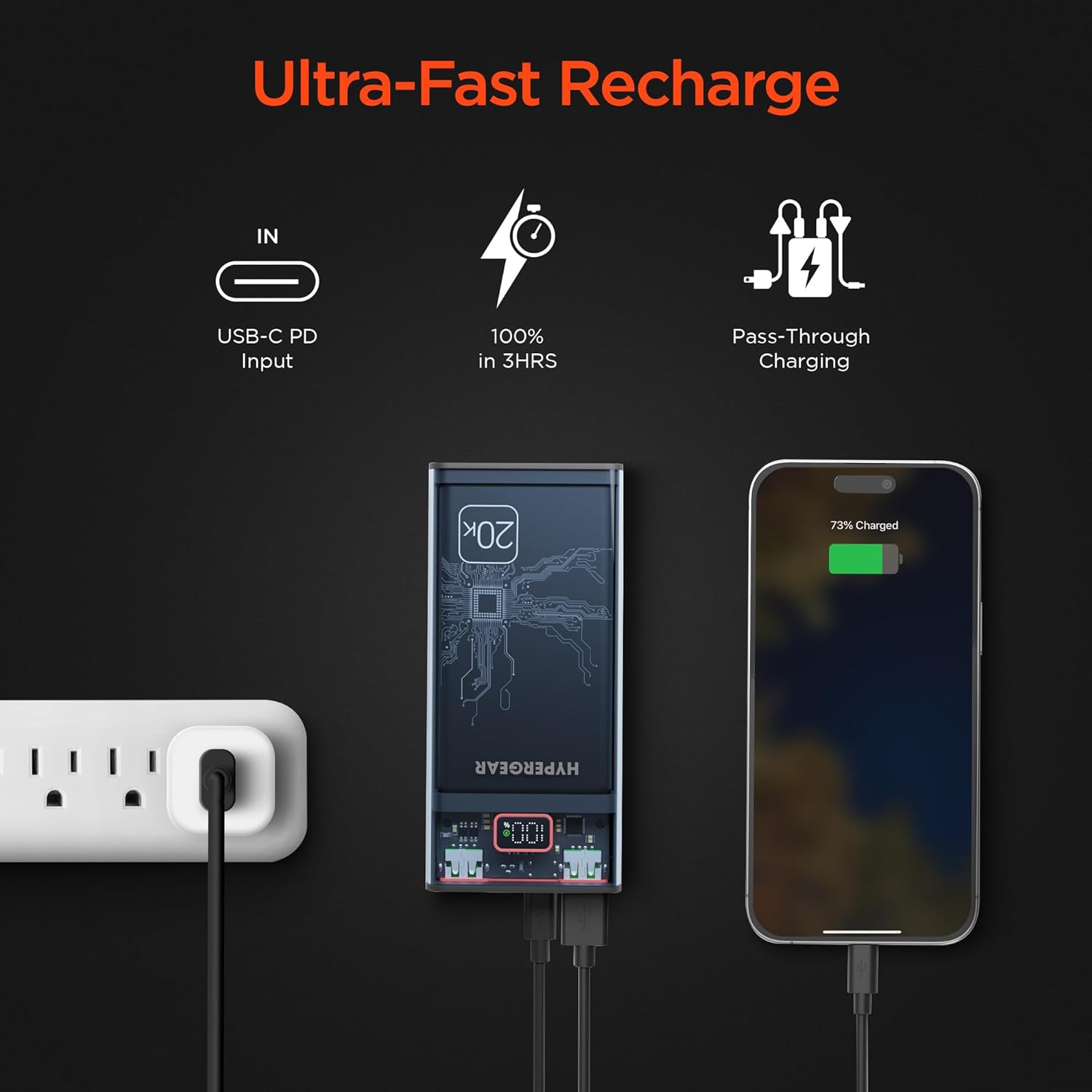
Figure 5: The power bank charging a phone, earbuds, and a tablet simultaneously.
5. Maintenance and Care
- Keep the power bank dry and away from moisture.
- Avoid extreme temperatures (hot or cold).
- Do not drop, disassemble, or attempt to repair the device yourself.
- Clean the surface with a soft, dry cloth. Do not use harsh chemicals or abrasive materials.
- Store in a cool, dry place when not in use for extended periods.
- The power bank features built-in safety protections including overcharge, overvoltage, short circuit, and temperature regulation.

Figure 6: SmartChip protections for safe charging.
6. Troubleshooting
- Power bank not charging:
- Ensure the charging cable is securely connected to both the power bank and the wall charger.
- Verify the wall charger is functioning correctly and provides sufficient power (preferably 20W USB-C PD).
- Try a different charging cable or wall adapter.
- Device not charging from power bank:
- Check if the power bank has sufficient charge (check LED display).
- Ensure the charging cable is securely connected to both the power bank and your device.
- Try a different charging cable or a different port on the power bank.
- Some devices may require specific cables or charging protocols.
- Slow charging:
- Ensure you are using the USB-C PD port for fast charging compatible devices.
- Verify your device and cable support fast charging.
- Avoid charging multiple devices simultaneously if you need maximum speed for one device.
7. Specifications
| Model Number | 15827 |
| Capacity | 20,000mAh |
| Ports | 1x USB-C PD (Input/Output), 2x USB-A (Output) |
| USB-C PD Output | 20W |
| Dimensions | 5.75 x 2.6 x 1.13 inches |
| Item Weight | 14.9 ounces |
| UPC | 633755158278 |
8. Warranty and Support
HyperGear products are designed for reliability and performance. For warranty information or technical support, please visit the official HyperGear website or contact their customer service.
Manufacturer: Hypercel Corporation
Brand: HyperGear
Website: Visit the HyperGear Store on Amazon
Related documents15827


Ask a question about this manual
Ask about setup, troubleshooting, compatibility, parts, safety, or missing instructions. Manuals+ will review the question and use this page’s manual context to help answer it.