
iScooter i8
Contents
iScooter 2025 Electric Scooter User Manual
Model: i8 | Brand: iScooter
Introduction
This manual provides essential information for the safe operation, maintenance, and troubleshooting of your iScooter i8 Electric Scooter. Please read this manual thoroughly before your first ride to ensure proper use and to maximize the lifespan of your scooter.
The iScooter i8 is a lightweight, foldable electric scooter designed for commuting, featuring an 8.5-inch pneumatic tire system, a powerful 350W motor, and a dual braking system for enhanced safety.

Image: The iScooter i8 Electric Scooter, showcasing its sleek black design and a rider in motion.
Safety Information
Your safety is paramount. Always adhere to local laws and regulations regarding electric scooter use. This scooter is UL2272 certified, ensuring high safety and reliability standards.
General Safety Guidelines:
- Always wear a helmet and appropriate protective gear (knee pads, elbow pads) when riding.
- Do not ride under the influence of alcohol or drugs.
- Avoid riding in heavy rain, snow, or on icy surfaces.
- Ensure all components are securely fastened before each ride.
- Maintain a safe distance from other vehicles and pedestrians.
- Do not perform stunts or sudden maneuvers.
Braking System:
The iScooter i8 is equipped with a dual braking system, including a disc brake and an EABS regenerative anti-lock brake. This system ensures responsive and reliable stopping power. Familiarize yourself with the braking response in a safe, open area before riding in traffic.

Image: Detail of the scooter's rear wheel and the dual brake system, highlighting the safety features.
Night Riding:
For enhanced visibility during night riding, the scooter features an ultra-bright headlight with a 15-meter range and a rear warning light. Always ensure these lights are functional before riding in low-light conditions.
Assembly and Setup
The iScooter i8 is designed for quick and easy setup. It comes largely pre-assembled, requiring minimal steps to get ready for your first ride.
Included Components:
- i8 Electric Scooter
- User Manual (this document)
- Screws and Screwdriver for assembly
- Charging Adapter
Initial Assembly:
- Carefully remove the scooter and all components from the packaging.
- Unfold the scooter by releasing the folding mechanism. Ensure the stem clicks securely into place.
- Attach the handlebars to the stem using the provided screws and screwdriver. Ensure they are firmly secured and do not wobble.
Initial Charging:
Before your first ride, fully charge the scooter's battery. Connect the charging adapter to the scooter's charging port and then to a power outlet. The charging indicator will show the charging status. A full charge typically takes 5-6 hours.
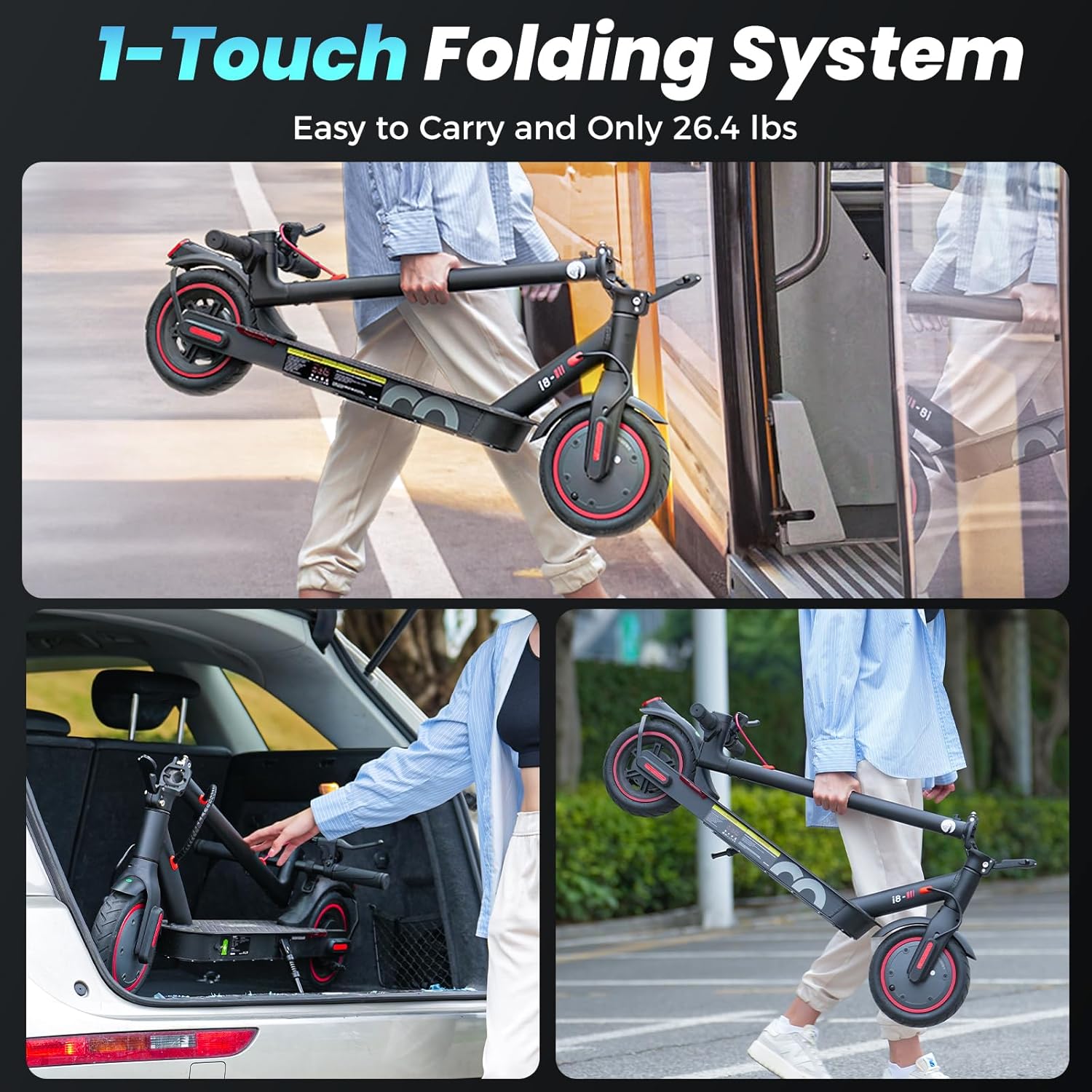
Image: The scooter's one-touch folding system, showing how easily it can be carried and stored in a car trunk or on public transport.
Operating Instructions
Power On/Off:
- To power on, press and hold the power button on the display.
- To power off, press and hold the power button again until the display turns off.
Smart LED Display:
The integrated Smart LED Display provides real-time information about your ride.
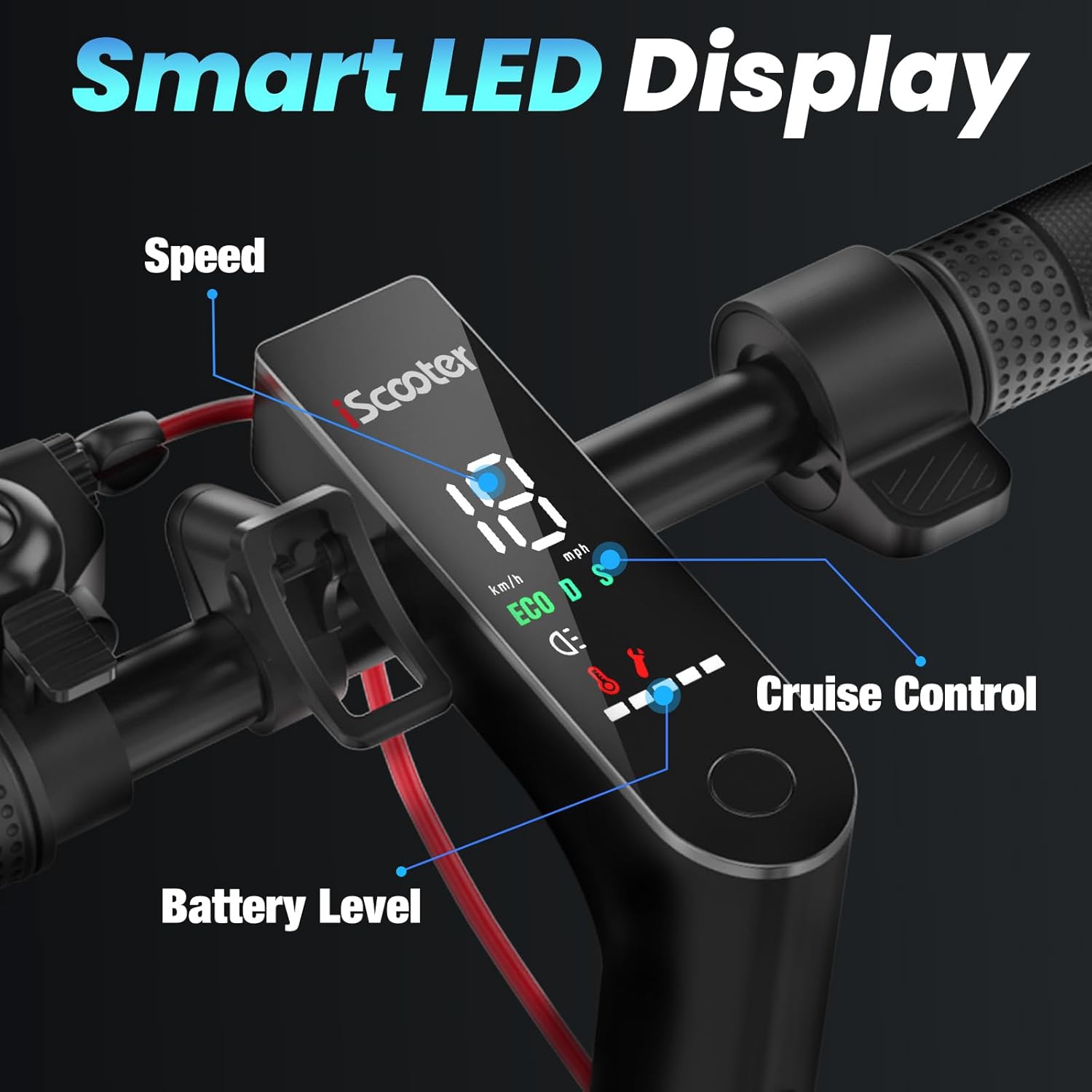
Image: The Smart LED Display on the handlebar, indicating current speed, battery level, and cruise control status.
- Speed Indicator: Shows your current speed in KM/H or MPH.
- Battery Level: Displays the remaining battery charge.
- Cruise Control: An indicator light will illuminate when cruise control is active.
- Mode Indicator: Shows the current riding mode (e.g., ECO, D, S).
Riding Modes:
The scooter offers different riding modes to suit your preference and environment. Refer to the display for the current mode. The 350W brushless motor allows for speeds up to 29 km/h (18 mph).
- ECO Mode: Energy-saving mode for extended range.
- D Mode: Standard mode for balanced performance.
- S Mode: Sport mode for maximum speed and acceleration.
Cruise Control:
To activate cruise control, maintain a consistent speed for a few seconds. The cruise control indicator will light up. To deactivate, simply press the brake lever or the throttle.
Maintenance
Regular maintenance ensures the longevity and optimal performance of your iScooter i8.
Cleaning:
- Wipe the scooter with a damp cloth. Do not use high-pressure water jets or immerse the scooter in water.
- Avoid using abrasive cleaners that may damage the finish.
Tires:
The scooter features 8.5-inch pneumatic tires. Regularly check tire pressure and inflate to the recommended PSI (refer to the tire sidewall for details). Proper tire pressure improves ride quality and extends tire life.
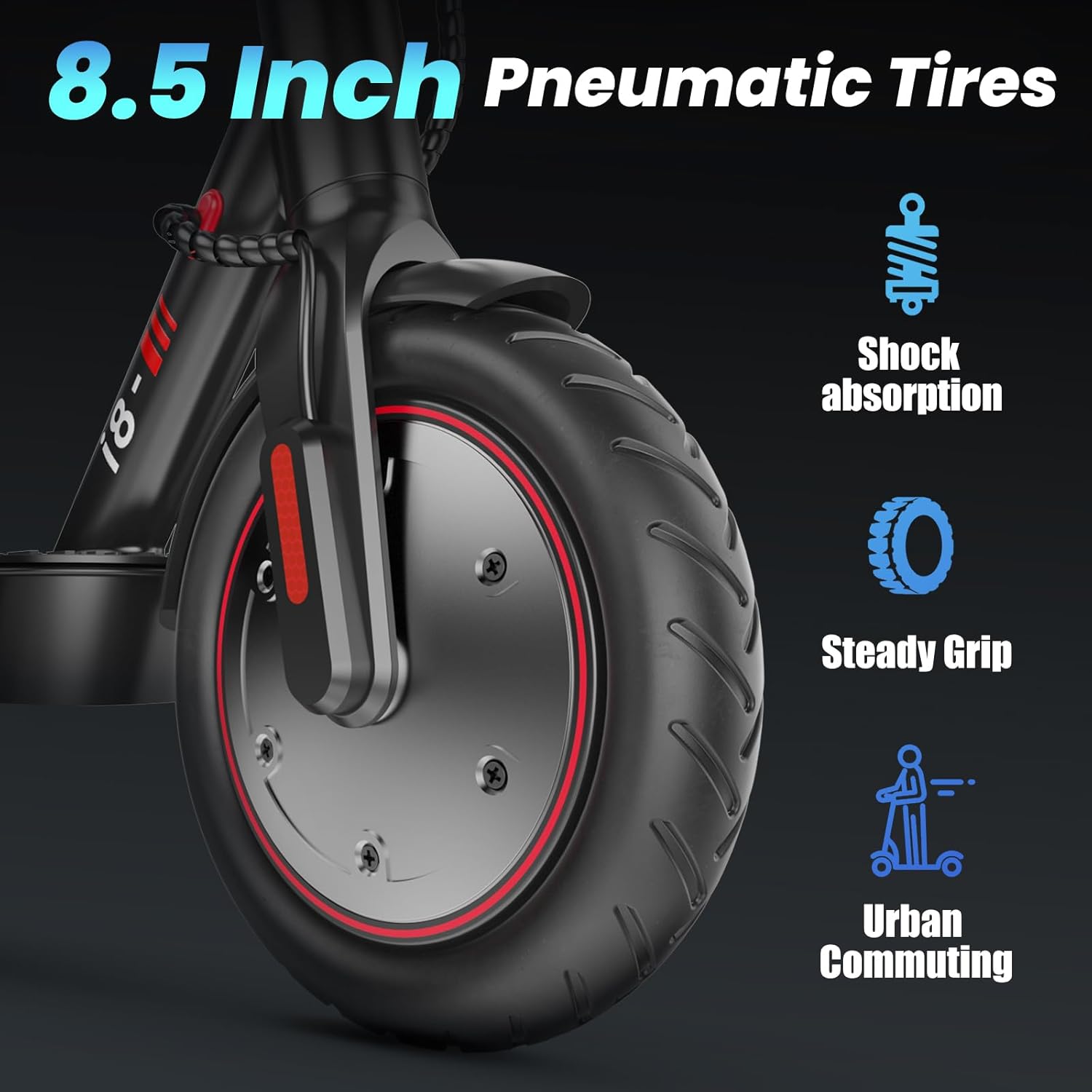
Image: The 8.5-inch pneumatic tire, designed for shock absorption and steady grip, suitable for urban commuting.
Battery Care:
- Charge the battery fully before long periods of storage.
- Store the scooter in a cool, dry place away from direct sunlight and extreme temperatures.
- Avoid completely draining the battery before recharging to prolong its lifespan.
General Checks:
- Inspect brake cables and levers for proper function and wear.
- Check all screws and bolts for tightness.
- Ensure the folding mechanism operates smoothly and locks securely.
Troubleshooting
This section addresses common issues you might encounter with your iScooter i8. For problems not listed here, please contact customer support.
| Problem | Possible Cause | Solution |
|---|---|---|
| Scooter does not power on. | Low battery; loose connections; power button malfunction. | Charge the battery fully. Check all visible cable connections. Contact support if issue persists. |
| Reduced range or speed. | Under-inflated tires; heavy load; riding uphill; cold weather; battery degradation. | Check and inflate tires to correct pressure. Reduce load. Battery performance can be affected by temperature. |
| Brakes feel loose or ineffective. | Brake cable adjustment needed; worn brake pads. | Adjust brake cable tension. Inspect brake pads for wear and replace if necessary. Consult a professional if unsure. |
| Unusual noises during operation. | Loose components; debris in wheel; motor issue. | Inspect all parts for looseness. Check wheels for obstructions. If noise persists, contact customer support. |
Specifications
| Feature | Detail |
|---|---|
| Model Name | i8 |
| Motor Power | 350W (Peak 500W) |
| Top Speed | Up to 29 KM/H (18 MPH) |
| Max Range | Up to 20 KM (12 Miles) |
| Battery Capacity | 36V/5.2Ah |
| Charging Time | 5-6 hours |
| Wheel Size | 8.5 Inches (Pneumatic Tires) |
| Brake Type | Dual Brake Systems (Disc Brake + EABS Regenerative Anti-lock Brake) |
| Frame Material | Aluminum |
| Item Weight | 12 kg (26.4 lbs) |
| Maximum Weight Capacity | 100 kg (220 lbs) |
| Special Features | Foldable, Cruise Control, Smart LED Display, Headlight, Rear Warning Light |
| Safety Certification | UL2272 Certified |
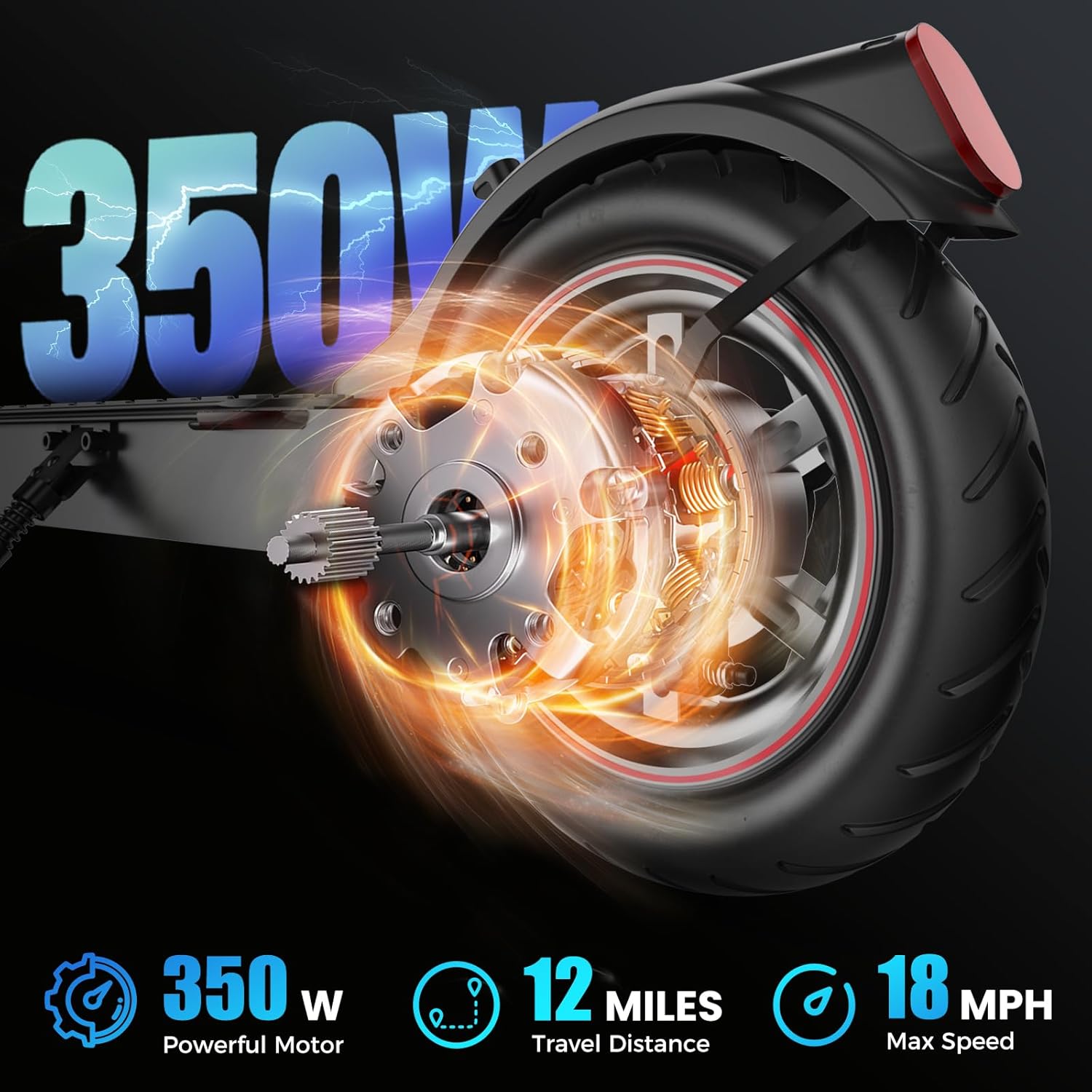
Image: Visual representation of the scooter's motor power, travel distance, and maximum speed capabilities.
Warranty and Support
iScooter stands behind the quality of its products. Your iScooter i8 comes with a comprehensive warranty and dedicated customer support.
Warranty Information:
- Parts Warranty: 12 months for select parts.
- Other Components: 180 days for other components.
- Please retain your proof of purchase for warranty claims.
Customer Support:
Our customer service team is available to assist you with any questions, concerns, or technical support needs. We aim to ensure a worry-free riding experience.
- Call Center: +1 (855) 916-2366
- Live Chat/Email Support: support@iscooterglobal.com
For more information, you can visit the official iScooter store on Amazon: iScooter Store

Image: iScooter customer service team ready to provide support.
Ask a question about this manual
Ask about setup, troubleshooting, compatibility, parts, safety, or missing instructions. Manuals+ will review the question and use this page’s manual context to help answer it.