Introduction
Thank you for choosing the LEMON T950 Acoustic-Style Electronic Snare Drum. This manual provides essential information for the proper setup, operation, and maintenance of your new electronic snare drum. Please read these instructions carefully to ensure optimal performance and longevity of your instrument.
The T950 snare drum is designed to offer a realistic playing experience with its mesh head and dual-zone triggering, suitable for integration into various electronic drum setups.
Key Features
- Realistic Acoustic Look: Features a wooden shell with a natural finish, emulating the appearance of an acoustic snare drum.
- Dual-Zone Functionality: Offers independent head and rim triggers for versatile and expressive playing.
- Responsive Mesh Head: Adjustable tension mesh head ensures a realistic playing experience and dynamic control.
- Compact Design: Designed for effortless integration into any electronic drum setup.
- Widely Compatible: Engineered to work seamlessly with most electronic drum modules on the market.
Setup
Proper setup is crucial for the performance of your electronic snare drum. Follow these steps for installation and connection.
Unpacking and Initial Inspection
Carefully remove the snare drum from its packaging. Inspect all components for any signs of damage. The package should include the 13"x5" snare drum.
Mounting the Snare Drum
Mount the snare drum onto a compatible snare stand (not included). Ensure the stand is stable and securely holds the drum at your preferred playing height and angle.

Figure 1: The LEMON T950 13x5 inch Electronic Snare Drum, shown mounted on a stand (stand not included).
Connecting to an Electronic Drum Module
Connect the snare drum to your electronic drum module using a standard 1/4-inch TRS (stereo) cable. The dual-zone functionality requires a stereo input on your module to differentiate between head and rim triggers.
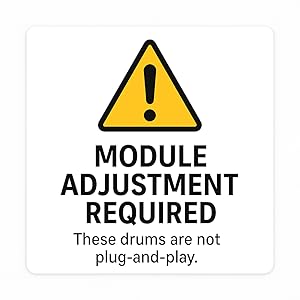
Figure 2: Important notice regarding module adjustment.
Important: Module Adjustment Required
The LEMON T950 snare drum is not a plug-and-play device with all modules. After connecting, it is essential to adjust the trigger settings within your electronic drum module. Refer to your module's instruction manual for specific steps on configuring external pads. This typically involves setting trigger type, sensitivity, threshold, and cross-talk parameters to ensure accurate and responsive triggering for both the head and rim zones.
Operating Instructions
Playing the Snare Drum
The T950 snare drum features a dual-zone mesh head, allowing for distinct sounds from the head and the rim. Strike the center of the mesh head for the main snare sound. Strike the rim or the edge of the head and rim simultaneously for rimshot sounds, depending on your module's settings.
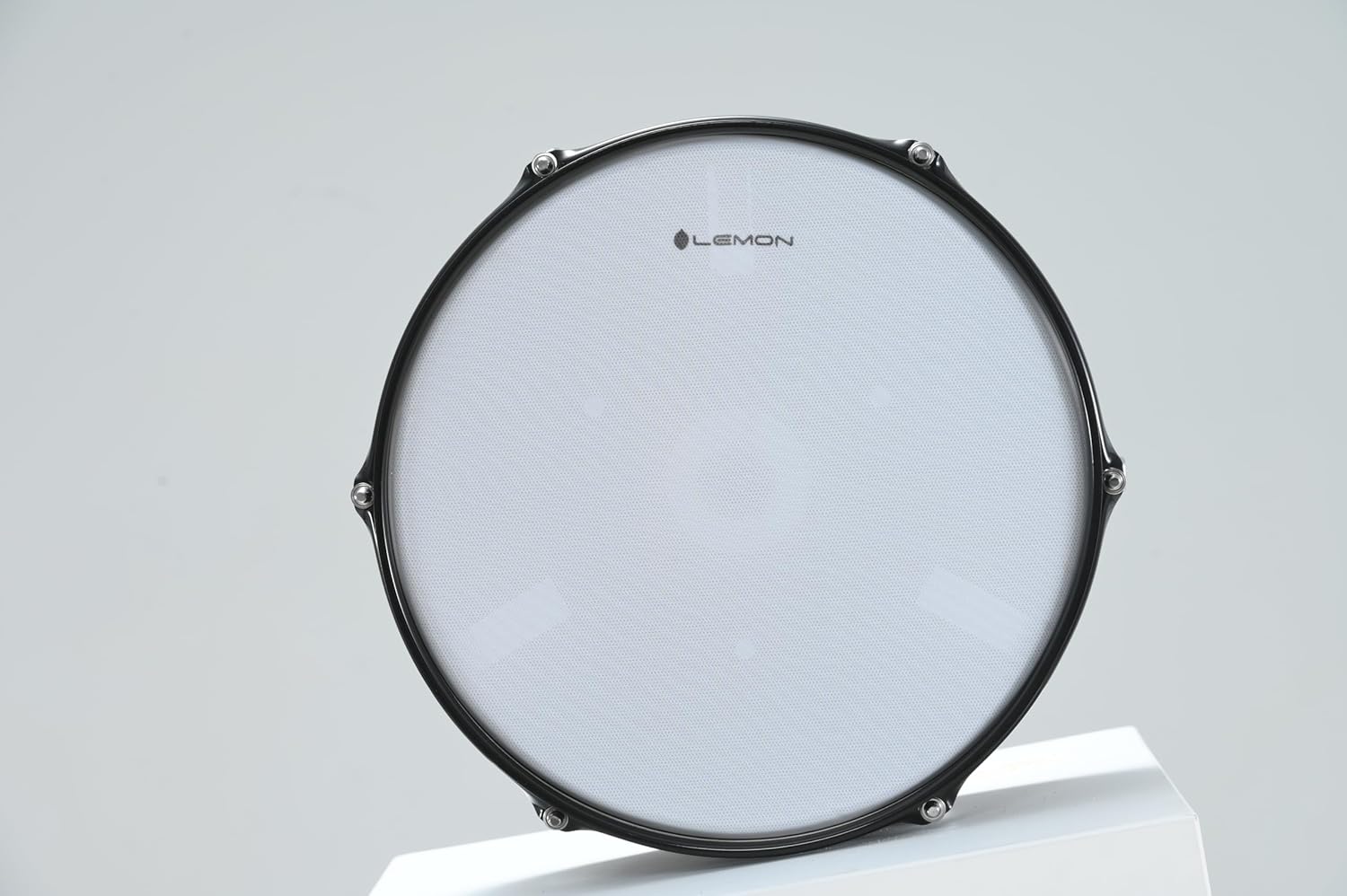
Figure 3: Close-up view of the responsive mesh head with the LEMON logo.
Adjusting Mesh Head Tension
The mesh head tension can be adjusted using a standard drum key (not included). Adjusting the tension affects the feel and rebound of the drum, similar to an acoustic drum. Experiment with different tensions to find your preferred playing response. Ensure even tension across all lugs for consistent feel and triggering.
Maintenance
Regular maintenance will help preserve the condition and functionality of your LEMON T950 snare drum.
- Cleaning: Use a soft, dry cloth to wipe down the drum shell and mesh head. Avoid abrasive cleaners or solvents, which can damage the finish or mesh material.
- Storage: When not in use, store the drum in a dry environment, away from extreme temperatures and direct sunlight.
- Cable Care: Ensure all cables are not kinked or strained. Disconnect cables by pulling the plug, not the cable itself.
- Mesh Head Replacement: If the mesh head becomes worn or damaged, it can be replaced. Contact LEMON support for compatible replacement parts.
Troubleshooting
If you encounter issues with your LEMON T950 snare drum, refer to the following common problems and solutions.
- No Sound or Intermittent Sound:
- Check all cable connections between the snare drum and the module. Ensure they are securely plugged in.
- Verify that the module's input for the snare drum is correctly configured and enabled.
- Test with a different cable to rule out a faulty cable.
- Incorrect Triggering (e.g., Head triggers Rim, or vice versa):
- This is often due to incorrect module settings. Access your drum module's trigger settings and adjust the 'trigger type' for the snare input to match a dual-zone pad.
- Adjust sensitivity, threshold, and cross-talk parameters in your module. High sensitivity or low threshold can cause unintended triggers.
- Ensure the cable used is a TRS (stereo) cable, not a TS (mono) cable, as a mono cable will not transmit separate head and rim signals.
- Uneven Response or Hot Spots:
- Check the mesh head tension. Uneven tension can lead to inconsistent response. Adjust the lugs evenly with a drum key.
- Adjust the sensitivity settings in your drum module.
- Damaged Rim Guard:
- If the rubber rim guard shows signs of wear or splitting, it may need replacement. Contact LEMON support for replacement parts.
Specifications
| Brand | LEMON |
| Model Name | LE-T950-BK |
| Size | 13"x5" Snare |
| Material Type | Wood |
| Item Weight | 6 pounds |
| Connector Type | USB (Note: This refers to the module's potential connectivity, the drum itself uses 1/4" TRS) |
| Included Components | Snare Drum |
| UPC | 198168655375 |
Warranty and Support
LEMON products are manufactured to high-quality standards. For specific warranty information, please refer to the warranty card included with your purchase or visit the official LEMON website. If you require technical assistance, replacement parts, or have questions not covered in this manual, please contact LEMON customer support through their official channels.
For further information and support, please visit the LEMON Store on Amazon.


