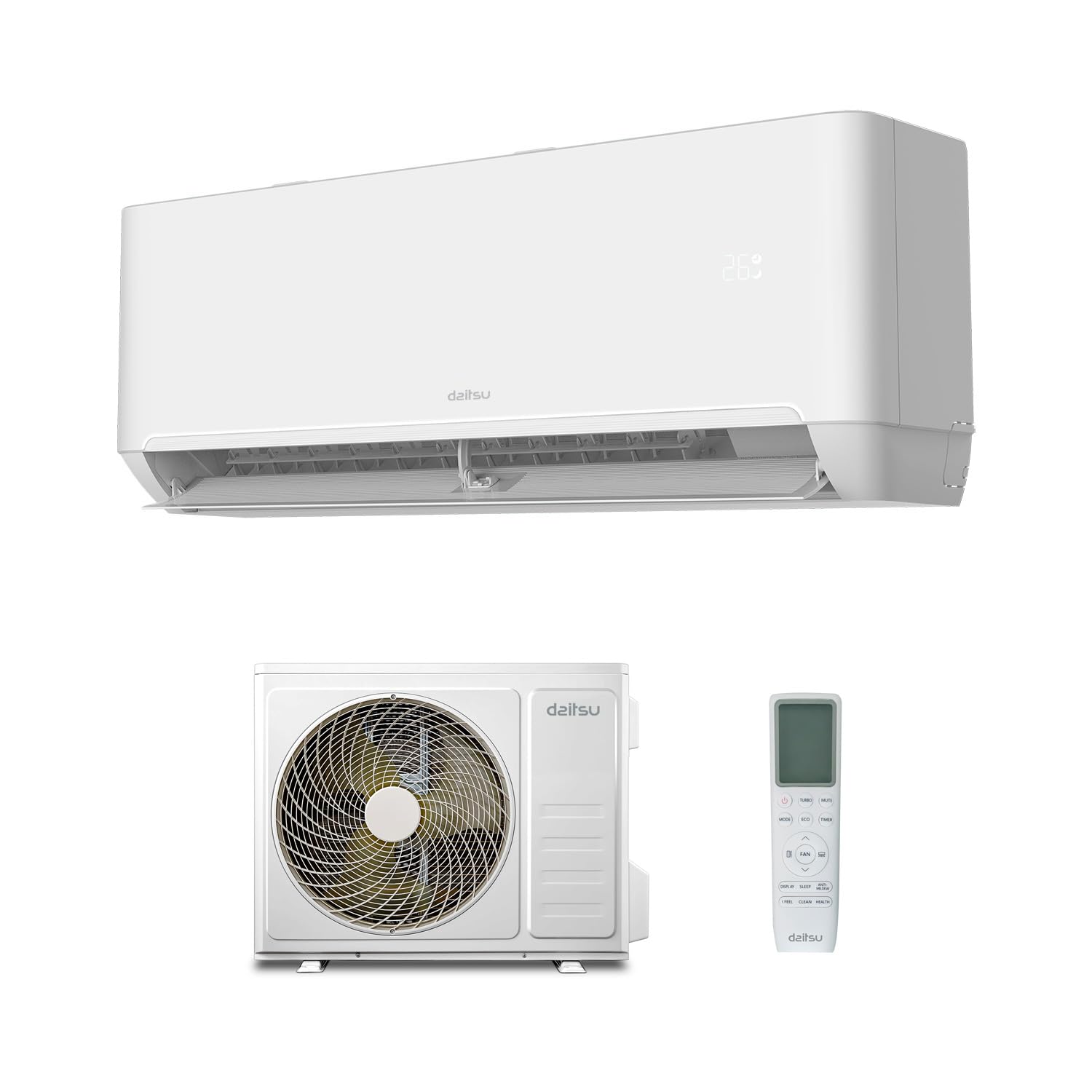
Daitsu Artic DS12KDP Inverter Split Air Conditioner User Manual
Model: DS12KDP
1. Introduction
Thank you for choosing the Daitsu Artic DS12KDP Inverter Split Air Conditioner. This manual provides essential information for the safe and efficient installation, operation, and maintenance of your new air conditioning system. Please read this manual thoroughly before using the appliance and keep it for future reference.
2. Safety Information
Always observe the following basic precautions to reduce the risk of fire, electric shock, injury, or damage to the appliance.
Professional Installation: Installation, maintenance, and repair must be performed by qualified service personnel. Improper installation can lead to electric shock, fire, or water leakage.
Power Supply: Ensure the power supply matches the specifications of the unit. Do not use damaged power cords or plugs.
Grounding: The appliance must be properly grounded to prevent electric shock.
Refrigerant: This unit uses R-32 refrigerant. Do not discharge refrigerant into the atmosphere. Contact a qualified technician for any refrigerant-related services.
Children and Pets: Keep children and pets away from the outdoor unit. Do not allow children to play with the air conditioner.
Cleaning: Always turn off the power supply before cleaning or performing maintenance.
Obstructions: Do not block the air inlet or outlet of either unit.
3. Package Contents
Verify that all the following items are included in your package:
Indoor Unit (Model: DS-12KTP-2)
Outdoor Unit (Model: DOS-12KTP-2)
Remote Control
User Manual (this document)
Installation Manual (separate document, for professional installers)
4. Product Overview
The Daitsu Artic DS12KDP is an inverter split air conditioning system designed for efficient cooling and heating. It consists of an indoor unit and an outdoor unit, connected by refrigerant lines and electrical wiring.
4.1. Indoor Unit
The indoor unit is responsible for circulating conditioned air within your room. It features a sleek design with a digital display and an antimicrobial air filter.
Image 1: Front view of the Daitsu Artic DS12KDP indoor unit, showing the air outlet and digital display.
4.2. Outdoor Unit
The outdoor unit houses the compressor, condenser, and fan, which are essential for the refrigeration cycle. It is designed for outdoor installation and efficient heat exchange.
Image 2: Side view of the Daitsu Artic DS12KDP outdoor unit, showing the fan grille and Daitsu branding.
4.3. Remote Control
The remote control allows you to conveniently operate all functions of the air conditioner, including mode selection, temperature adjustment, fan speed, and timer settings.
5. Setup and Installation
The Daitsu Artic DS12KDP is a split-system air conditioner. Its installation requires specialized knowledge and tools. It is mandatory that installation be carried out by a certified and qualified professional technician. Attempting to install the unit yourself may result in injury, damage to the unit, and voiding of the warranty.
5.1. General Installation Guidelines (for professional installers)
Location: Choose a location for both indoor and outdoor units that allows for proper airflow, easy maintenance, and minimal noise disturbance.
Mounting: Securely mount the indoor unit on a wall and the outdoor unit on a stable, level surface or wall bracket.
Piping: Connect the refrigerant lines (1/4" liquid, 3/8" gas) between the units, ensuring proper insulation and leak-free connections. Maximum line length is 25 meters, with a maximum height difference of 10 meters.
Electrical Wiring: Connect the power supply (220-240V/1/50Hz) and communication wiring according to the wiring diagram provided in the separate installation manual. Ensure proper grounding.
Drainage: Install a condensate drain line for the indoor unit to ensure proper water removal.
Vacuuming and Refrigerant Charge: Evacuate the refrigerant lines to remove air and moisture. Verify the refrigerant charge (R-32, 0.57 kg).
Test Run: After installation, perform a test run to ensure all functions operate correctly.
6. Operating Instructions
This section describes the basic operation of your Daitsu Artic DS12KDP air conditioner using the remote control.
6.1. Power On/Off
Press the ON/OFF button on the remote control to turn the unit on or off.
6.2. Mode Selection
Press the MODE button to cycle through the available operating modes:
Cool (❄): For cooling the room.
Heat (☀): For heating the room.
Fan (💨): Circulates air without cooling or heating.
Dry (💧): Dehumidifies the room.
Auto: The unit automatically selects the operating mode based on the room temperature.
6.3. Temperature Adjustment
Use the ▲ (Up) and ▼ (Down) buttons to set your desired temperature. The temperature range is typically between 16°C and 30°C.
6.4. Fan Speed
Press the FAN button to adjust the fan speed. Options usually include Auto, Low, Medium, and High. The unit has 3 power levels.
6.5. Timer Function
The timer function allows you to set the unit to turn on or off automatically after a specified period. Refer to the remote control section of the full manual for detailed timer programming instructions.
7. Wi-Fi Control
The Daitsu Artic DS12KDP features integrated Wi-Fi connectivity, allowing you to control your air conditioner remotely using a smartphone application.
7.1. App Installation
Download the official Daitsu air conditioner control app from your smartphone's app store (e.g., Apple App Store or Google Play Store).
7.2. Pairing the Unit
Ensure your air conditioner is powered on and your smartphone is connected to a 2.4 GHz Wi-Fi network.
Open the Daitsu app and follow the on-screen instructions to add a new device.
The app will guide you through the pairing process, which typically involves putting the indoor unit into pairing mode (refer to the app or unit display for specific instructions).
Regular maintenance ensures optimal performance and extends the lifespan of your air conditioner. Always disconnect the power supply before performing any maintenance.
8.1. Air Filter Cleaning
The indoor unit is equipped with an antimicrobial air filter that should be cleaned regularly (every 2-4 weeks, depending on usage and air quality).
Open the front panel of the indoor unit.
Carefully remove the air filters.
Clean the filters using a vacuum cleaner or wash them with lukewarm water and a mild detergent.
Rinse thoroughly and allow them to dry completely in a shaded area before reinstalling.
Close the front panel.
8.2. Outdoor Unit Cleaning
Periodically check the outdoor unit for any obstructions (leaves, dirt, debris) around the fan and condenser coils. Gently clean with a soft brush or vacuum cleaner. Do not spray water directly onto the electrical components.
8.3. Professional Inspection
It is recommended to have a qualified technician perform a comprehensive inspection and cleaning of your air conditioner at least once a year, especially before the peak cooling or heating season.
9. Troubleshooting
Before contacting customer support, please refer to the following table for common issues and their solutions.
Problem
Possible Cause
Solution
Unit does not turn on
No power supply; Remote control batteries low; Circuit breaker tripped.
Check power connection; Replace batteries; Reset circuit breaker.
Insufficient cooling/heating
Air filter dirty; Temperature setting incorrect; Doors/windows open; Outdoor unit obstructed.
Clean air filter; Adjust temperature; Close doors/windows; Clear obstructions from outdoor unit.
Unusual noise
Loose parts; Unit not level; Foreign object in fan.
Contact a qualified technician.
Water leakage from indoor unit
Drain pipe clogged or bent; Unit not properly installed.
Check and clear drain pipe; Contact a qualified technician for inspection.
Wi-Fi connection issues
Incorrect Wi-Fi password; Router issues; Unit too far from router.
Verify password; Restart router; Move unit or router closer.
If the problem persists after attempting these solutions, please contact Daitsu customer support or a qualified service technician.
10. Specifications
Technical specifications for the Daitsu Artic DS12KDP Inverter Split Air Conditioner.
Feature
Specification
Model (Indoor Unit)
DS-12KTP-2
Model (Outdoor Unit)
DOS-12KTP-2
Cooling Capacity (Nominal)
3.4 kW (1.0~3.77 kW)
Heating Capacity (Nominal)
3.43 kW (1.0~3.81 kW)
Annual Electricity Consumption (Cooling)
195 kWh/year
Annual Electricity Consumption (Heating, average season)
840 kWh/year
SEER (Energy Class Cooling)
6.1 (A++)
SCOP (Energy Class Heating, average season)
4.0 (A+)
EER / COP (Cooling/Heating)
3.23 / 3.72
Power Supply
220-240V / 1 Phase / 50Hz
Current Absorbed (Cooling/Heating)
5.1 A / 4.6 A
Nominal Power Absorbed (Cooling/Heating)
1.05 kW / 0.92 kW
Indoor Unit Air Flow
560 m³/h
Outdoor Unit Air Flow
1900 m³/h
Operating Range (Cooling)
-15 to +53 °C
Operating Range (Heating)
-20 to +30 °C
Indoor Unit Sound Pressure (SA/A/M/B/SB)
42/38/33/30/22 dB(A)
Outdoor Unit Sound Pressure
52 dB(A)
Indoor Unit Sound Power (SA/A/M/B/SB)
52/48/43/39/32 dB(A)
Outdoor Unit Sound Power
62 dB(A)
Piping Diameter (Liquid/Gas)
1/4" - 3/8"
Max Refrigerant Line Length
25 m
Max Refrigerant Line Height Difference
10 m
Refrigerant Type/GWP
R-32/675
Refrigerant Charge
0.57 Kg (0.38 TCO2eq)
Indoor Unit Dimensions (H/W/D)
275 x 790 x 192 mm
Outdoor Unit Dimensions (H/W/D)
498 x 777 x 290 mm
Indoor Unit Weight
8.5 kg
Outdoor Unit Weight
24 kg
Total Weight
32.5 kg
Control Method
App, Remote Control
Filter Type
Antimicrobial Air Filter
Special Features
Inverter Compressor, Wi-Fi Control
11. Warranty and Support
11.1. Product Warranty
The Daitsu Artic DS12KDP Inverter Split Air Conditioner comes with a 3-year limited warranty. This warranty covers manufacturing defects under normal use and service. Please retain your proof of purchase for warranty claims.
The warranty does not cover damages resulting from improper installation, misuse, neglect, unauthorized repairs, or acts of nature. For detailed warranty terms and conditions, please refer to the warranty card included with your product or contact Daitsu customer service.
11.2. Customer Support
For technical assistance, service requests, or any questions regarding your Daitsu air conditioner, please contact your local Daitsu dealer or authorized service center. You can also visit the official Daitsu website for support resources and contact information.
Documents and downloads
Ask a question about this manual
Ask about setup, troubleshooting, compatibility, parts, safety, or missing instructions. Manuals+ will review the question and use this page’s manual context to help answer it.