
Pure 252984
Pure Classic C-D6 Music System User Manual
Model: 252984
Brand: Pure
Introduction
The Pure Classic C-D6 is a versatile music system designed to provide a comprehensive audio experience. It integrates a CD player, DAB+/FM radio, Bluetooth connectivity, AUX input, and USB playback. This system features immersive stereo sound with 2x15W output from its 3-inch full-range speakers, and includes convenient functions such as an alarm and sleep timer. This manual provides detailed instructions for setting up, operating, and maintaining your Pure Classic C-D6 Music System.
Safety Information
Please read all safety warnings and instructions carefully before using this product to ensure safe operation and prevent damage. Keep this manual for future reference.
- Power Source: Use only the power adapter supplied with the unit. Ensure the voltage matches your local power supply.
- Ventilation: Do not block any ventilation openings. Allow adequate space around the unit for proper airflow.
- Water and Moisture: Do not expose the unit to rain, moisture, or dripping/splashing liquids. Do not place objects filled with liquids, such as vases, on the unit.
- Heat: Keep the unit away from heat sources such as radiators, heat registers, stoves, or other apparatus (including amplifiers) that produce heat.
- Cleaning: Unplug the unit from the power outlet before cleaning. Use a soft, dry cloth. Do not use liquid cleaners or aerosol cleaners.
- Servicing: Do not attempt to service this product yourself. Refer all servicing to qualified service personnel.
Package Contents
Verify that all items are present in the package:
- Pure Classic C-D6 Music System
- Power Cable
- Remote Control
- User Manual (this document)
Product Overview
The Pure Classic C-D6 features a classic design with modern functionality. Familiarize yourself with the main components and controls.
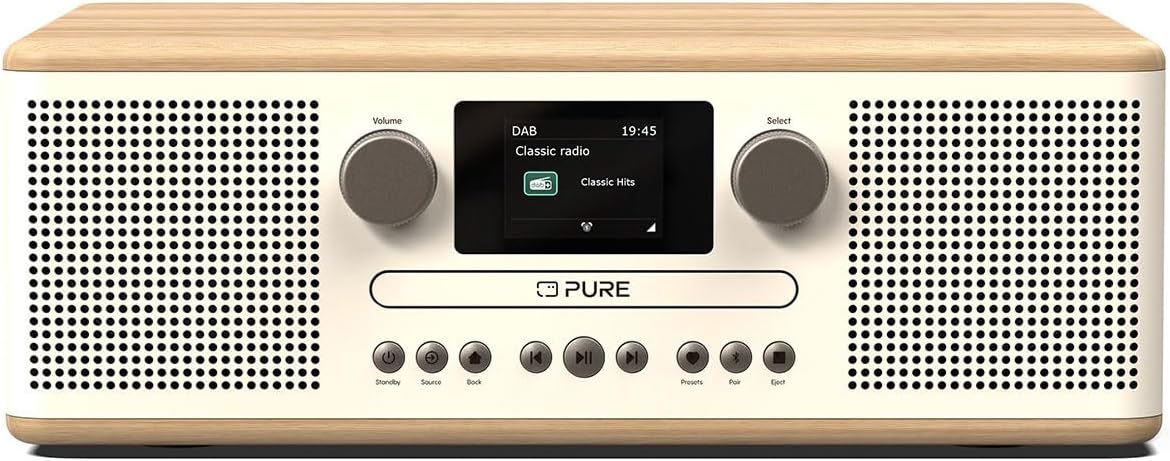
Figure 1: Front view of the Pure Classic C-D6 Music System. This image displays the main unit with its central display screen, two large rotary knobs for volume and selection, and a row of control buttons below the CD tray. The system features a cotton white front panel and speaker grilles, complemented by light oak wood on the top and sides, highlighting its elegant design.
The system is crafted with a wood veneer finish, enhancing its aesthetic appeal and allowing it to blend seamlessly with various interior styles.
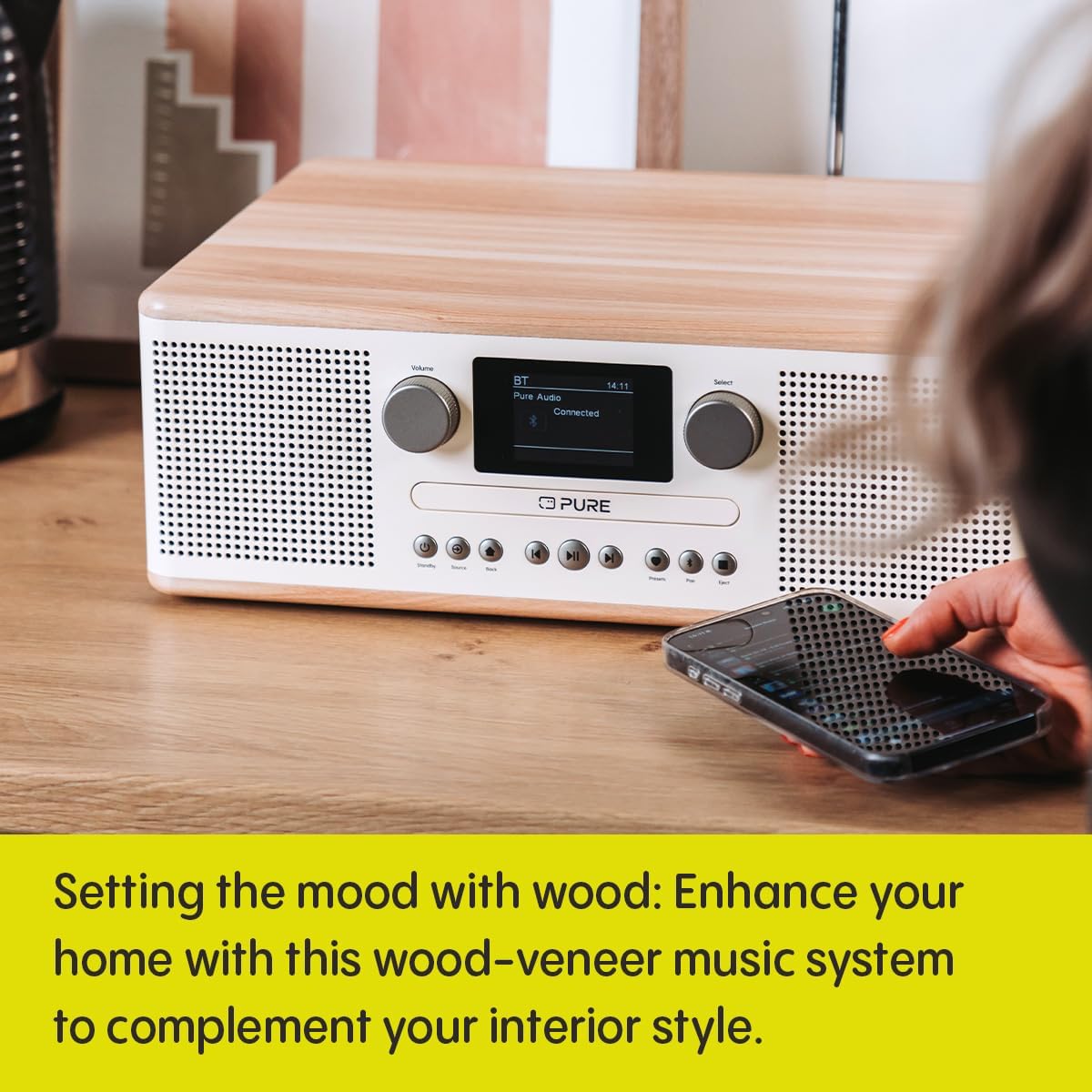
Figure 2: The Pure Classic C-D6 Music System positioned on a wooden countertop, showcasing its wood veneer top and sides. A smartphone is placed next to the unit, indicating its Bluetooth connectivity feature. The image emphasizes how the system's design complements modern home decor.
Equipped with two 3-inch full-range speakers, the Classic C-D6 delivers a robust 2x15W stereo sound, providing a rich and dynamic audio experience for all your listening needs.

Figure 3: A comparison image showing two Pure Classic C-D6 Music Systems: one in the cotton white with light oak finish, and another in a darker wood and black finish. This visual emphasizes the system's stereo sound capabilities and its availability in different aesthetic options.
Setup
- Unpacking: Carefully remove the Pure Classic C-D6 from its packaging. Retain the packaging materials for future transport or storage.
- Placement: Place the unit on a stable, flat surface. Ensure there is adequate ventilation around the unit. Avoid placing it near heat sources or in direct sunlight.
- Connect Power: Insert the power cable into the DC IN port on the back of the unit, then plug the other end into a wall outlet.
- Antenna: Extend the telescopic antenna fully for optimal DAB+ and FM radio reception.
- Initial Power On: Press the Standby button on the unit or remote control to turn on the system. The display will illuminate.
Operating Instructions
CD Playback
The integrated CD player supports standard audio CDs.
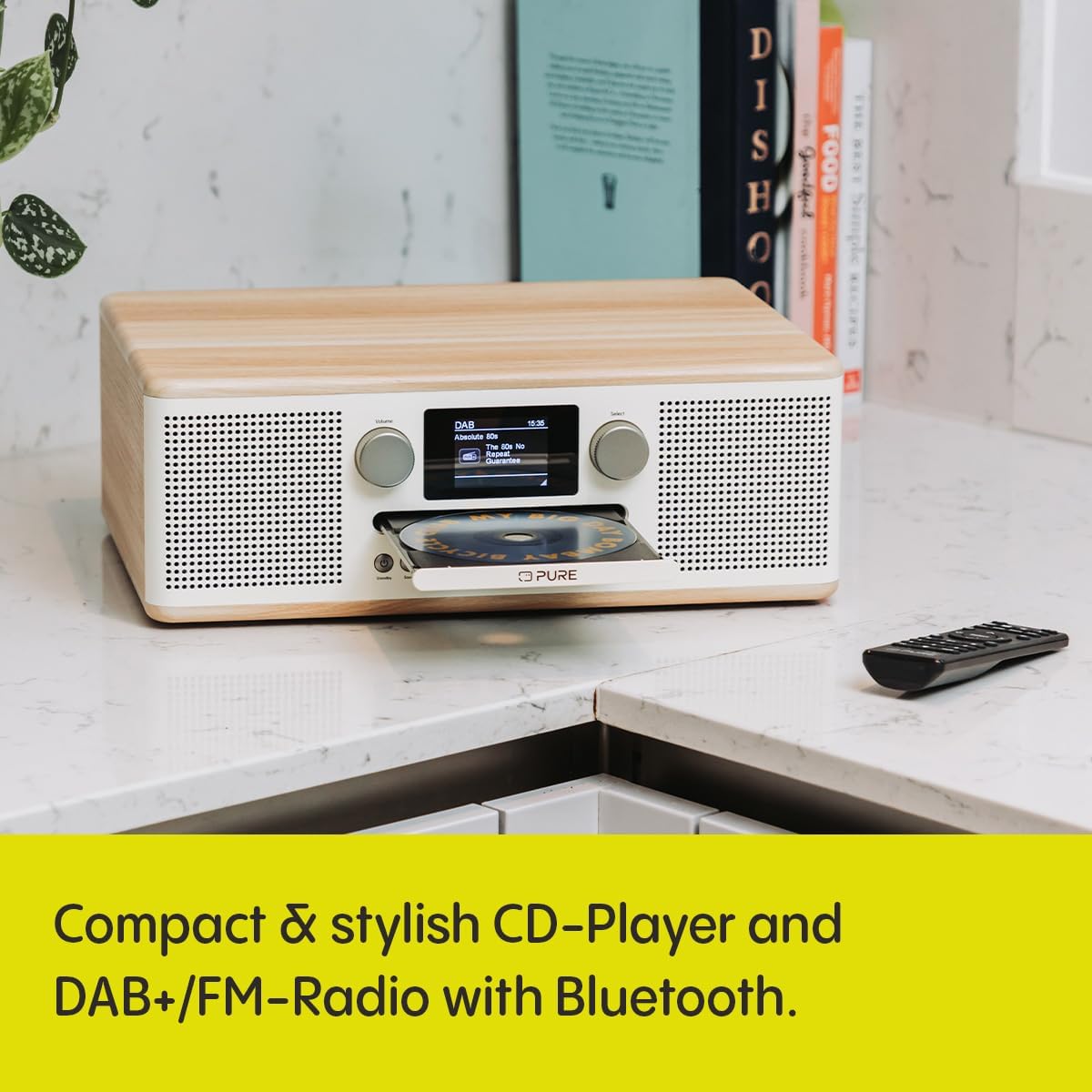
Figure 4: The Pure Classic C-D6 Music System with its CD tray extended, indicating readiness for disc insertion. The image shows the system on a kitchen counter, emphasizing its compact and functional design.
- Insert CD: Press the Eject button to open the CD tray. Place a CD with the label side facing up into the tray. Press Eject again to close the tray.
- Select Source: Press the Source button repeatedly until "CD" is selected on the display.
- Playback: The CD will usually start playing automatically. If not, press the Play/Pause button.
- Controls: Use the Skip Forward and Skip Backward buttons to navigate tracks. Press Play/Pause to pause or resume playback.
DAB+/FM Radio
Enjoy a wide range of digital and analog radio stations.

Figure 5: A close-up of a hand interacting with the control buttons on the Pure Classic C-D6 Music System. The display clearly shows "FM" and frequency information, indicating the radio function is active. This image highlights the user-friendly interface and the presence of a remote control for convenience.
- Select Source: Press the Source button to switch between DAB+ and FM radio modes.
- Auto Scan (DAB+): In DAB+ mode, the system will automatically scan for available stations upon first use or if no stations are found.
- Manual Tuning (FM): In FM mode, use the Select knob to manually tune to a frequency or press Skip Forward/Backward for auto-scan to the next strong station.
- Save Presets: To save a station, tune to the desired station, then press and hold the Presets button. Use the Select knob to choose a preset number, then press the knob to confirm. The system supports up to 30 presets.
- Recall Presets: Briefly press the Presets button, then use the Select knob to choose and recall a saved station.
Bluetooth Connectivity
Stream audio wirelessly from your smartphone, tablet, or other Bluetooth-enabled devices.
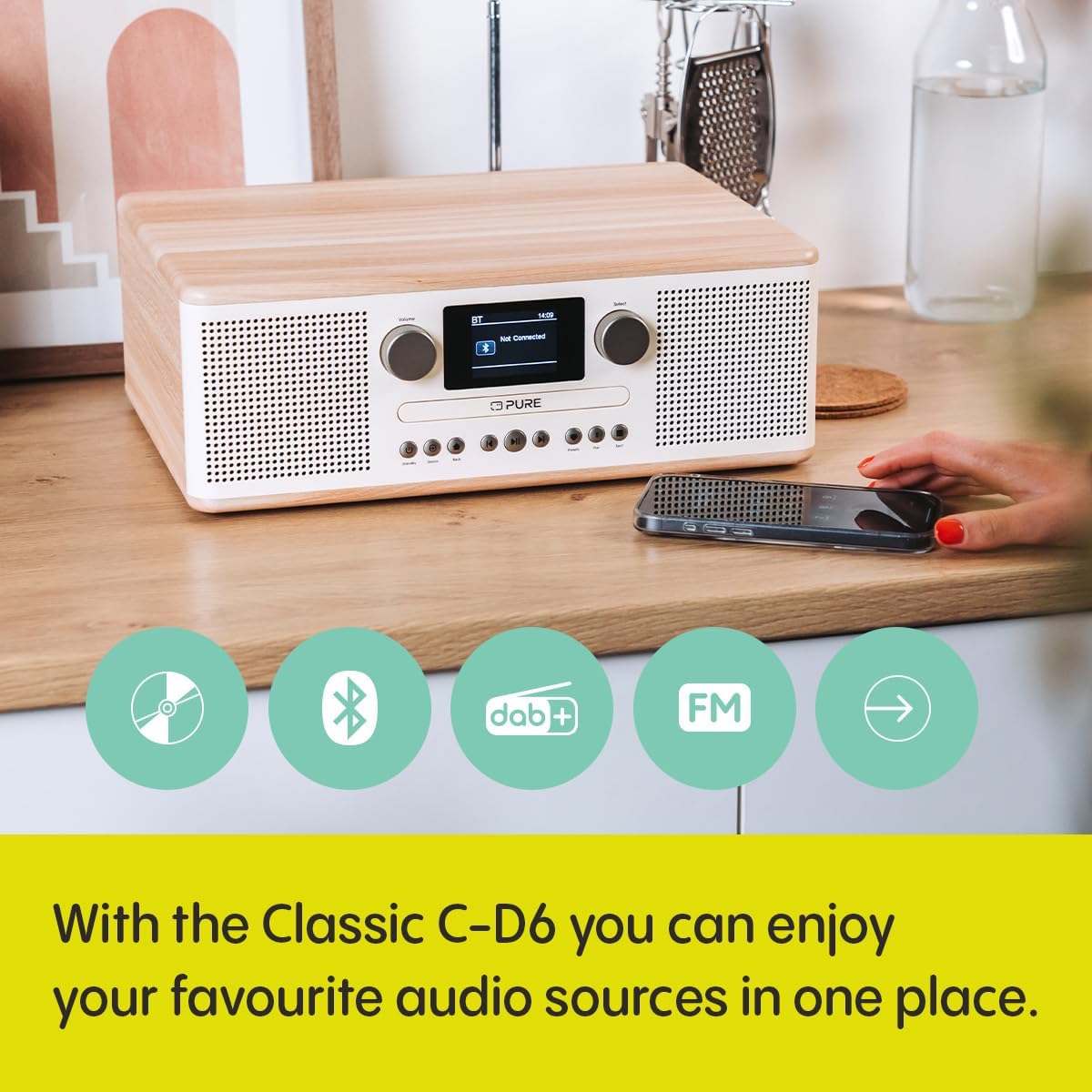
Figure 6: The Pure Classic C-D6 Music System on a wooden surface, with a smartphone placed nearby. The system's display shows "BT" and "Connected," indicating a successful Bluetooth connection. This image highlights the seamless wireless audio streaming capability of the device.
- Select Source: Press the Source button until "Bluetooth" is selected. The display will show "Pairing" or "Waiting for connection".
- Enable Bluetooth on Device: On your smartphone or tablet, go to the Bluetooth settings and enable Bluetooth.
- Pairing: Search for "Pure Classic C-D6" in the list of available devices and select it to pair. Once connected, the display will show "Connected".
- Playback: Start playing audio on your connected device. The sound will be routed through the Pure Classic C-D6.
AUX Input
Connect external audio devices using a 3.5mm audio cable.
- Connect Cable: Plug one end of a 3.5mm audio cable into the AUX IN port on the back of the Pure Classic C-D6 and the other end into the headphone jack or audio output of your external device.
- Select Source: Press the Source button until "AUX" is selected.
- Playback: Start playing audio on your external device.
USB Playback
Play audio files directly from a USB flash drive.
- Insert USB: Insert a USB flash drive into the USB port on the back of the unit.
- Select Source: Press the Source button until "USB" is selected.
- Playback: The system will automatically detect and begin playing compatible audio files. Use the Skip Forward and Skip Backward buttons to navigate tracks.
Alarm and Sleep Timer
The system includes an alarm function to wake you up and a sleep timer to automatically turn off the unit.
- Setting Alarm: Refer to the on-screen menu for alarm settings. You can typically set the alarm time, source (e.g., radio, buzzer), and volume.
- Setting Sleep Timer: Access the sleep timer function through the menu. You can set a duration (e.g., 15, 30, 60 minutes) after which the unit will automatically power off.
Maintenance
Proper care will ensure the longevity of your Pure Classic C-D6 Music System.
- Cleaning: Use a soft, dry, lint-free cloth to clean the unit's surface. For stubborn marks, slightly dampen the cloth with water. Do not use abrasive cleaners, waxes, or solvents.
- CD Tray: Keep the CD tray free of dust and debris. Avoid touching the lens inside the CD player.
- Storage: If storing the unit for an extended period, unplug it from the power outlet and store it in a cool, dry place.
Troubleshooting
If you encounter issues with your Pure Classic C-D6, consult the following table for common problems and solutions.
| Problem | Possible Cause | Solution |
|---|---|---|
| No power | Power cable not connected; Power outlet faulty | Ensure power cable is securely connected. Try a different power outlet. |
| No sound | Volume too low; Incorrect source selected; Mute activated | Increase volume. Press the Source button to select the correct input. Check if mute is active. |
| Poor radio reception | Antenna not extended; Weak signal; Interference | Fully extend the telescopic antenna. Reposition the unit for better signal. Move away from other electronic devices. |
| Bluetooth pairing issues | Bluetooth not enabled on device; Device too far; Already connected to another device | Ensure Bluetooth is enabled on your device. Move device closer to the unit. Disconnect from other Bluetooth devices. |
| CD not playing | CD inserted incorrectly; Disc scratched/dirty; Incompatible disc format | Re-insert CD correctly. Clean the disc. Ensure it is a standard audio CD. |
Specifications
| Feature | Detail |
|---|---|
| Brand | Pure |
| Model Number | 252984 |
| Color | Cotton White |
| Connectivity Technology | USB, Auxiliary, Bluetooth 5.3 |
| Compatible Devices | Tablet, Smartphone |
| Speaker Type | Stereo, 2x 3-inch full-range speakers |
| Dimensions (L x W x H) | 28.5 x 36.5 x 13 cm |
| Power Source | Electric Cable |
| Item Weight | 3.6 Kilograms |
| Power Output | 30 Watts (2x15W) |
| Radio Tuner | DAB+, FM |
| CD Player | Yes |
| Alarm/Sleep Timer | Yes |
Warranty and Support
Pure products are designed and manufactured to the highest standards. For information regarding warranty coverage, technical support, or service, please visit the official Pure website or contact their customer support. Keep your proof of purchase for warranty claims.
For the latest information and support resources, please visit: www.pure.com
Related documents252984


Ask a question about this manual
Ask about setup, troubleshooting, compatibility, parts, safety, or missing instructions. Manuals+ will review the question and use this page’s manual context to help answer it.