1. Introduction
Welcome to the Fire-Boltt Vintage Smartwatch BSW174 user manual. This guide provides essential information to help you set up, operate, and maintain your new smartwatch. Please read this manual thoroughly to ensure proper usage and to fully utilize all available features.

Image: The Fire-Boltt Vintage Smartwatch in silver, showcasing its main display with various data points like time, date, heart rate, and steps.
2. What's in the Box
Upon opening your Fire-Boltt Vintage Smartwatch package, you should find the following items:
- 1 x Fire-Boltt Vintage Smartwatch (BSW174)
- 1 x Charging Cable
- 1 x Warranty Card
- 1 x User Manual (this document)

Image: A visual representation of the items included in the Fire-Boltt Vintage Smartwatch package: the smartwatch, its charging cable, and the user manual.
3. Setup Guide
3.1. Charging the Smartwatch
Before first use, fully charge your smartwatch. Use the provided magnetic charging cable.
- Connect the USB end of the charging cable to a standard USB power adapter (5V/1A recommended) or a computer's USB port.
- Align the magnetic pins of the charging cable with the charging contacts on the back of your smartwatch. The cable will snap into place.
- The watch display will indicate charging status. Allow approximately 2-3 hours for a full charge.
3.2. App Installation and Pairing
To unlock all features and synchronize data, connect your smartwatch to your smartphone via the companion application.
- Download the App: Search for the official Fire-Boltt companion app on your smartphone's app store (Google Play Store for Android, Apple App Store for iOS). Install the application.
- Enable Bluetooth: Ensure Bluetooth is enabled on your smartphone.
- Open the App: Launch the Fire-Boltt app and follow the on-screen instructions to create an account or log in.
- Add Device: Within the app, navigate to the 'Add Device' or 'Pair Device' section. The app will search for nearby smartwatches.
- Select Your Smartwatch: From the list of found devices, select 'Fire-Boltt Vintage' or 'BSW174'.
- Confirm Pairing: A pairing request may appear on both your phone and smartwatch. Confirm the pairing on both devices.
- Grant Permissions: Grant necessary permissions (e.g., notifications, location, contacts) to the app for full functionality.

Image: The Fire-Boltt Vintage Smartwatch on a wrist, showing an active Bluetooth call interface with options to answer or decline.
4. Operating the Smartwatch
4.1. Basic Navigation
The Fire-Boltt Vintage Smartwatch features a 39.1mm (1.52 inch) TFT full-touch display and four physical buttons for navigation.
- Touchscreen: Swipe left/right, up/down to navigate through menus and features. Tap to select.
- Physical Buttons: The four buttons provide quick access to various functions such as power on/off, menu, back, and specific modes. Refer to the watch's on-screen prompts for specific button assignments in different contexts.
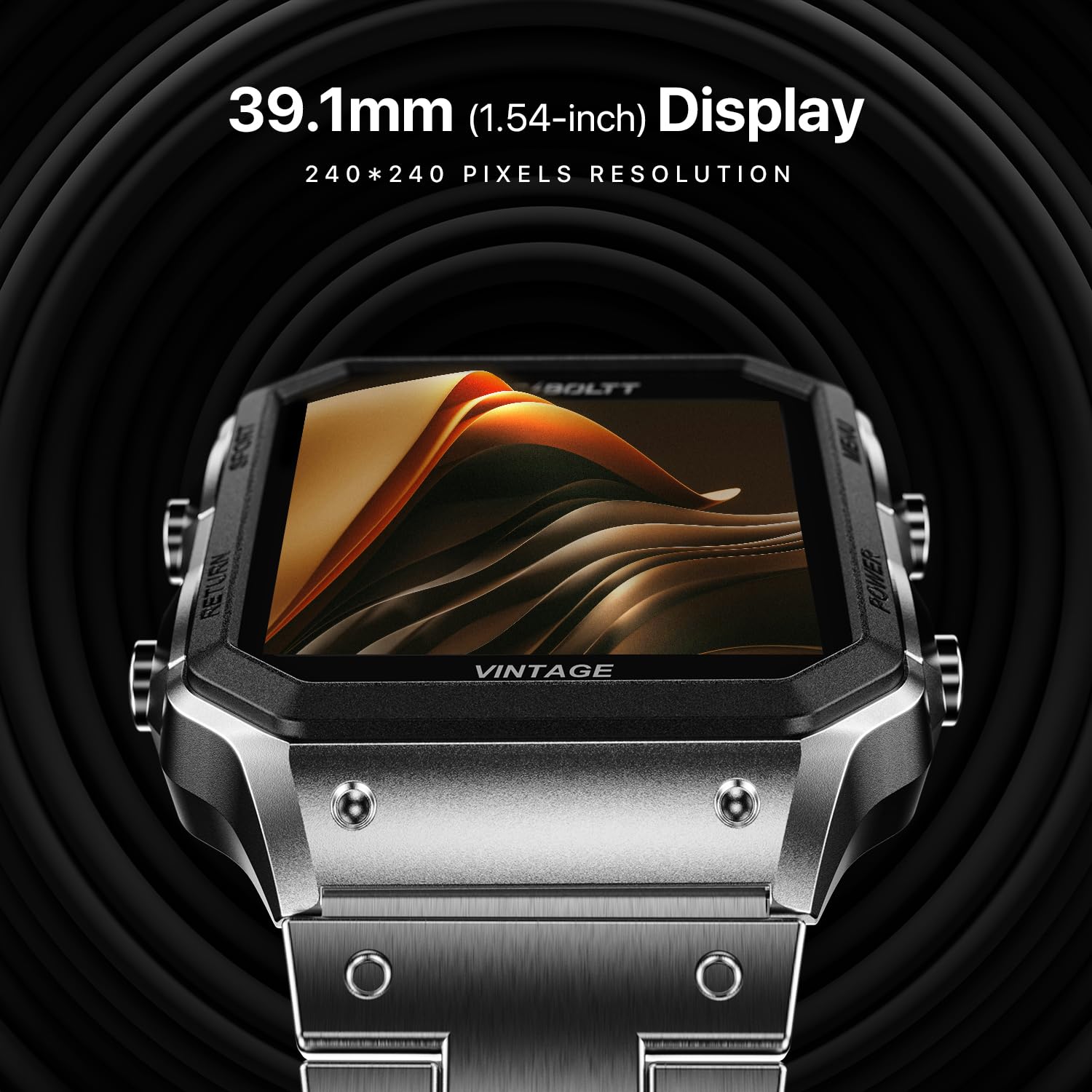
Image: A detailed view of the smartwatch's 39.1mm (1.52-inch) TFT display, highlighting its clarity and resolution.
4.2. Bluetooth Calling
Once paired with your smartphone, you can make and receive calls directly from your smartwatch.
- Making Calls: Access the dial pad or contact list on your watch to initiate a call.
- Receiving Calls: When a call comes in, the watch will display the caller ID. You can answer or reject the call from your wrist.
- Call History: View your recent call history directly on the smartwatch.
4.3. Health Monitoring
The smartwatch includes a comprehensive health suite to help you monitor your well-being. Note: This device is not a medical device and should not be used for medical diagnosis or treatment.
- Heart Rate Monitoring: Continuously or on-demand measure your heart rate.
- SpO2 Monitoring: Measure your blood oxygen saturation levels.
- Sleep Tracking: Monitor your sleep patterns, including deep sleep, light sleep, and wake times.
- Activity Reminders: Receive reminders to move if you've been sedentary for too long.
- Hydration Reminders: Set reminders to drink water throughout the day.

Image: A collection of Fire-Boltt Vintage smartwatches in different colors, each showing a different health metric such as heart rate, SpO2, and menstrual period tracking.
4.4. Multiple Sports Modes
Track your workouts with various built-in sports modes.
- Select your desired sport (e.g., running, walking) from the sports mode menu.
- The watch will record relevant data such as duration, calories burned, and steps.

Image: The smartwatch screen showing a list of sports modes, with options like 'Recommend', 'Run', and 'Walk' highlighted.
4.5. Smart Features
Enhance your daily routine with these convenient smart features:
- Smart Notifications: Receive alerts for calls, messages, and app notifications directly on your wrist.
- Weather Updates: Get current weather information.
- Camera Control: Remotely control your smartphone's camera.
- Music Control: Play, pause, skip tracks, and adjust volume for music playing on your phone.
- Find My Phone: Locate your misplaced smartphone by triggering an alarm from your watch.
- Do Not Disturb (DND) Mode: Silence notifications during specific times.
- Dial Switching: Customize your watch face from a variety of options.

Image: The smartwatch screen showing a notification from 'Kevin' with a 'Happy Birthday' message.

Image: The smartwatch displaying a screen with icons representing various smart features, including weather updates, camera control, music control, IP67 water resistance, sedentary reminder, and drink water reminder.
4.6. Voice Assistant
Utilize the built-in voice assistant for hands-free control.
- Activate the voice assistant (e.g., by tapping an icon or using a specific button press).
- Speak your commands or questions, such as
Related Documents - BSW174

Fire-Boltt Ninja Call Pro Plus Smart Watch User Manual - Features & Specifications
Comprehensive user manual for the Fire-Boltt Ninja Call Pro Plus (BSW053 Plus) smartwatch. Learn about its 1.83" HD display, Bluetooth calling, AI voice assistant, 100 sports modes, IP67 rating, and more.
Fire-Boltt Invincible Plus Smartwatch (BSW097) User Manual
User manual for the Fire-Boltt Invincible Plus (BSW097) smartwatch, covering setup, Bluetooth connectivity, health tracking, sports modes, and advanced features.
Fire-Boltt Invincible Smartwatch FAQs and Information
Frequently asked questions and detailed information about the Fire-Boltt Invincible smartwatch, covering its features, compatibility, battery life, syncing capabilities, app usage, health tracking, and more.
Fire-Boltt Smart Watch User Manual - Features and Operation
Comprehensive user manual for the Fire-Boltt Smart Watch, detailing setup, features like Bluetooth calling, activity tracking, health monitoring, navigation, settings, and FCC compliance.
Fire-Boltt BSW053 Smart Watch User Manual | Features & Setup Guide
Comprehensive user manual for the Fire-Boltt BSW053 Smart Watch. Learn how to connect, use features like Bluetooth calling, notifications, fitness tracking, and more.
FIRE BOLTT BSW002 Smartwatch User Manual - Setup and Guide
Comprehensive user manual for the FIRE BOLTT BSW002 Smartwatch, covering setup, features, operation, troubleshooting, and specifications. Learn how to connect, use, and maintain your smartwatch.