
Introduction
Thank you for purchasing the Samsung RT31DG5224S9 Top Mount Refrigerator. This manual provides essential information for the safe and efficient use of your appliance. Please read it thoroughly before installation and operation, and keep it for future reference.
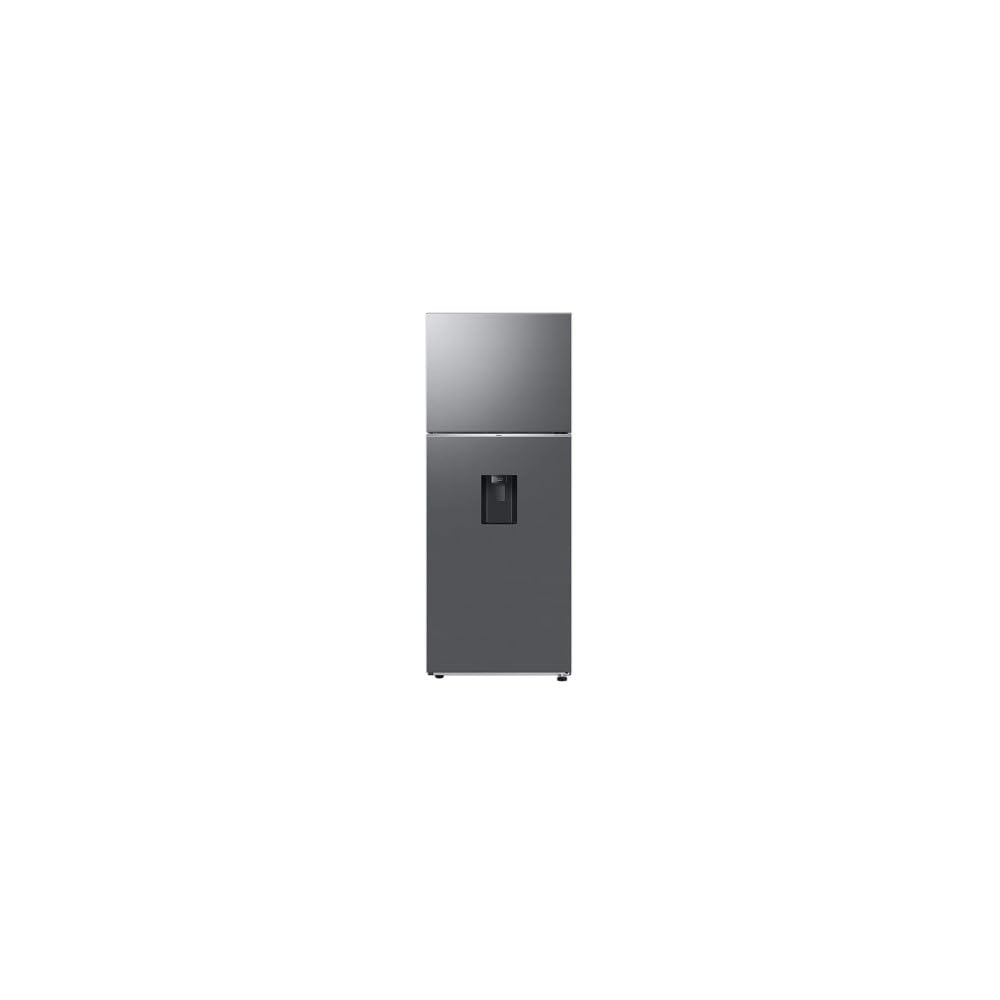
Image: Front view of the Samsung RT31DG5224S9 Top Mount Refrigerator in elegant steel finish.
Safety Information
To reduce the risk of fire, electric shock, or injury when using your refrigerator, follow these basic precautions:
- Ensure the refrigerator is properly grounded.
- Do not use mechanical devices or other means to accelerate the defrosting process, other than those recommended by the manufacturer.
- Do not damage the refrigerant circuit.
- Do not use electrical appliances inside the food storage compartments of the appliance, unless they are of the type recommended by the manufacturer.
- Unplug the refrigerator before cleaning or performing any maintenance.
- Keep ventilation openings clear of obstruction.
- Do not store explosive substances such as aerosol cans with a flammable propellant in this appliance.
- This appliance is not intended for use by persons (including children) with reduced physical, sensory or mental capabilities, or lack of experience and knowledge, unless they have been given supervision or instruction concerning use of the appliance by a person responsible for their safety.
Setup
Unpacking
Carefully remove all packaging materials, including tape and protective films. Dispose of packaging responsibly. Ensure no parts are left inside the refrigerator.
Placement
Place the refrigerator on a flat, stable surface away from direct sunlight and heat sources (e.g., stove, heater). Allow adequate space around the appliance for proper ventilation. The dimensions of the refrigerator are approximately 64 cm (depth) x 69 cm (width) x 182 cm (height).
Leveling
Use a level to ensure the refrigerator is perfectly level. Adjust the leveling feet located at the bottom front of the appliance as needed. A level refrigerator prevents vibrations and ensures proper door sealing.
Power Connection
Connect the refrigerator to a dedicated 127V electrical outlet. Do not use extension cords or multi-outlet adapters. Allow the refrigerator to stand upright for at least 2-3 hours before plugging it in to allow refrigerants to settle.
Initial Cooling
After plugging in, allow the refrigerator to cool for at least 4 hours before storing food. This ensures the internal temperature reaches optimal levels.
Operating Instructions
Temperature Control
Your refrigerator is equipped with adjustable temperature controls. Refer to the control panel inside the refrigerator compartment to set your desired temperature. For optimal food preservation, the refrigerator compartment should typically be set between 2°C and 4°C (35°F and 40°F), and the freezer compartment at -18°C (0°F).
Power Cool Feature
To rapidly cool items in the refrigerator compartment, activate the Power Cool function. This feature expels intensely cold air into the refrigerator, quickly lowering its temperature. Consult your control panel for specific activation instructions.
Water Dispenser Usage
The refrigerator features an internal water dispenser that provides cold water. To use, place a glass under the dispenser nozzle and press the lever. Ensure the internal water tank is filled for continuous cold water supply.
Food Storage
The refrigerator offers a total capacity of 11 cubic feet (approximately 311.5 liters), with 232 liters for fresh food and 67 liters for the freezer. It includes 4 shelves for organized storage. Utilize the various compartments and shelves to separate different food types and maintain optimal freshness.

Image: Interior view of the refrigerator, highlighting the shelves, drawers, and door storage.
Maintenance
Cleaning
Regular cleaning helps maintain hygiene and efficiency. Unplug the refrigerator before cleaning. Wipe interior and exterior surfaces with a soft cloth dampened with a mild detergent solution. Rinse with clean water and dry thoroughly. Do not use abrasive cleaners or solvents.
Automatic Defrosting
This refrigerator features an automatic defrosting system, eliminating the need for manual defrosting of the freezer compartment. Ensure the drain hole (if visible) is not blocked to allow defrost water to escape.
Door Seals
Periodically check the door seals for cleanliness and proper sealing. Clean them with a mild detergent and ensure they are free from food particles. A tight seal is crucial for energy efficiency.
Troubleshooting
Before contacting service, review these common issues and solutions:
- Refrigerator not cooling: Check if the power cord is securely plugged in. Ensure the temperature control is set correctly. Verify that the door is closed properly.
- Unusual noises: Minor operating noises are normal. Ensure the refrigerator is level. Check if any items inside are vibrating against each other. If a loud, persistent noise occurs, consult the service center.
- Water dispenser not working: Check if the water tank is filled. Ensure no kinks in the water line (if applicable).
- Excessive frost in freezer: Although automatic defrost, ensure the freezer door is not left open frequently or for extended periods.
- Water on floor: Check the defrost drain for blockages. Ensure the refrigerator is level.
If the problem persists after checking these points, please contact Samsung customer support.
Specifications
| Model Number | RT31DG5224S9 |
| Brand | Samsung |
| Type | Top Mount Refrigerator |
| Total Capacity | 11 Cubic Feet (approx. 311.5 Liters) |
| Fresh Food Capacity | 232 Liters |
| Freezer Capacity | 67 Liters |
| Dimensions (D x W x H) | 64 cm x 69 cm x 182 cm |
| Color | Elegant Steel (GRIS) |
| Special Features | Water Dispenser, Fast Cooling (Power Cool), Automatic Defrost |
| Voltage | 127V |
| Annual Energy Consumption | 320 Watts |
| Energy Rating | 5 Star (BEE Rating) |
| Weight | 57 Kilograms |
| Number of Doors | 2 |
| Number of Shelves | 4 |
Warranty and Support
Warranty Information
This Samsung refrigerator comes with a 1-year warranty directly from the manufacturer. Please retain your proof of purchase for warranty claims. The warranty covers manufacturing defects under normal use conditions.
Customer Support
For technical assistance, service requests, or further inquiries, please contact Samsung customer support. You can find contact information on the official Samsung website or in the documentation included with your purchase.
Visit the official Samsung website for support: www.samsung.com/support


