
Kokido VEKTRO XL
Kokido VEKTRO XL EV104CBX Rechargeable Electric Pool Vacuum User Manual
Model: VEKTRO XL (EV104CBX)
Introduction
The Kokido VEKTRO XL EV104CBX is a rechargeable electric pool vacuum designed for efficient cleaning of swimming pools. This manual provides essential information for the safe and effective use, maintenance, and storage of your pool vacuum. Please read these instructions carefully before first use and retain them for future reference.
Product Components
The package includes the following items:
- 1 x Pool Vacuum Cleaner
- 1 x Charging Cable
- 2 x Removable Extensions
- 3 x Different Types of Filter Bags (Standard, Fine, Extra Fine)
- 1 x Storage Bag

Image: Included components of the VEKTRO XL pool vacuum.
Setup and Assembly
1. Charging the Battery
Before initial use, fully charge the pool vacuum's battery. Connect the charging cable to the vacuum and a suitable power source. The LED indicator will show the charging status. Ensure the charging port is dry before connecting the charger.

Image: Rear view of the vacuum, indicating the charging port location.
2. Selecting and Installing the Filter Bag
The VEKTRO XL comes with three types of filter bags for different debris sizes:
- Standard Filter Bag: For leaves and large debris.
- Fine Filter Bag: For sand and sediments.
- Extra Fine Filter Bag: For very fine particles.
Choose the appropriate filter bag for your cleaning needs. Insert the chosen filter bag into the vacuum's collection chamber, ensuring it is securely fastened to prevent debris from escaping.

Image: The three types of filter bags provided for various debris sizes.

Image: The pool vacuum with a filter bag correctly installed.
3. Attaching the Handle and Extensions
The vacuum features a handle designed to connect to a standard telescopic pole (not included). Attach your telescopic pole to the vacuum's handle for extended reach. For cleaning tight spaces, you can attach the two removable extensions to the vacuum head.
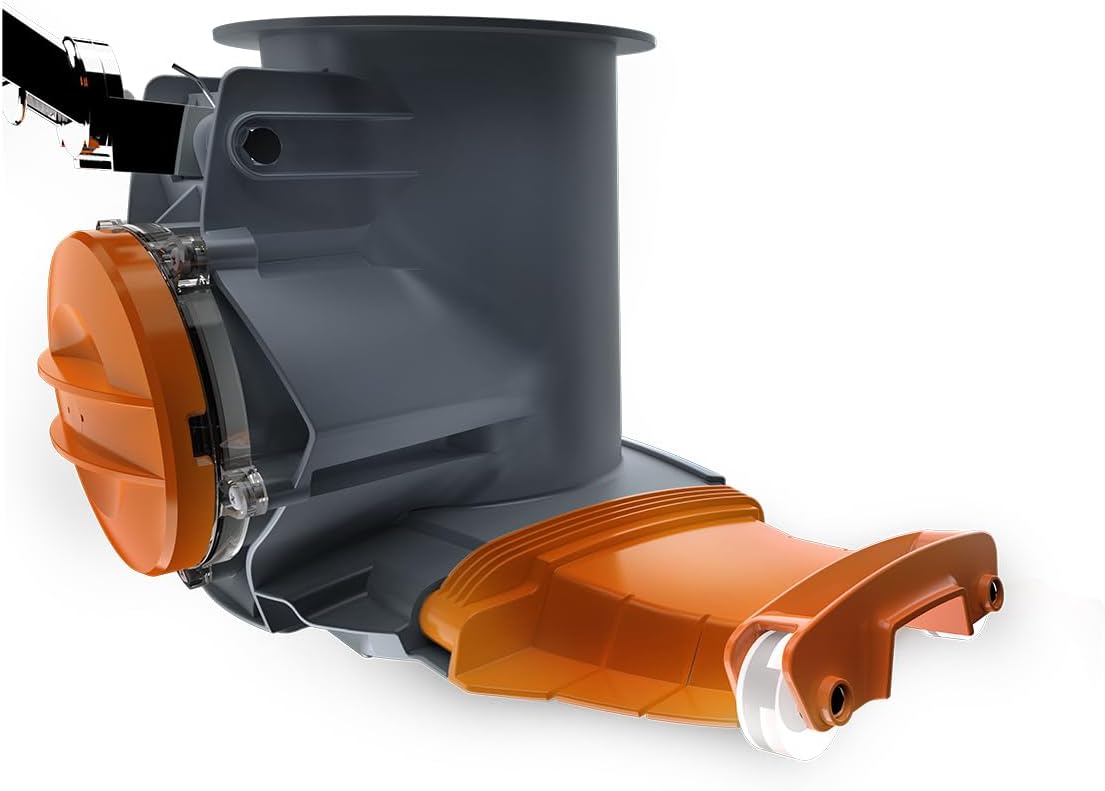
Image: Front view of the vacuum, illustrating the handle attachment point and removable extensions.
Operating Instructions
1. Powering On/Off
The VEKTRO XL features an automatic on/off function activated by a water sensor. The vacuum will automatically start when submerged in water and turn off when removed. It also has a magnetic switch for manual control.
2. LED Indicators
The integrated LED lights provide important status information:
- Ready/Operating: Indicates the device is ready or currently functioning.
- Clogged: Signals that the vacuum is obstructed and requires cleaning.
- Needs Charging: Alerts when the battery level is low and requires recharging.
3. Cleaning Your Pool
Submerge the vacuum into the pool. The motor will start automatically. Guide the vacuum across the pool floor and walls using the telescopic pole. The integrated brush helps dislodge stubborn debris. The VEKTRO XL is ideal for medium to large pools and for reaching narrow areas.
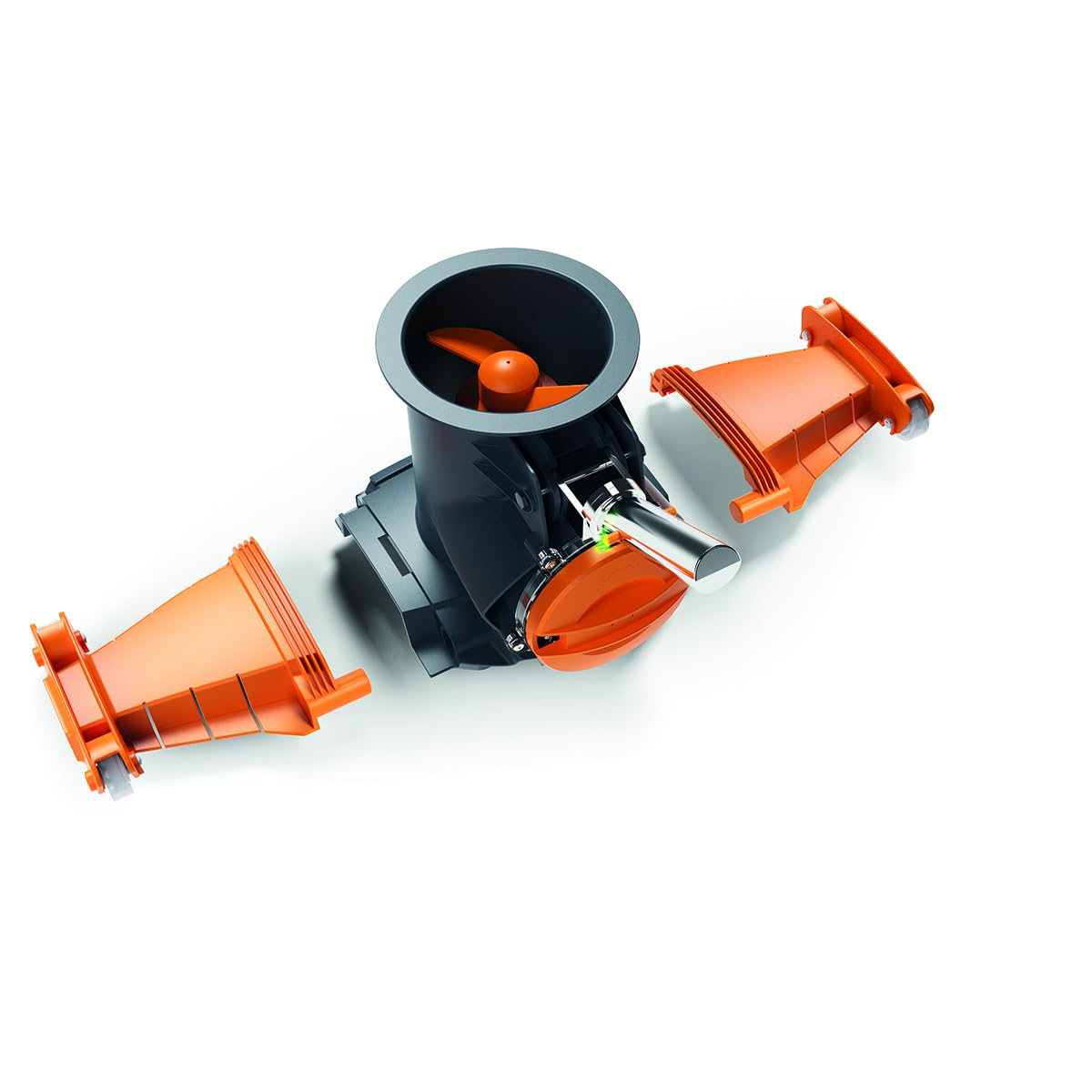
Image: The VEKTRO XL pool vacuum ready for operation.
A safety mechanism stops the blades if the unit becomes obstructed, preventing damage.
Maintenance
1. Cleaning the Filter Bags
After each use, or when the LED indicator signals clogging, remove and clean the filter bag. Rinse the bag thoroughly with clean water to remove all collected debris. Ensure the bag is completely dry before storing or reusing.

Image: A filter bag containing collected debris, indicating the need for cleaning.
2. General Care and Storage
Regularly inspect the vacuum for any signs of wear or damage. Keep the charging contacts clean and dry. When not in use, store the appliance in the included storage bag in a cool, dry place, away from direct sunlight and extreme temperatures. Ensure the battery is charged periodically even during storage to maintain its health.
Troubleshooting
- Vacuum not turning on:
- Ensure the unit is fully submerged in water to activate the automatic sensor.
- Check the battery charge level; recharge if necessary (LED indicator will show "Needs Charging").
- Verify the magnetic switch is in the correct position.
- Reduced suction or vacuum stops:
- The filter bag may be full or clogged (LED indicator will show "Clogged"). Clean the filter bag thoroughly.
- Debris may be obstructing the blades. The safety mechanism will stop the blades if this occurs. Remove the obstruction carefully.
- Check for any blockages in the vacuum head or intake.
- Battery not charging:
- Ensure the charging cable is securely connected to both the vacuum and the power outlet.
- Verify the power outlet is functional.
- Check the charging port for any debris or damage.
Specifications
| Brand | Kokido |
| Model Name | VEKTRO XL |
| Material | Metal, Plastic |
| Color | Grey |
| Power Source | Battery Powered (Rechargeable) |
| Special Features | Rechargeable, LED Indicators, Automatic Start/Stop (water sensor), Safety Mechanism, Removable Brushes |
| Control Method | Automatic (water sensor) / Magnetic Switch |
| Charge Capacity | 2 kilograms |
| UPC | 844268030108 |
| GTIN | 844268030108 |
| Filter Capacity | 6.5 Liters |
| Battery Autonomy | 75 minutes |

Image: Product packaging highlighting key specifications like filter capacity and battery autonomy.
Warranty and Support
This product comes with a limited warranty. For specific warranty details, please refer to the documentation included with your purchase or contact Kokido customer support. For technical assistance or further inquiries, please visit the official Kokido website or contact their customer service department.
Related documentsVEKTRO XL

Ask a question about this manual
Ask about setup, troubleshooting, compatibility, parts, safety, or missing instructions. Manuals+ will review the question and use this page’s manual context to help answer it.