
1. Introduction
The Homedics 3-in-1 Air Purifier AP-T95 is designed to improve air quality in your home, office, or bedroom. It features a comprehensive 3-stage filtration system to capture airborne allergens, reduce odors, and remove volatile organic compounds (VOCs).
Key Features:
- True HEPA Filtration: Captures up to 99.97% of airborne allergens as small as 0.3 microns.
- Activated Carbon Filter: Reduces odors and VOCs.
- Prefilter: Captures larger particles like dust and pet hair.
- Aromatherapy: Includes an essential oil tray and 3 essential oil pads for use with your favorite essential oils.
- Coverage: Purifies air in a 201 sq. ft. room every 12.5 minutes, or a 975 sq. ft. room once per hour.
- Multiple Fan Speeds: Offers 3 fan speeds, including a quiet operation mode.
- Filter Replacement Indicator: Notifies you when it's time to replace the filter (replacement filter AP-T100FL sold separately).
Package Contents:
- 1 Homedics Air Purifier T95
- 1 True HEPA Filter with Built-in Prefilter and Activated Carbon Odor Filter
- 3 Essential Oil Pads
- 1 3-Year Limited Warranty

Image 1: Homedics 3-in-1 Air Purifier AP-T95, front view.
2. Setup
2.1 Unboxing and Filter Installation
- Carefully remove the air purifier from its packaging.
- Locate the filter compartment on the back of the unit.
- Open the filter cover and remove the filter, which may be wrapped in plastic for shipping.
- Remove all plastic packaging from the filter.
- Insert the unwrapped filter back into the compartment, ensuring it is seated correctly.
- Close the filter cover securely.
For a visual guide on unboxing and filter installation, please refer to the video below:
Video 1: Demonstrates unboxing, control panel overview, and filter installation for a similar air purifier model.
2.2 Placement
Place the air purifier on a firm, level surface. Ensure there is adequate space around the unit for proper air circulation. It is ideal for family rooms, bedrooms, and other medium-sized rooms.

Image 2: The Homedics Air Purifier placed in a bedroom, illustrating its compact design and suitability for various room sizes.
3. Operating Instructions
The control panel is located on the top of the unit, featuring various buttons for different functions.

Image 3: Diagram illustrating the 3-in-1 filtration system of the Homedics Air Purifier.
3.1 Power On/Off
- Press the Power button (
 ) to turn the unit on or off.
3.2 Fan Speed Settings
The air purifier offers three fan speeds and a night mode for customized operation.
- Press the Fan Speed button (
 ) repeatedly to cycle through speeds 1, 2, and 3.
 - To activate Night Mode, press the Fan Speed button until the moon icon illuminates. This mode operates at a lower, quieter speed.
3.3 Night Light
The unit includes an optional night light feature.
- Press the Night Light button (
 ) to turn the blue night light on or off.
3.4 Automatic Mode
The automatic mode adjusts the fan speed based on detected air quality.
- Press the Auto Mode button (
 ) to enable or disable this feature. The unit will automatically adjust its fan speed to optimize air purification.
3.5 Timer Function
Set a timer for the air purifier to operate for a specific duration.
- Press the Timer button (
 ) to select a duration (e.g., 2, 4, 8, or 12 hours). The unit will automatically turn off after the selected time.
3.6 Aromatherapy
Enhance your environment with essential oils using the integrated aromatherapy feature.
- Locate the essential oil tray on the unit.
- Add a few drops of your preferred essential oil to one of the included essential oil pads.
- Place the pad in the essential oil tray and close it.
For a demonstration of the control panel features, refer to the video below:
Video 2: Demonstrates the various settings and fan speeds of the Homedics Air Purifier.
4. Maintenance
4.1 Filter Replacement
The Homedics AP-T95 uses a 3-in-1 True HEPA filter (replacement filter model AP-T100FL). The filter replacement indicator will illuminate when it's time to change the filter.
- It is recommended to replace the filter approximately every 12 months, depending on usage and air quality.
- To replace, open the filter compartment, remove the old filter, and insert a new AP-T100FL filter (ensure plastic packaging is removed).
- Reset the filter indicator by pressing and holding the appropriate button (refer to control panel diagram).
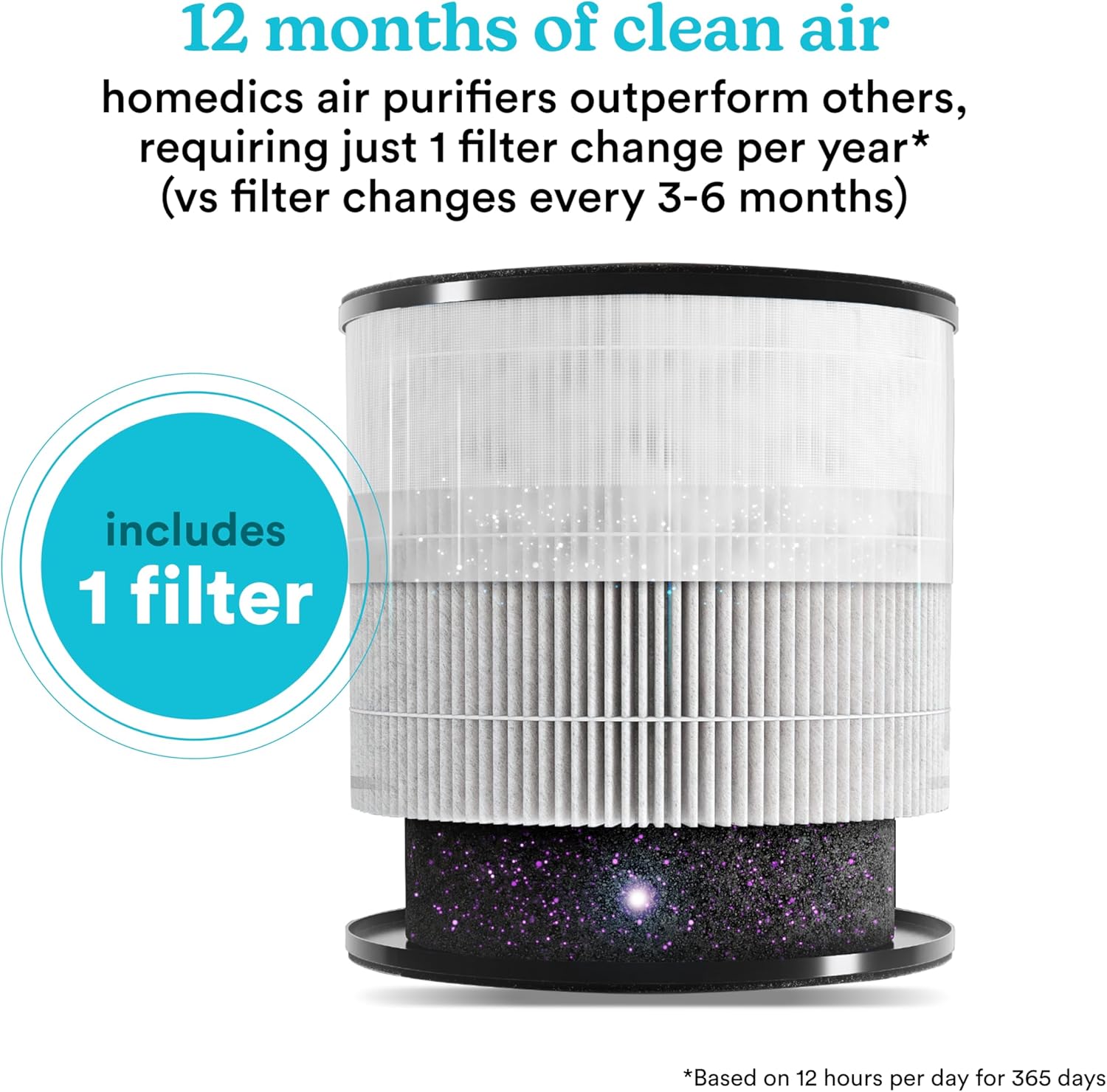
Image 4: Illustration of the air purifier filter, highlighting the importance of regular replacement for optimal performance.
4.2 Cleaning
- Wipe the exterior of the air purifier with a soft, dry cloth as needed.
- Do not use abrasive cleaners or solvents.
- The prefilter component of the 3-in-1 filter can be gently cleaned with a vacuum cleaner to extend its life, but the entire filter should still be replaced periodically.
5. Specifications
| Feature | Detail |
|---|---|
| Brand | Homedics |
| Model Number | AP-T95 |
| Color | White |
| Product Dimensions | 8.7"D x 9.21"W x 14.21"H |
| Item Weight | 8.8 pounds |
| Particle Retention Size | 0.3 microns |
| Controller Type | Button Control |
| Filter Class | HEPA |
| Contaminant Filtration Capability | High (reduces bacteria, virus, mold, odors) |
| Coverage Area | 975 sq. ft. (1 air change/hour) / 201 sq. ft. (4.8 air changes/hour) |
| UPC | 031262110022 |
6. Troubleshooting
If you encounter any issues with your Homedics Air Purifier, please review the following common solutions. For more detailed troubleshooting, refer to the complete user manual included with your product.
Common Issues:
- Unit not turning on: Ensure the power cord is securely plugged into a working electrical outlet. Check if the power button has been pressed.
- Reduced airflow or unusual noise: The filter may be dirty or improperly installed. Check and clean/replace the filter as necessary. Ensure the filter cover is securely closed.
- Filter indicator light remains on after replacement: You may need to manually reset the filter indicator. Refer to the operating instructions for your specific model.
- No scent from aromatherapy: Ensure essential oil has been applied to the pad and the tray is correctly inserted.
7. Warranty and Support
7.1 Limited Warranty
This Homedics Air Purifier AP-T95 comes with a 3-Year Limited Warranty. Please retain your proof of purchase for warranty claims.
7.2 Customer Support
For further assistance, product registration, or to inquire about replacement parts, please visit the official Homedics website or contact their customer support directly. Contact information can typically be found in the full user manual or on the manufacturer's website.


