
1. Important Safety Information
Please read all instructions carefully before using your AMEIFU F1 Air Purifier. Keep this manual for future reference.
- Always unplug the air purifier before moving, cleaning, or performing any maintenance.
- Do not operate the appliance if the cord or plug is damaged. Contact customer support for assistance.
- Keep the air purifier away from water or wet areas. Do not immerse in water or other liquids.
- Ensure proper ventilation around the unit. Do not block air inlets or outlets.
- This appliance is not intended for use by persons (including children) with reduced physical, sensory or mental capabilities, or lack of experience and knowledge, unless they have been given supervision or instruction concerning use of the appliance by a person responsible for their safety.
- Use only official AMEIFU replacement filters to ensure optimal performance and maintain warranty.
- The AMEIFU F1 Air Purifier is ETL/FCC/EPA/CARB Certified, ensuring high safety and quality standards.
2. Product Overview
The AMEIFU F1 H13 HEPA Air Purifier is designed to provide clean and fresh air in large rooms up to 3000 sq ft. It features a double-sided air intake system for faster purification, intelligent controls, and quiet operation.

Image: AMEIFU F1 Air Purifier, showcasing its sleek design and top-mounted control panel.
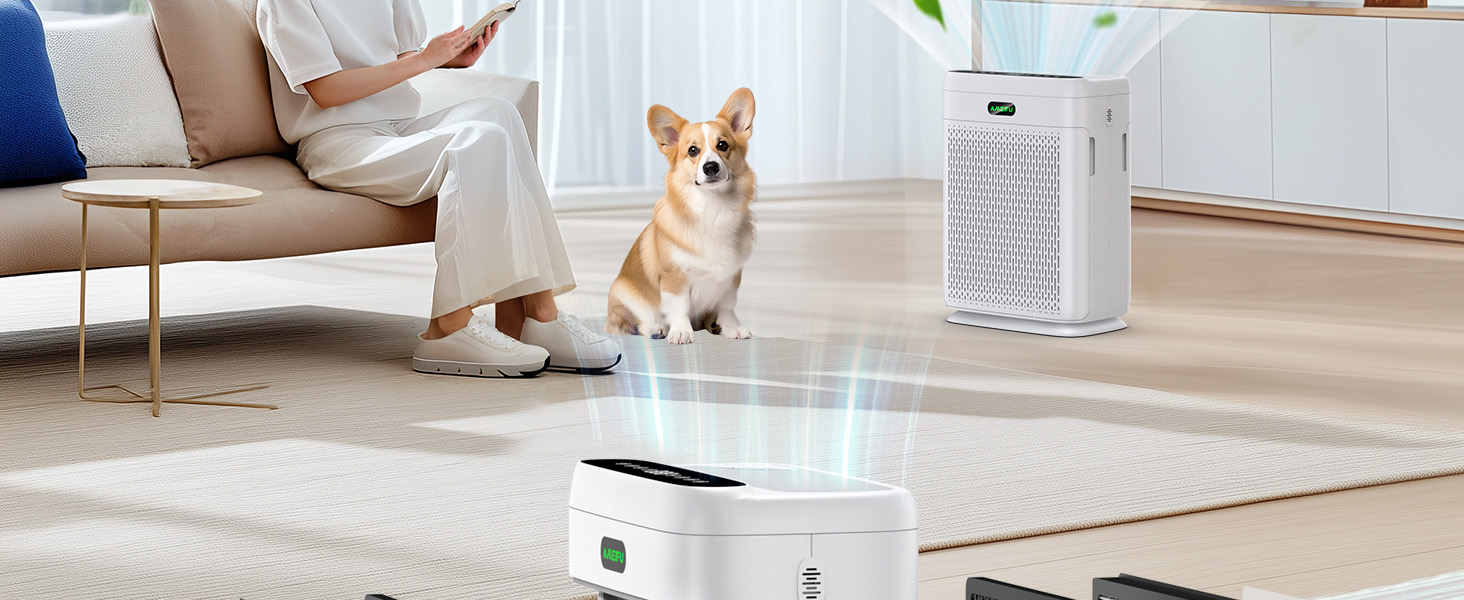
Image: Illustration of the air purifier's double-sided air intake design, highlighting air flowing in from both sides.
Video: An overview of the AMEIFU Air Purifier, demonstrating its features and filter installation process.
3. Setup Guide
3.1 Unpacking and Filter Installation
- Carefully remove the air purifier from its packaging.
- Locate the filter compartments on both sides of the unit. Gently pull the covers to open.
- Remove the new filters from their protective plastic bags.
- Insert the filters into the compartments, ensuring they are correctly oriented (usually indicated by an arrow or 'FRONT' label).
- Close the filter covers securely.
3.2 Placement and Power
- Place the air purifier on a firm, level surface.
- Ensure there is at least 6 inches (15 cm) of space around all sides of the unit for optimal air circulation.
- Plug the power adapter into the unit and then into a standard electrical outlet.
Video: A user demonstrating the unboxing and filter installation process for the AMEIFU Air Purifier.
4. Operating Instructions
4.1 Control Panel and Remote Control
The air purifier can be operated using the touch control panel on the top of the unit or the included remote control.

Image: Detailed view of the air purifier's control panel, showing buttons for power, fan speed, sleep mode, timer, auto mode, light control, child lock, and filter reminder.
- Power Button: Press to turn the unit ON or OFF.
- Fan Speed: Cycle through 3 fan speeds (Low, Medium, High).
- Sleep Mode: Activates ultra-quiet operation (15dB) with all indicator lights off for undisturbed sleep.
- Timer: Set the operating time for 2, 4, 6, or 8 hours.
- Auto Mode: The purifier automatically adjusts fan speed based on real-time air quality detected by the PM 2.5 sensor.
- Light Control: Turn the display lights ON or OFF.
- Child Lock: Press and hold to activate/deactivate, preventing accidental changes to settings.
- Filter Reminder: An indicator light will illuminate when it's time to replace the filters.
4.2 Air Quality Monitoring
The built-in PM 2.5 display and infrared sensor provide real-time air quality feedback. The AMEIFU logo light changes color to indicate air quality:
- Green: Good air quality (0-75 PM 2.5)
- Blue: Moderate air quality (75-150 PM 2.5)
- Red: Poor air quality (>150 PM 2.5)

Image: Visual representation of the air quality indicator light, changing colors based on PM 2.5 levels.
4.3 Aromatherapy Diffuser
Enhance your environment by adding essential oils:
- Locate the small aromatherapy pad compartment on the top of the unit.
- Add 2-3 drops of your favorite essential oil onto the pad.
- Close the compartment. The fan will distribute the aroma throughout the room.

Image: Close-up of the aromatherapy diffuser compartment on the top of the air purifier.
Video: A demonstration of the AMEIFU Air Purifier's control panel, fan speeds, and aromatherapy feature.
5. Maintenance
5.1 Filter Replacement
The air purifier features a filter replacement reminder light. When this light illuminates, it indicates that the filters need to be replaced to maintain optimal performance.
- It is recommended to replace the filters every 3-6 months, depending on usage and air quality.
- Use only official AMEIFU replacement filters. Search for B0D17S8SKT on Amazon to purchase.

Image: An official AMEIFU replacement HEPA filter, showing its multi-layer design.
5.2 Washable Pre-Filter Cleaning
The pre-filter, which captures larger particles like pet hair and dust, is washable and reusable.
- Disconnect the power before cleaning the pre-filter.
- Remove the filter covers and carefully take out the pre-filters.
- Rinse the pre-filters under running water until clean.
- Ensure the pre-filters are completely dry before reinstalling them into the unit.

Image: A person cleaning the washable pre-filter under a faucet, demonstrating the ease of maintenance.
6. Troubleshooting
If you encounter any issues with your AMEIFU F1 Air Purifier, please refer to the following common troubleshooting steps:
- Unit not turning on: Check if the power adapter is securely plugged into both the unit and the electrical outlet. Ensure the outlet is functional.
- Reduced airflow or purification: Check if the filters are installed correctly and not blocked. The filters may need to be cleaned (pre-filter) or replaced (HEPA filter).
- Filter replacement indicator light is on: This indicates it's time to replace the HEPA filters. Follow the filter replacement instructions in Section 5.1.
- Unusual noise: Ensure the unit is placed on a flat, stable surface. Check for any obstructions in the air inlets or outlets. If the noise persists, contact customer support.
- Air quality reading seems inaccurate: Ensure the air quality sensor is clean and not obstructed. Allow the unit to run in Auto Mode for a period to recalibrate.
If these steps do not resolve the issue, please contact AMEIFU customer support for further assistance.
7. Specifications
| Feature | Specification |
|---|---|
| Product Dimensions | 11.81 x 6.89 x 16.14 inches |
| Item Weight | 9.25 Pounds |
| Coverage Area | Up to 3000 sq ft (refreshes air hourly) |
| CADR | 400 m³/h |
| Filter Type | H13 HEPA Double-Sided Air Filter |
| Noise Level | 15 Decibels (Sleep Mode) |
| Control Method | Remote, Touch |
| Special Features | Auto Mode/Sleep Mode, Child Lock, Dual Purification, Remote Control, Aromatherapy |
| Certifications | ETL/FCC/EPA/CARB Certified |
8. Warranty and Support
AMEIFU stands behind the quality of its products.
- The AMEIFU F1 H13 HEPA Air Purifier comes with a 1 year+ warranty.
- Lifetime technical support is available for all AMEIFU products.
- For any inquiries or support needs, please feel free to contact AMEIFU customer service.


