
1. Introduction
Thank you for choosing the Fockety Digital Door Viewer. This intelligent device enhances your home security by providing a clear view of your doorstep, motion detection, and two-way communication. This manual provides detailed instructions for installation, operation, maintenance, and troubleshooting to ensure optimal performance and a seamless user experience. Please read this manual thoroughly before using the product and retain it for future reference.
2. Product Overview
2.1 Key Features
- 1080P Full HD Video: High-definition video with a 120° wide-angle lens for clear and comprehensive viewing.
- 4.3-inch LCD Screen: Bright TFT color display for real-time viewing from inside your home.
- WiFi Connectivity: Wireless connection to your router for remote monitoring via a mobile application.
- PIR Motion Detection: Automatically detects human movement, triggering alerts and video recordings.
- Night Vision: Automatic day/night sensitivity switching for clear visibility in low-light conditions.
- Two-Way Intercom: Communicate with visitors from anywhere using the mobile app.
- Long Standby Time: Built-in 5000 mAh battery supports up to 30 days of standby.
- Easy Installation: Designed for simple, wireless setup without complex wiring.
2.2 Package Contents
Verify that all items are present in the package:
- 1 x Screen Monitor
- 1 x Peephole Camera
- 1 x Installation Bracket
- 8 x Installation Screws (various lengths)
- 2 x Washers
- 1 x Power Cable (USB)
- 2 x User Manuals (English/Chinese)

Image: All components included in the Fockety Digital Door Viewer package.
2.3 Component Identification
Familiarize yourself with the main parts of your digital door viewer:
- Indoor Monitor: Features a 4.3-inch LCD screen, power button, and charging port.
- Outdoor Peephole Camera: Contains the 1080P HD camera, PIR motion sensor, and night vision LEDs.
- Installation Bracket: Used to secure the indoor monitor to the door.
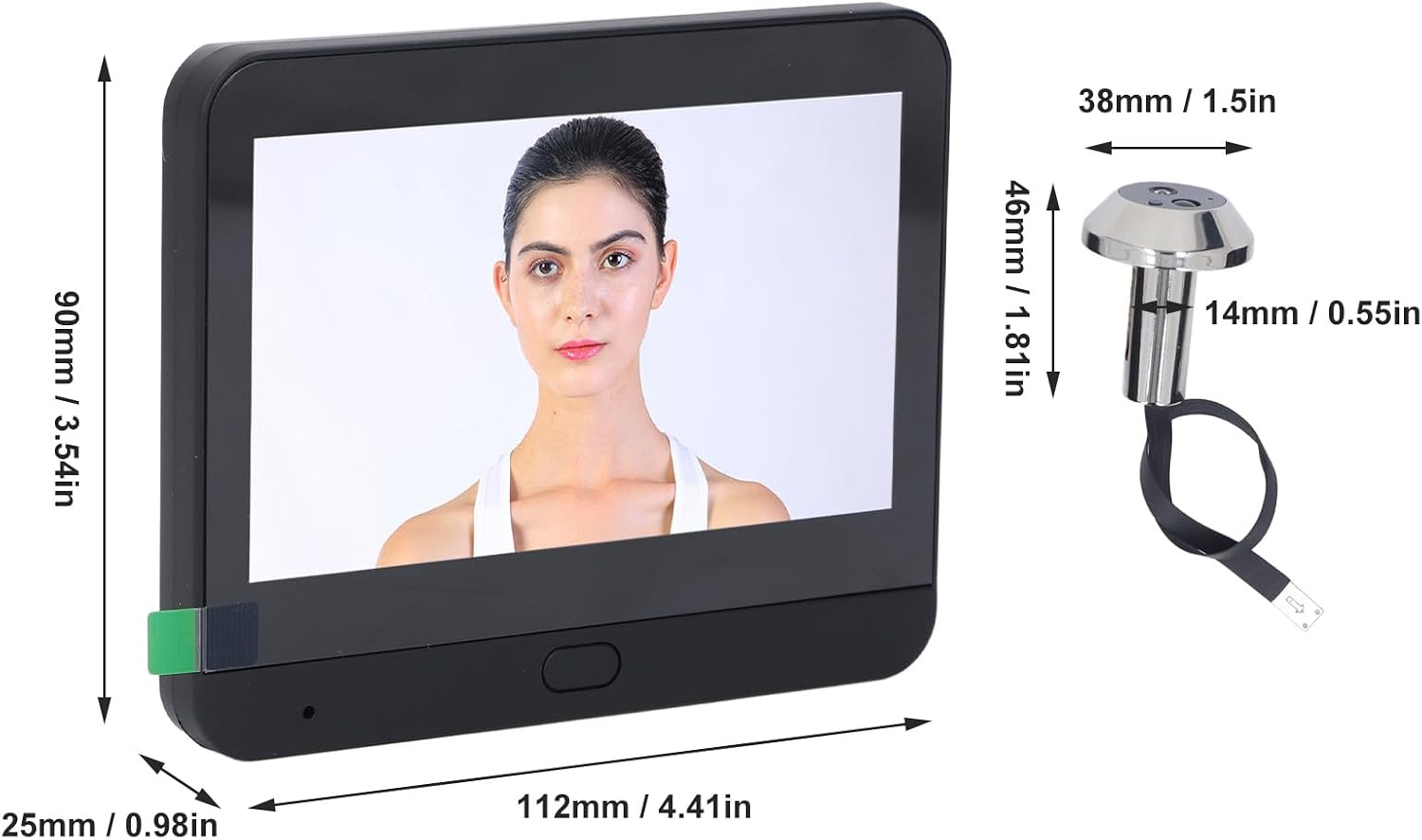
Image: Dimensions of the indoor monitor and outdoor peephole camera. Monitor: 112mm (L) x 90mm (W) x 25mm (H). Peephole: 46mm (L) x 38mm (W) x 14mm (D).

Image: Front and back view of the indoor monitor, showing the screen and mounting points.
3. Setup and Installation
3.1 Pre-installation Checks
- Ensure your door thickness is between 35mm and 120mm (1.38 to 4.72 inches).
- The existing door peephole diameter should be between 14mm and 30mm (0.55 to 1.18 inches).
- Charge the indoor monitor fully before installation.
3.2 Hardware Installation
Follow these steps to install the digital door viewer:
- Step 1: Select two screws that fit the thickness of your door. Insert the screws into the bolt machine (peephole camera).
- Step 2: At the door, thread the camera cable through the existing peephole.
- Step 3: After straightening out the cable, thread the screws through the hanging plate (installation bracket).
- Step 4: Tighten the screws successively to fix the hanging plate securely to the door.
- Step 5: Buckle the upper wire protection cover onto the indoor monitor.
- Step 6: Connect the peephole camera cable to the indoor monitor. The device is now ready for use.

Image: Step-by-step visual guide for installing the Fockety Digital Door Viewer.
3.3 App Download and WiFi Connection
To utilize smart features, download the compatible mobile application (for Android and iOS devices).
- Search for the designated app in your device's app store.
- Install the app and create an account if prompted.
- On the indoor monitor, press and hold the reset button for a few seconds to enter pairing mode.
- In the app, select 'Add Device' and follow the on-screen instructions to scan the QR code displayed on the indoor monitor.
- Follow the voice prompts from the device to complete the WiFi connection process.

Image: Demonstrates live view on the indoor monitor and remote viewing via the mobile application, along with motion detection.
4. Operating Instructions
4.1 Basic Operation
- Viewing: Press the power button on the indoor monitor to activate the screen and view outside.
- Night Vision: The device automatically switches to infrared night vision mode in low-light conditions.
- Two-Way Intercom: When a visitor presses the doorbell, you can answer via the mobile app to engage in two-way communication.
4.2 Motion Detection
The integrated PIR motion sensor detects human movement near your door.
- Upon detection, the device will automatically capture photos or record short videos.
- Push notifications will be sent to your connected mobile phone within seconds.

Image: Illustration of the PIR motion sensor detecting movement and sending alerts to a smartphone.
4.3 Recording and Storage
The device supports local storage for captured images and videos.
- Insert a micro SD card (up to 128GB, not included) into the designated slot on the indoor monitor for local storage.
- Recorded content can be viewed directly on the indoor monitor or accessed via the mobile app.
4.4 Battery and Charging
- The device is powered by a built-in 5000 mAh lithium battery.
- When the battery is low, a low power reminder will be displayed.
- Charge the device using the provided USB power cable connected to a standard USB power adapter (not included).
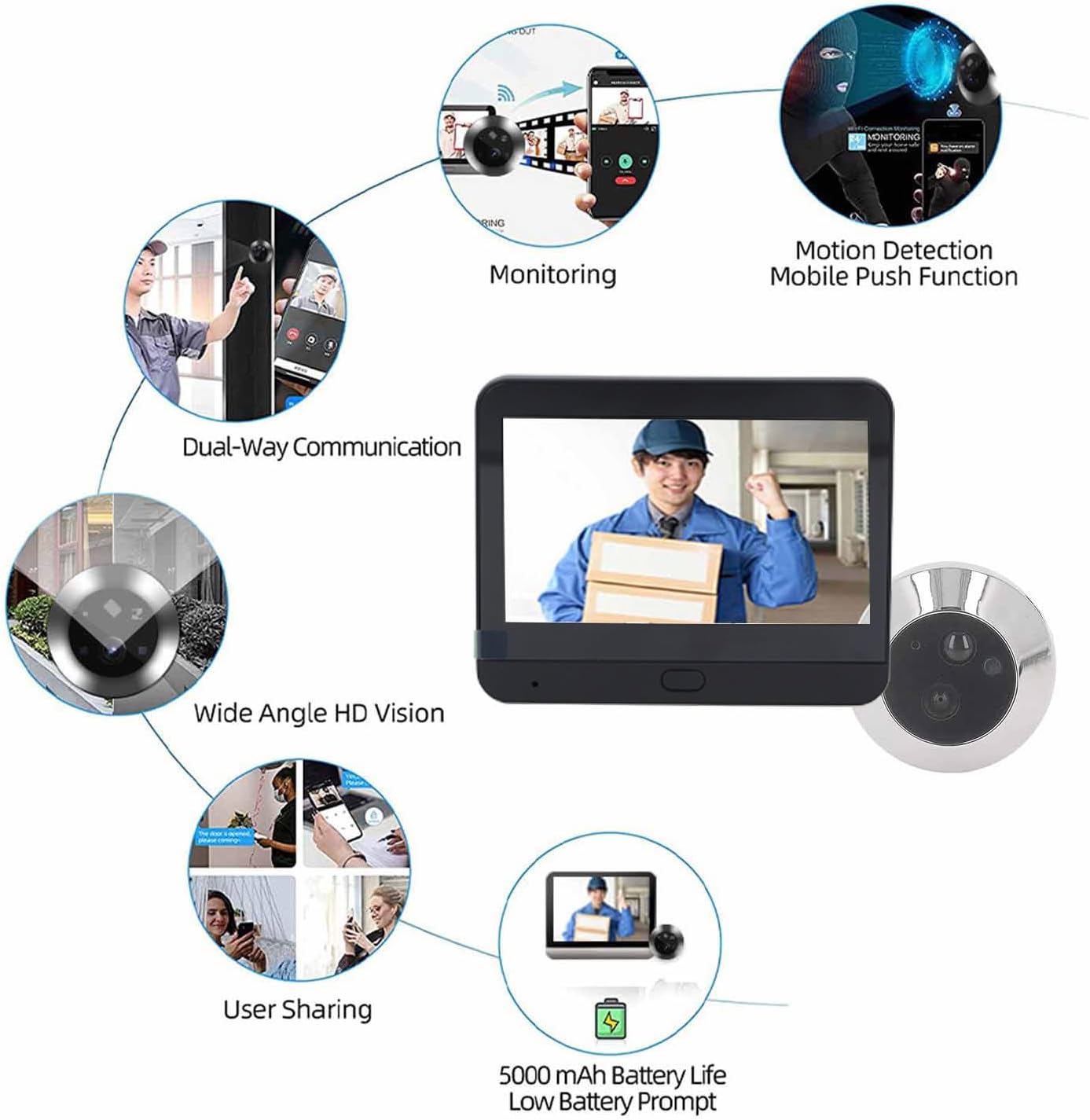
Image: Comprehensive overview of features including monitoring, motion detection, two-way communication, wide-angle vision, user sharing, and 5000 mAh battery life.
5. Maintenance
- Clean the camera lens and screen regularly with a soft, dry cloth to ensure clear image quality.
- Avoid using harsh chemicals or abrasive cleaners.
- Ensure the device is not exposed to extreme temperatures or direct sunlight for prolonged periods.
- Keep the charging port free from dust and debris.
6. Troubleshooting
If you encounter issues with your Fockety Digital Door Viewer, refer to the following common problems and solutions:
- No Power/Screen Not Turning On: Ensure the battery is fully charged. Connect the device to a power source using the USB cable.
- Poor Image Quality: Check if the camera lens is clean and free from obstructions. Ensure adequate lighting for optimal image capture.
- WiFi Connection Issues: Verify that your WiFi router is working correctly and the device is within range. Try resetting the device by holding the reset button for a few seconds and re-pairing with the app.
- Motion Detection Not Working: Ensure motion detection is enabled in the app settings. Check the sensitivity settings.
- App Not Receiving Notifications: Check your phone's notification settings for the app. Ensure the app has necessary permissions.
- Intercom Not Working: Check your internet connection. Ensure microphone and speaker permissions are granted to the app.
For further assistance, please contact customer support.
7. Specifications
| Operating System | LiteOS |
| Lens Pixel | 1080P |
| Screen Size | 4.3 inch IPS LCD |
| APP Compatibility | Android, iOS |
| Battery Capacity | 5000 mAh Lithium Battery |
| Wide Angle | 120 degrees |
| Supported Features | IR Night Vision, Automatic Photography, Monitoring Intercom, Motion Detection |
| External Storage | Micro SD Card up to 128GB (not included) |
| Supported Door Thickness | Approx. 35 ~ 120 mm (1.38 ~ 4.72 inches) |
| Supported Door Hole Diameter | Approx. 14 ~ 30 mm (0.55 ~ 1.18 inches) |
| Ambient Temperature | -20 ~ 55 ℃ |
| Color | Black |
| Screen Dimensions (LxWxH) | Approx. 112 x 90 x 25 mm (4.41 x 3.54 x 0.98 inches) |
| Peephole Dimensions | Approx. 46 mm, 38 mm, 14 mm (1.81 inches, 1.5 inches, 0.55 inches) |
8. Warranty and Support
8.1 Warranty Information
This Fockety Digital Door Viewer comes with a 24-month warranty from the date of purchase. In case of product defects or malfunctions under normal use, you are eligible for a repair, replacement, or refund as per the warranty terms.
8.2 Customer Support
If you have any questions, concerns, or require technical assistance regarding your Fockety Digital Door Viewer, please do not hesitate to contact our customer support team. We are committed to providing prompt and helpful service.
Please refer to your purchase documentation or the retailer's website for specific contact details.