1. Introduction
Thank you for choosing the FLOWBREEZE Portable Air Cooler 03. This versatile 3-in-1 unit functions as an air conditioner, air cooler, and fan, designed to provide a comfortable environment in your home or office. Please read this manual thoroughly before operation to ensure proper use and maintenance.
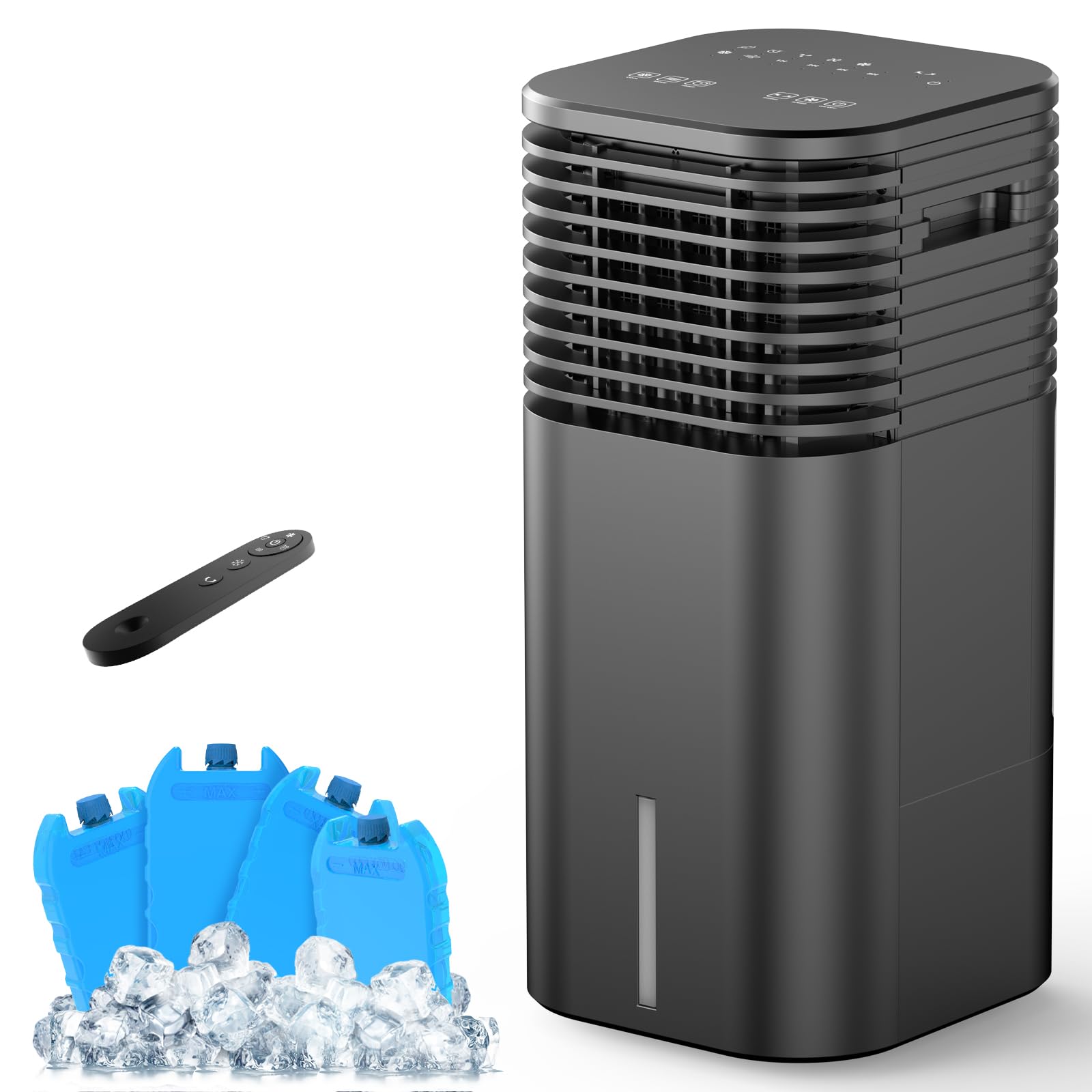
Figure 1: Overview of the FLOWBREEZE Portable Air Cooler 03 with key features and dimensions.
2. Important Safety Instructions
- Always place the unit on a stable, level surface.
- Do not block the air inlet or outlet.
- Ensure the power cord is not damaged and is properly plugged into a grounded outlet.
- Do not immerse the unit in water or other liquids.
- Unplug the unit before cleaning, refilling water, or performing any maintenance.
- Keep out of reach of children and pets.
- Do not use the unit if any part is damaged. Contact customer support for assistance.
3. Package Contents
Verify that all items are included in your package:
- Portable Air Conditioner x 1
- User Manual x 1
- Ice Pack x 4
- Swivel Wheel x 4
- Remote Control (battery included) x 1
4. Product Features
- 3-in-1 Functionality: Operates as an Air Conditioner (with water & ice packs), Air Cooler (with water), and Fan (without water).
- Multiple Modes & Speeds: Features 3 modes (Normal, Nature, Sleep) and 3 wind speeds (Low, Medium, High).
- 120° Oscillation: Inner blades auto-swing horizontally for even cooling. Vertical airflow can be manually adjusted by 20°.
- 2-Gallon Water Tank: Large capacity for up to 10 hours of operation without frequent refills. Automatically switches to fan mode when water runs out.
- Internal Turbo Technology: Guides airflow more effectively for stronger wind power with reduced noise (49dB).
- 0-15 Hour Timer: Customizable timer for convenient operation.
- Enhanced Cooling: Includes 4 pre-filled ice packs for colder wind.
- Dual Control: Operate via the easy-to-use control panel or the included remote control (20-foot range).
- Energy Efficient: 65W low energy consumption.
- Portable Design: Compact size (12" D x 11" W x 24" H) with built-in handle and 4 universal wheels for easy movement. No installation required.
- Easy Maintenance: Detachable water tank, cooling pad, and rear grille for simple cleaning.

Figure 2: Internal Turbo Technology for enhanced airflow.
5. Setup
- Unpack the Unit: Carefully remove the air cooler from its packaging. The unit comes with pre-installed universal wheels and a built-in handle for easy portability.
- Fill the Water Tank:
- Locate the water tank at the bottom rear of the unit.
- Push the tab to the side to unlock and slide out the water tank.
- Place the included ice packs (after freezing them for at least 6 hours) into the water tank.
- Fill the tank with clean water, ensuring it does not exceed the maximum fill line.
- Slide the water tank back into the unit and secure it by pushing the tab back into place.

Figure 3: Filling the 2-Gallon Water Tank with ice packs.
- Connect to Power: Plug the power cord into a standard 110V electrical outlet. The unit is now ready for operation.
Video 1: Demonstrates the portability and initial setup of the FLOWBREEZE Portable Air Cooler.
6. Operating Modes
The FLOWBREEZE Portable Air Cooler offers three primary functions and multiple settings:
- Air Conditioner Mode: For maximum cooling, ensure the water tank is filled with water and ice packs. Select the "Cool" function on the control panel or remote.
- Air Cooler Mode: For general cooling and humidification, fill the water tank with water only. Select the "Cool" function.
- Fan Mode: To use as a standard fan without cooling or humidification, operate the unit without water in the tank. The unit will automatically switch to fan mode if the water runs out while in cooling mode.

Figure 4: Visual representation of the 3-in-1 operating modes.
6.1 Wind Speeds and Modes
Adjust the fan speed and mode to suit your preference:
- Wind Speeds: Choose between Low, Medium, and High settings.
- Operating Modes:
- Normal Mode: Provides a consistent airflow.
- Nature Mode: Simulates natural wind patterns with varying speeds.
- Sleep Mode: Operates at a lower speed and noise level for undisturbed rest.

Figure 5: Three speeds and three modes for customized comfort.
7. Controls
The air cooler can be operated using the touch control panel on top of the unit or the included remote control.
7.1 Control Panel
The touch-sensitive control panel features intuitive icons for all functions:
- On/Off Button: Powers the unit on or off.
- Speed Button: Cycles through Low, Medium, and High wind speeds.
- Swing Button: Activates or deactivates the 120° horizontal oscillation.
- Timer Button: Sets the operating timer from 0 to 15 hours.
- Mode Button: Switches between Normal, Nature, and Sleep modes.
- Cool Button: Activates or deactivates the cooling/humidification function (requires water in the tank).
7.2 Remote Control
The remote control provides convenient operation from up to 20 feet away, mirroring all functions available on the control panel.

Figure 6: Control panel and remote control for easy operation.
Video 2: Demonstrates the use of the control panel and remote control.
8. Water Tank and Ice Packs
The 2-gallon water tank is essential for the cooling and humidification functions. For optimal cooling, utilize the included ice packs.
8.1 Using Ice Packs
- The four included ice packs are pre-filled and sealed.
- Freeze the ice packs for at least 6 hours before use.
- Place the frozen ice packs into the water tank along with water for a colder airflow.
- Enjoy up to 10 hours of enhanced cooling without leaks or spills.

Figure 7: Utilizing ice packs for prolonged cooling.
9. Maintenance
Regular cleaning and maintenance ensure the longevity and efficient operation of your air cooler.
- Cleaning the Water Tank: The water tank is detachable for easy cleaning. Regularly empty and clean the tank to prevent mold or mildew buildup.
- Cleaning the Cooling Pad and Rear Grille: The cooling pad and rear grille are also detachable. Clean them periodically with mild soap and water to maintain optimal airflow and filtration.
- Filter Maintenance: The unit features a filter on the rear grille that captures dust, pollen, and pet dander, providing fresh and clean air. Clean the filter as needed.
10. Troubleshooting
If you encounter issues with your air cooler, please refer to the following common solutions:
- Unit does not power on:
- Ensure the power cord is securely plugged into a working electrical outlet.
- Check if the power outlet is functional by plugging in another device.
- No cool air:
- Verify that the water tank is filled with water.
- Ensure the "Cool" function is activated.
- For colder air, ensure ice packs are frozen and placed in the water tank.
- Weak airflow:
- Check if the air inlet or outlet is obstructed.
- Clean the cooling pad and rear grille if they appear dirty or clogged.
- Increase the fan speed setting.
- Unusual noise:
- Ensure the unit is placed on a stable, level surface.
- Check for any foreign objects inside the unit.
If the problem persists, please contact customer support.
11. Specifications
| Feature | Detail |
|---|---|
| Product Dimensions | 12"D x 11"W x 24"H |
| Item Weight | 10.14 pounds |
| Manufacturer | FLOWBREEZE |
| Item model number | portable air cooler 03 |
| Form Factor | Stand Alone |
| Capacity | 2 Gallons |
| Floor Area Coverage | 300 Square Feet |
| Voltage | 110 Volts |
| Noise Level | 49 Decibels |
| Cooling Power | 65 Kilowatts |
| Color | Black |
| Power Source | Corded Electric |
12. Warranty and Support
This FLOWBREEZE Portable Air Cooler 03 comes with a 1-year warranty from the date of purchase, covering manufacturing defects. For warranty claims, technical support, or any product-related inquiries, please contact FLOWBREEZE customer service. Refer to the contact information provided in your purchase documentation or on the official FLOWBREEZE website.