
1. Introduction
The SMART SENSOR AR8407 is a portable multifunctional water quality detector designed for precise and reliable measurement of various water parameters. This device offers high accuracy, stable operation, and ease of portability, making it suitable for a wide range of applications. It is capable of measuring dissolved oxygen, pH, nitrite, and ammonia nitrogen, providing clear digital readouts of the liquid's values.
This instrument is widely utilized in industrial processes, research laboratories, agricultural settings, medical applications, aquaculture, scientific research, and environmental protection efforts.

Figure 1: The SMART SENSOR AR8407 detector with its probe in a water sample, displaying measurement results.
2. Product Overview
2.1 Key Features
- High Precision Sensors: Equipped with advanced sensors for accurate measurements.
- Multiple Parameters: Measures Dissolved Oxygen (DO), pH, Nitrite, and Ammonia Nitrogen.
- Temperature Measurement: Integrated temperature sensor with automatic temperature compensation (ATC).
- Data Storage: Manual recording capacity for up to 99 data entries.
- Clear Display: Large, high-definition backlit LCD for easy readability.
- Portable Design: Compact and lightweight for convenient field use.
- Corrections: Salinity and altitude correction functions for Dissolved Oxygen.
2.2 Included Components
The standard package for the AR8407 includes the following items:
- SMART SENSOR AR8407 Main Unit
- External Dissolved Oxygen Probe (approx. 3.5m cable length)
- pH Reagents
- Measuring Cup
- Instruction Manual
- Certificate
- Carrying Case
- AAA (UM-4) Batteries (x4)
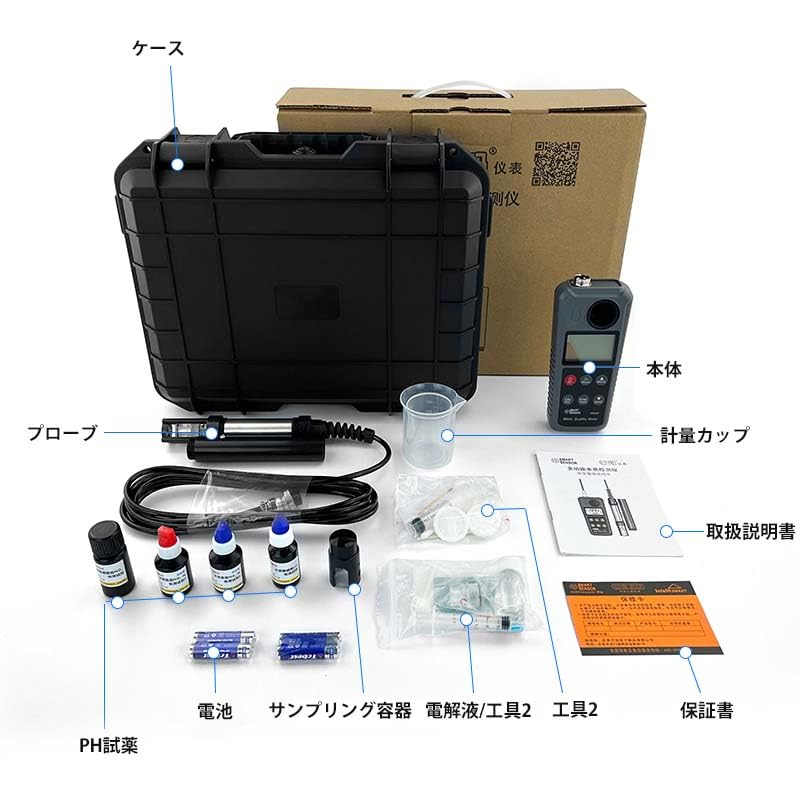
Figure 2: Contents of the SMART SENSOR AR8407 package.
3. Setup
3.1 Battery Installation
- Locate the battery compartment cover on the back of the main unit.
- Slide or unscrew the cover to open.
- Insert four AAA (UM-4) batteries, ensuring correct polarity (+/-).
- Replace the battery compartment cover securely.
3.2 Probe Connection
- Connect the external probe cable to the designated port on the top of the main unit. Ensure a firm and secure connection.
- The probe is designed for direct immersion. Ensure the sensor tip is clean before use.
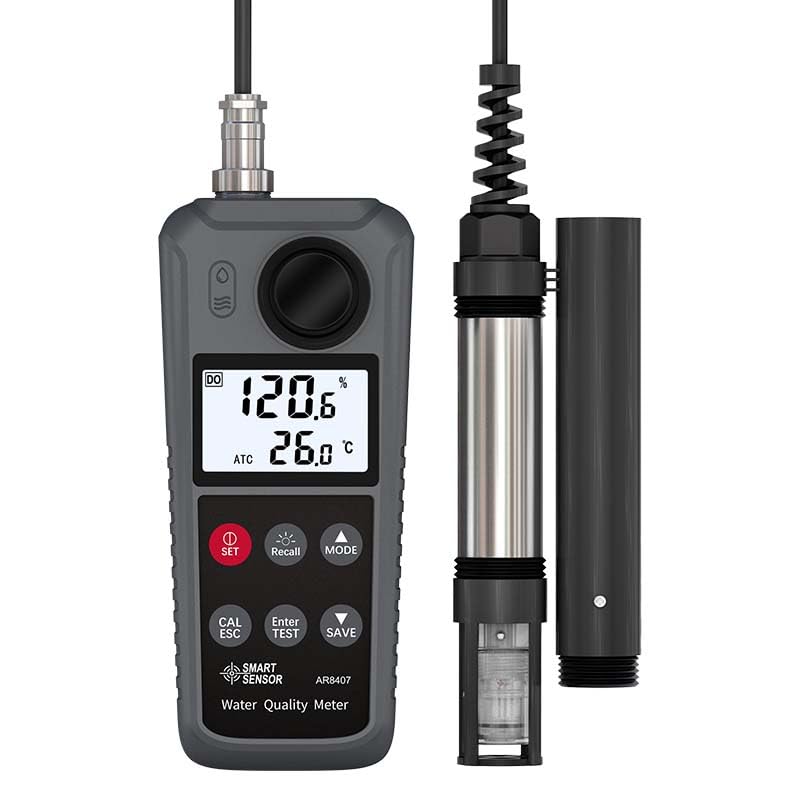
Figure 3: Main unit and probe assembly.
4. Operating Instructions
4.1 Power On/Off
- Press the SET button to power on the device.
- To power off, press and hold the SET button until the display turns off.
4.2 Mode Selection
- Press the MODE button to cycle through the different measurement parameters: Dissolved Oxygen, pH, Nitrite, and Ammonia Nitrogen.
4.3 Dissolved Oxygen (DO) Measurement
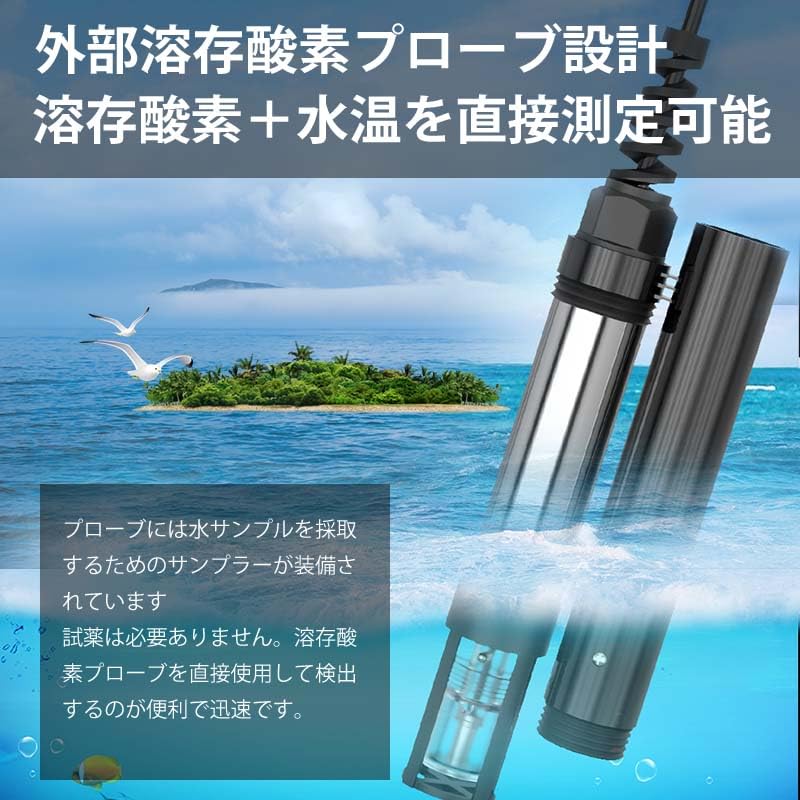
Figure 4: External Dissolved Oxygen Probe.
- Select the DO mode using the MODE button.
- Immerse the external DO probe directly into the water sample. The probe is equipped with a sampler for convenient water collection.
- Allow the reading to stabilize. The device will display the dissolved oxygen concentration in mg/L and the water temperature in °C.
- No reagents are required for DO measurement with this probe.
4.4 pH Measurement
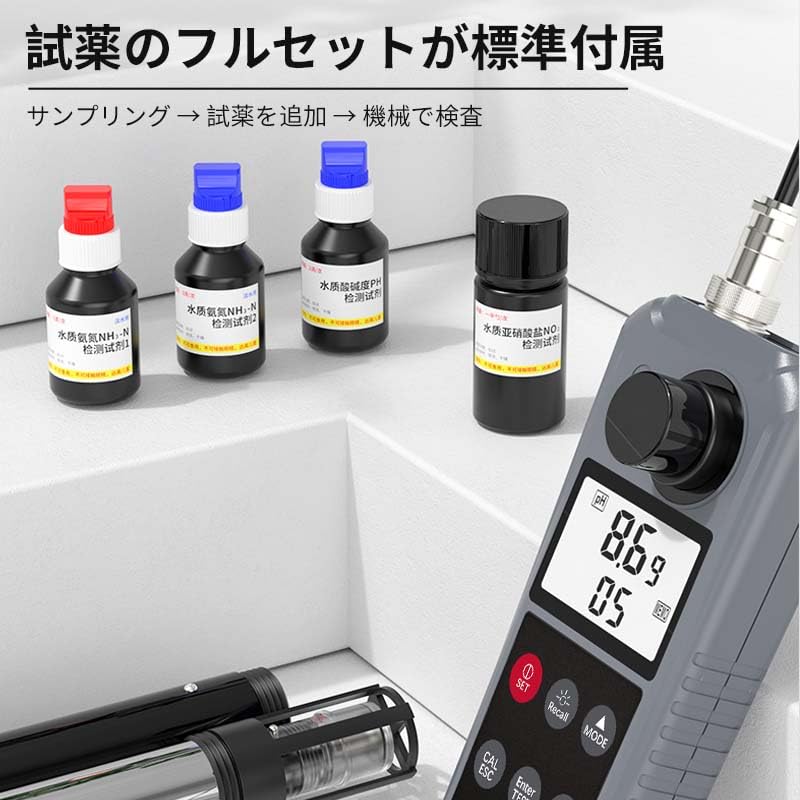
Figure 5: Reagents and measuring cup for chemical-based tests.
- Select the pH mode.
- Collect a water sample in the provided measuring cup.
- Add 2 drops of the pH reagent to the sample.
- Gently mix and wait for approximately 30 seconds for the reaction to occur.
- Insert the probe into the treated sample and read the pH value on the display.
4.5 Nitrite Measurement
- Select the Nitrite mode.
- Collect a water sample in the measuring cup.
- Add 1 level spoon of the nitrite reagent to the sample.
- Gently mix and wait for approximately 2 minutes for the reaction.
- Insert the probe into the treated sample and read the nitrite concentration in mg/L.
4.6 Ammonia Nitrogen Measurement
- Select the Ammonia Nitrogen mode.
- Collect a water sample in the measuring cup.
- Add Reagent 1:3 and Reagent 3:3 (refer to specific reagent instructions for exact quantities if different from 3 drops each).
- Gently mix and wait for approximately 1 minute for the reaction.
- Insert the probe into the treated sample and read the ammonia nitrogen concentration in mg/L.
- The device can also calculate toxic nitrogen based on the pH measurement.
5. Calibration
5.1 Dissolved Oxygen Saturation Correction
- The device supports 100% saturated oxygen calibration in air for Dissolved Oxygen measurements. Refer to the detailed instructions in the full manual for the calibration procedure.
5.2 Salinity and Altitude Correction
- The AR8407 allows for salinity correction (range: 0-42 ppt) and altitude correction (range: 0-3500m) to enhance the accuracy of Dissolved Oxygen readings in varying environmental conditions. Consult the detailed manual for adjustment procedures.
6. Data Management
The AR8407 features a data recording function, allowing users to manually save up to 99 entries.
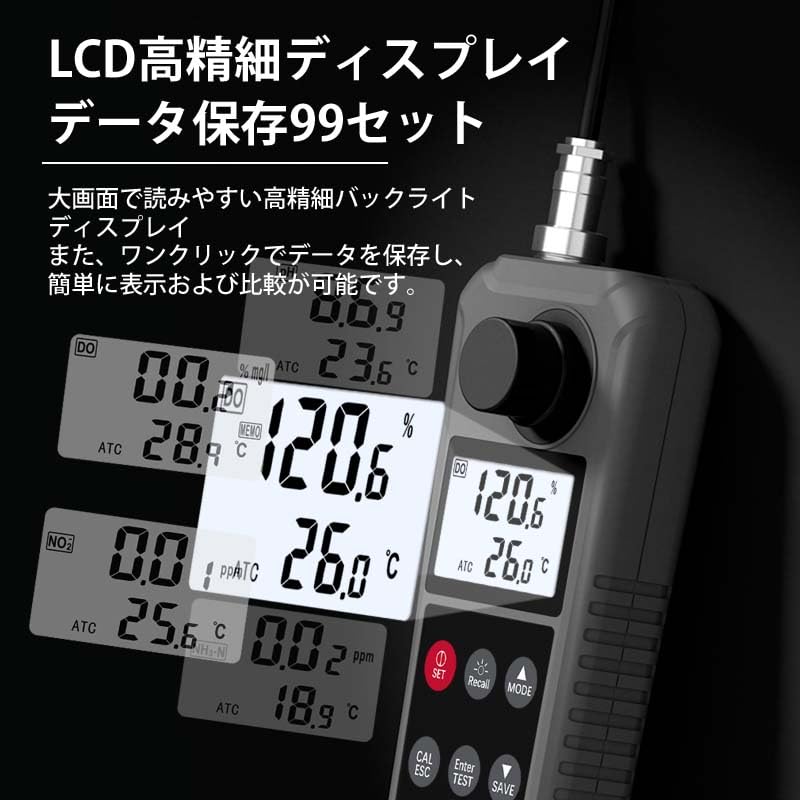
Figure 6: LCD display showing various readings and data storage options.
6.1 Saving Data
- After a stable measurement is obtained, press the SAVE button to store the current reading.
- The display will indicate when data has been successfully saved.
6.2 Recalling Data
- Press the Recall button to view previously saved data entries.
- Use the arrow buttons (if available, or repeated presses of Recall/Mode) to navigate through the stored records.
7. Specifications
| Parameter | Specification |
|---|---|
| Model | AR8407 |
| Dissolved Oxygen Range | 0 – 30.0 mg/L |
| Dissolved Oxygen Resolution | 0.1 mg/L |
| Dissolved Oxygen Accuracy | ±3.0% Full Scale |
| pH Range | 3.5 – 11.0 |
| pH Resolution | 0.1 |
| pH Accuracy | ±0.2 |
| Nitrite Range | 0 – 1.00 mg/L |
| Nitrite Resolution | 0.01 |
| Nitrite Accuracy | ±5% or ±0.01 mg/L |
| Ammonia Nitrogen Range | 0 – 1.00 mg/L |
| Ammonia Nitrogen Resolution | 0.01 |
| Ammonia Nitrogen Accuracy | ±5% or ±0.01 mg/L |
| Temperature Measurement Range | 0.0 – 50°C |
| Temperature Resolution | 0.1°C |
| Temperature Accuracy | ±0.5°C |
| Salinity Correction | 0 – 42 ppt |
| Altitude Correction | 0 – 3500 m |
| Automatic Temperature Compensation (ATC) | Yes |
| Data Record Capacity | 99 entries (manual) |
| LCD Size | 27 x 45 mm |
| Backlight | Yes |
| Probe Wire Length | Approx. 3.5 m (including probe) |
| Power Supply | AAA (UM-4) x 4 batteries |
| Device Dimensions | 70 x 30 x 169 mm |
| Product Weight | 132 g |
| Manufacturer | DongGuan WanChuang Electronic Products Co. LTD |
8. Maintenance
8.1 General Care
- Keep the device clean and dry. Wipe the main unit with a soft, damp cloth. Do not use abrasive cleaners or solvents.
- Store the device and probes in the provided carrying case when not in use to protect them from dust and damage.
- Avoid exposing the device to extreme temperatures, direct sunlight, or high humidity.
8.2 Probe Maintenance
- After each use, rinse the probe thoroughly with distilled or deionized water to remove any residue from the samples.
- Ensure the probe tip is not damaged. Handle with care.
- For prolonged storage, follow specific instructions for probe conditioning (e.g., keeping pH probes moist).
9. Troubleshooting
9.1 Inaccurate Readings
- Check Calibration: Ensure the device has been properly calibrated according to the instructions, especially for Dissolved Oxygen.
- Clean Probe: A dirty probe can lead to inaccurate readings. Clean the probe thoroughly.
- Reagents: For pH, nitrite, and ammonia nitrogen, ensure reagents are fresh and correctly applied.
- Sample Conditions: Verify that the sample is within the specified temperature and concentration ranges.
9.2 Device Not Powering On
- Check Batteries: Ensure batteries are correctly installed and have sufficient charge. Replace if necessary.
- Battery Compartment: Confirm the battery compartment cover is securely closed.
9.3 Display Issues
- Backlight: If the display is dim, check if the backlight is enabled or if batteries are low.
- Environmental Conditions: Extreme temperatures can affect LCD performance. Move the device to a suitable environment.
If issues persist after following these troubleshooting steps, please contact customer support.
10. Warranty and Support
For warranty information and technical support, please refer to the documentation included with your product or contact the manufacturer directly. Keep your purchase receipt as proof of purchase.


