Introduction
Thank you for choosing the Oraimo Riff 2 TWS Earbuds. This manual provides detailed instructions on how to set up, operate, and maintain your earbuds to ensure optimal performance and longevity. Please read this manual thoroughly before using the product.

Image: The Oraimo Riff 2 TWS Earbuds and their charging case, showcasing the product's design.
Package Contents
Ensure all items listed below are present in your package:
- Oraimo Riff 2 TWS Earbuds (Left and Right)
- Wireless Charging Case
- USB Type-C Charging Cable
- User Manual
- Ear Tips (various sizes)
Setup
1. Charging the Earbuds and Case
Before first use, fully charge the earbuds and the charging case.
- Connect the provided USB Type-C cable to the charging port on the case and a power source.
- The indicator light on the case will show charging status.
- Place the earbuds into the charging case. They will automatically begin charging.
A full charge provides up to 6 hours of single playtime, with the charging case extending total playtime to 30 hours.
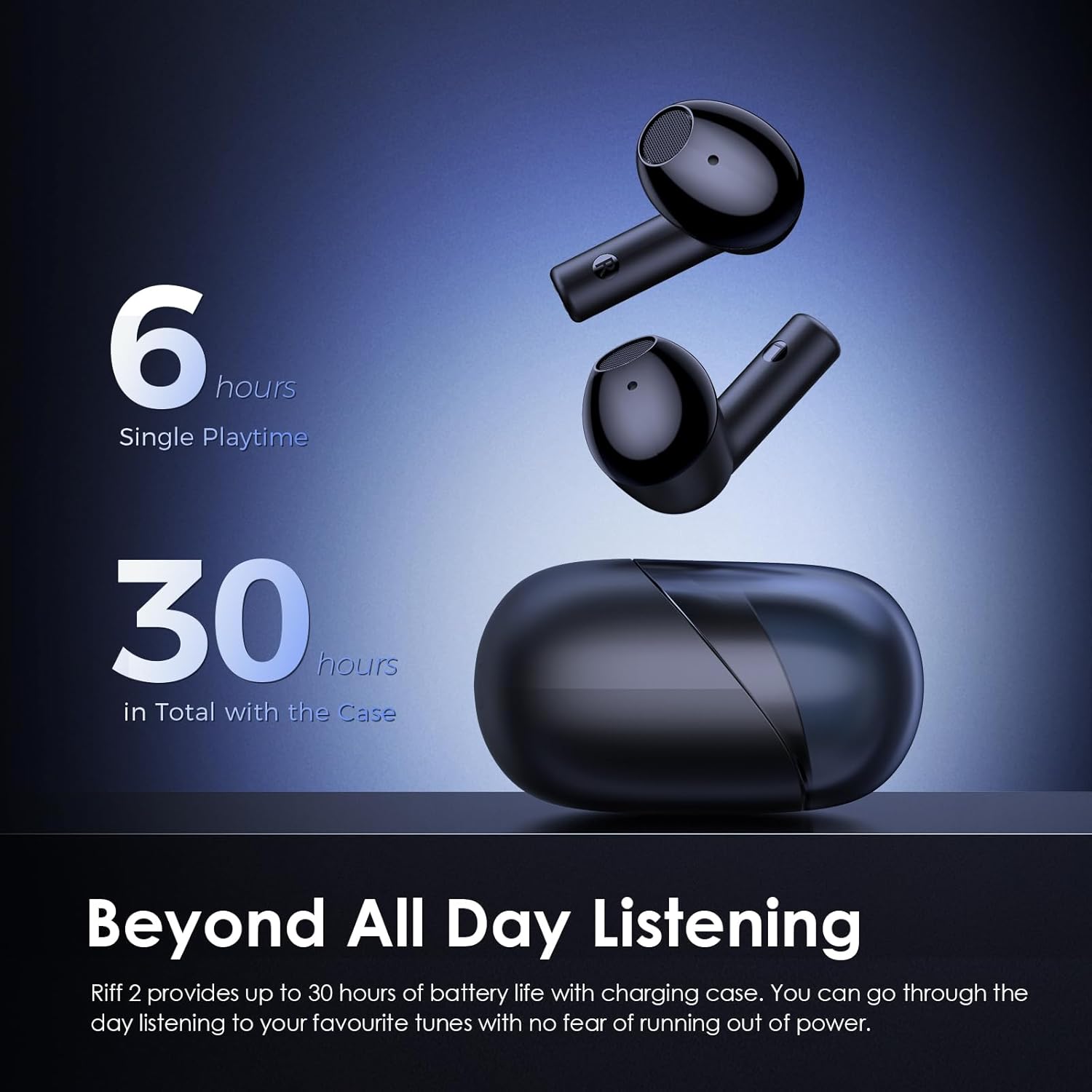
Image: Visual representation of the Oraimo Riff 2 earbuds and case, highlighting 6 hours of single playtime and 30 hours of total playtime with the charging case.
2. Pairing with a Device
- Open the charging case. The earbuds will automatically enter pairing mode.
- On your device (smartphone, tablet, etc.), enable Bluetooth.
- Search for 'Oraimo Riff 2' in the list of available Bluetooth devices.
- Select 'Oraimo Riff 2' to connect. Once connected, a voice prompt will confirm successful pairing.
The earbuds utilize Bluetooth 5.3 for a stable and efficient connection.

Image: Oraimo Riff 2 earbuds with a graphic indicating Bluetooth 5.3 connectivity and suitability for gaming.
Operating Instructions
Touch Controls
The Oraimo Riff 2 earbuds feature touch-sensitive controls for easy management of music and calls.
| Action | Left Earbud | Right Earbud |
|---|---|---|
| Play/Pause | Single Tap | Single Tap |
| Next Track | Double Tap | Double Tap |
| Previous Track | Triple Tap | Triple Tap |
| Answer/End Call | Single Tap | Single Tap |
| Reject Call | Press and Hold (2s) | Press and Hold (2s) |
| Activate Voice Assistant | Press and Hold (2s) | Press and Hold (2s) |
| Game Mode On/Off | Long Press (3s) | Long Press (3s) |
Oraimo Sound App
Enhance your listening experience by customizing sound settings with the Oraimo Sound App. The app allows you to adjust EQ modes and manage other earbud functions.
- Download the Oraimo Sound App from your device's app store or by scanning the QR code provided in the product packaging.
- Connect your Oraimo Riff 2 earbuds to your device.
- Open the Oraimo Sound App to access custom EQ settings and other features.
For more information and to download the app, visit: Oraimo Sound App

Image: A smartphone displaying the Oraimo Sound App interface, with the Oraimo Riff 2 earbuds and charging case in the foreground, illustrating customization options.
Environmental Noise Cancellation (ENC)
The earbuds feature Quad ENC microphones designed to filter out background noise, ensuring clear voice quality during calls, even in noisy environments.
Image: A detailed view of an Oraimo Riff 2 earbud, showing internal components and a graphic representing clear voice transmission during calls.
HavyBass Technology and 12mm Dynamic Drivers
Equipped with 12mm high-sensitive drivers and HavyBass Technology, the Oraimo Riff 2 delivers enhanced bass and clear audio across all frequencies.
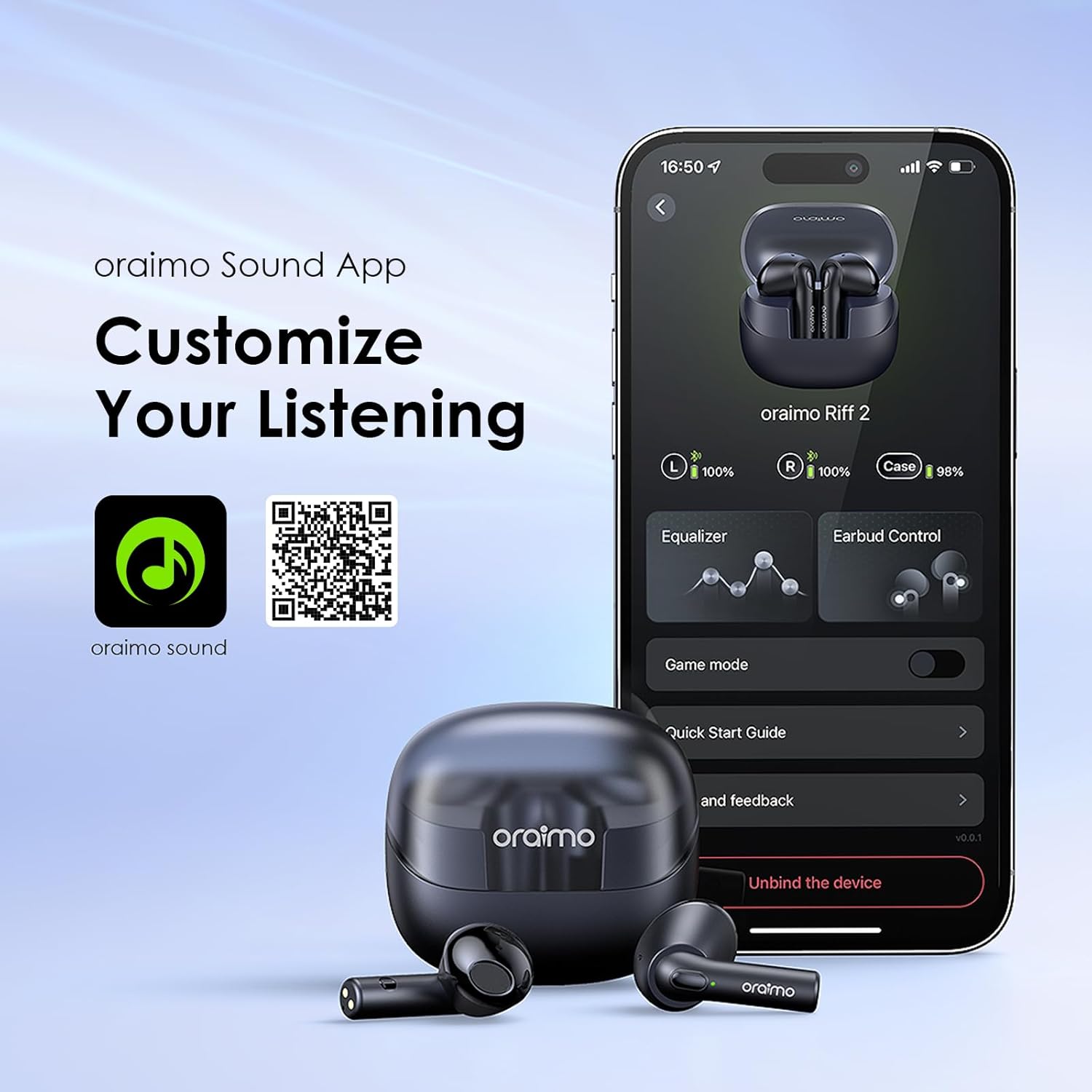
Image: A close-up of the Oraimo Riff 2 earbud's 12mm driver, highlighting its capability for powerful bass.
Maintenance
Cleaning
Regular cleaning helps maintain sound quality and hygiene.
- Use a soft, dry, lint-free cloth to wipe the earbuds and charging case.
- Gently remove any earwax or debris from the ear tips and speaker mesh using a small brush or cotton swab.
- Do not use abrasive cleaners, alcohol, or chemical solvents.
Water Resistance (IPX4)
The Oraimo Riff 2 earbuds are rated IPX4 water-resistant, meaning they are protected against splashing water from any direction. This makes them suitable for workouts and light rain.
- Do not submerge the earbuds in water.
- Avoid exposing them to high-pressure water jets.
- Ensure the earbuds are dry before placing them back into the charging case to prevent damage.

Image: Oraimo Riff 2 earbuds with water droplets on their surface, illustrating their IPX4 water and sweat protection.
Troubleshooting
If you encounter issues with your Oraimo Riff 2 earbuds, refer to the following common solutions:
- No Sound: Ensure earbuds are charged, connected to your device, and volume is up. Check if the correct audio output is selected on your device.
- Earbuds Not Pairing: Place both earbuds back into the charging case, close the lid, then open it again to re-enter pairing mode. Ensure Bluetooth is enabled on your device and try re-pairing.
- One Earbud Not Working: Try resetting the earbuds. Ensure both earbuds are charged.
- Poor Sound Quality: Check for debris in the earbud's speaker mesh. Ensure ear tips provide a good seal. Try adjusting EQ settings in the Oraimo Sound App.
- Charging Issues: Ensure the charging cable is securely connected and the power source is functional. Clean the charging contacts on both the earbuds and the case.
If problems persist, please contact customer support.
Specifications
| Feature | Specification |
|---|---|
| Model Number | OEB-E04D |
| Bluetooth Version | 5.3 |
| Wireless Communication Technology | Bluetooth |
| Playtime (Single Charge) | Up to 6 hours |
| Total Playtime (with Case) | Up to 30 hours |
| Microphone | Quad ENC Mic |
| Driver Size | 12mm Dynamic Bass Boost Driver |
| Water Resistance Rating | IPX4 (Sweatproof) |
| Control Method | Touch |
| Included Components | Wireless Charging Case |
| Material | Plastic |
| Item Weight | 150 Grams |
| Product Dimensions | 17 x 15 x 6 cm |
| Batteries | 1 Lithium Ion battery (included) |
Warranty and Support
Warranty Information
The Oraimo Riff 2 TWS Earbuds come with a 1 Year Warranty from the date of purchase. This warranty covers manufacturing defects. Please retain your proof of purchase for warranty claims.
Customer Support
For technical assistance, warranty claims, or any other inquiries, please contact Oraimo customer support through their official website or the contact information provided in your product packaging.


