
Introduction
This manual provides essential information for the proper installation, operation, and maintenance of your Memphis Audio SRX693V 6x9 inch 3-Way Coaxial Speakers. Please read this manual thoroughly before attempting installation or use to ensure optimal performance and longevity of your product.
Safety Information
- Always disconnect the vehicle's battery negative terminal before beginning any electrical work.
- Ensure all wiring is properly insulated to prevent short circuits.
- Mount speakers securely to prevent them from becoming loose during vehicle operation.
- Avoid installing speakers in locations that obstruct vehicle safety features or driver visibility.
- Consult a professional car audio installer if you are unsure about any installation steps.
Package Contents
The package for your Memphis Audio SRX693V speakers should contain the following items:
- SRX693V 6x9 Inch 3-Way Coaxial Speakers (Pair)
Specifications
| Brand | Memphis Audio |
| Model Name | SRX693V |
| Speaker Type | Coaxial |
| Speaker Size | 9 Inches (6x9 inch oval) |
| Speaker Maximum Output Power | 110 Watts |
| Connectivity Technology | Coaxial |
| Mounting Type | Flush Mount |
| Item Dimensions (D x W x H) | 9.8"D x 7.3"W x 7.4"H |
| Item Weight | 5.4 Pounds |
| Cone Material | Polypropylene |
| Tweeter Material | PEI |
| Surround Material | Rubber |
Setup and Installation
Proper installation is crucial for optimal sound quality and speaker longevity. Follow these general steps:
- Preparation: Disconnect the vehicle's battery. Identify suitable mounting locations for the 6x9 inch speakers, typically in door panels or rear deck. Ensure adequate clearance for the speaker's depth.
- Mounting: If replacing existing speakers, remove the old units. Use the provided template (if available) or the speaker itself to mark and cut the mounting hole if necessary. Secure the speakers using appropriate screws and mounting hardware.
- Wiring: Connect the speaker wires to your vehicle's audio system. Pay close attention to polarity (+ to + and - to -) to ensure correct phase and sound reproduction. The SRX693V speakers are designed for coaxial connection.
- Testing: Reconnect the vehicle's battery. Turn on your audio system at a low volume to test the speakers. Gradually increase the volume and check for clear sound from both speakers.
- Finishing: Reassemble any removed panels or grilles.

Figure 1: Front view of the Memphis Audio SRX693V 6x9 inch 3-Way Coaxial Speaker.
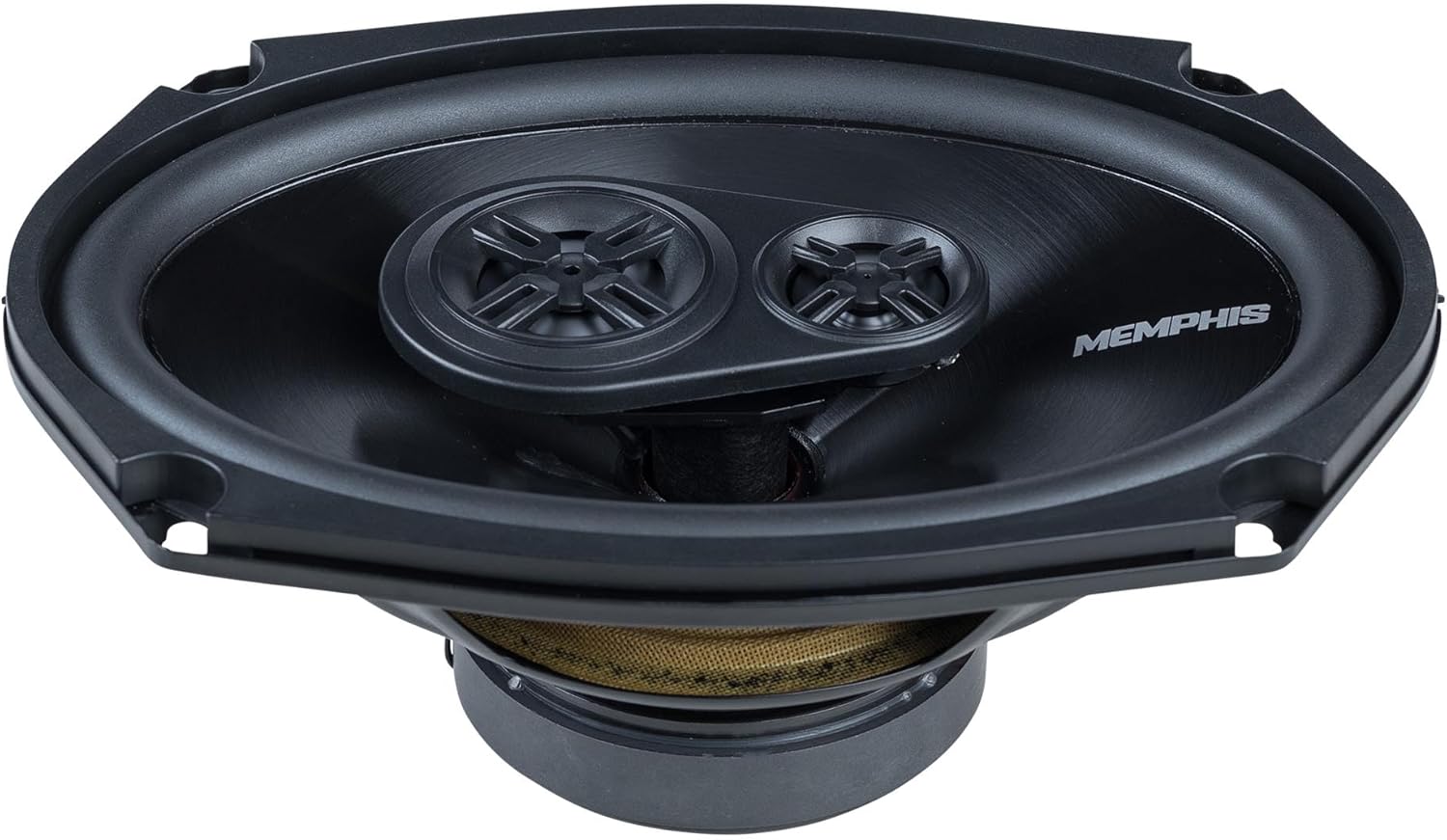
Figure 2: Angled view of the SRX693V speaker, highlighting the polypropylene cone and PEI tweeters.
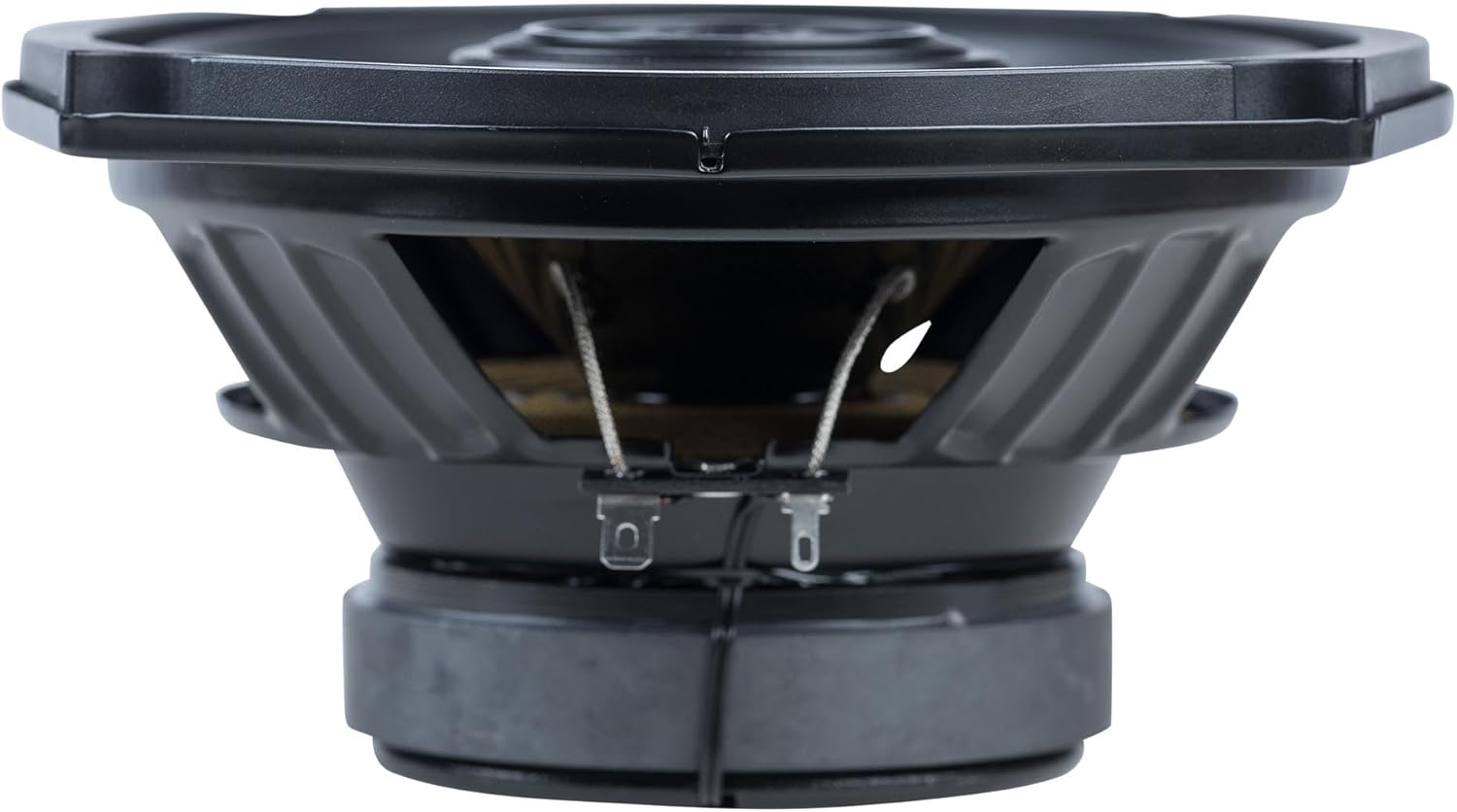
Figure 3: Side profile of the SRX693V speaker, illustrating its slim mounting depth.

Figure 4: Rear view of the SRX693V speaker, showing the magnet structure and wiring terminals.
Operating Instructions
Once installed, your Memphis Audio SRX693V speakers will operate as part of your vehicle's audio system. For optimal performance:
- Audio Source: Ensure your head unit or amplifier is properly configured to send audio signals to the speakers.
- Volume Control: Adjust the volume to a comfortable listening level. Avoid prolonged listening at excessively high volumes to prevent speaker damage and hearing loss.
- Equalization: Use your audio system's equalizer settings to fine-tune the sound to your preference. Start with flat settings and make small adjustments.
- Break-in Period: Allow a short break-in period (typically a few hours of normal use) for the speaker components to settle, which can improve sound quality.
Maintenance
Your Memphis Audio SRX693V speakers require minimal maintenance:
- Cleaning: Gently wipe the speaker grilles and surrounds with a soft, dry cloth to remove dust. Avoid using harsh chemicals or abrasive cleaners.
- Inspection: Periodically check the speaker mounts and wiring connections to ensure they remain secure.
- Environmental Factors: While designed for automotive use, avoid exposing speakers to excessive moisture or extreme temperatures.
Troubleshooting
If you encounter issues with your speakers, consider the following:
| Problem | Possible Cause | Solution |
|---|---|---|
| No sound from speakers | Loose wiring connection, incorrect polarity, amplifier issue, head unit settings. | Check all wiring connections for tightness and correct polarity. Verify amplifier and head unit are powered on and configured correctly. |
| Distorted sound | Over-driving speakers (volume too high), incorrect amplifier gain settings, damaged speaker. | Reduce volume. Adjust amplifier gain settings. Inspect speaker cone and surround for visible damage. |
| One speaker not working | Loose connection to that specific speaker, damaged speaker wire, faulty speaker. | Check wiring for the non-working speaker. Swap speakers (if possible) to determine if the issue is with the speaker or the wiring/source. |
Warranty and Support
Your Memphis Audio SRX693V speakers are covered by a 1-Year Manufacturer Warranty. This warranty covers defects in materials and workmanship under normal use.
For warranty claims, technical support, or further assistance, please contact Memphis Audio customer service or visit their official website. Keep your proof of purchase for warranty validation.


