
PowMr POW-HVM6.2M-48V-N
Contents
PowMr 6200W Solar Hybrid Inverter User Manual
Model: POW-HVM6.2M-48V-N
Product Overview
The PowMr 6200W Solar Hybrid Inverter is an all-in-one solution designed for off-grid solar power systems. It integrates a 6200W pure sine wave inverter, a 120A MPPT solar charge controller, and a battery charger into a single unit. This inverter is compatible with 48V lead-acid and lithium batteries and supports parallel operation of up to 12 units for increased power capacity.

Image: Front view of the PowMr 6200W Solar Hybrid Inverter, showcasing its dark grey and orange casing with an LCD display and control buttons.
Key Features
- High Power Output: 6200W pure sine wave output, single-phase 220V~230VAC.
- Advanced MPPT Technology: Built-in 120A MPPT solar charge controller with up to 98% efficiency.
- Flexible Charging Modes: Supports Only Solar, Mains Priority, Solar Priority, and Mains & Solar hybrid charging.
- Versatile Output Modes: Features Mains bypass and Inverter output modes.
- Battery Compatibility: Compatible with 48V AGM, Gel, Lead-acid, Lithium-ion, and LiFePO4 batteries, including battery cold start function.
- Scalable System: Supports parallel operation of up to 12 inverters, allowing for a maximum AC power output system of 6200W * 12.
- Comprehensive Protection: Includes short circuit, over-voltage, under-voltage, overload, and reverse protection.
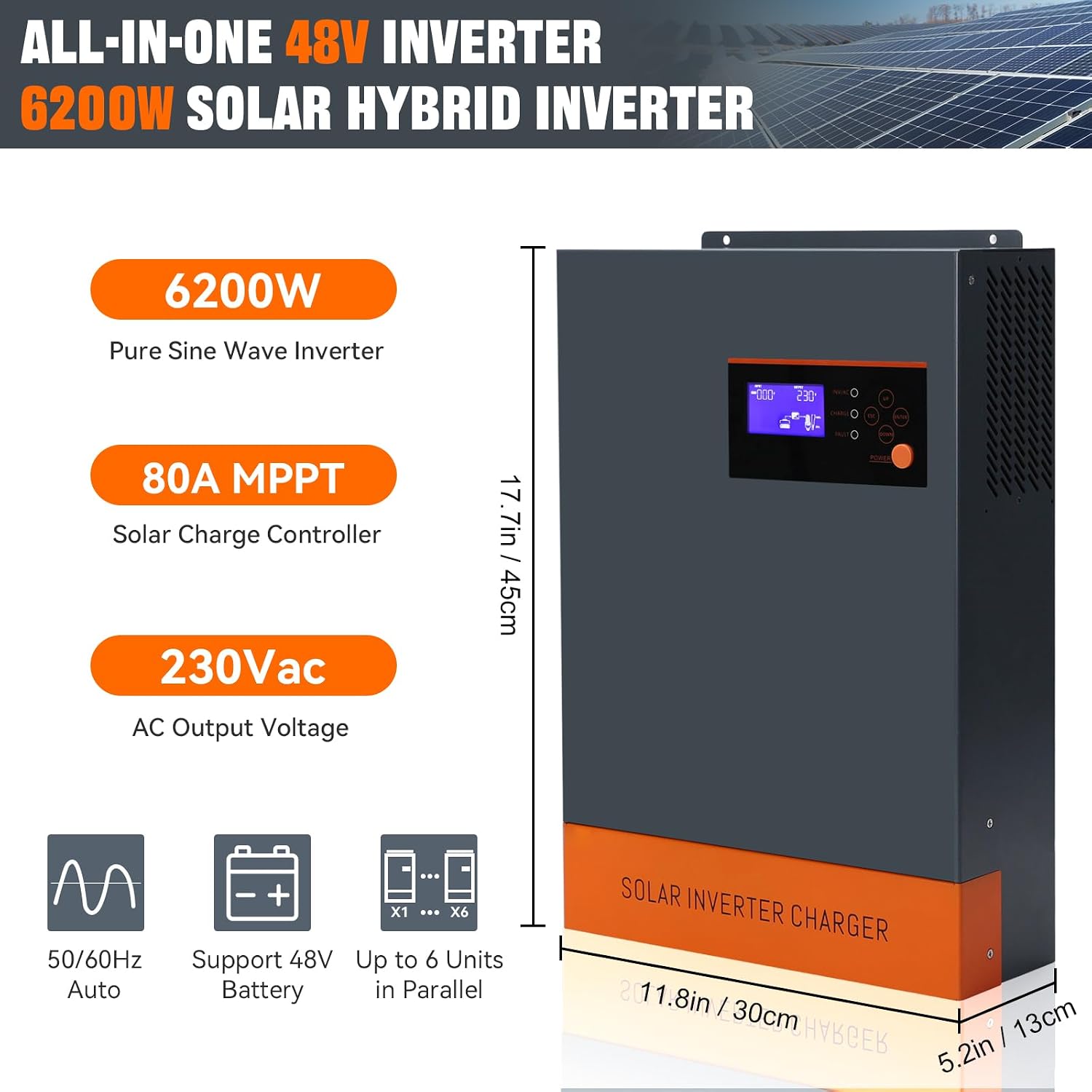
Image: A diagram illustrating the key features and dimensions of the inverter, highlighting 6200W Pure Sine Wave Inverter, 80A MPPT Solar Charge Controller, and 230Vac AC Output Voltage. It also shows support for 50/60Hz Auto, 48V Battery, and up to 6 Units in Parallel. Dimensions are 17.7in/45cm height, 11.8in/30cm width, and 5.2in/13cm depth.
Component Identification
Familiarize yourself with the various components and their functions before installation and operation.

Image: A detailed diagram showing the front and bottom panels of the inverter with numbered labels for each component:
- LCD display
- Status indicator
- Charging indicator
- Fault indicator
- Function buttons
- Power on/off switch
- AC input
- AC output
- PV input
- Battery input
- RS232 communication port
- Grounding
Setup and Installation
Proper installation is crucial for the safe and efficient operation of your inverter. Always consult a qualified electrician for installation if you are unsure.
Battery Connection
Ensure the correct battery type and voltage are used. The inverter supports 48V battery systems, including AGM, Gel, Lead-acid, Lithium-ion, and LiFePO4 batteries.

Image: The inverter connected to two 48V batteries, illustrating the battery connection points. The image also highlights the 120A PV Max and 80A AC Max capabilities, and lists compatible battery types: GEL, FLD (Flooded), LI (Lithium-ion), and USE (User-defined).
System Wiring Diagram
The following diagram illustrates a typical connection setup for the solar hybrid inverter, including PV input, battery input, and AC output connections.

Image: A comprehensive wiring diagram showing the connection of solar panels to PV input, batteries to battery input, and household loads to AC output. It also depicts the option of connecting to a utility grid or generator for AC input. Detailed specifications for AC output, PV input, and Battery input are provided.
Parallel Operation
For increased power requirements, up to 12 units of this inverter can be operated in parallel. This supports both single-phase and three-phase configurations.

Image: A diagram illustrating how up to 12 inverters can be connected in parallel for expanded power capacity. It shows the communication connections between units and the shared battery and AC load connections. The diagram indicates that parallel operation can be single/split phase.
Operating Modes
The inverter offers various charging and output modes to optimize energy management based on your needs and available power sources.
Charging Modes
- Only Solar: Charges batteries exclusively from solar panels.
- Mains Priority: Charges batteries primarily from the utility grid, with solar as a backup.
- Solar Priority: Charges batteries primarily from solar panels, with the utility grid as a backup.
- Mains & Solar Hybrid Charging: Utilizes both mains and solar power for battery charging.
Output Modes
- Mains Bypass: Loads are powered directly by the utility grid.
- Inverter Output: Loads are powered by the inverter, drawing energy from batteries or solar.

Image: A visual representation of the four charging modes (Only Solar, Utility First, Solar First, Solar And Utility) and three load output working modes (PV Priority, Utility Priority, Inverter Mode). Each mode is depicted with icons representing solar panels, utility grid, and the inverter unit.
Specifications
| Parameter | Value |
|---|---|
| Model Name | POW-HVM6.2M-48V-N |
| Rated Output Power | 6.2KVA / 6.2KW |
| Max. PV Array Open Circuit Voltage | 500Vdc |
| Rated Battery Input Voltage | 48Vdc |
| Nominal Output Voltage | 230Vac ±5% |
| Max Charging Current | 120Amp |
| Output Frequency | 50Hz / 60Hz |
| Peak Efficiency | 94% |
| Permitted Parallel Number | 1 ~ 12 units |
| Power Source | Solar and Battery Powered |
| Recommended Uses | Office, Home, Recreational Vehicle, Boat, Camping, Road trips, Travel, Journey |
Troubleshooting
This section provides guidance on common issues you might encounter with your PowMr Solar Hybrid Inverter. For complex problems, please contact customer support.
Common Issues and Solutions:
- No Power Output:
- Check if the power switch is ON.
- Verify battery connections and voltage.
- Ensure AC input (if used) is present and stable.
- Check for any fault indicators on the LCD display.
- Batteries Not Charging:
- Inspect solar panel connections and ensure sufficient sunlight.
- Verify MPPT controller settings and battery type selection.
- Check AC input connection if using mains charging.
- Look for charging indicator status.
- Overload Protection Triggered:
- Reduce the connected load.
- Check if the total wattage of connected appliances exceeds the inverter's rated power (6200W).
- Allow the inverter to cool down if it has been running at high capacity.
Maintenance
Regular maintenance helps ensure the longevity and optimal performance of your inverter.
- Cleanliness: Keep the inverter clean and free from dust. Use a dry cloth for cleaning. Ensure ventilation openings are not blocked.
- Connections: Periodically check all electrical connections (PV, battery, AC input/output) for tightness and corrosion.
- Battery Health: Monitor battery voltage and health according to battery manufacturer guidelines.
- Environment: Ensure the inverter is installed in a well-ventilated, dry, and cool environment, away from direct sunlight and flammable materials.
Warranty and Support
For warranty information and technical support, please refer to the official PowMr website or contact their customer service directly. Keep your purchase receipt as proof of purchase.
Manufacturer: PowMr
Date First Available: April 2, 2024
For further assistance, visit the PowMr Store on Amazon.
Ask a question about this manual
Ask about setup, troubleshooting, compatibility, parts, safety, or missing instructions. Manuals+ will review the question and use this page’s manual context to help answer it.