
Introduction
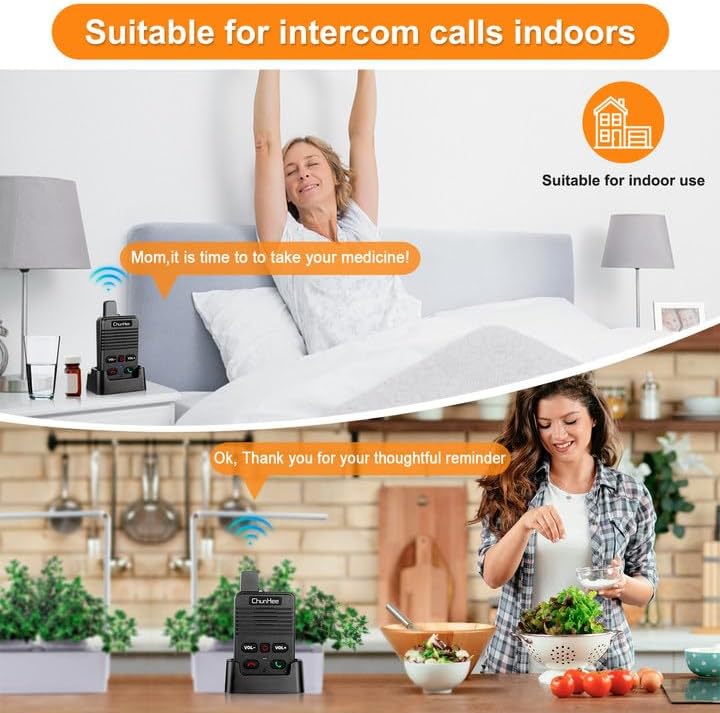
This manual provides comprehensive instructions for the ChunHee Wireless Intercom System, designed for hands-free, full-duplex 2-way communication within homes, garages, basements, yards, offices, and apartments. It is ideal for maintaining real-time contact with family members, including the elderly, children, or those needing care.

The ChunHee Wireless Intercom System includes two units, each with a dedicated charging dock, designed for convenient and reliable communication.
Package Contents
- 2 x ChunHee Wireless Intercom Units
- 2 x Charging Docks
- 2 x USB-C Charging Cables
- 2 x Power Adapters
- 1 x User Manual
Each package contains two intercom units, two charging docks, two USB-C charging cables, and two power adapters, along with the user manual.
Initial Setup
Charging the Units
Before first use, fully charge both intercom units. The units can be charged in two ways:
- Using the Charging Dock: Place each intercom unit into its respective charging dock. Connect the USB-C cable to the dock and the power adapter to a wall outlet.
- Direct USB-C Charging: Connect the USB-C cable directly to the USB-C port on the side of the intercom unit and then to a power adapter.
A full charge provides 72-96 hours of standby time or 8 hours of typical usage. The unit will audibly alert you every 20 seconds when the battery is low.

The intercom units offer flexible charging options: either through their dedicated charging docks or directly via a USB-C cable.
Operation
Power On/Off
Press and hold the power button (red button with circle and line) to turn the unit on or off.
Making a Call
To initiate a call, press the green call button (phone icon). The other unit will ring.
Answering a Call
To answer an incoming call, press the green call button.
Ending a Call
To end a conversation, press the red hang-up button (phone icon).
Adjusting Volume
Use the "VOL-" and "VOL+" buttons to adjust the listening volume. There are 8 different volume levels.
Changing Ringtone
The system offers 5 different ringtones. Refer to the detailed manual for specific instructions on how to cycle through and select ringtones.

The ChunHee intercom system supports full-duplex communication, allowing both parties to speak and listen simultaneously, similar to a phone call.

Designed for simplicity, the intercom is as easy to use as a traditional phone, making communication effortless.
Installation Options
The intercom units are designed for versatile placement:
- Hand-held: Lightweight and portable for easy carrying.
- Lanyard Hole: A dedicated hole is provided for attaching a lanyard (lanyard not included).
- Wall-Mountable: A keyhole slot on the back allows for wall mounting (screws not included).
The intercom units can be carried with a lanyard or conveniently mounted on a wall for fixed locations.
Range and Sound Quality
The system provides clear, crisp sound quality without feedback. It supports communication over a range of up to 500 feet (approximately 150 meters) in open areas. Performance may vary based on environmental factors and obstacles.

Enjoy reliable communication across distances up to 500 feet, ensuring you stay connected without the need for cellular signals.
Troubleshooting
Low Battery Alert
If the battery is low, the unit will provide an audible "low battery" voice prompt every 20 seconds until it is turned off. This ensures you are always aware when charging is needed.
No Connection/Static
Ensure both units are within the effective communication range. Obstacles like thick walls or multiple floors can reduce range. Try moving closer to the other unit or to an open area.
Poor Sound Quality
Adjust the volume using the "VOL-" and "VOL+" buttons. Ensure there are no obstructions directly in front of the speaker or microphone.
The intercom provides clear low battery alerts, prompting you to charge the unit to maintain continuous communication.
Product Specifications
| Feature | Detail |
|---|---|
| Item Weight | 15.8 ounces |
| Package Dimensions | 8.5 x 8.5 x 1.81 inches |
| Country of Origin | China |
| Item model number | HI05-IM |
| Batteries | 1 Lithium Polymer batteries required. (included) |
| Warranty | 1 Year |
| Brand | ChunHee |
| Color | 2 Pack Black Two-Way |
| Number of Channels | 1 |
| Special Feature | Long Range, Call Alert, Rechargeable, Lightweight |
| Frequency Range | 400-470 MHz |
| Talking Range Maximum | 500 Feet |
| Tuner Technology | UHF |
| Water Resistance Level | Not Water Resistant |
| Included Components | intercom, charge cable |
Warranty and Support
The ChunHee Wireless Intercom System comes with a 1-year warranty from the date of purchase. For technical support, troubleshooting assistance, or warranty claims, please contact ChunHee customer service through the official brand store or the retailer where the product was purchased.
Visit the ChunHee Store for more information.


