
1. Introduction
This manual provides detailed instructions for the safe and effective use of your Retevis EZTalk 2 GMRS Radio. Please read this manual thoroughly before operating the device and retain it for future reference.
1.1 Key Features
- Long Range Communication: Equipped with a long antenna and 8 relay channels to extend communication distance.
- Extended Battery Life: Features a 2200mAh lithium battery, providing up to 20 hours of work time and 68 hours of standby time.
- IP67 Waterproof Rating: Designed to withstand water immersion, ensuring functionality in wet conditions or accidental drops into water.
- One-Key Mute Function: Allows users to quickly silence prompts and indicators, useful for discreet operation in environments like hunting.
- High-Light Flashlight: Integrated flashlight for enhanced visibility and safety in low-light conditions.
- 7 Hunting Calls: Pre-programmed animal calls to attract attention, useful for hunting activities.
- NOAA Weather Alert: Access to NOAA weather channels for real-time weather information and alerts.
- USB-C Charging: Convenient Type-C charging capability for versatile power options.
1.2 Important Note: GMRS License Requirement
Operation of GMRS radios requires a license from the Federal Communications Commission (FCC) in the United States. Users are responsible for obtaining the necessary license before transmitting on GMRS frequencies. The license covers your entire family and is typically valid for 10 years. While the radio can receive transmissions without a license, transmitting requires FCC authorization.
Video: Explanation of GMRS license requirements for radio operation.
2. What's Included
The Retevis EZTalk 2 GMRS Radio package typically includes the following items:
- 1 x EZTalk 2 Two Way Radio
- 1 x 2200mAh Li-ion Battery
- 1 x Type-C Charging Cable
- 1 x Hand Strap
- 1 x Belt Clip

Image: All components included in the Retevis EZTalk 2 GMRS Radio package.
3. Specifications
| Brand | Retevis |
| Model Number | EZTalk 2 |
| Item Weight | 10.1 ounces |
| Product Dimensions | 2.36 x 1.46 x 5.2 inches |
| Battery | 1 x 2200mAh Li-ion Battery (included) |
| Number of Channels | 30 |
| Frequency Range | 462 MHz - 467 MHz |
| Talking Range Maximum | 3 Kilometers (actual range varies by terrain) |
| Water Resistance Level | IP67 Waterproof |
| Voltage | 7.4 Volts (DC) |
| Color | Camouflage |
4. Initial Setup
4.1 Attaching the Antenna
Carefully screw the antenna clockwise into the connector on top of the radio until it is finger-tight. Do not overtighten.
4.2 Installing the Battery
Align the 2200mAh Li-ion battery with the battery compartment on the back of the radio. Press firmly until it clicks into place. Ensure it is securely attached.

Image: The radio body and its 2200mAh Li-ion battery, illustrating how the battery attaches.
4.3 Charging the Radio
The Retevis EZTalk 2 supports convenient USB-C charging. Connect the provided Type-C charging cable to the radio's charging port and a compatible USB power source. The radio can also be charged via its included charging base.
Video: Demonstrates the Type-C charging capability of the Retevis EZTalk 2 radio.
5. Operating Instructions
5.1 Power On/Off and Volume Control
To power on the radio, rotate the top knob clockwise. Continue rotating to adjust the volume. Rotate counter-clockwise to decrease volume and power off.
5.2 Channel Selection
Use the up/down arrow buttons on the keypad to navigate through the available GMRS channels (1-22) and repeater channels (23-30). The display will show the selected channel.
5.3 Push-to-Talk (PTT) Function
To transmit, press and hold the large Push-to-Talk (PTT) button located on the side of the radio. Speak clearly into the microphone. Release the PTT button to stop transmitting and listen for a response.
5.4 Special Features
5.4.1 One-Key Mute
The one-key mute function allows you to quickly silence radio prompts and indicators. This is particularly useful in situations where silence is required, such as during hunting, to avoid startling animals.

Image: Demonstrates the one-key mute feature for silent operation.
Video: Shows the activation of the one-key mute function for hunting.
5.4.2 Hunting Calls
The radio includes 7 pre-programmed hunting calls designed to attract various animals. Access these calls through the menu to enhance your hunting success.

Image: The radio displaying options for various hunting calls.
Video: Demonstrates the 7 pre-programmed hunting calls feature.
5.4.3 NOAA Weather Alert
Stay informed about weather conditions by accessing NOAA weather channels. The radio can provide timely alerts for severe weather, helping you prepare for potential hazards.

Image: The radio's display showing NOAA weather alert options.
5.4.4 High-Light Flashlight
Activate the integrated high-light flashlight for illumination in dark environments. This feature enhances safety and convenience during outdoor activities at night.
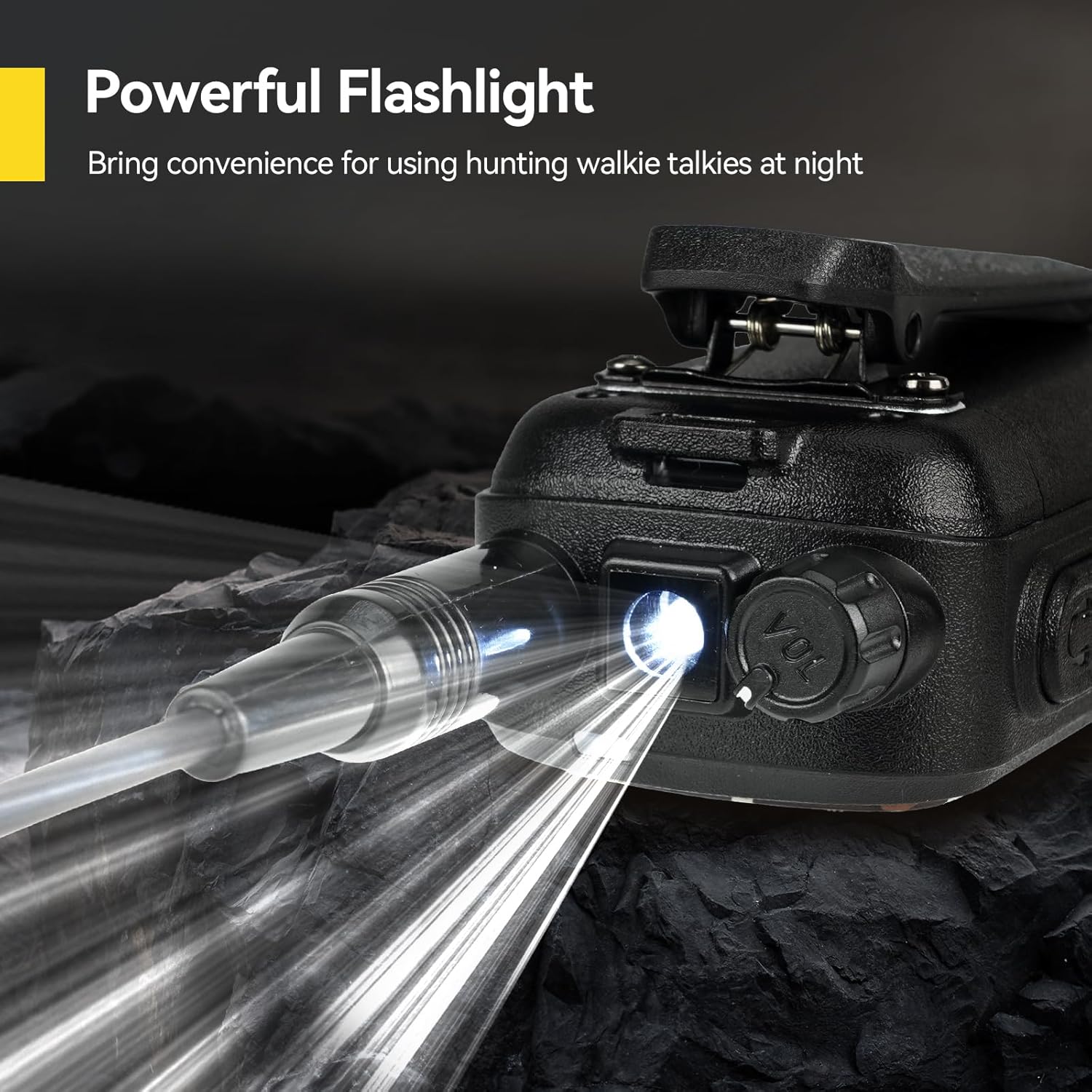
Image: The radio's powerful flashlight in use.
5.4.5 Brightness Adjustment
Adjust the display brightness through the menu settings to optimize visibility in various lighting conditions, from bright daylight to complete darkness.
Video: Demonstrates how to adjust the display brightness on the radio.
5.4.6 Emergency Alarm
In emergency situations, activate the alarm function to alert others to your location or need for assistance. This can be crucial for outdoor safety.
Video: Shows the emergency alarm function and Type-C charging.
5.4.7 Key Lock
Utilize the key lock feature to prevent accidental button presses, ensuring your settings remain unchanged during transport or active use.

Image: The key lock feature prevents accidental changes to settings.
5.4.8 Whisper Function
The whisper function amplifies low-volume speech, allowing your voice to be heard clearly by the receiving radio even when you speak softly. This is beneficial for maintaining stealth in environments like hunting.

Image: The whisper function allows for clear communication even when speaking softly.
6. Programming (Advanced)
The Retevis EZTalk 2 radio can be programmed for advanced settings and custom channels. This typically requires a programming cable and compatible software, such as CHIRP. While manual programming is possible, it can be complex due to the limited keypad interface. Using software simplifies the process of setting up repeater channels, privacy codes (CTCSS/DCS), and other advanced configurations.
7. Maintenance
7.1 Battery Care
- Charge the battery fully before first use.
- Avoid overcharging or completely draining the battery to prolong its lifespan.
- Store the battery in a cool, dry place when not in use.
7.2 Cleaning
The radio has an IP67 waterproof rating, allowing it to withstand water exposure. To clean, wipe the radio with a damp cloth. Do not use harsh chemicals or abrasive cleaners. Ensure the charging port cover is securely closed when not charging to maintain water resistance.
8. Troubleshooting
- Poor Range/Static: Ensure the antenna is securely attached. Obstacles like hills, buildings, and dense foliage can significantly reduce range. Consider using a longer antenna for improved performance.
- No Transmission/Reception: Verify that both radios are on the same channel and have compatible privacy codes (if used). Check battery level.
- Accidental Mute: The one-key mute button is located near the PTT. Ensure it hasn't been accidentally activated if you are not hearing prompts or indicators.
- Programming Difficulty: For complex programming, utilize the CHIRP software and a programming cable for easier configuration compared to manual input.
9. Warranty and Support
Retevis provides a 2-year warranty for the radio body and a 1-year warranty for accessories. A 30-day no-reason return policy is also offered. For service beyond the warranty period, maintenance services are available, with buyers responsible for associated costs. For any inquiries or support, please contact Retevis customer service on Amazon. Responses are typically provided within 12 hours.


