
FREEBOY J01 PRO
FREEBOY J01 PRO Electric Scooter User Manual
Model: J01 PRO | Brand: FREEBOY
1. Introduction
This manual provides essential information for the safe and efficient operation, maintenance, and troubleshooting of your FREEBOY J01 PRO Electric Scooter. Please read this manual thoroughly before using the scooter to ensure proper handling and to prevent damage or injury.
Safety Warning: Always wear a helmet and appropriate safety gear when riding. Adhere to all local traffic laws and regulations. Do not ride under the influence of alcohol or drugs. Avoid riding in adverse weather conditions or on slippery surfaces.
2. Setup and Initial Preparation
2.1 Unboxing and Assembly
Your FREEBOY J01 PRO Electric Scooter comes partially assembled. Carefully remove all components from the packaging. Ensure all parts listed in the packing list (refer to the separate packing list document) are present before proceeding.
- Unfold the scooter frame and secure the locking mechanisms.
- Attach the handlebar to the stem, ensuring all cables are properly connected and not pinched.
- Install the seat post and seat, adjusting to a comfortable height.
- Check that all screws and bolts are tightened securely.
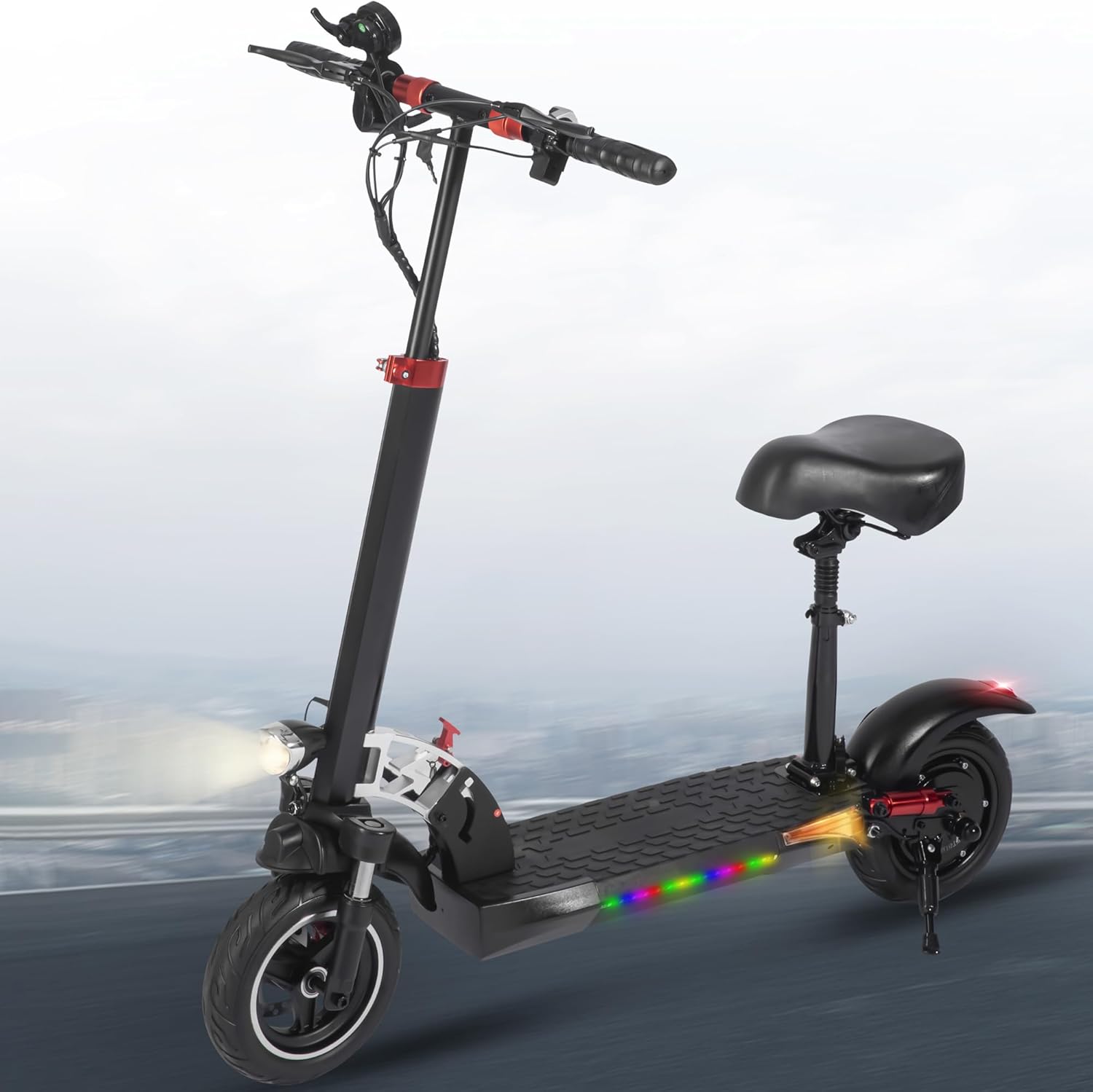
Figure 2.1: Fully assembled FREEBOY J01 PRO Electric Scooter with seat.
2.2 Initial Charging
Before first use, fully charge the scooter's battery. The J01 PRO is equipped with a 48V 15Ah Lithium Battery.
- Locate the charging port on the scooter.
- Connect the charger to the scooter's charging port, then plug the charger into a standard electrical outlet.
- The charging indicator light on the charger will typically turn red during charging and green when fully charged.
- Charging time is approximately 6-8 hours for a full charge. Do not overcharge the battery.
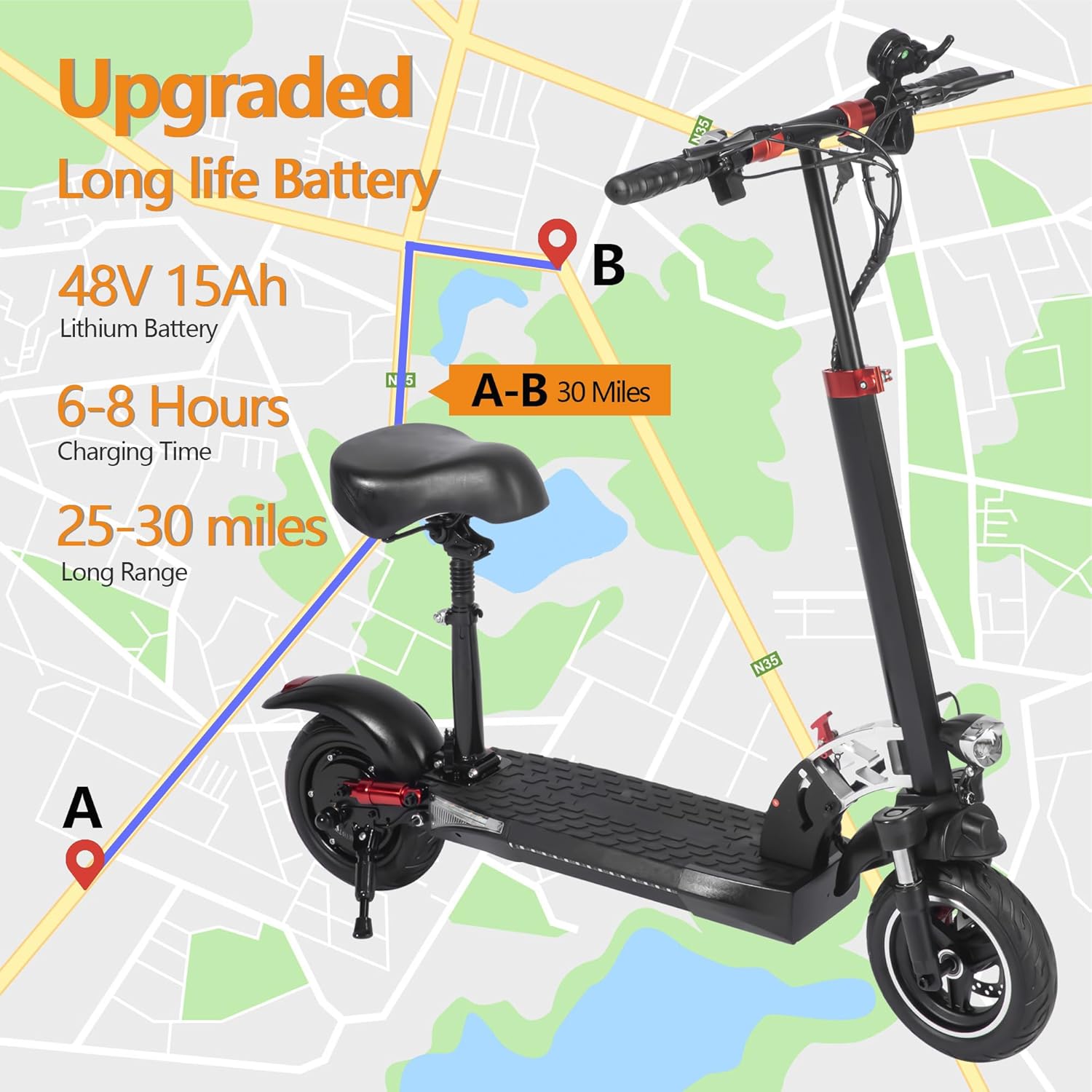
Figure 2.2: Illustration of battery specifications and charging time for the electric scooter.
3. Operating Instructions
3.1 Power On/Off and Display
To power on the scooter, press and hold the power button on the handlebar. The smart LCD display will illuminate, showing real-time speed, speed mode, battery life, and light icon.
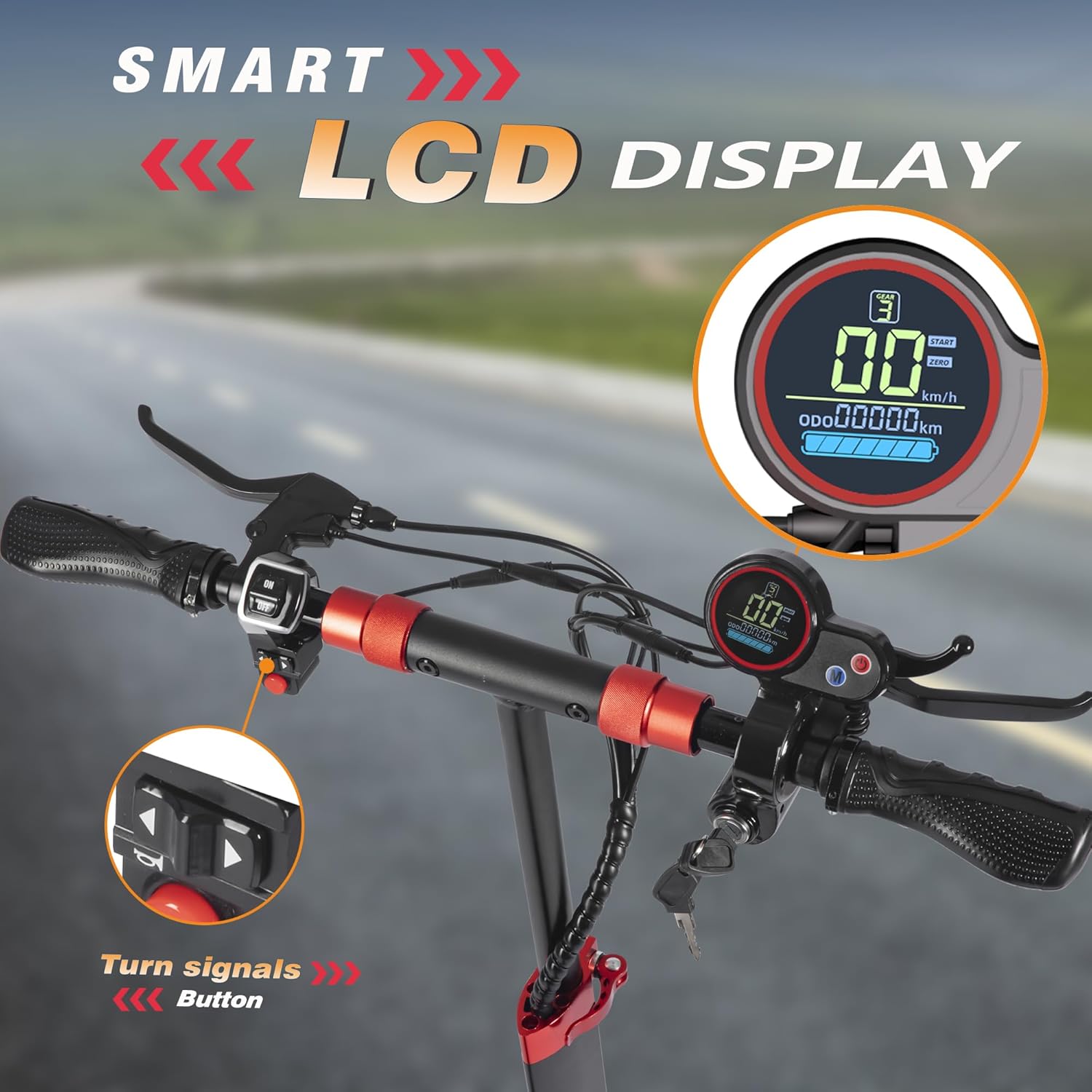
Figure 3.1: Close-up of the scooter's handlebar featuring the smart LCD display and turn signal controls.
3.2 Speed Modes
The J01 PRO offers three speed modes to suit different riding conditions and rider preferences:
- Eco Mode: Approximately 15 Mph (24 km/h) - For extended range and casual riding.
- D Mode: Approximately 30 Mph (48 km/h) - Standard mode for balanced performance.
- S Mode: Approximately 45 Mph (72 km/h) - Sport mode for maximum speed and acceleration.
Switch between modes using the designated button on the handlebar.
3.3 Cruise Control
To activate cruise control, maintain a constant speed for a few seconds until you hear a beep. The scooter will then maintain this speed automatically. To disengage, simply press the brake lever or accelerate.
3.4 Lighting System
The scooter is equipped with a multi-lights system for enhanced visibility and safety, especially during night rides:
- Bright automatic LED headlight
- Rear brake light
- LED colorful side lights
- Turn signal lights
Ensure all lights are functioning correctly before riding, especially in low-light conditions.

Figure 3.2: Overview of the scooter's multi-lights system, including headlight, turn signals, taillight, and LED colorful side lights.
3.5 Folding Mechanism
The J01 PRO features a foldable design for easy storage and transport. To fold the scooter, locate the folding latch mechanism on the stem. Follow the instructions in the quick start guide for safe folding and unfolding. Ensure the mechanism is securely locked in both the folded and unfolded positions.

Figure 3.3: The FREEBOY J01 PRO Electric Scooter in its folded state, demonstrating its portability for transport in a car or public transit.
4. Maintenance
Regular maintenance ensures the longevity and safe operation of your scooter.
4.1 Battery Care
- Charge the battery fully after each use, especially if storing for an extended period.
- Avoid completely draining the battery, as this can reduce its lifespan.
- Store the scooter in a cool, dry place, away from direct sunlight and extreme temperatures.
- If storing for long periods, charge the battery to about 50-70% every 1-2 months.
4.2 Tire Maintenance
The J01 PRO features 10-inch off-road solid tires. While solid tires require less maintenance than pneumatic ones, regular inspection is still important.
- Inspect tires regularly for signs of wear, cracks, or embedded debris.
- Clean tires to remove dirt and small stones that could affect grip.
4.3 Brake System
The scooter is equipped with front and rear disc brakes. Regularly check the brake levers and cables for proper tension and responsiveness. If braking performance degrades, consult a qualified technician.
4.4 General Cleaning
Clean the scooter with a damp cloth. Do not use high-pressure water jets or corrosive cleaning agents, as this can damage electrical components. Ensure the charging port cover is securely closed when not charging.
5. Troubleshooting
This section addresses common issues you might encounter with your FREEBOY J01 PRO Electric Scooter.
| Problem | Possible Cause | Solution |
|---|---|---|
| Scooter does not power on. | Low battery; loose connections; power button malfunction. | Charge the battery fully. Check all visible cable connections. If issue persists, contact customer support. |
| Reduced range or speed. | Low battery; heavy load; uphill riding; cold weather; battery degradation. | Ensure battery is fully charged. Reduce load. Avoid steep inclines. Battery performance may decrease in cold temperatures. |
| Brakes feel weak or too tight. | Brake cable tension incorrect; worn brake pads. | Adjust brake cable tension. Inspect brake pads for wear and replace if necessary (professional service recommended). |
| Unusual noises during operation. | Loose components; motor issue; wheel bearing issue. | Check for loose screws or parts. If noise persists or is severe, discontinue use and contact customer support. |
For issues not listed here or if solutions do not resolve the problem, please contact FREEBOY customer support.
6. Specifications
Detailed technical specifications for the FREEBOY J01 PRO Electric Scooter:
| Feature | Specification |
|---|---|
| Model Name | J01 PRO |
| Motor Power | 800W Peak Motor |
| Max Speed | Up to 25 Mph (40 km/h) - Note: Product title states 25Mph, feature bullets state 45Mph for S mode. Using 25Mph as a general top speed. |
| Max Range | 30-33 Miles (48-53 km) |
| Battery | 48V 15Ah Lithium Battery |
| Charging Time | 6-8 Hours |
| Weight Limit | 330 Pounds (150 kg) |
| Item Weight | 55 Pounds (25 kg) |
| Product Dimensions (Unfolded) | 45.3"L x 11.4"W x 47.2"H (115 x 29 x 120 cm) |
| Wheel Size | 10 Inches |
| Wheel Type | Off-Road Solid Tires |
| Suspension Type | Dual Suspension (Front and Rear Shock Absorbers) |
| Brake Style | Front and Rear Disc Brakes |
| Special Features | Foldable, Lights (Headlight, Taillight, Side Lights, Turn Signals), Adjustable Handlebar, LCD Display, Seat |
| Material | Aluminum |
| Included Components | Charger, English Instructions, keys, mounting tool |

Figure 6.1: Key comfort and performance features of the J01 PRO, including its robust tires and dual shock absorption system.

Figure 6.2: Performance metrics highlighting the 800W motor, top speed, and climbing capability.
7. Warranty and Customer Support
FREEBOY is committed to providing high-quality products and customer service.
7.1 Warranty Information
The FREEBOY J01 PRO Electric Scooter comes with a limited warranty. Please refer to the user manual (this document) or contact customer support for specific warranty periods for different parts (e.g., 12-month or 6-month warranty for different parts).
Note: The warranty typically covers manufacturing defects and does not cover damage caused by misuse, accidents, or unauthorized modifications.
7.2 Customer Support
If you have any questions, concerns, or require technical assistance, please do not hesitate to contact our customer support team. We aim to respond within 24 hours.
- Email: tangsanscooter@126.com

Figure 7.1: FREEBOY customer support team ready to assist with inquiries and technical support.