
1. Introduction
This manual provides detailed instructions for the installation, operation, and maintenance of the Ygpmoiki LCD Display Screen Touch Digitizer Assembly Replacement for the Motorola Moto Edge 30 Ultra XT2201. This product is designed to replace a damaged or malfunctioning screen, restoring full display and touch functionality to your device.
Please read this manual thoroughly before attempting any installation to ensure proper handling and to prevent damage to the product or your device.
2. Product Overview
The Ygpmoiki LCD Display Screen is a complete assembly including the LCD display and touch digitizer. It is specifically manufactured for the Motorola Moto Edge 30 Ultra XT2201 model.

Image: Front and back view of the Ygpmoiki LCD Display Screen replacement. The front shows the black display surface, and the back reveals the internal components and flexible connectors.
3. What's Included
The package typically includes the following items:
- 1x Ygpmoiki LCD Display Touch Screen Digitizer Assembly Replacement for Motorola Moto Edge 30 Ultra XT2201 (6.67")
- A set of basic installation tools (may vary)

Image: The Ygpmoiki LCD Display Screen replacement laid out with a set of small tools, including screwdrivers, prying tools, and a suction cup, typically provided for installation.
4. Compatibility
This LCD Display Screen Touch Digitizer Assembly is compatible exclusively with the following model:
- Motorola Moto Edge 30 Ultra XT2201 (6.67-inch display)
Please verify your phone's model number before purchasing and attempting installation to ensure compatibility.
5. Key Features
- 100% Tested: Each unit is tested to ensure full functionality and quality before dispatch.
- Accurate Machine Hole Position: Designed for a precise fit, ensuring all sensors and cameras align correctly.
- Problem Resolution: Effectively addresses issues such as poor touch response, screen not displaying, or abnormal display.
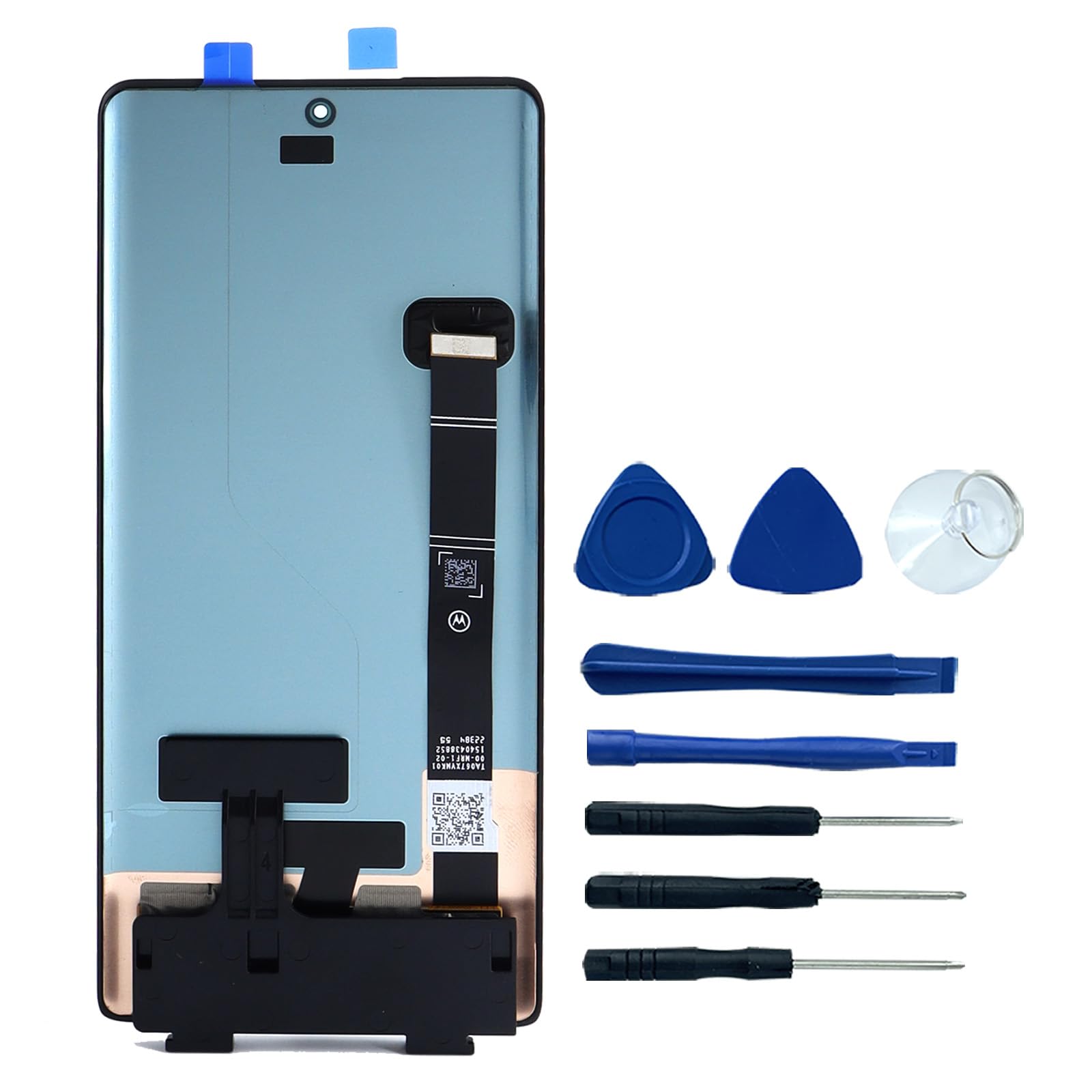
Image: A close-up view of the display's top section, highlighting the precise cutouts for the camera and sensors, with text indicating "100% Tested" and "Accurate machine hole position."
6. Installation Guidelines
Professional installation is highly recommended. If you are not confident in your ability to perform the replacement, seek assistance from a qualified technician. Incorrect installation can cause damage to the screen or your device.
6.1. Important Precautions
- Power Off: Always power off your device completely before starting the replacement process.
- Static Electricity: Take anti-static precautions (e.g., wear an anti-static wrist strap) to prevent damage to electronic components.
- Handle with Care: The screen and its flexible cables are fragile. Avoid excessive force or bending.
6.2. Handling the Flexible Cable
The flexible cable (flex cable) connecting the display to the phone's motherboard is delicate. Improper handling can easily damage it, leading to display or touch issues.

Image: A detailed view of the back of the LCD display, showing the delicate flexible cable connector. Text warns, "Flexible cable. Please do not pull hard, it is easy to damage."
6.3. Pre-Installation Test
Before fully installing the screen, it is crucial to perform a pre-installation test:
- Connect the new display's flexible cable to the motherboard connector without fully adhering the screen.
- Power on the phone.
- Test the display for any abnormalities (dead pixels, lines, discoloration) and verify touch functionality across the entire screen.
- If any issues are found, disconnect the screen and contact customer support. Do not proceed with full installation.
Only proceed with full installation if the screen functions perfectly during the test.
7. Operating Instructions
Once the new LCD display screen is successfully installed, your Motorola Moto Edge 30 Ultra XT2201 should operate as intended with full display and touch capabilities. No special operating procedures are required beyond normal phone usage.
7.1. Visual Guide to Product Features
Video: This video provides a visual overview of the Ygpmoiki LCD Display Screen for Motorola Moto Edge 30 Ultra XT2201, showcasing its dimensions, the flexible cable, and highlighting that it is 100% tested for accurate machine hole position.
8. Maintenance
To ensure the longevity and optimal performance of your new display screen:
- Screen Protection: Consider using a screen protector and a protective case to guard against scratches and impacts.
- Cleaning: Clean the screen with a soft, lint-free cloth. Avoid harsh chemicals or abrasive materials.
- Avoid Pressure: Do not apply excessive pressure to the screen, as this can damage the LCD or digitizer.
9. Troubleshooting
If you encounter issues after installation, consider the following common problems and solutions:
- Screen Not Displaying / Abnormal Display:
- Check if the flexible cable is securely connected to the motherboard. Re-seat the connector carefully.
- Ensure no pins on the connector are bent or damaged.
- Verify that the phone's battery is charged.
- Touch Insensitivity / Unresponsive Touch:
- Ensure the flexible cable for the digitizer is properly connected.
- Clean the screen surface to remove any debris or moisture.
- Restart the device.
- Screen Flickering:
- Check all cable connections for looseness.
- Ensure no foreign objects are interfering with the connections.
If troubleshooting steps do not resolve the issue, it may indicate a faulty part or an installation error. Contact customer support for further assistance.
10. Specifications
| Feature | Detail |
|---|---|
| Compatible Model | Motorola Moto Edge 30 Ultra XT2201 |
| Display Size | 6.67 inches |
| Item Weight | 3.53 ounces |
| Package Dimensions | 6.69 x 3.94 x 0.59 inches |
| Color | Black |

Image: A visual representation of the display's dimensions, showing a length of 6.3 inches, a width of 2.8 inches, and a diagonal measurement of 6.7 inches.
11. Warranty Information
Specific warranty details for this product are not provided in the available information. Please refer to the seller's return policy or contact the seller directly for warranty inquiries. Typically, products are covered by a standard return window for manufacturing defects.
12. Customer Support
For any questions, technical assistance, or issues regarding your Ygpmoiki LCD Display Screen Replacement, please contact the seller directly through the platform where the purchase was made. Provide your order number and a detailed description of the issue for prompt support.