
Dreo Cruiser Pro T2S (2nd. Gen.)
Dreo Cruiser Pro T2S Smart Tower Fan User Manual
Model: 10-01009-102
Introduction
Thank you for choosing the Dreo Cruiser Pro T2S Smart Tower Fan. This manual provides essential information for the safe operation, maintenance, and troubleshooting of your new fan. Please read it thoroughly before use and retain it for future reference.
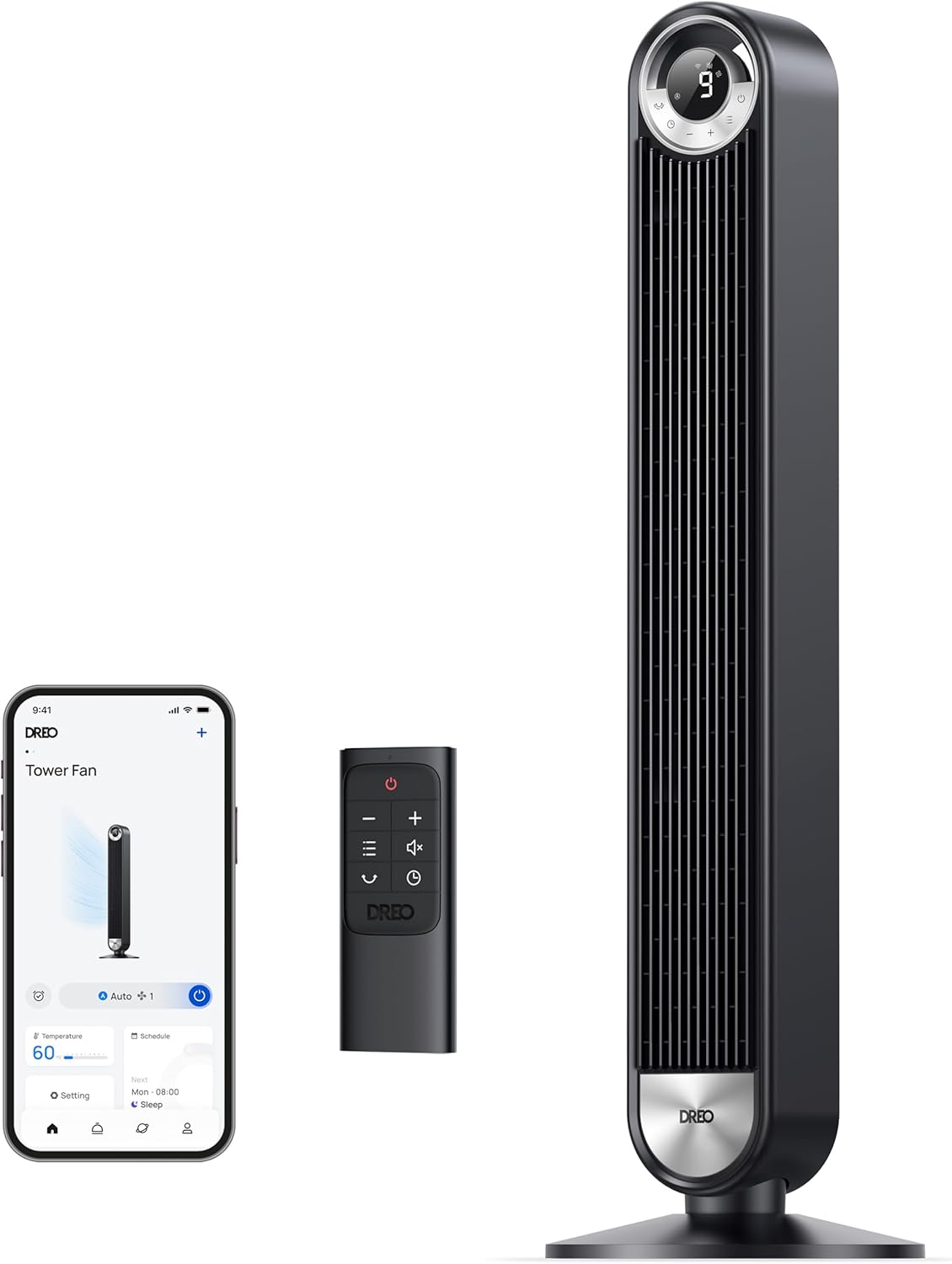
The Dreo Cruiser Pro T2S Smart Tower Fan, shown with its remote control and a smartphone displaying the companion app.
Important Safety Information
Always follow basic safety precautions when using electrical appliances to reduce the risk of fire, electric shock, and injury.
- Do not operate the fan with a damaged cord or plug.
- Keep the fan away from water or wet areas.
- Ensure the fan is placed on a stable, level surface.
- Do not insert fingers or foreign objects into any openings.
- Unplug the fan before cleaning or performing any maintenance.
- This appliance is for household use only.
Package Contents
- Dreo Cruiser Pro T2S Smart Tower Fan
- Remote Control (with 1 LR44 battery included)
- Power Cord
- User Manual
Product Overview
The Dreo Cruiser Pro T2S features advanced technology for powerful yet quiet air circulation.

The fan is designed to deliver ultrafast wind speeds of up to 28 ft/s for rapid cooling.

Equipped with TurboSilent technology, the fan operates at a low noise level of 25dB, ideal for quiet environments.

Internal components include Cross-Airflow Architecture, Arcsin-Turbine, and a High-Torque DC Motor for efficient performance.
Setup
Follow these simple steps for tool-free assembly of your Dreo Tower Fan:

- Match the two base halves together.
- Press to secure the base halves.
- Run the power cord through the base.
- Rotate the base to securely attach it to the fan unit.
Installation Video
This video demonstrates the step-by-step installation process for the Dreo 42-inch Tower Fan, showing how to assemble the base and connect the main unit.
Operating Your Fan
Your Dreo Smart Tower Fan offers multiple modes and speeds for customized comfort, controllable via the touch panel, remote, or the Dreo App.

The fan's control panel allows selection of 9 wind speeds and different operating modes.
Modes and Speeds
- Normal Mode: Provides a constant airflow at your selected speed.
- Natural Mode: Simulates natural breeze by alternating wind speeds.
- Sleep Mode: Gradually decreases fan speed over time to ensure quiet and comfortable sleep. The display brightness also turns off.
- Auto Mode: Adjusts fan speed automatically based on the ambient room temperature.

The fan features a 90° oscillation function to distribute air across a wide area.
Smart Control with Dreo App and Voice Assistants
Control your fan remotely using the Dreo App or integrate with voice assistants like Alexa and Google Assistant.

The Dreo App provides comprehensive control over fan settings, modes, and scheduling.

Utilize the app's auto mode to let the fan adapt its speed based on room temperature.

Control your fan hands-free using voice commands with Alexa or Google Assistant.
Smart Control and Features Video
This video highlights the smart features of the Dreo DC 9-speed Smart Tower Fan, including its ultra-quiet operation and suitability for various home environments.
Learn how to connect your Smart Tower Fan Cruiser Pro T2S to your smart home system in this instructional video.
Maintenance
Regular cleaning ensures optimal performance and longevity of your fan. Always unplug the fan before cleaning.

The fan features quick disassembly for easy cleaning of the back grille and impeller, which are washable.
- Exterior Cleaning: Wipe the exterior with a soft, damp cloth. Do not use abrasive cleaners.
- Internal Cleaning: The fan's design allows for easy disassembly of the back grille and impeller for thorough cleaning. Ensure all parts are completely dry before reassembly.
Troubleshooting
If you encounter issues with your fan, refer to the following common problems and solutions:
| Problem | Possible Cause | Solution |
|---|---|---|
| Fan does not turn on | Not plugged in; Power outlet malfunction; Power button not pressed | Ensure plug is fully inserted; Test outlet with another device; Press the power button on the fan or remote. |
| Weak airflow | Air inlet/outlet blocked; Fan blades dirty | Clear any obstructions; Clean the fan blades and grilles as per maintenance instructions. |
| Fan makes unusual noise | Loose parts; Fan not on a stable surface | Check for any loose components; Place the fan on a firm, level surface. |
| Remote control not working | Battery depleted; Obstruction between remote and fan | Replace the LR44 battery; Ensure clear line of sight to the fan's receiver. |
| App connectivity issues | Incorrect Wi-Fi password; Router too far; App outdated | Verify Wi-Fi credentials; Move fan closer to router; Update Dreo App to the latest version. |
Specifications

The physical dimensions of the Dreo Cruiser Pro T2S Tower Fan.
| Feature | Detail |
|---|---|
| Model Name | Cruiser Pro T2S (2nd. Gen.) |
| Item Model Number | 10-01009-102 |
| Dimensions (D x W x H) | 13"D x 13"W x 42"H |
| Item Weight | 9.8 Pounds |
| Color | Black |
| Power Source | DC |
| Wattage | 35 watts |
| Noise Level | 25 dB |
| Air Flow Capacity | 1076 Cubic Feet Per Minute (CFM) |
| Speed | 28 Feet Per Second (ft/s) |
| Oscillation | 90° |
| Control Method | App, Remote, Touch, Voice |
| Timer | 12 Hours |
| Certifications | UL, FCC, ETL |
Warranty and Support
Dreo provides a limited warranty for this product. For detailed warranty information, product registration, or customer support, please visit the official Dreo website or contact their customer service team.
You can also extend your warranty to 30 months by registering your product through the Dreo App.
Contact Information:
- Website: Dreo Official Store
Related Documents - Cruiser Pro T2S (2nd. Gen.)
 |
Dreo Tower Fan & Air Circulator User Manuals Comprehensive user manuals for Dreo Tower Fan 42 Inch (Cruiser Pro T1) and Dreo Air Circulator Fan 9 Inch, detailing setup, operation, maintenance, and troubleshooting. |
 |
DREO Tower Fan User Manual - DR-HTF005 - Assembly, Operation, and Troubleshooting Comprehensive user manual for the DREO Tower Fan (Model DR-HTF005). Find instructions on assembly, operation, safety, cleaning, maintenance, and troubleshooting. Learn about features like oscillation, timer, and different modes. |
 |
Dreo Smart Tower Fan User Manuals: Pilot Max & Cruiser Pro T1 Models Comprehensive user manual for Dreo Smart Tower Fans, covering models Pilot Max (DR-HTF004S) and Cruiser Pro T1 (DR-HTF001). Includes setup, operation, safety, maintenance, and troubleshooting guides. |
 |
Dreo Pilot Max 42 Inch Smart Tower Fan User Manual Comprehensive user manual for the Dreo Pilot Max 42 Inch Smart Tower Fan (Model DR-HTF004S), covering safety, assembly, operation, connectivity, maintenance, and troubleshooting. Learn how to set up and use your smart tower fan with Alexa and Google Assistant. |
 |
Dreo DR-HTF005 Tower Fan User Manual - Quiet, Oscillating, Remote Control Comprehensive user manual for the Dreo DR-HTF005 42-inch Tower Fan. Learn about safety instructions, assembly, operation, cleaning, troubleshooting, and customer care for your quiet, oscillating fan with remote control. |
 |
Dreo Tower Fan User Manual (DR-HTF008) Comprehensive user manual for the Dreo Tower Fan (Model DR-HTF008), covering assembly, operation, safety instructions, troubleshooting, and warranty information. |
Ask a question about this manual
Ask about setup, troubleshooting, compatibility, parts, safety, or missing instructions. Manuals+ will review the question and use this page’s manual context to help answer it.