
1. Introduction
This manual provides essential information for the safe and efficient operation of your Symcode 2D QR Industrial Barcode Scanner Model 2024. Please read it thoroughly before using the device and retain it for future reference. This scanner is designed for industrial environments, offering robust performance and versatile connectivity options.
2. Product Overview
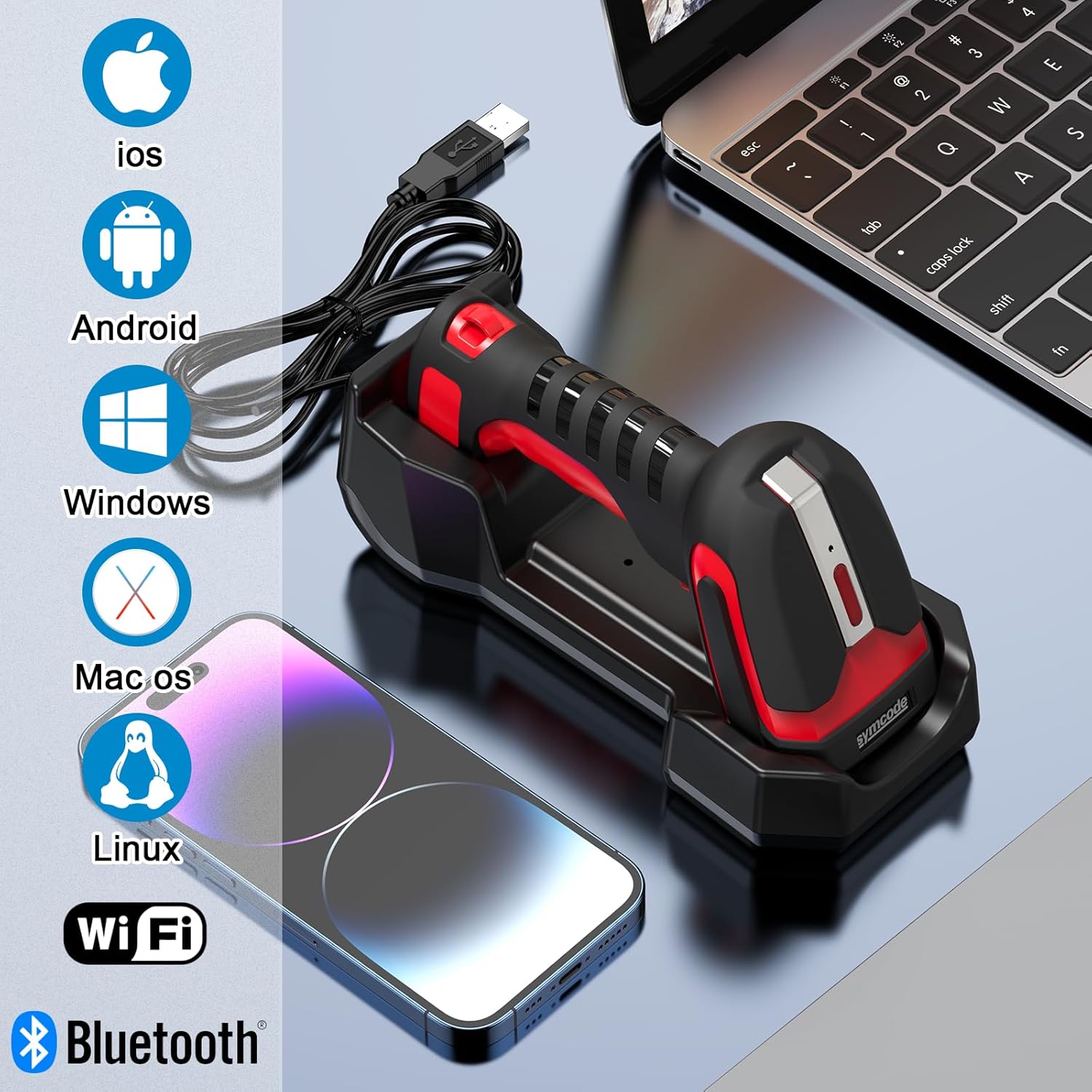
The Symcode 2D QR Industrial Barcode Scanner is a rugged, heavy-duty device designed for demanding environments. It features 2-in-1 Bluetooth and 433Mhz wireless connectivity, a wireless charging stand, and is capable of reading various 1D and 2D barcode types, including Direct Part Marks (DPM).
Key Features:
- Rugged and Durable Design: Built to withstand daily use in harsh conditions, with an IP65 rating for dust and drop resistance.
- Versatile Connectivity: Supports 2.4G wireless (via 433Mhz dongle), Bluetooth, and USB wired connections for flexible integration with various devices.
- Extended Wireless Range: 433Mhz wireless offers up to 1800 feet in open areas and 1300 feet with obstacles, while Bluetooth provides a range of up to 164 feet in barrier-free environments.
- High-Performance Scanning: Fast and accurate reading of 1D and 2D barcodes, including QR codes, Data Matrix, PDF417, Aztec code, Maxicode, and DPM codes.
- Long Battery Life: Equipped with an 1800mAh rechargeable battery, providing up to 30 hours of scanning time and 720 hours of standby time.
- Wireless Charging Stand: Convenient charging and connectivity via the included 433Mhz wireless cradle.
Product Components:


3. Setup
3.1 Wired Connection (USB)
For a direct connection, simply connect the charging cradle to your computer via the provided USB cable. The scanner will function as a Human Interface Device (HID) and emulate a keyboard, allowing scanned data to appear directly in any active text field.
Video 3.1: Demonstrates the wired connection and quick scanning functionality of the Symcode barcode scanner with a laptop.
3.2 Wireless Connection (433Mhz)
The 433Mhz wireless connection utilizes a USB dongle (integrated into the charging stand) for extended range. Ensure the charging stand is connected to your device via USB. The scanner will automatically pair with the dongle when placed in the cradle or by scanning specific pairing barcodes found in the physical user manual.
3.3 Bluetooth Pairing
To connect via Bluetooth, long-press the trigger for 8 seconds until the scanner enters pairing mode, or scan the dedicated Bluetooth pairing QR code from your physical user manual. Then, search for "BarCode Scanner HID" on your device's Bluetooth settings and connect.

Video 3.2: Shows the process of pairing the barcode scanner via Bluetooth to a mobile device.
4. Operating Instructions
4.1 Basic Scanning
Point the scanner at the barcode you wish to read and press the trigger. A successful scan will typically be indicated by a beep and/or a green light. The scanned data will appear in the active text field on your connected device.


4.2 Advanced Features: Prefix and Suffix
The scanner supports adding custom prefixes or suffixes to scanned data. This functionality is configured by scanning specific barcodes found in the comprehensive physical user manual. Examples include adding "RL" as a prefix or suffix.

4.3 Transmission Distance
The scanner offers impressive transmission distances depending on the connection type:
- 433Mhz Wireless: Up to 1500m (4900ft) in barrier-free environments, and 800m (2600ft) with obstacles.
- Bluetooth Wireless: Up to 50m (164ft) in barrier-free environments, and 15m (49ft) with obstacles.

Video 4.1: Demonstrates the long transmission distance capability of the Symcode industrial barcode scanner.
5. Maintenance
The Symcode barcode scanner is built for durability. Its rugged design and IP65 rating ensure resistance to dust and drops. To maintain optimal performance:
- Cleaning: Use a soft, dry cloth to clean the scanner's exterior. Avoid abrasive cleaners or solvents.
- Charging: Regularly charge the scanner using the provided wireless charging stand. Ensure proper alignment of the scanner in the cradle for effective charging.
- Storage: Store the scanner in a cool, dry place when not in use.

Video 5.1: Highlights the superior durability and drop-proof performance of the Symcode 2D QR Industrial Barcode Scanner.
6. Troubleshooting
If you encounter issues with your Symcode barcode scanner, refer to the following common solutions:
- Scanner Not Responding: Ensure the battery is charged. If using wireless, check the connection to the dongle or Bluetooth device.
- Scanning Issues:
- Ensure the barcode is clean and not excessively damaged.
- Verify the scanner is configured for the specific barcode type you are trying to read (refer to the physical manual for configuration barcodes).
- Adjust the distance and angle of the scanner to the barcode.
- Connectivity Problems:
- For 433Mhz wireless, ensure the USB dongle is securely connected to your device.
- For Bluetooth, ensure the scanner is in pairing mode and your device's Bluetooth is enabled. Re-pair if necessary by long-pressing the trigger for 8 seconds or scanning the pairing code from the manual.
- If data input is slow via Bluetooth, disabling your device's on-screen keyboard might improve speed.
- Scanner Goes to Sleep Too Quickly: The sleep timer can be adjusted via configuration barcodes in the physical user manual, up to 30 minutes. Note that longer sleep times will affect battery life.
- Important Note: The physical user manual contains essential configuration barcodes for advanced settings and pairing. Do not lose the manual.
7. Specifications
| Feature | Detail |
|---|---|
| Product Dimensions | 3.25 x 4 x 7.25 inches |
| Item Weight | 1.41 pounds |
| Item Model Number | 2024 |
| Batteries | 1 Lithium Polymer battery required (included) |
| Power Source | 433 charging cradle |
| Connectivity Technology | Bluetooth, USB Cable, 433Mhz Wireless |
| Compatible Devices | Desktop, Laptop, Smartphone, Tablet (iOS, Android, Windows, Mac OS, Linux) |
| Manufacturer | Symcode |
| Dust/Drop Resistance | IP65 rated, withstands multiple drops of 2.5 meters |
| 433Mhz Wireless Range | Up to 1500m (4900ft) open area, 800m (2600ft) with obstacles |
| Bluetooth Wireless Range | Up to 50m (164ft) open area, 15m (49ft) with obstacles |
| Battery Capacity | 1800mAh |
| Scanning Time | Up to 30 hours |
| Standby Time | Up to 720 hours |
8. Warranty Information
Specific warranty details for the Symcode 2D QR Industrial Barcode Scanner Model 2024 are typically provided with your purchase documentation. Please refer to the warranty card or contact your retailer for precise terms and conditions. Standard manufacturer warranties generally cover defects in materials and workmanship under normal use.
9. Support
For technical assistance, troubleshooting beyond this manual, or inquiries regarding your Symcode 2D QR Industrial Barcode Scanner, please contact the seller or Symcode customer support. Refer to your product packaging or purchase invoice for contact details.


