1. Introduction
Thank you for choosing the ROCKBROS Smart Brake Sensing Bike Tail Light. This device is designed to enhance your cycling safety with intelligent features such as brake sensing, automatic on/off, light-sensitive start-stop, and synchronous mode for group riding. Please read this manual carefully before use to ensure proper operation and maintenance.
2. Package Contents
Verify that all items listed below are included in your package:
- 1 x Bike Tail Light
- 2 x Elastic Rubber Rings
- 1 x USB Type-C Charging Cable
- 1 x Bow Bracket (for saddle rail mounting)
- 1 x Seatpost Bracket + Spacer (for seat post mounting)
- 3 x Ties
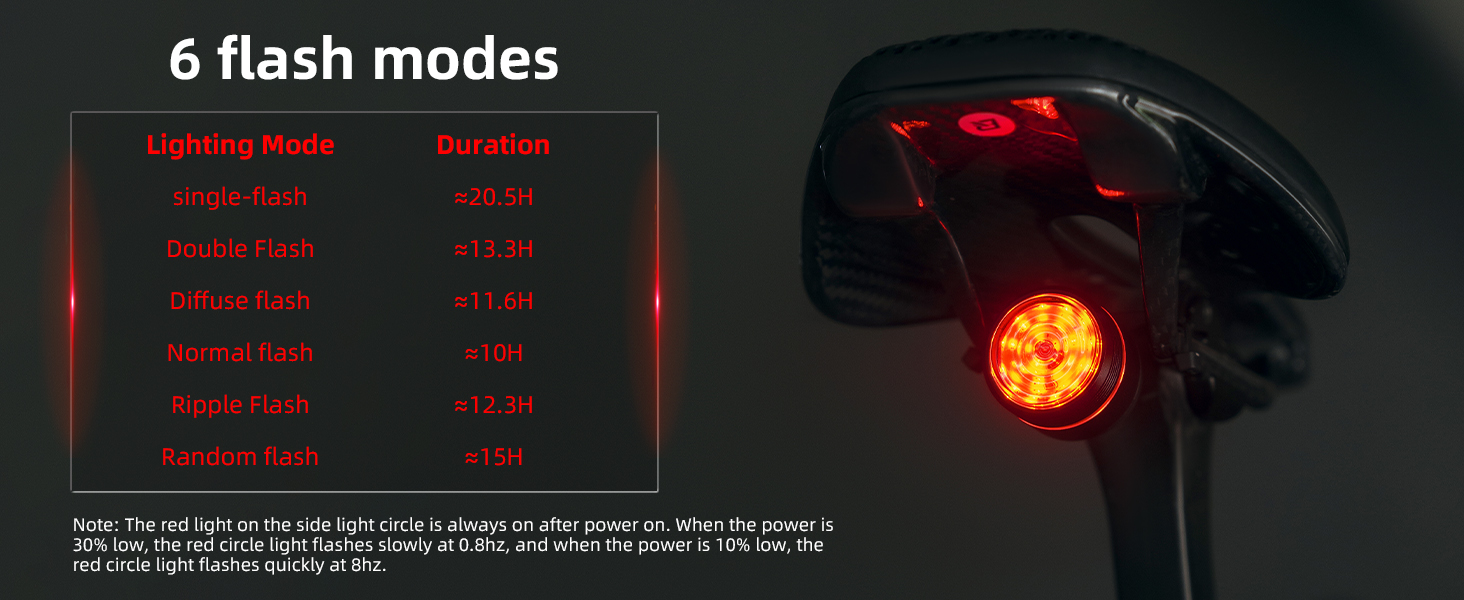
Image: All components included in the ROCKBROS Bike Tail Light package, showing the tail light, two types of mounting brackets, elastic rubber rings, a USB-C charging cable, and ties.
3. Setup and Installation
The tail light offers two primary installation methods:
- Saddle Rail Mounting: Use the bow bracket to attach the light securely under your bicycle saddle rails.
- Seat Post Mounting: Utilize the seatpost bracket and spacer to mount the light directly onto your bicycle's seat post.
Ensure the light is firmly attached and facing directly backward for optimal visibility.

Image: Diagram illustrating the two available mounting options: (1) Saddle Rail Mounting, where the light is attached directly to the saddle rails, and (2) Seat Post Mounting, where the light is secured to the seat post.
4. Operating Instructions
The ROCKBROS Bike Tail Light features a buttonless design, utilizing a touch-sensitive area for control.
Initial Activation:
For first-time use, open the USB cover and toggle the internal power switch to the ON position. The device is now ready for touch control.
Touch Control Functions:
- Long Press (center of lampshade): Power on/off the device.
- Single Tap (center of lampshade): Cycle through the 6 available lighting modes.
- Double Tap (center of lampshade): Switch between the 3 main operational modes: Intelligent, Manual, and Synchronous. A blue indicator light will flash to confirm entry into synchronous mode.

Image: Close-up of the tail light's touch-sensitive area, illustrating the buttonless design and the functions of long press (power on/off), single tap (switch lighting modes), and double tap (switch operational modes).
5. Modes and Features
5.1. Lighting Modes
The tail light offers six distinct lighting modes to suit various riding conditions and preferences. A single tap on the touch-sensitive area cycles through these modes.

Image: A table detailing the 6 available lighting modes (Single-flash, Double Flash, Diffuse flash, Normal flash, Ripple Flash, Random flash) and their approximate durations. Note: The red light on the side circle is always on after power on. When power is low (30% or 10%), the red circle light flashes at different frequencies.
5.2. Smart Mode (Automatic On/Off & Light-sensitive Start-Stop)
In Intelligent Mode, the light automatically adapts to your environment and activity:
- Automatic On/Off: The system enters a 2-minute sleep mode when idle. It automatically turns on upon sensing vibration, eliminating the need for manual switching.
- Light-sensitive Start-Stop: The light intelligently detects ambient light. It illuminates automatically in low-light conditions (e.g., tunnels) and sleeps in bright light, without affecting brake light functionality.
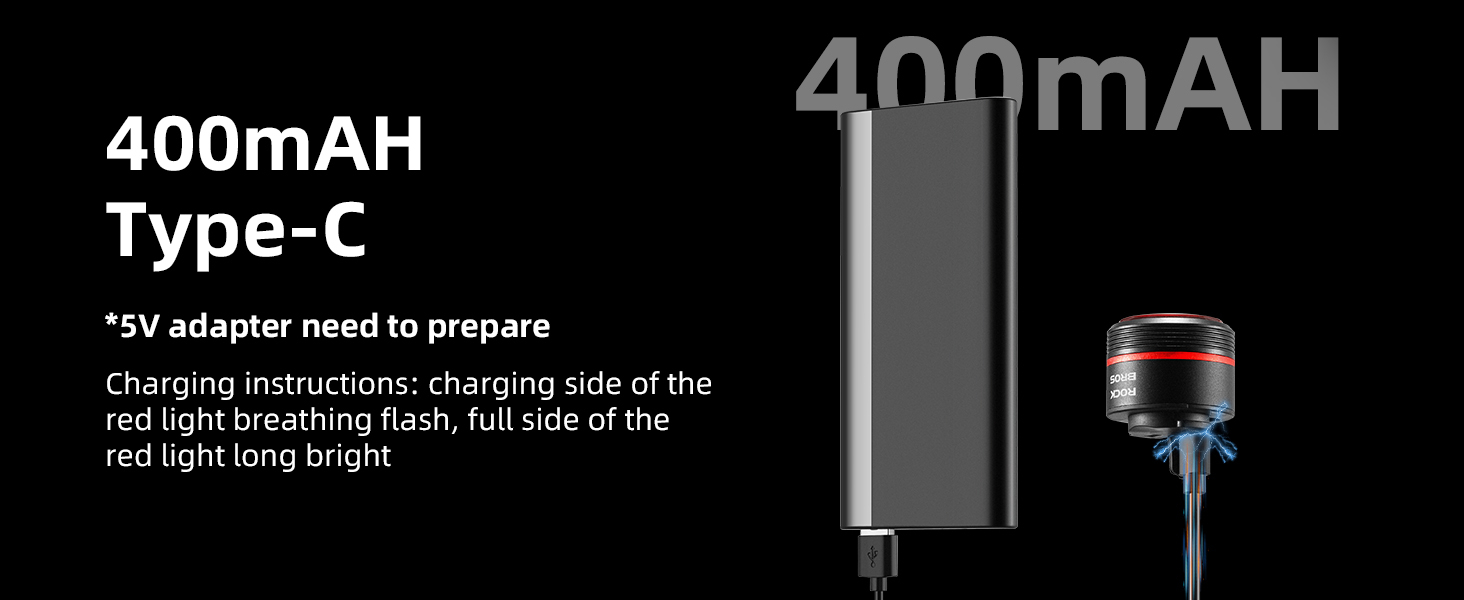
Image: Visual representation of the Smart Mode's functionality, showing how the light responds to normal riding, stopping, deceleration (brake), entering a tunnel (darkening), and exiting a tunnel (brightening). It also depicts the automatic sleep after 2 minutes of parking and waking up by touching the vehicle.
5.3. Smart Brake Sensing
The built-in high-precision accelerometer and advanced algorithms detect various degrees of braking. When deceleration is detected, the bike light automatically illuminates brightly and remains lit for 2 seconds, signaling braking to riders behind you.
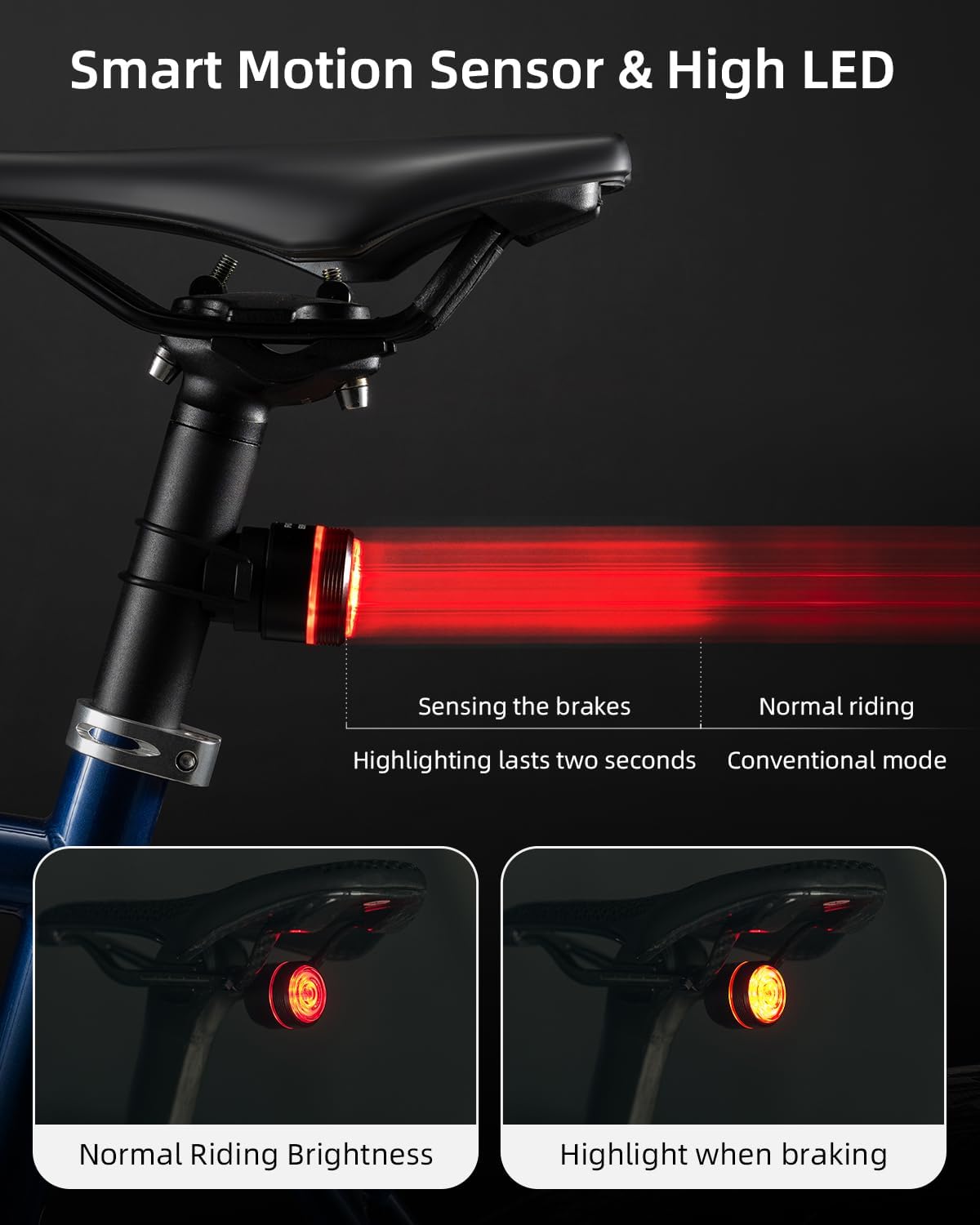
Image: A visual comparison showing the tail light's appearance during normal riding versus its brighter illumination when brake sensing is activated, highlighting for two seconds during deceleration.
5.4. Synchronous Mode
For group riding, the synchronous mode allows multiple ROCKBROS tail lights to synchronize their lighting patterns. Double-tap the touch-sensitive area until the blue indicator light flashes to activate this mode. When two or more lights are in close proximity, they will automatically synchronize their mode and blink frequency.
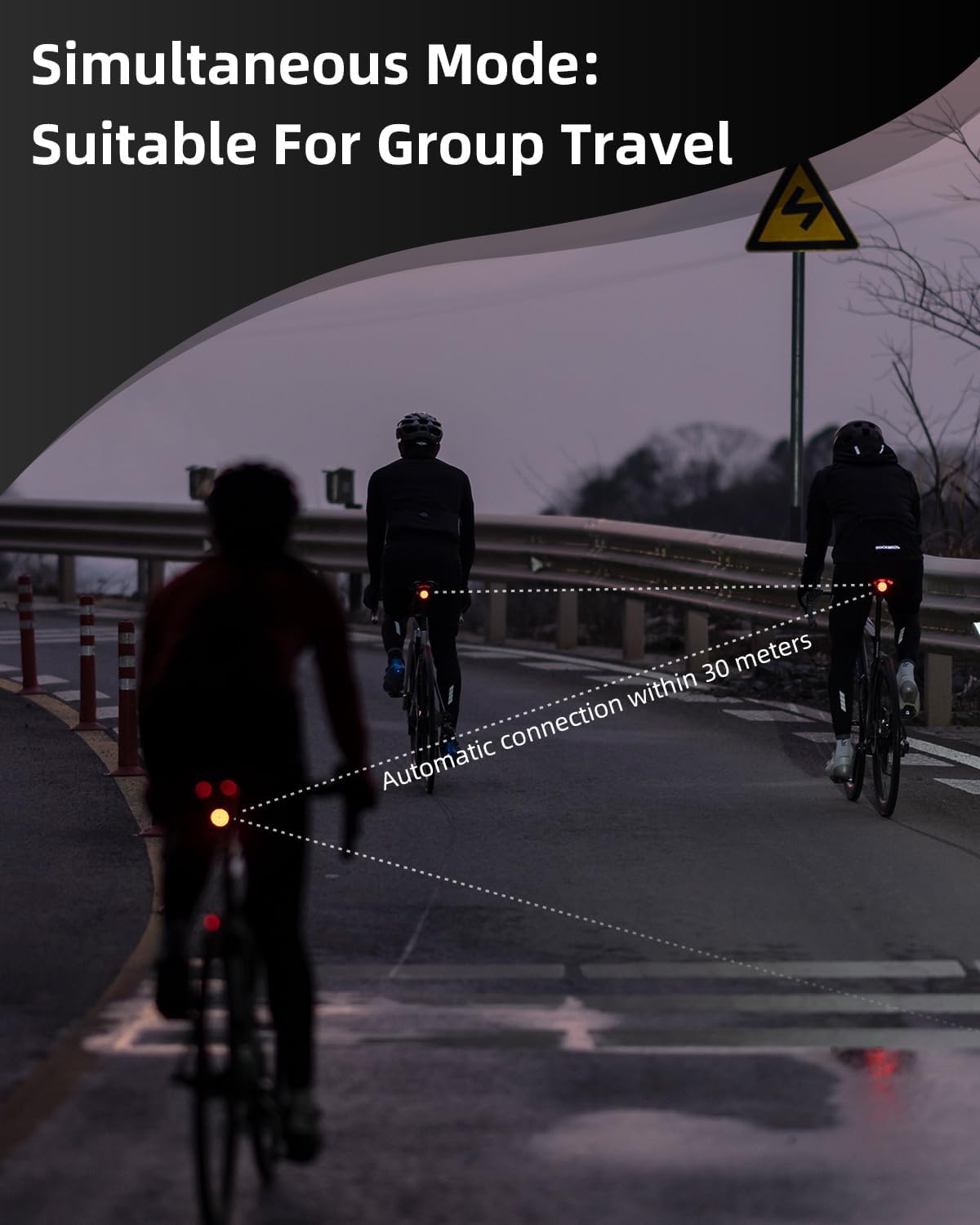
Image: Three cyclists riding at dusk, demonstrating the synchronous mode where multiple ROCKBROS tail lights automatically connect and flash in unison within a 30-meter range, enhancing group visibility.
6. Charging
The tail light is equipped with a 400mAH battery and charges via a USB Type-C port.
- Charging Instructions: Connect the provided USB Type-C cable to the light and a 5V adapter (not included). During charging, the side ring light will display a breathing flash.
- Full Charge Indication: Once fully charged, the side ring light will remain steadily bright.
- Battery Capacity Monitoring: The remaining battery capacity can be observed by monitoring the side ring light.
7. Maintenance
- Cleaning: Wipe the light with a soft, damp cloth. Do not use abrasive cleaners or solvents.
- Water Resistance: The light has an IPX6 water-repellent rating, making it suitable for use in various weather conditions. However, avoid submerging it in water.
- Storage: Store the light in a cool, dry place when not in use. Charge the battery periodically if storing for extended periods to maintain battery health.

Image: The ROCKBROS Bike Tail Light, wet from water, resting on a rocky surface under a stormy sky, visually confirming its IPX6 waterproof rating.
8. Troubleshooting
- Light not turning on: Ensure the internal power switch (under the USB cover) is in the ON position. Check battery level and charge if necessary.
- Brake sensing not working: Ensure the light is mounted securely and oriented correctly. The sensor requires stable mounting to accurately detect deceleration.
- Light not synchronizing: Ensure all lights are in synchronous mode (double-tap until blue light flashes) and are within 30 meters of each other.
- Automatic light sensing issues: The light-sensitive feature requires a noticeable change in ambient light to activate. If riding at dusk, manual mode may be preferred for consistent illumination.
- Mounting stability: If the light feels loose after installation, re-check the brackets and ensure they are tightened appropriately for your saddle rails or seat post.
9. Specifications
| Feature | Specification |
|---|---|
| Brand | ROCKBROS |
| Model Name | 24720006001/WD new |
| Material | Aluminum |
| Power Source | Battery Powered |
| Battery Capacity | 400mAH |
| Charging Port | USB Type-C |
| Water Resistance Level | IPX6 (Waterproof) |
| Mounting Type | Seat Mount (Saddle Rail, Seat Post) |
| Product Dimensions | 1.53"L x 2.99"W x 1.53"H |
| Number of Lighting Modes | 6 |
| Operational Modes | Intelligent, Manual, Synchronous |
10. Safety Information
- Always ensure the light is securely mounted before riding.
- Do not look directly into the light when it is on, as it may cause temporary vision impairment.
- Keep out of reach of children.
- Dispose of the battery according to local regulations.
- While the light is waterproof, avoid prolonged exposure to heavy rain or submersion.


