Introduction
This manual provides essential instructions for the proper identification, use, and care of your EasyKeys Replacement Key for Unifor U580 locks. Please read this manual thoroughly before using your new key to ensure correct application and optimal performance.
Identifying Your Lock Code
To ensure you have the correct replacement key, it is crucial to accurately identify the code of your existing lock. The lock code can typically be found in several locations:
This image illustrates common places where you can locate your lock code. The code may be stamped directly on your existing key (e.g., FR322), engraved on the face of the lock cylinder (e.g., FR322), printed on a label found inside or behind the lock mechanism (e.g., CODE: G38), or on a label affixed to the cabinet or door itself (e.g., HF321).
Important Notes:
- Order by Manufacturer: Lock codes are specific to the manufacturer. Always verify that your lock manufacturer matches the key's intended compatibility.
- Key Cuts Differ: Even if lock codes appear similar, the actual key cuts can vary significantly between different brands. Ensure the manufacturer and code are an exact match.
Setup
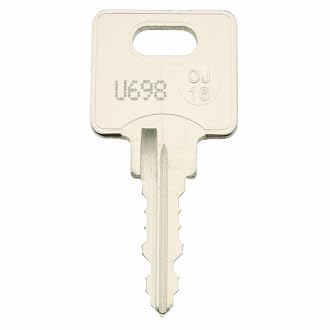
The EasyKeys Replacement Key for Unifor U580 is a custom-cut key designed for immediate use. No assembly or complex setup is required. Simply verify that the code on your new key matches the code of your lock before attempting to use it.
Operating Instructions
- Insert the Key: Gently insert the replacement key into the lock cylinder. Ensure the key is fully seated within the cylinder. Do not force the key if it encounters resistance.
- Turn the Key: Once fully inserted, turn the key clockwise or counter-clockwise, depending on the lock mechanism, to engage or disengage the lock.
- Remove the Key: After operating the lock, return the key to its original insertion position (usually vertical) before carefully withdrawing it from the cylinder.
Maintenance
- Cleaning: Keep the key clean and free from dirt, dust, and debris. A soft, dry cloth can be used for cleaning.
- Storage: Store the key in a dry environment, away from extreme temperatures and corrosive chemicals, to prevent damage and corrosion.
- Avoid Force: Do not use excessive force when inserting or turning the key. Forcing the key can damage both the key and the lock mechanism.
Troubleshooting
- Key Does Not Insert: Check for any obstructions in the lock cylinder. Ensure the key is oriented correctly. If the key is bent or damaged, it may not insert properly.
- Key Does Not Turn: Verify that the key is fully inserted. If the key is inserted but does not turn, the lock mechanism might be jammed or damaged. Do not force the key.
- Lock Does Not Operate: If the key turns but the lock does not engage or disengage, the internal mechanism of the lock may be faulty. This issue is typically with the lock itself, not the key.
Specifications
| Brand | EasyKeys |
| Model Name | U580 |
| Manufacturer | Unifor |
| Part Number | U580-unifor-key-637893 |
| Lock Type | Cam |
| Material | Brass |
| Color | Brass |
| Item Dimensions (L x W x H) | 0.5 x 0.5 x 1 inches |
| Item Weight | 4 ounces |
| Special Features | Adjustable Fit, Custom Cut Key, Durable |
| Included Components | Key |
| ASIN | B0CZLPRB4B |
Warranty Information
Specific warranty details for this product are not provided in the available information. Please refer to the retailer's return policy or contact EasyKeys directly for warranty inquiries.
Support
For further assistance or technical support regarding your EasyKeys Replacement Key for Unifor U580, please contact the seller or EasyKeys customer service. Contact information may be available on the product packaging or the EasyKeys official website.