
Introduction
This manual provides essential information for the safe and efficient operation of your Candy 9 kg Front Load Automatic Washing Machine, model CSO496TWMBRZ-19. Please read these instructions carefully before using the appliance and keep them for future reference. This advanced washing machine features 16 versatile programs, smart connectivity options including Wi-Fi and Bluetooth, and app control for enhanced convenience. Key features include an innovative Special 49-minute program, quick wash options, Steam Hygiene Plus for thorough cleaning, and Easy Iron Plus to reduce wrinkles. The stainless steel drum, powered by a 1400 RPM inverter motor, ensures efficient washing performance. User convenience is further enhanced by a clear 6-digit digital display and a 24-hour delay start function. A secure door lock provides additional safety during operation.
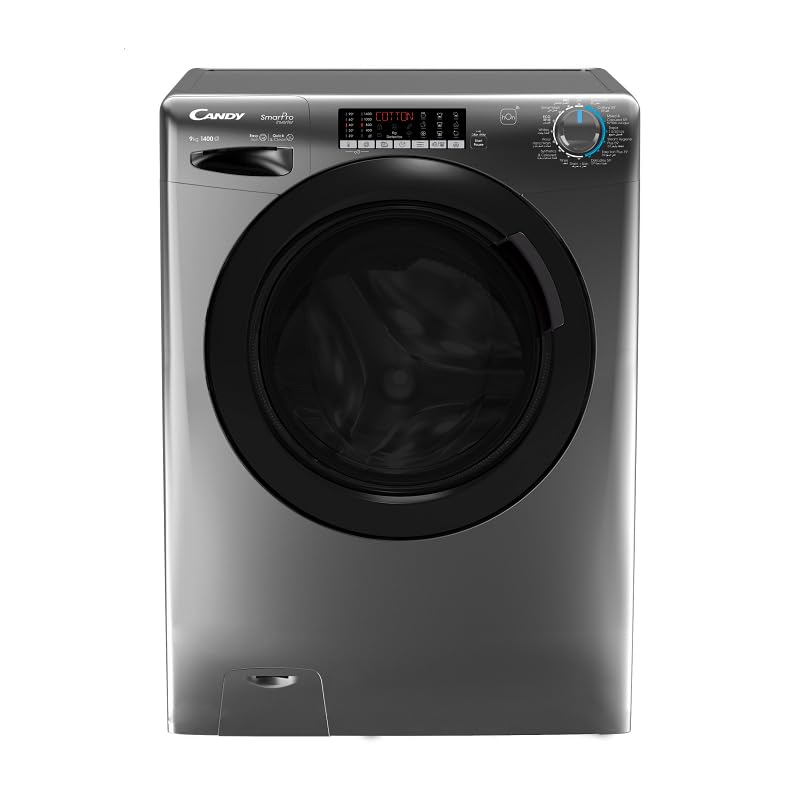
Image: Front view of the Candy 9 kg Front Load Washing Machine, showcasing its design and control panel.
Safety Information
- Always ensure the appliance is properly grounded.
- Do not allow children to play with or operate the washing machine.
- Keep packaging materials out of reach of children.
- Do not wash items that have been cleaned, washed, soaked, or spotted with combustible or explosive substances.
- Ensure the water supply hoses are securely connected to prevent leaks.
- Never force the door open during operation. The secure door lock feature ensures safety.
- Unplug the appliance from the power outlet before cleaning or performing any maintenance.
- Do not install the washing machine in areas where it may be exposed to freezing temperatures.
Setup and Installation
- Unpacking: Remove all packaging materials, including the transit bolts at the rear of the machine. Keep these bolts for future transport.
- Positioning: Place the washing machine on a firm, level floor. Adjust the leveling feet to ensure stability and prevent vibration.
- Water Connection: Connect the water inlet hose to a cold water tap with a 3/4-inch thread. Ensure all connections are tight to prevent leaks.
- Drainage: Position the drain hose into a standpipe or over the edge of a sink, ensuring it is securely fixed to prevent displacement during the wash cycle.
- Electrical Connection: Plug the power cord into a grounded electrical outlet. Ensure the voltage matches the appliance's requirements (220 Volts).
- First Wash Cycle: Before washing clothes, run an empty wash cycle with a small amount of detergent to clean the drum.
Operating Instructions
Control Panel Overview
The washing machine features a clear 6-digit digital display and push-button controls for easy program selection and setting adjustments. The hOn app provides remote control and monitoring via Wi-Fi and Bluetooth connectivity.
Loading Laundry
- Open the door and load laundry into the drum, ensuring not to overload (maximum 9 kg capacity).
- Close the door firmly until it clicks.
Adding Detergent and Additives
- Pull out the detergent drawer.
- Add detergent to the main wash compartment.
- Add fabric softener to the designated compartment.
- Close the detergent drawer.
Selecting a Program
Turn the program selector knob to choose one of the 16 available wash programs. The digital display will show the default settings for the selected program.
Adjusting Settings
Use the control buttons to adjust temperature, spin speed (up to 1400 RPM), or activate special functions like Delay Start (up to 24 hours), Steam Program, or Easy Iron Plus.
Starting a Wash Cycle
Press the Start/Pause button to begin the selected wash program. The secure door lock will engage.
Using the hOn App
Download the hOn app on your smartphone. Follow the in-app instructions to connect your washing machine via Wi-Fi or Bluetooth. This allows you to remotely start, stop, and monitor cycles, and access additional programs.
Maintenance
Cleaning the Detergent Drawer
- Regularly remove and clean the detergent drawer under running water to prevent detergent residue buildup.
Cleaning the Drum
- Run a maintenance wash cycle (e.g., at 60°C or 90°C) with a descaling agent or washing machine cleaner every few months.
Cleaning the Door Seal
- Wipe the rubber door seal after each wash to remove lint and moisture, preventing mold and odors.
Cleaning the Filter
- Locate the drain pump filter at the bottom front of the machine.
- Place a shallow container underneath to catch any water.
- Unscrew the filter cover and carefully remove any debris. Clean the filter under running water and reinsert it securely.
External Cleaning
- Wipe the exterior of the machine with a soft, damp cloth. Do not use abrasive cleaners or solvents.
Troubleshooting
| Problem | Possible Cause | Solution |
|---|---|---|
| Machine does not start | No power; door not closed properly; Start/Pause button not pressed. | Check power supply; ensure door is fully closed; press Start/Pause. |
| Water not filling | Water tap closed; inlet hose kinked; water pressure too low. | Open water tap; straighten hose; check water supply. |
| Water not draining | Drain hose kinked or blocked; drain pump filter blocked. | Straighten/clear drain hose; clean drain pump filter. |
| Excessive vibration/noise | Transit bolts not removed; machine not level; uneven load. | Remove transit bolts; adjust leveling feet; redistribute laundry. |
| Detergent residue in drawer | Insufficient water pressure; detergent drawer blocked. | Check water pressure; clean detergent drawer. |
If the problem persists after attempting these solutions, please contact customer service.
Specifications
| Feature | Detail |
|---|---|
| Brand | Candy |
| Model Name | Smart Pro |
| Model Number | CSO496TWMBRZ-19 |
| Product Type | Washing Machine |
| Loading Type | Front Load |
| Capacity | 9 kg |
| Maximum Spin Speed | 1400 RPM |
| Number of Programs | 16 |
| Energy Efficiency Rating | A+++ (EU) |
| Motor Type | Inverter BPM Motor |
| Drum Material | Stainless Steel |
| Connectivity | Wi-Fi, Bluetooth (hOn App) |
| Display Type | 6-digit Digital Display |
| Control Type | Push Buttons, Rotary Knob |
| Noise Level | 79 dB |
| Voltage | 220 Volts |
| Product Dimensions (DxWxH) | 52 cm x 60 cm x 85 cm |
| Item Weight | 66 kg |
| Color | Multi-color (Charcoal) |
| Special Features | High Efficiency, Steam Program, Easy Iron Plus, Mix Power System, Delay Start |
Warranty and Support
Your Candy washing machine is covered by a manufacturer's warranty. Please refer to the warranty card included with your purchase for specific terms and conditions, including the warranty period and coverage details. For technical assistance, spare parts, or to schedule a service appointment, please contact Candy customer support. You can find contact information on the manufacturer's website or in your warranty documentation.
For additional support and to register your product, visit the official Candy website or use the hOn app.