1. Introduction
This manual provides essential information for the proper use and care of your EasyKeys Replacement Key for Hudson X757 locks. This key is specifically cut to code X757 and is compatible with Hudson brand locks within the X750 - X1099 series. Please read these instructions carefully to ensure correct identification and functionality.
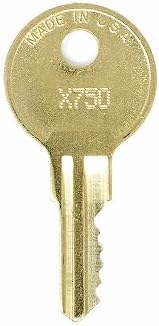
Image 1: The EasyKeys Replacement Key for Hudson X757. This key is designed for specific Hudson lock models.
2. Key Identification and Verification
Before attempting to use your new key, it is crucial to verify that your lock code and manufacturer match the product specifications. Incorrect key usage can damage the lock or the key itself.
2.1 Identifying Your Lock Code
Your lock code is typically found in one of several locations. Refer to the image below for common places to locate your lock code:

Image 2: Visual guide on common locations to find your lock code, including on the original key, on the lock face, inside/behind the lock mechanism, or on a cabinet/door label.
- On the Key: The code may be stamped directly on your original key.
- On the Lock Face: Look for the code engraved or printed on the visible part of the lock cylinder.
- Inside/Behind the Lock: For some locks, the code is on a label or stamped on the mechanism itself, often requiring the lock to be partially disassembled or viewed from the interior.
- On the Cabinet/Door Label: The code might be on a sticker or plate near the lock on the furniture or door it secures.
2.2 Important Verification Notes
- Manufacturer Match: Always order by manufacturer. Lock codes are manufacturer-specific. This key is for Hudson locks only.
- Key Cut Differences: Even if codes appear similar, key cuts vary significantly by brand. Ensure your lock is a Hudson X757.
3. Usage Instructions
Once you have confirmed that your lock code is X757 and the manufacturer is Hudson, you can proceed to use your replacement key.
- Insert the Key: Gently insert the key into the lock's keyway. Do not force the key. It should slide in smoothly.
- Turn the Key: Once fully inserted, turn the key clockwise or counter-clockwise (depending on your lock mechanism) to engage the locking or unlocking mechanism.
- Remove the Key: After the lock has engaged or disengaged, return the key to its original insertion position (usually vertical) before gently pulling it out.
4. Care and Maintenance
Proper care will extend the life of your replacement key and ensure reliable operation.
- Keep Clean: Avoid exposing the key to dirt, grime, or corrosive substances. Clean with a soft, dry cloth if necessary.
- Avoid Force: Never force the key into a lock or attempt to turn it if it feels stuck. This can bend or break the key, or damage the lock.
- Storage: Store the key in a safe place where it will not be bent, scratched, or lost.
5. Troubleshooting Common Issues
If you encounter difficulties using your replacement key, consider the following:
- Key Does Not Insert Fully: Check for obstructions in the lock's keyway. Ensure the key is oriented correctly.
- Key Inserts but Does Not Turn: Double-check that the lock code on your lock is indeed X757 and that the lock is manufactured by Hudson. The key may be for a different lock.
- Lock is Stiff: The lock mechanism itself may require lubrication or maintenance. Consult a locksmith if the issue persists.
- Key is Damaged: If the key is bent or broken, it will need to be replaced.
6. Product Specifications
Detailed specifications for the EasyKeys Replacement Key for Hudson X757:
| Feature | Detail |
|---|---|
| Brand | EasyKeys |
| Model Name | X757 |
| Manufacturer | Hudson (for compatible locks) |
| Part Number | X757-hudson-key-513802 |
| Material | Brass |
| Color | Brass |
| Lock Type Compatibility | Cam locks (Hudson X750 - X1099 series) |
| Item Dimensions (L x W x H) | 0.5 x 0.5 x 1 inches |
| Item Weight | 0.25 Pounds (approx. 4 ounces) |
| Special Features | Custom Cut Key, Durable |
7. Warranty and Support
For any questions regarding your EasyKeys Replacement Key, or if you require further assistance, please contact EasyKeys Inc. USA directly through their official channels. Specific warranty details may vary; please refer to your purchase documentation or the EasyKeys website for the most current information.
You can visit the EasyKeys store for more products and support information: EasyKeys Store on Amazon