
1. Introduction
Thank you for choosing the Candy Brava CDPN 2D360PWZ-19 Freestanding Dishwasher. This manual provides essential information for the safe and efficient operation, installation, and maintenance of your appliance. Please read it thoroughly before using the dishwasher and keep it for future reference.
2. Safety Information
- Ensure the dishwasher is properly earthed.
- Do not touch the heating element during or immediately after a wash cycle.
- Keep children away from the appliance, especially when the door is open.
- Only use detergents and rinse aids specifically designed for dishwashers.
- Do not open the door during operation, as hot water may spray out.
- In case of malfunction, switch off the appliance and disconnect it from the power supply before attempting any inspection or repair.
3. Product Overview
The Candy Brava CDPN 2D360PWZ-19 is a freestanding dishwasher designed for residential use, offering a capacity of 13 place settings. It features 9 wash programs, Wi-Fi and Bluetooth connectivity for smart control, and an energy efficiency rating of A++.
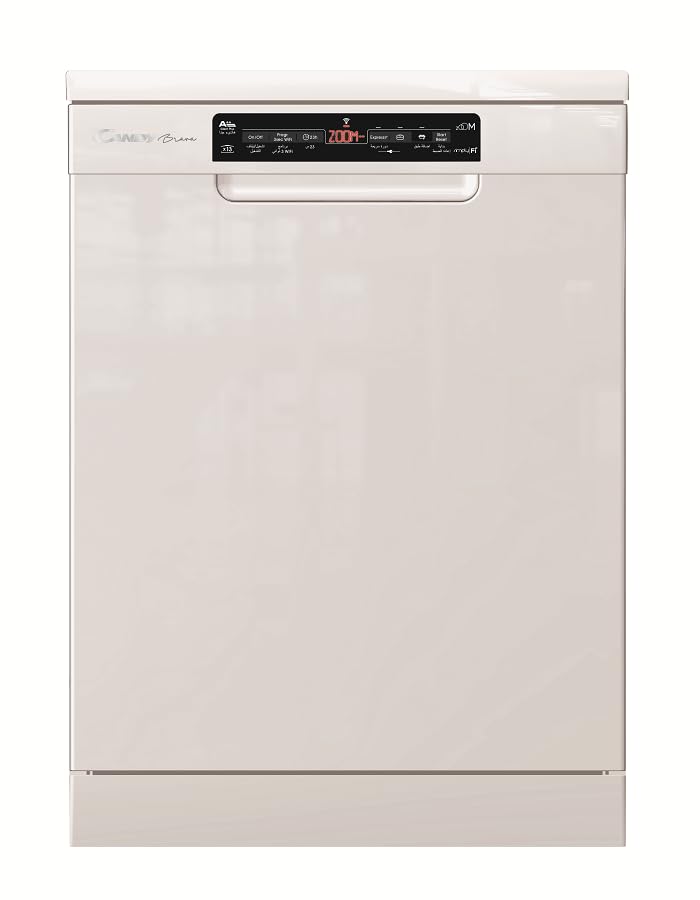
Figure 3.1: Front view of the Candy Brava CDPN 2D360PWZ-19 Dishwasher in white.
Key Features:
- Capacity: 13 place settings, suitable for families of 4-5 people.
- Wash Programs: 9 diverse programs, including a fast Class A cycle (Zoom 39') and a Quick 24' cycle.
- Connectivity: Wi-Fi and Bluetooth for remote monitoring and control via a smartphone app.
- Energy Efficiency: A++ rating (according to 2010/30/EC standards).
- Quiet Operation: Noise level of 47 dB.
- Convenience: Adjustable upper basket, "ADDish" function to add forgotten items, 5-digit display with end-of-cycle indicator.
- Water Softener: Integrated water softener system.
4. Setup and Installation
The Candy Brava CDPN 2D360PWZ-19 is a freestanding unit designed for straightforward installation. Professional installation is recommended for optimal performance and safety.
4.1 Unpacking
Carefully remove all packaging materials. Inspect the dishwasher for any damage incurred during transit. Report any damage to your retailer immediately.
4.2 Positioning
Place the dishwasher on a level, stable surface. Ensure there is adequate space for the door to open fully and for proper ventilation around the appliance.
4.3 Water Connection
Connect the water inlet hose to a cold water supply tap. Ensure the connection is secure to prevent leaks. Connect the drain hose to a suitable drain point, ensuring it is not kinked or obstructed.
4.4 Electrical Connection
Plug the dishwasher into a grounded 220V electrical outlet. Do not use extension cords or adapters. Ensure the power cord is not trapped or damaged.
5. Operating Instructions
Follow these steps for basic operation of your Candy Brava dishwasher.
5.1 Loading the Dishwasher
Scrape off large food particles from dishes. Load dishes securely, ensuring water can reach all surfaces. The upper basket is adjustable for flexible loading of taller items. Place cutlery in the provided cutlery basket.
5.2 Adding Detergent and Rinse Aid
Fill the detergent dispenser with the appropriate amount of dishwasher detergent. Check the rinse aid indicator and refill if necessary. The integrated water softener requires dishwasher salt; monitor the salt light indicator and replenish as needed.
5.3 Selecting a Program
Close the dishwasher door. Use the touch controls and the 5-digit display to select your desired wash program. Refer to Section 6 for program details.
5.4 Starting a Cycle
Press the Start button to begin the wash cycle. The display will show the remaining time. The end-of-cycle indicator and buzzer will signal when the program is complete.
5.5 ADDish Function
If you forget to load an item, the "ADDish" function allows you to pause the cycle and add dishes. Consult the full manual for specific instructions on when and how to use this feature safely.
5.6 Smart Connectivity (Wi-Fi & Bluetooth)
Your dishwasher can be connected to your smartphone via Wi-Fi and Bluetooth for remote monitoring and control. Download the Candy Simply-Fi app (or equivalent) from your app store and follow the in-app instructions for pairing and setup.
Video 5.1: This video provides a summary of the Candy Brava CDPN 2D360PWZ-19 dishwasher, highlighting its key functions and design.
6. Programs and Cycles
The Candy Brava dishwasher offers 9 wash programs to suit various needs. Below are some of the key programs:
| Program Name | Description | Typical Duration |
|---|---|---|
| Zoom 39' | Fastest Class A wash cycle, ideal for lightly soiled dishes that need quick cleaning. | 39 minutes |
| Quick 24' | A very fast wash cycle for minimal soil and quick refreshment. | 24 minutes |
| Intensive | For heavily soiled pots, pans, and dishes with dried-on food. | Varies (longer) |
| Eco | Energy and water-efficient program for normally soiled dishes. | Varies (longer) |
| (Other 5 programs) | Refer to the full appliance manual for details on the remaining programs. | Varies |
7. Maintenance and Cleaning
Regular maintenance ensures optimal performance and longevity of your dishwasher.
7.1 Cleaning the Filters
The dishwasher features a self-cleaning triple filtration system. However, it is recommended to periodically check and clean the filters to remove any accumulated food debris. Refer to the detailed manual for instructions on how to access and clean the filter assembly.
7.2 Refilling Salt and Rinse Aid
Monitor the salt light indicator on the control panel. When illuminated, refill the salt reservoir with dishwasher salt to ensure the water softener functions correctly. Similarly, check the rinse aid indicator and refill the rinse aid dispenser as needed for streak-free drying.
7.3 Exterior and Interior Cleaning
Wipe the exterior of the dishwasher with a soft, damp cloth. For the interior, periodically run a dishwasher cleaning cycle or use a specialized dishwasher cleaner to prevent grease and limescale buildup.
8. Troubleshooting
Before contacting customer service, please refer to the following common issues and their solutions:
| Problem | Possible Cause | Solution |
|---|---|---|
| Dishwasher does not start | Power supply issue, door not closed properly, program not selected. | Check power connection, ensure door is latched, select a program and press start. |
| Dishes are not clean | Improper loading, insufficient detergent, clogged filters, incorrect program. | Reload dishes correctly, add more detergent, clean filters, select a more intensive program. |
| White marks on dishes | Hard water, insufficient rinse aid or salt. | Refill rinse aid and dishwasher salt. Ensure water softener is set correctly. |
| Unusual noise during operation | Dishes obstructing spray arms, foreign object in pump. | Rearrange dishes, inspect for foreign objects and remove if safe to do so. |
For more detailed troubleshooting, please consult the comprehensive manual or contact customer support.
9. Specifications
| Feature | Detail |
|---|---|
| Model Name | CDPN 2D360PWZ-19 |
| Brand | Candy |
| Appliance Type | Freestanding Dishwasher |
| Capacity | 13 Place Settings |
| Number of Programs | 9 |
| Special Features | Fastest Class A cycle, Smart connection (Wi-Fi/Bluetooth), Adjustable upper basket, Self-cleaning triple filtration, Add-dish function |
| Energy Efficiency Class | A++ |
| Annual Energy Consumption | 262 kWh |
| Annual Water Consumption | 2720 Liters |
| Noise Level | 47 dB |
| Voltage | 220 Volts |
| Control Type | Touch |
| Display Type | 5-digit display |
| Product Dimensions (W x D x H) | 60 x 60 x 84.5 cm |
| Net Weight | 42 kg |
| Color | White |
| Included Components | Cutlery basket |
10. Warranty and Support
For warranty information, please refer to the warranty card included with your purchase or visit the official Candy website. For technical support, spare parts, or service requests, please contact your local Candy service center or authorized dealer. Ensure you have your model number (CDPN 2D360PWZ-19) and serial number ready when contacting support.
You can find more information and support resources on the official Candy website: www.candy-group.com


