
AOCHUAN Smart X Grey
Contents
AOCHUAN Smart X Gimbal Stabilizer User Manual
Model: Smart X Grey
1. Introduction
The AOCHUAN Smart X Gimbal Stabilizer is designed to provide stable and smooth video recording for smartphones. Featuring a classic 3-axis design and an upgraded 7.0 anti-shake algorithm, it ensures professional-quality footage. This manual provides essential information for setting up, operating, maintaining, and troubleshooting your Smart X gimbal.

Figure 1: AOCHUAN Smart X Gimbal Stabilizer with included accessories.
2. What's in the Box
Please verify that all items are present in your package:
- 1 x AOCHUAN SMART X Gimbal (Grey)
- 1 x Tripod
- 1 x USB-C Charging Cable
- 1 x User Manual

Figure 2: Contents of the AOCHUAN Smart X package.
3. Setup Guide
3.1 Unfolding the Gimbal
The Smart X gimbal features a palm-size foldable design for portability. To unfold, gently extend the arms until they lock into position. The folded size is approximately 6.2 x 4.3 x 2.2 inches, and it unfolds to 10.5 x 4.9 x 2.6 inches.

Figure 3: The gimbal's rapid deploy feature for quick setup.
3.2 Mounting Your Smartphone
Carefully clamp your smartphone into the gimbal's phone holder. Ensure the phone is centered and stable horizontally before powering on the gimbal. The gimbal supports phones with a clip width of 2.17-3.54 inches and a payload up to 0.55 lbs (8.8 ounces). Note: This gimbal is not suitable for foldable phones.
3.3 Powering On/Off
To power on, press and hold the power button. To power off, press and hold the power button again. If the phone is removed from the gimbal while it is powered on, the gimbal will enter standby status. To reactivate, mount the mobile on the gimbal and double-click the joystick.
4. Operating Instructions
4.1 Basic Controls
Familiarize yourself with the gimbal's controls, including the joystick for pan/tilt, and various buttons for mode selection and recording. Refer to the detailed button layout in the included user manual for specific functions.
4.2 Modes and Features
4.2.1 3-Axis Stabilization
The 3-axis stabilization system ensures your footage remains smooth and steady, even during movement. This is crucial for eliminating shakes and jitters from handheld video.
4.2.2 Intelligent Tracking
Utilize the "AOCHUAN" app to access intelligent tracking features, including face tracking, body tracking, and object tracking. This allows the gimbal to automatically follow your subject, keeping them in frame.
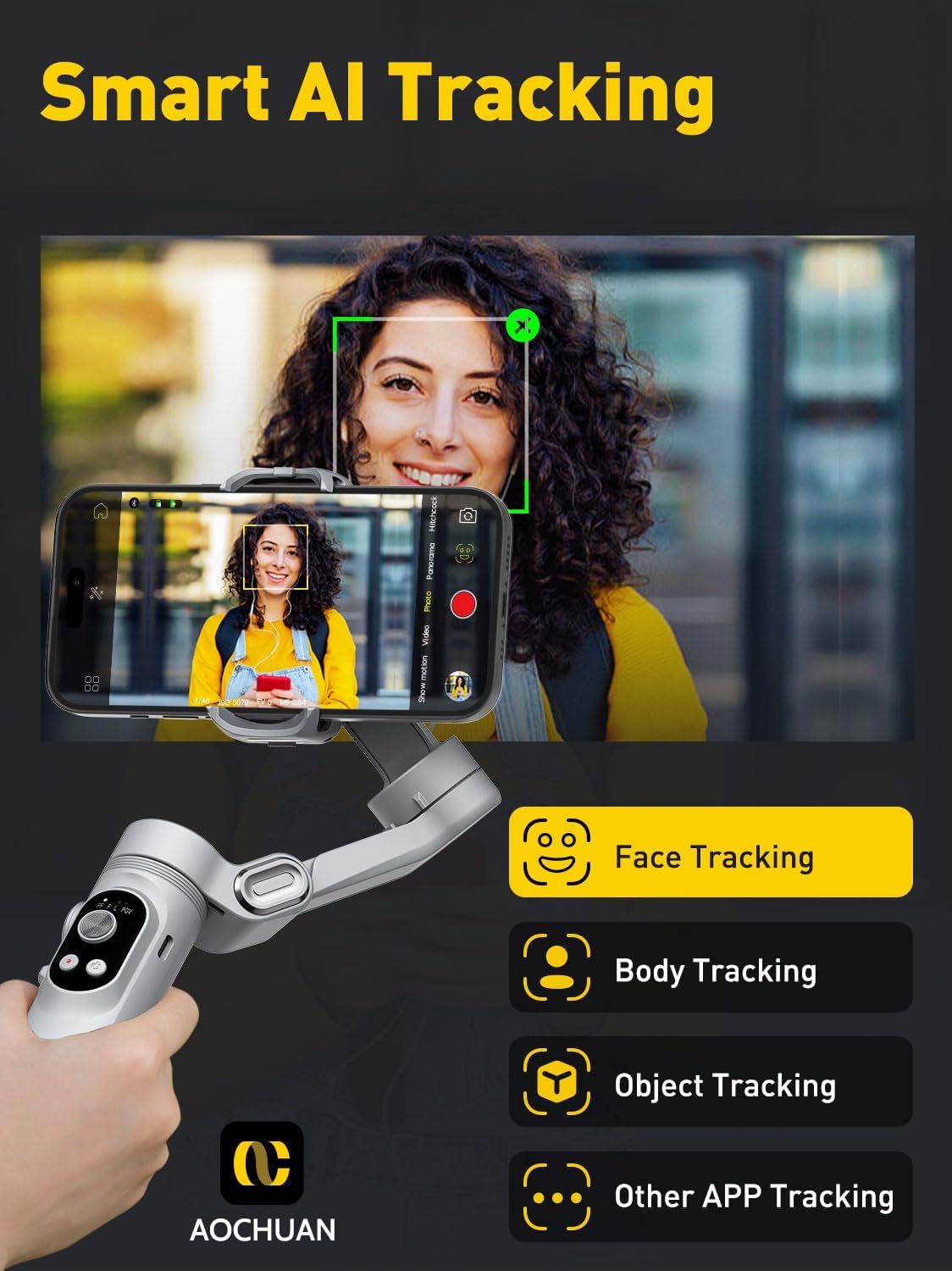
Figure 4: Smart AI Tracking capabilities of the gimbal.
4.2.3 Gesture Control
Control your gimbal remotely using simple hand gestures through the AOCHUAN app. Gestures include: Fist gesture (toggle Video/Photo Mode), Palm gesture (countdown for 3s to start/stop recording), OK gesture (Start/Stop Face Tracking), Thumbs up gesture with both hands (switch between portrait and landscape), and L-shaped gesture with both hands (stop/start gesture recognition).

Figure 5: Intelligent Gesture Control for hands-free operation.
4.2.4 Built-in LED Light
The gimbal features a built-in LED fill light with three adjustable levels to improve lighting conditions for your shots, especially in low-light environments.

Figure 6: The built-in LED light enhances video quality.
4.2.5 Smooth Zoom Slider
Use the integrated zoom slider to smoothly zoom in and out, allowing you to capture more details and never miss a moment during recording.
4.2.6 Landscape and Portrait Switching
Easily switch between landscape and portrait orientations to suit your shooting needs, whether for cinematic videos or social media content.
4.2.7 Low-Angle Shooting
The gimbal supports inverted shooting, allowing you to rotate it 180 degrees to achieve super low-angle perspectives, adding a distinctive touch to your scenery shots.
4.2.8 Creative Modes (via AOCHUAN App)
The AOCHUAN app offers various creative video modes to enhance your content, including Time-lapse, Panorama, Inception mode (360° rotation), and Advanced Movie Widescreen. Explore these features to produce professional-looking videos.
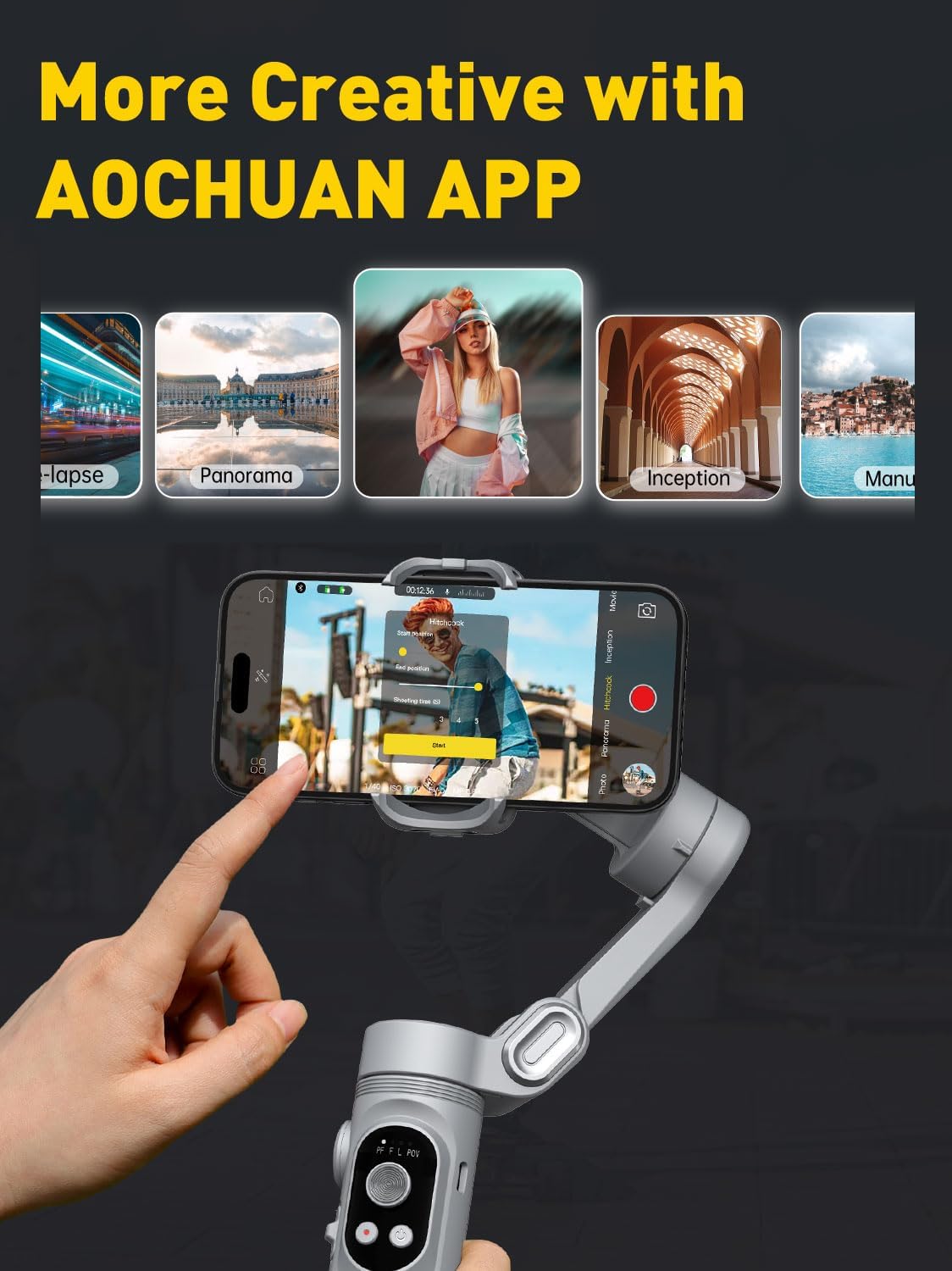
Figure 7: Creative modes available through the AOCHUAN App.
4.3 Beginner Tutorial Video
For a visual guide on using your AOCHUAN Smart X Gimbal, please watch the official tutorial video below:
Video 1: AOCHUAN Smart X Beginner Tutorial Part 3. This video demonstrates various operational skills for the Smart X gimbal.
5. Maintenance
Proper maintenance ensures the longevity and optimal performance of your gimbal:
- Cleaning: Use a soft, dry cloth to wipe the gimbal. Avoid using harsh chemicals or abrasive materials.
- Storage: Store the gimbal in its folded state in a cool, dry place, away from direct sunlight and extreme temperatures.
- Battery Care: The 2600mAh battery is replaceable via a magnetic cover. For extended storage, ensure the battery is partially charged (around 50%). Avoid fully discharging the battery for long periods.
6. Troubleshooting
If you encounter issues with your AOCHUAN Smart X Gimbal, refer to the following common solutions:
- Gimbal Not Balancing: Ensure your smartphone is properly centered and securely clamped in the holder before powering on. If the phone is too heavy, it may exceed the 0.55 lbs payload limit.
- App Connectivity Issues: Ensure Bluetooth is enabled on your smartphone and the AOCHUAN app is updated to the latest version. Restart both the gimbal and the app if connection fails.
- Unresponsive Controls: Check battery level. If the gimbal enters standby mode after phone removal, re-mount the phone and double-click the joystick to reactivate.
- Short Battery Life: Ensure the battery is fully charged. If issues persist, consider replacing the battery as it is designed to be user-replaceable.
For more detailed troubleshooting steps, please consult the comprehensive user manual included in your package or visit the official AOCHUAN support website.
7. Technical Specifications
| Feature | Specification |
|---|---|
| Model Number | Smart X Grey |
| Product Dimensions (Unfolded) | 10.5 x 4.9 x 2.6 inches |
| Folded Size | 6.2 (L) x 4.3 (W) x 2.2 (H) inches |
| Item Weight | 0.76 lbs (10.4 ounces / 295 Grams) |
| Maximum Payload | 0.55 lbs (8.8 ounces) |
| Phone Clip Width | 2.17 - 3.54 inches |
| Battery Capacity | 2600mAh Lithium Ion |
| Standby Time | Up to 7 hours |
| Compatible Devices | iPhone 15/14/13 Pro Max, Galaxy S23, and other Android smartphones (not foldable phones) |

Figure 8: Universal compatibility details for the gimbal.

Figure 9: Detailed list of mobile phone functions supported by the AOCHUAN app.
The gimbal also features 1/4" threads for attaching additional gear such as tripods, extension poles, LED lights, and microphones, expanding its photographic capabilities.
8. Warranty and Support
Your AOCHUAN Smart X Gimbal comes with a 12-month hassle-free return and replacement policy. For any product-related inquiries, technical assistance, or warranty claims, please contact AOCHUAN customer support. Refer to the contact information provided in your original packaging or on the official AOCHUAN website for assistance.
Ask a question about this manual
Ask about setup, troubleshooting, compatibility, parts, safety, or missing instructions. Manuals+ will review the question and use this page’s manual context to help answer it.