
ROMJ E99 A14
ROMJ E99 A14 Foldable Drone User Manual
Comprehensive Guide for Operation and Maintenance
1. Product Overview
The ROMJ E99 A14 is a compact and foldable drone designed for both adults and beginners, featuring a 4K/1080P HD camera for high-quality aerial photography and videography. Its intelligent functions like auto-return and one-touch take-off/landing make it user-friendly. The drone's foldable design ensures portability and easy storage, making it an ideal companion for outdoor adventures.
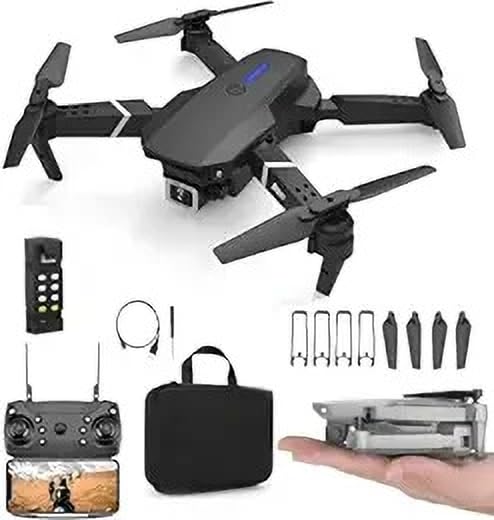
Image: The ROMJ E99 A14 drone, remote control, spare propellers, USB charging cable, and a carrying bag are shown. The drone is black with four propellers and an integrated camera. A smaller image shows the drone folded and held in a hand, highlighting its compact size.
2. Package Contents
Please verify that all items listed below are present in your package:
- ROMJ E99 A14 Foldable Drone
- Remote Control
- Battery (Lithium Polymer)
- Propellers (Spare set included)
- USB Charger
- Storage Bag (as shown in images)
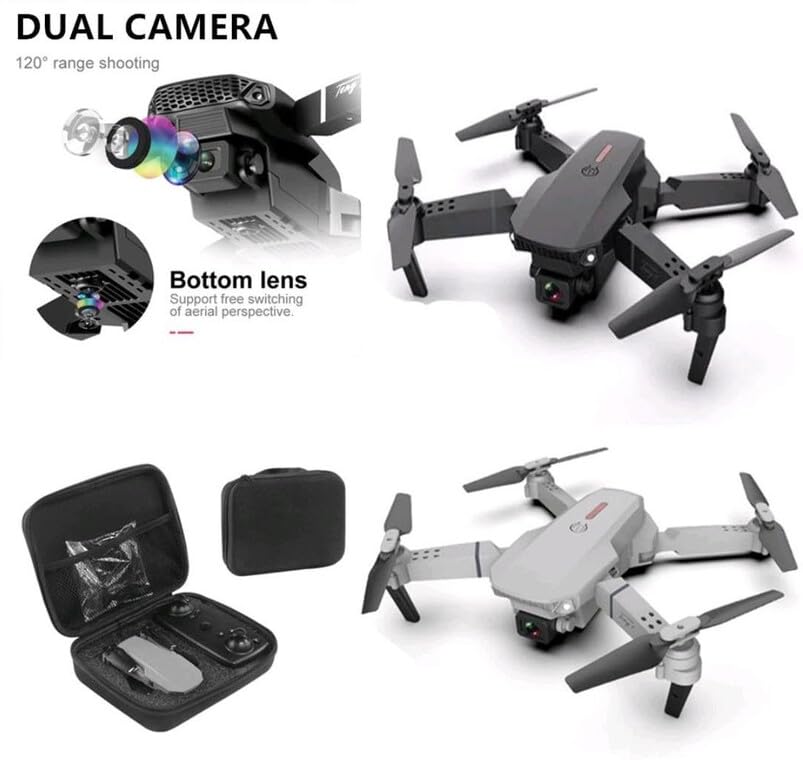
Image: An open black travel storage bag for the drone, showing the drone and remote control neatly fitted inside. The bag is designed for convenient and light travel.
3. Safety Guidelines
Operating a drone requires responsibility. Adhere to the following safety guidelines to ensure a safe and enjoyable flight experience:
- Pre-Flight Check: Always inspect the drone, propellers, and battery before each flight.
- Environmental Awareness: Fly in open areas, away from people, animals, buildings, and power lines. Avoid flying in strong winds or adverse weather conditions.
- Line of Sight: Maintain visual line of sight with the drone at all times.
- Battery Safety: Use only the provided charger and battery. Do not overcharge or puncture batteries. Discontinue use if batteries are damaged or swollen.
- Propeller Safety: Keep hands, face, and loose clothing away from rotating propellers.
- Legal Compliance: Be aware of and comply with local drone regulations and airspace restrictions.
- Age Recommendation: This product is not a toy and is recommended for users of appropriate age and skill level.
4. Setup
4.1 Unfolding the Drone
- Gently pull out each of the four propeller arms until they lock into place.
- Ensure all arms are fully extended and stable before flight.
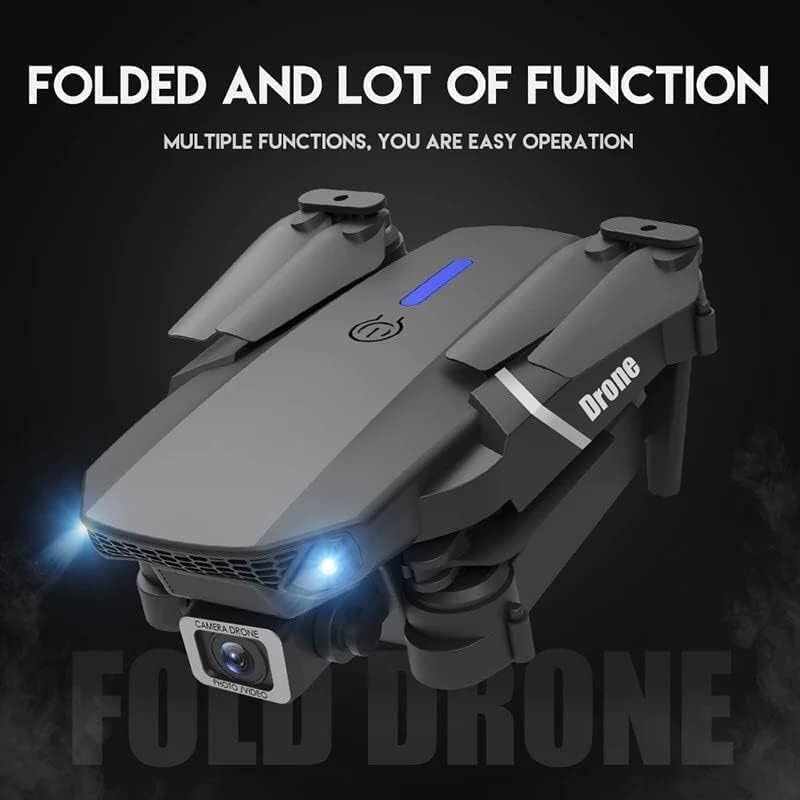
Image: The ROMJ E99 A14 drone in its folded state, showcasing its compact design. The front lights are illuminated, indicating power or readiness.
4.2 Battery Installation and Charging
- Drone Battery: Insert the fully charged Lithium Polymer battery into the battery compartment on the drone's rear until it clicks into place.
- Remote Control Battery: Open the battery cover on the back of the remote control and insert the required batteries (not specified, assume AA/AAA, user should check remote). Close the cover.
- Charging: Connect the USB charger to the drone's battery (or directly to the drone if integrated charging) and then to a USB power source. The indicator light will show charging status (refer to charger's specific light indications).
4.3 Propeller Installation (if required)
The drone typically comes with propellers pre-installed. If replacement is needed:
- Identify the correct propeller type (A or B) for each motor arm. Propellers are usually marked.
- Align the propeller with the motor shaft and press down firmly until it is securely attached. Ensure it spins freely without wobbling.
5. Operating Instructions
5.1 Remote Control Overview
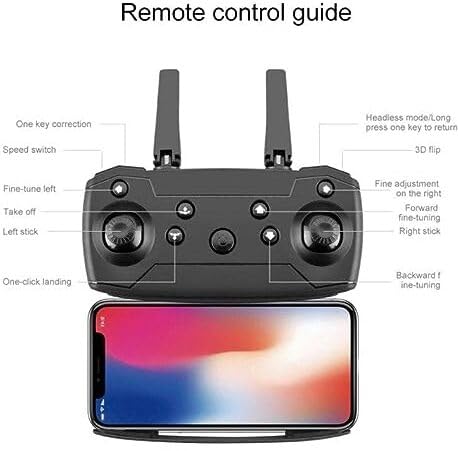
Image: A detailed diagram of the drone's remote control, labeling various buttons and joysticks. Key functions include One Key Correction, Speed Switch, Fine-tune Left, Take off, Left Stick, One-click Landing, Headless Mode/Long press one key to return, 3D Flip, Fine adjustment on the right, Forward fine-tuning, Right Stick, and Backward fine-tuning. A smartphone is shown mounted below the remote, indicating app connectivity.
- Left Stick: Controls altitude (up/down) and rotation (left/right).
- Right Stick: Controls forward/backward and left/right movement.
- One Key Take-off/Landing: Press to automatically take off or land.
- Speed Switch: Adjusts flight speed (e.g., low, medium, high).
- Headless Mode: Simplifies flight by orienting the drone relative to the pilot, regardless of the drone's front direction.
- One Key Return: Initiates an automatic return to the take-off point (requires calibration).
- 3D Flip: Executes an acrobatic flip (ensure sufficient altitude).
- Fine-tuning Buttons: Used to trim the drone's flight to correct drift.
5.2 Pairing the Drone
- Place the drone on a flat, level surface.
- Power on the drone. The indicator lights will flash.
- Power on the remote control.
- Push the left joystick up to the maximum position, then pull it down to the minimum position. The drone lights will stop flashing and become solid, indicating successful pairing.
5.3 Take-off and Landing
- One-Touch Take-off: After pairing, press the "Take off" button on the remote control. The drone will automatically ascend to a stable hovering height.
- Manual Take-off: After pairing, push both joysticks simultaneously to the bottom-outer corners to arm the motors. Then, slowly push the left joystick up to ascend.
- One-Touch Landing: Press the "One-click Landing" button. The drone will slowly descend and land.
- Manual Landing: Slowly pull the left joystick down to descend. Once landed, pull both joysticks to the bottom-outer corners again to disarm the motors.
5.4 Camera Operation
The ROMJ E99 A14 features an integrated 1080p HD camera and a bottom lens for diverse aerial perspectives.
Image: A close-up view of the drone's front, highlighting its dual camera system. The main camera is visible at the front, and a secondary bottom lens is shown, indicating support for free switching of aerial perspectives.
- Photo/Video: Use the dedicated buttons on the remote control (or via the companion app) to capture photos or start/stop video recording.
- App Connectivity: For live video feed and advanced camera controls, download the official ROMJ drone app (check manual for QR code or app store name) and connect your smartphone via Wi-Fi to the drone's network.
5.5 Special Flight Functions
- 360° Tumbling Stunt: Press the 3D Flip button and then move the right joystick in the desired direction to perform a flip. Ensure sufficient altitude (at least 2-3 meters) for this maneuver.
- Headless Mode: Activate Headless Mode before take-off. In this mode, the drone's forward direction is always the direction the pilot is facing when Headless Mode was activated, simplifying control.
- One Key Return: Long press the One Key Return button. The drone will fly back towards its take-off position. This function works best after proper compass calibration.
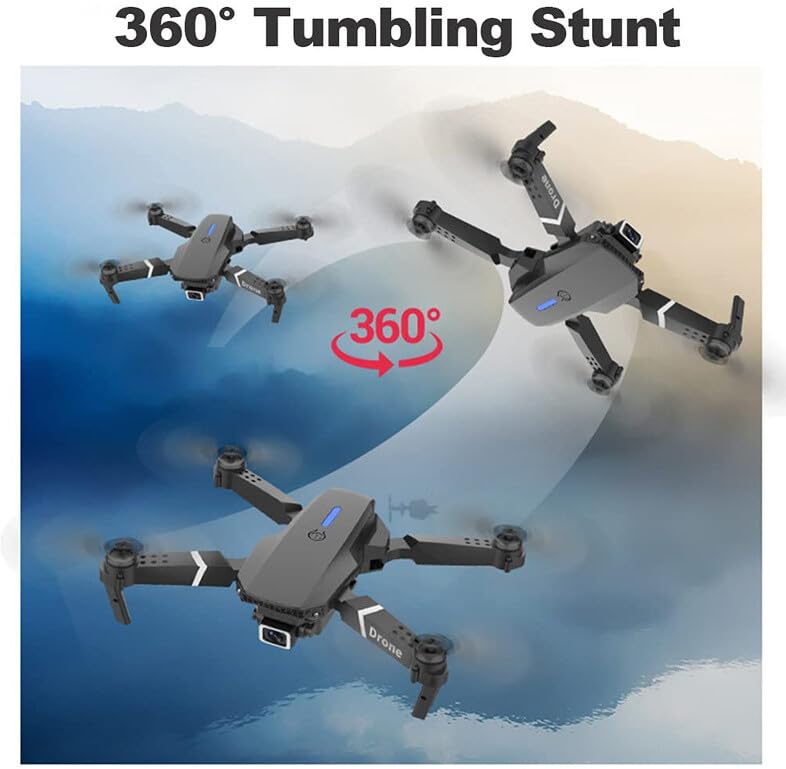
Image: Three instances of the ROMJ E99 A14 drone in mid-air, illustrating a 360-degree tumbling stunt. The drone is shown at different angles during the flip, with an arrow indicating the circular motion.
6. Maintenance
- Cleaning: Use a soft, dry cloth to clean the drone body and camera lens. Avoid using liquids or solvents.
- Propeller Inspection: Regularly check propellers for cracks, bends, or damage. Replace any damaged propellers immediately using the provided spares.
- Battery Care: Store batteries in a cool, dry place. Do not store fully charged or completely depleted batteries for extended periods. Charge them to about 50-60% for long-term storage.
- Motor Care: Keep motors free from dust and debris. Do not attempt to lubricate motors.
- Storage: When not in use, fold the drone and store it in its original packaging or the provided storage bag to protect it from dust and physical damage.
7. Troubleshooting
| Problem | Possible Cause | Solution |
|---|---|---|
| Drone does not power on. | Battery is not charged or not installed correctly. | Ensure battery is fully charged and properly inserted. |
| Remote control does not connect to drone. | Not paired correctly; interference. | Repeat pairing procedure (Section 5.2). Ensure no strong Wi-Fi interference. |
| Drone drifts during flight. | Not calibrated; wind interference. | Perform gyroscope calibration (refer to app/remote instructions for specific steps). Use fine-tuning buttons. Fly in calm conditions. |
| Camera not recording or poor quality. | SD card issues (if applicable); lens dirty; app not connected. | Ensure SD card is inserted and formatted (if applicable). Clean camera lens. Verify app connection. |
| Short flight time. | Battery not fully charged; old battery; aggressive flying. | Ensure battery is fully charged. Consider replacing old batteries. Fly more conservatively. |
8. Specifications
| Feature | Detail |
|---|---|
| Brand | ROMJ |
| Model Name | E99 A14 |
| Special Features | Compact, Foldable, Integrated Camera |
| Video Capture Resolution | 1080p |
| Connectivity Technology | USB, Wi-Fi |
| Included Components | Battery, Propeller, USB Charger |
| Skill Level | All |
| Material | Acrylonitrile Butadiene Styrene, Plastic |
| Battery Cell Composition | Lithium Polymer |
| Remote Control Included? | Yes |
9. Warranty and Support
ROMJ products are manufactured to high-quality standards. For any issues, technical support, or warranty inquiries, please contact your retailer or the official ROMJ customer service channel. Please retain your proof of purchase for warranty claims.
For the most up-to-date support information, please visit the official ROMJ website or refer to the contact details provided with your purchase.
Ask a question about this manual
Ask about setup, troubleshooting, compatibility, parts, safety, or missing instructions. Manuals+ will review the question and use this page’s manual context to help answer it.