1. Introduction
Thank you for purchasing the bonsaii Micro-Cut Paper Shredder C277-A. This manual provides essential information for the safe and efficient operation, maintenance, and troubleshooting of your shredder. Please read it thoroughly before use and retain it for future reference.

Image 1.1: The bonsaii C277-A Micro-Cut Paper Shredder, a compact black unit with a clear window showing shredded paper, and a paper being fed into the slot.
2. Safety Instructions
To ensure safe operation and prevent injury or damage, please observe the following safety precautions:
- Keep hands, hair, and loose clothing away from the paper entry slot.
- Do not insert fingers or other body parts into the shredder opening.
- Keep children and pets away from the shredder.
- Unplug the shredder when not in use or before cleaning/maintenance.
- Do not shred metal objects, wet paper, or adhesive labels.
- Do not use aerosol products near the shredder.
- Operate the shredder on a flat, stable surface.
- Do not exceed the maximum sheet capacity to prevent jams and motor strain.
3. Product Features
The bonsaii C277-A shredder offers advanced features for secure and convenient document disposal:
- High-Security Micro-Cut: Shreds documents into tiny 4x12mm particles, providing a higher level of security compared to traditional cross-cut shredders.
- Versatile Shredding: Capable of shredding up to 5 sheets of A4 paper (64g/m²) simultaneously, and can also handle staples, small paper clips, and credit cards.
- Large Capacity Waste Bin: Features a 13-liter waste bin, reducing the frequency of emptying.
- Quiet Operation: Engineered for a low noise level of approximately 62dB, suitable for home and small office environments.
- Handle-Up Design: The shredder head features a convenient handle for easy lifting and emptying of the waste bin.
- Safety Mechanisms: Includes overheat protection and an automatic power cut-off switch when the waste bin is removed or improperly seated.
- Compact Design: Space-saving dimensions allow it to fit easily under desks or in small spaces.

Image 3.1: Overview of the compact shredder highlighting micro-cut (4x12mm), 5-sheet capacity, 1-card capacity, and 13L bin.

Image 3.2: Visual comparison showing how 4x12mm micro-cut particles are significantly smaller than typical cross-cut, reducing waste volume.
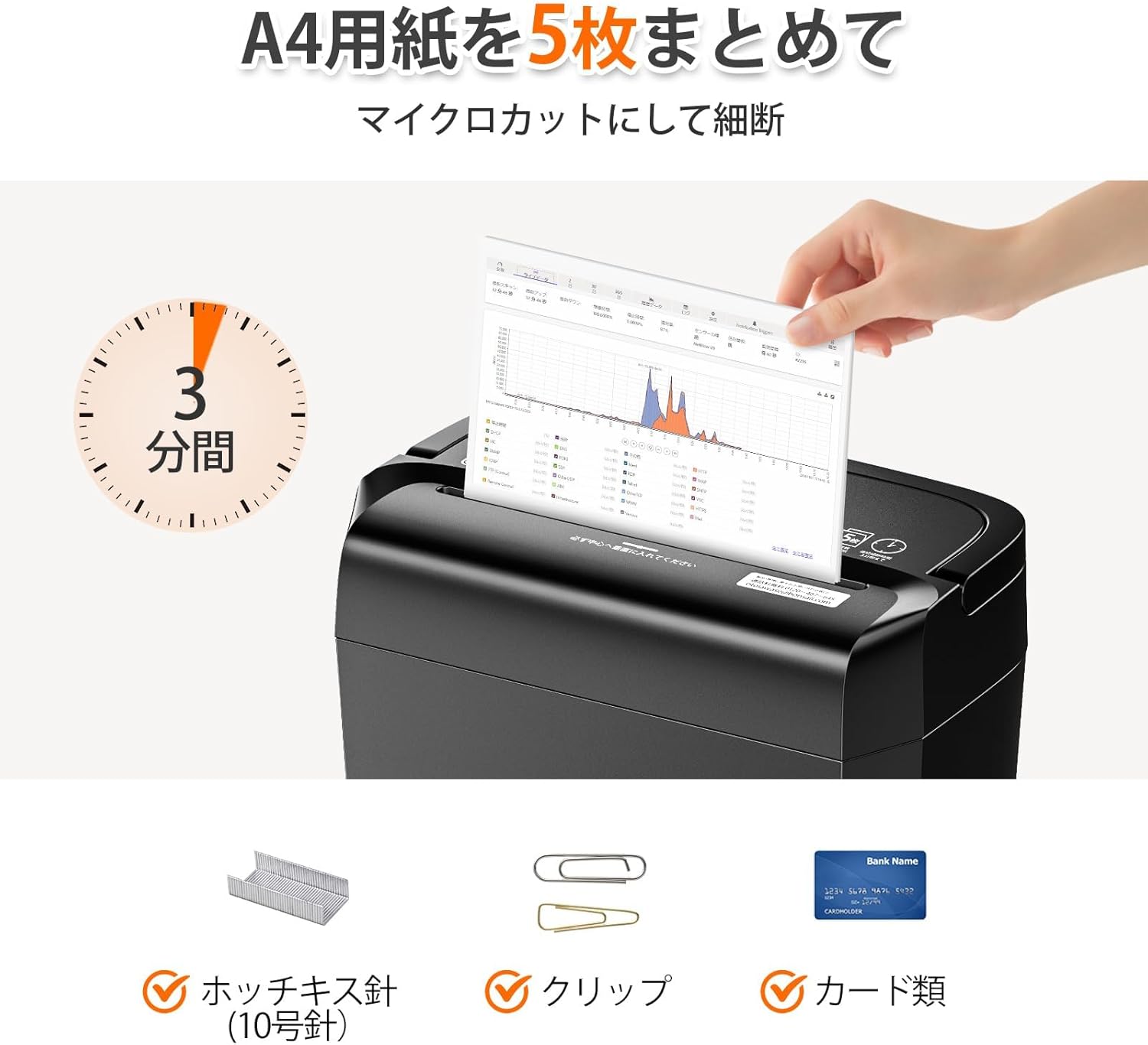
Image 3.3: Demonstrates the shredder's ability to shred 5 sheets of A4 paper, staples, paper clips, and credit cards.

Image 3.4: Shows the shredder head being lifted by its handle, revealing the 13-liter waste bin with a clear viewing window.

Image 3.5: Illustrates the shredder's quiet operation at 62dB, suitable for various environments.

Image 3.6: Displays the compact dimensions (300mm W x 180mm D x 362.2mm H) of the shredder, fitting neatly under a desk.
4. Setup
- Unpack: Carefully remove the shredder from its packaging.
- Placement: Place the shredder on a flat, stable surface near a power outlet. Ensure there is adequate space around the unit for ventilation.
- Waste Bin: Ensure the waste bin is correctly inserted into the shredder body. The shredder will not operate if the bin is not properly seated due to the safety interlock switch.
- Power Connection: Plug the power cord into a standard AC 100V (50/60Hz) power outlet.
5. Operating Instructions
The shredder features a slide switch with four positions:
- MANUAL SHRED (手動細断): The blades rotate continuously. Use for quick, small shredding tasks. Not recommended for prolonged use.
- SHRED (細断): Automatic mode. Insert paper, and the shredder will automatically start and stop once shredding is complete.
- STOP (停止): Turns off the shredder. Always set the switch to STOP when emptying the waste bin or moving the unit.
- REVERSE (逆転): Reverses the blades. Use this function to clear paper jams.

Image 5.1: Close-up of the control panel showing the slide switch for Manual Shred, Shred, Stop, and Reverse functions.
5.1 Shredding Documents
- Set the slide switch to the SHRED position. The power lamp will illuminate green.
- Insert paper (up to 5 sheets) or a credit card into the paper entry slot. The shredder will automatically start.
- Once shredding is complete, the shredder will automatically stop.
- For continuous operation, the shredder can run for 3 minutes, followed by a 40-minute cool-down period to prevent overheating.
5.2 Clearing a Paper Jam
- If a paper jam occurs, immediately set the switch to REVERSE. This will attempt to back out the jammed paper.
- If the paper does not clear, set the switch to STOP, unplug the shredder, and carefully remove the jammed paper manually.
- Plug the shredder back in and resume operation.
6. Maintenance
6.1 Emptying the Waste Bin
- When the waste bin is full, set the slide switch to STOP and unplug the shredder.
- Lift the shredder head using the handle.
- Empty the shredded paper from the waste bin.
- Replace the shredder head securely onto the waste bin. Ensure the interlock switch engages properly.

Image 6.1: Demonstrates lifting the shredder head by its handle to easily empty the 13-liter waste bin.
6.2 Cleaning the Shredder
- Always unplug the shredder before cleaning.
- Wipe the exterior of the shredder with a soft, dry cloth. Do not use abrasive cleaners or solvents.
- Periodically oil the shredder blades with shredder oil sheets or liquid shredder oil to maintain performance and extend product life. Follow the oil product's instructions.
7. Troubleshooting
| Problem | Possible Cause | Solution |
|---|---|---|
| Shredder does not turn on. | Not plugged in; waste bin not properly seated; overheat protection activated. | Check power connection; ensure waste bin is fully inserted; allow shredder to cool down for 40 minutes. |
| Paper jam. | Too much paper inserted; paper folded or crumpled. | Use the REVERSE function; if unsuccessful, unplug and manually remove paper. Reduce paper quantity for next shredding. |
| Shredder stops during operation. | Overheat protection activated; waste bin full. | Allow shredder to cool down for 40 minutes; empty the waste bin. |
| Shredder is noisy. | Blades require oiling; foreign object in blades. | Oil the shredder blades; unplug and carefully inspect for and remove any foreign objects. |

Image 7.1: Illustrates the overheat protection (red warning light) and the automatic power cut-off mechanism when the waste bin is removed.
8. Specifications
| Feature | Specification |
|---|---|
| Model Number | C277-A |
| Shred Type | Micro-cut |
| Shred Size | 4 x 12 mm |
| Shredding Capacity | 5 sheets (A4, 64g/m²) |
| Shredding Speed | Approx. 1.8 m/min (50/60Hz) |
| Waste Bin Capacity | 13 Liters |
| Continuous Operation Time | 3 minutes |
| Cool-down Time | 40 minutes |
| Operating Noise Level | Approx. 62 dB |
| Feed Opening Width | 220 mm (A4 size) |
| Power Supply | AC 100V (50/60Hz) |
| Rated Power Consumption | 140W (50/60Hz) |
| Dimensions (W x D x H) | 300 x 180 x 362.2 mm |
| Weight | 3.54 kg |
| Protection Functions | Thermal breaker, warning lamp, dust box switch |
| Included Accessories | Instruction Manual (Japanese) |

Image 8.1: A visual representation of the shredder's specifications, including dimensions and performance metrics.
9. Warranty and Support
This product comes with a warranty as detailed in the included Japanese instruction manual. For product inquiries, repair services, or support, please refer to the contact information provided in your purchase documentation or on the official bonsaii website. Bonsaii is committed to providing reliable after-sales service.


