
Gavigain Gavigain2f6179qdxh
Gavigain Portable Bluetooth Speaker User Manual
Model: Gavigain2f6179qdxh
1. Introduction
Thank you for choosing the Gavigain Portable Bluetooth Speaker. This speaker is designed to provide high-quality stereo sound with clear highs, detailed mids, and rich bass. Featuring Bluetooth 5.0 connectivity and a dustproof design, it is suitable for both indoor and outdoor use. Please read this manual carefully before using the product to ensure proper operation and to maximize your listening experience.
2. Package Contents
Please check the package for the following items:
- 1 x Gavigain Portable Bluetooth Speaker
- 1 x User Manual
- 1 x USB Charging Cable
- 1 x 3.5mm Audio Transmission Cable (AUX Cable)
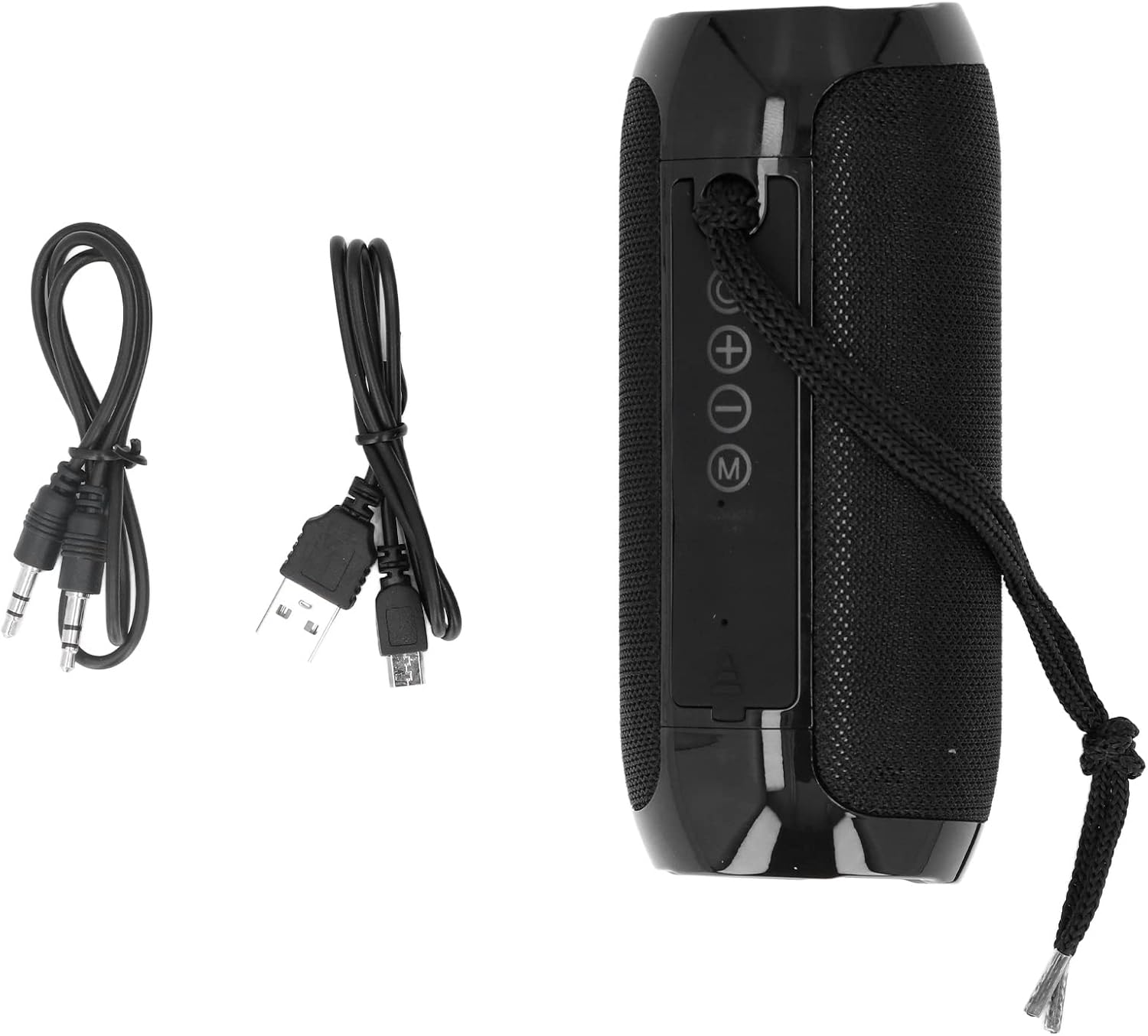
Image: The Gavigain Portable Bluetooth Speaker shown alongside its included USB charging cable and 3.5mm audio transmission cable.
3. Product Overview
Familiarize yourself with the speaker's buttons and ports:
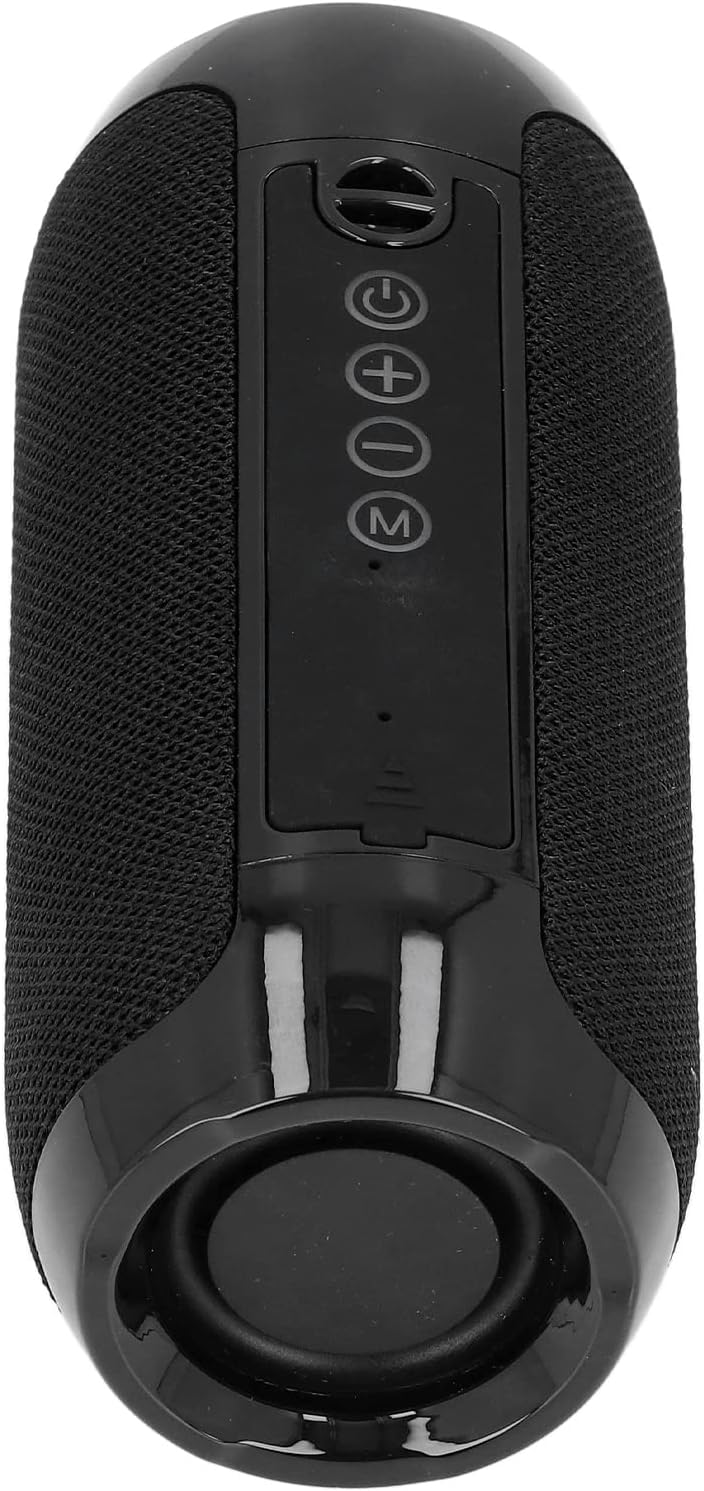
Image: A close-up view of the top control panel of the Gavigain Portable Bluetooth Speaker, highlighting the power, volume, and mode buttons.
- Power Button: Press and hold to turn the speaker on or off.
- Volume Up / Next Track Button (+): Short press to increase volume. Long press to skip to the next track.
- Volume Down / Previous Track Button (-): Short press to decrease volume. Long press to go to the previous track.
- Mode / Play/Pause Button (M): Short press to switch between Bluetooth and AUX modes. Press to play or pause music.
- Charging Port: Micro USB port for charging the speaker.
- AUX Input: 3.5mm audio jack for wired connection.
4. Specifications
| Feature | Specification |
|---|---|
| Model Number | Gavigain2f6179qdxh |
| Dimensions (L x W x H) | Approx. 68.8 x 68.8 x 160mm (2.7 x 2.7 x 6.3 inches) |
| Weight | Approx. 403g (14.2 oz) |
| Battery Capacity | 1200mAh Lithium Battery |
| Playing Time | 3-4 hours (on a full charge) |
| Charging Method | USB |
| Connectivity | Bluetooth 5.0, USB, 3.5mm AUX |
| Transmission Range | Up to 10 meters (32.8 feet) |
| Material | ABS |
| Environmental Features | Dustproof screen, Water-resistant |
5. Setup
5.1 Charging the Speaker
- Connect the provided USB charging cable to the speaker's Micro USB port.
- Connect the other end of the USB cable to a USB power adapter (not included) or a computer's USB port.
- The charging indicator light will illuminate during charging. It will turn off or change color once fully charged.
- A full charge typically takes 2-3 hours.
5.2 Powering On/Off
- To turn on: Press and hold the Power button until you hear an audible prompt or see the indicator light illuminate.
- To turn off: Press and hold the Power button again until you hear an audible prompt or the indicator light turns off.
6. Operating Instructions
6.1 Bluetooth Pairing
- Ensure the speaker is powered on and in Bluetooth mode (indicated by a flashing blue light). If not, short press the 'M' button to switch modes.
- On your device (smartphone, tablet, laptop), enable Bluetooth and search for available devices.
- Select "Gavigain Speaker" (or similar name) from the list of devices.
- Once paired, you will hear a confirmation sound, and the indicator light will turn solid blue.
- The speaker will automatically attempt to reconnect to the last paired device when powered on.

Image: The Gavigain Portable Bluetooth Speaker shown wirelessly connected to a smartphone, tablet, and laptop, demonstrating its versatile connectivity.
6.2 AUX Mode (Wired Connection)
- Connect one end of the 3.5mm audio transmission cable to the speaker's AUX input port.
- Connect the other end of the cable to the audio output jack of your device.
- Short press the 'M' button on the speaker to switch to AUX mode.
- Audio will now play through the speaker via the wired connection.
6.3 Music Playback and Volume Control
- Play/Pause: Short press the 'M' button to play or pause music.
- Volume Up: Short press the '+' button.
- Volume Down: Short press the '-' button.
- Next Track: Long press the '+' button.
- Previous Track: Long press the '-' button.
7. Maintenance
- Cleaning: Use a soft, dry cloth to clean the speaker'. Do not use abrasive cleaners or solvents.
- Storage: Store the speaker in a cool, dry place away from direct sunlight and extreme temperatures.
- Battery Care: To prolong battery life, charge the speaker fully before first use and at least once every three months if not used regularly. Avoid fully discharging the battery frequently.
- Water Resistance: While the speaker features a dustproof screen and is water-resistant, it is not fully waterproof. Avoid submerging it in water or exposing it to heavy rain for extended periods.
8. Troubleshooting
| Problem | Possible Solution |
|---|---|
| Speaker does not turn on. | Ensure the battery is charged. Connect the speaker to a power source using the USB cable and try again. |
| Cannot pair via Bluetooth. | 1. Ensure the speaker is in Bluetooth pairing mode (flashing blue light). 2. Make sure Bluetooth is enabled on your device. 3. Move the speaker closer to your device. 4. Clear the Bluetooth device list on your device and try pairing again. 5. Turn off other Bluetooth devices nearby to avoid interference. |
| No sound or low volume. | 1. Increase the volume on both the speaker and your connected device. 2. Ensure the speaker is correctly paired or the AUX cable is fully inserted. 3. Check if the music source is playing. |
| Sound distortion. | 1. Reduce the volume on both the speaker and your device. 2. Move the speaker closer to your Bluetooth device to improve signal quality. 3. Ensure the audio file quality is good. |
| Speaker not charging. | 1. Check if the USB cable is securely connected to both the speaker and the power source. 2. Try using a different USB cable or power adapter. 3. Ensure the power source is functional. |
9. Warranty and Support
Gavigain products are manufactured with attention to quality and performance. For any questions, technical support, or warranty inquiries, please refer to the contact information provided with your purchase or visit the official Gavigain website. Please retain your proof of purchase for warranty claims.
Ask a question about this manual
Ask about setup, troubleshooting, compatibility, parts, safety, or missing instructions. Manuals+ will review the question and use this page’s manual context to help answer it.