
Ajazz AK680
AJAZZ AK680 Mechanical Gaming Keyboard and Mouse Combo User Manual
Model: AK680
Introduction
Thank you for choosing the AJAZZ AK680 Mechanical Gaming Keyboard and Mouse Combo. This ultra-compact 60% keyboard and high-performance mouse are designed to enhance your gaming and typing experience with features like hot-swappable switches, vibrant RGB backlighting, and programmable controls. This manual provides detailed instructions for setup, operation, maintenance, and troubleshooting to ensure optimal performance.
Product Overview
The AJAZZ AK680 combo offers a compact yet powerful solution for your desktop. Key features include:
- 60% Compact Hot-swappable Keyboard: 68-key ultra-compact layout, easy to carry and saves desktop space. Mechanical 3-pin switches can be hot-swapped without soldering.
- Custom Linear Mechanical Red Switch: Characterized by smooth, linear action with minimal resistance, ideal for fast typing and gaming.
- Programmable Software Support: Customize modes, effects, macros, and keybindings for both keyboard and mouse.
- Fully Anti-Ghosting: All 68 keys are conflict-free, ensuring effective and smooth input during gaming and typing.
- Ergonomic Design: Sloped keyboard design with non-slip feet and a contoured mouse shape reduce hand fatigue and improve accuracy.
- Detachable Type-C Cable: For easy storage and portability.
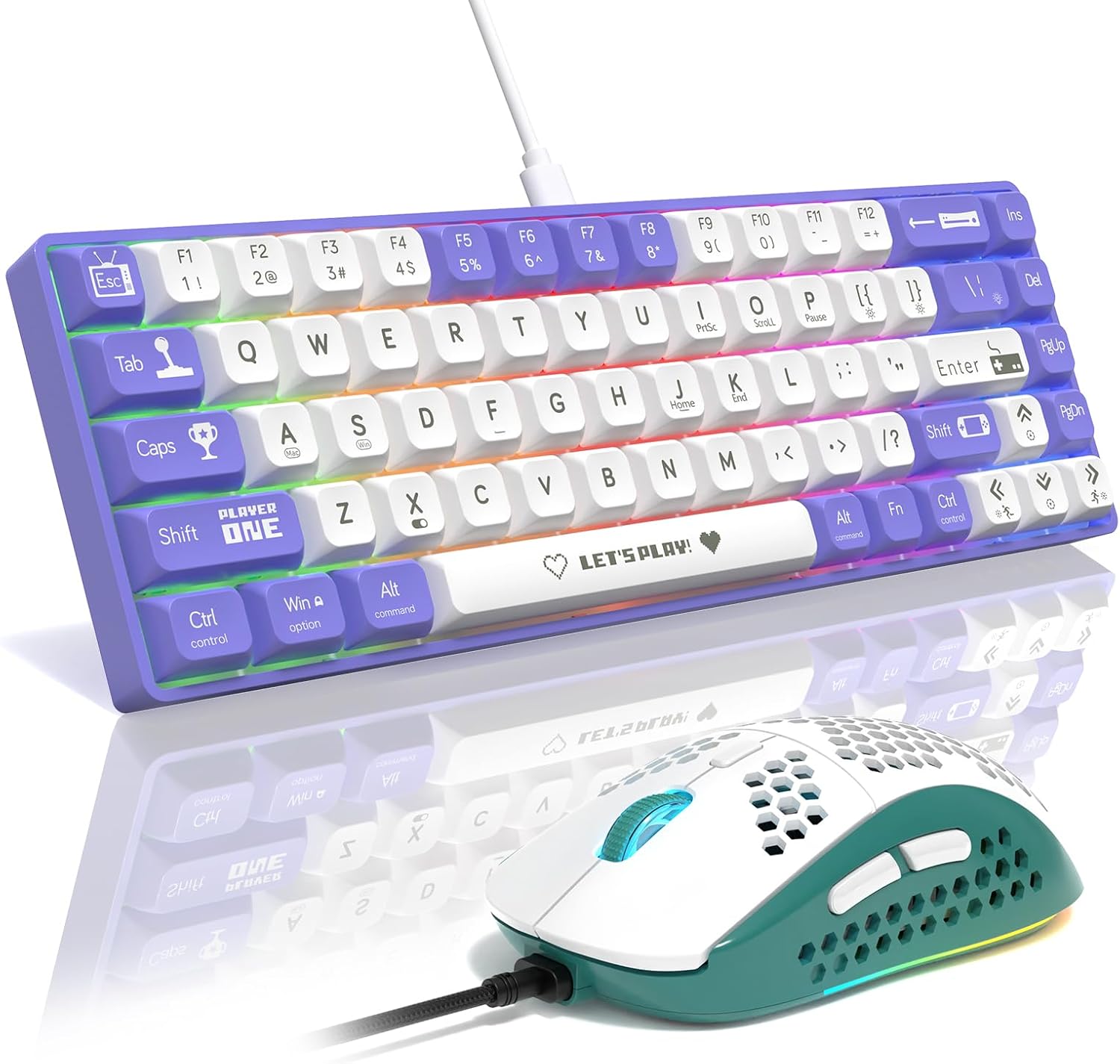
Figure 1: AJAZZ AK680 Mechanical Gaming Keyboard and Mouse Combo (Purple/White Red Switch variant).
Package Contents
Please check the package for the following items:
- AJAZZ AK680 Mechanical Gaming Keyboard
- Gaming Mouse
- USB-C to USB-A Cable (approx. 160cm)
- Keycap Puller
- Switch Puller
- Spare Mechanical Switches (e.g., Red Switches)
- User Manual (this document)

Figure 2: The keyboard features a detachable USB Type-C cable for easy connection and portability.
Setup
- Connect the Keyboard: Insert the USB-C end of the provided cable into the port on the back of the keyboard. Plug the USB-A end into an available USB port on your computer.
- Connect the Mouse: The mouse is typically connected via a separate USB cable. Plug its USB-A end into another available USB port on your computer.
- Driver Installation: Your operating system (Windows, macOS) should automatically detect and install the necessary drivers. No manual driver installation is usually required.
- Software Installation (Optional): For advanced customization of RGB lighting, macros, and key remapping, download the official AJAZZ software from the manufacturer's website.
Operating Instructions
Keyboard Functions
The AK680 keyboard features a 60% layout, meaning some functions are accessed via the Fn key in combination with other keys. Refer to the keycaps for secondary functions.
- Anti-Ghosting: All 68 keys support N-key rollover, ensuring every keystroke is registered accurately, even during rapid, simultaneous presses.
- RGB Backlighting: The keyboard features multiple RGB lighting effects.
- Switching Light Effects: Press Fn + \| to cycle through 19 different lighting modes.
- Adjusting Brightness: Press Fn + ↑ to increase brightness, Fn + ↓ to decrease brightness.
- Adjusting Speed: Press Fn + { [ to decrease speed, Fn + } ] to increase speed.
- Restoring Factory Settings: Press Fn + Spacebar for 3 seconds to reset lighting to default.
- Backlight Switch: Press Fn + X to turn the backlight on/off.

Figure 3: Keyboard RGB lighting controls and function key combinations.
Mouse Functions
The included gaming mouse features programmable buttons and adjustable DPI settings for precise control.
- Programmable Buttons: The mouse has 6 programmable buttons (Left Click, Right Click, Middle Click, Forward, Backward, DPI Loop). These can be customized using the dedicated software.
- Adjustable DPI Levels: Cycle through up to 6400 DPI levels to adjust cursor sensitivity on the fly.

Figure 4: Layout of the 6 programmable buttons on the gaming mouse.
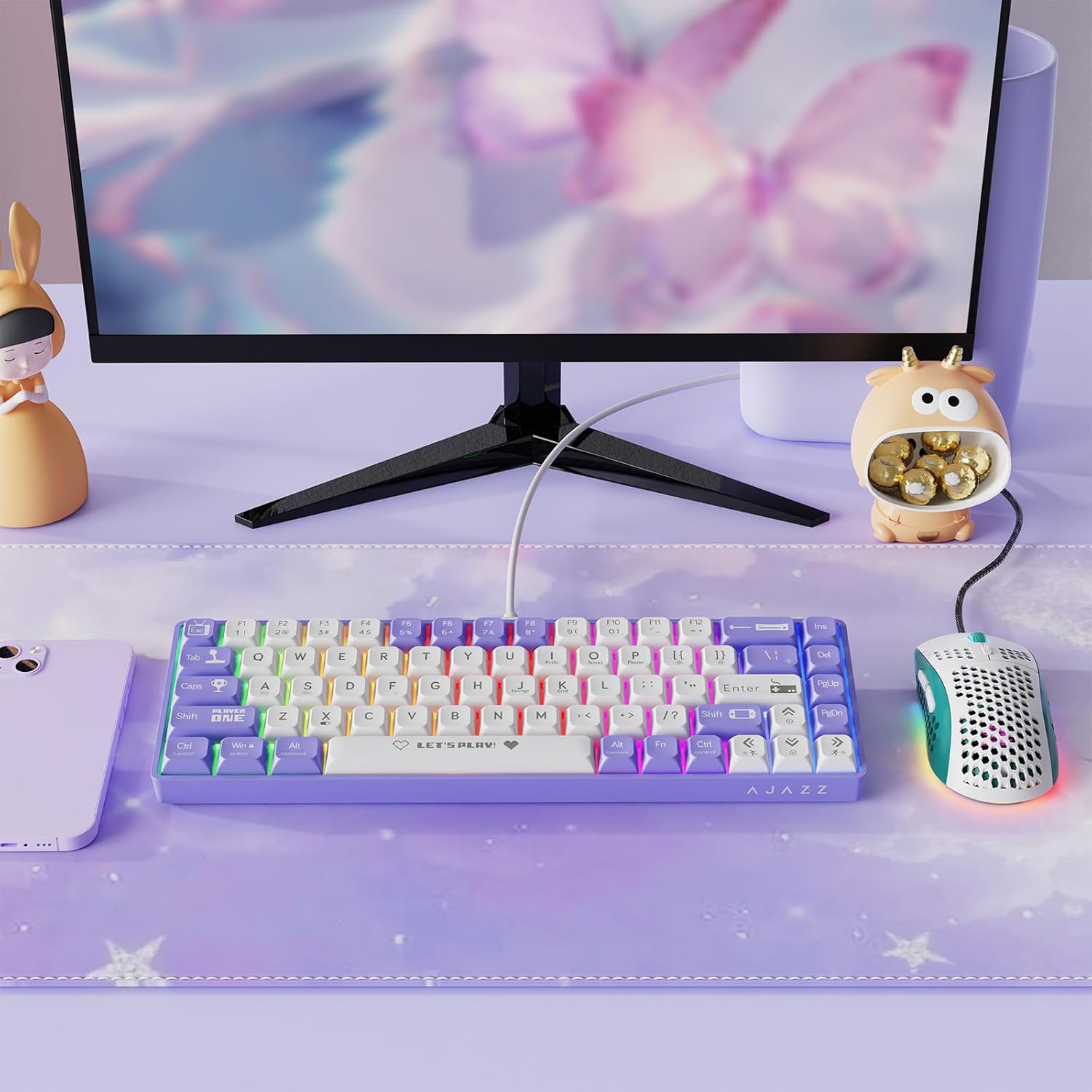
Figure 5: The mouse supports up to 6400 DPI with adjustable levels.
Customization
The AJAZZ AK680 keyboard and mouse combo supports programmable software for advanced customization. This software allows you to:
- Create custom RGB lighting effects and patterns.
- Remap individual keys on the keyboard.
- Assign macros to keys for complex command sequences.
- Configure mouse button functions.
- Adjust mouse DPI steps and polling rate.
Please visit the official AJAZZ website to download the latest version of the customization software for your specific model.
Video 1: Demonstration of the AJAZZ AK680 keyboard's features and typing sound. This video showcases the keyboard's compact design, hot-swappable switches, and RGB lighting effects.
Video 2: A brief showcase of the AK680 wired keyboard, highlighting its design and functionality.
Video 3: Another showcase of the AK680 keyboard, focusing on its aesthetic and compact form factor.
Maintenance
- Cleaning: Use a soft, dry cloth to wipe down the keyboard and mouse. For deeper cleaning, you can use a can of compressed air to remove dust and debris from between the keycaps.
- Keycap Removal: Use the provided keycap puller to carefully remove keycaps for cleaning or switch replacement. Gently pull straight up to avoid damaging the switch stem.
- Switch Replacement (Hot-Swappable): The AK680 supports hot-swappable 3-pin mechanical switches. Use the provided switch puller to carefully remove switches. Align the new switch's pins with the holes on the PCB and press down gently until it clicks into place. Ensure pins are straight before inserting.

Figure 6: The hot-swappable design allows for easy replacement of mechanical switches.

Figure 7: Internal structure showing the EVA Sandwish Process for improved acoustics and feel.
Troubleshooting
| Problem | Possible Cause | Solution |
|---|---|---|
| Keyboard/Mouse not responding | Loose cable connection, faulty USB port, driver issue. |
|
| RGB lighting not working | Backlight turned off, software conflict. |
|
| Keys not registering or double-typing | Dust/debris under keycap, faulty switch. |
|
| Mouse cursor erratic or unresponsive | Dirty sensor, surface issues, DPI setting too high/low. |
|
Specifications
| Feature | Detail |
|---|---|
| Brand | Ajazz |
| Model | AK680 |
| Keyboard Layout | 60% (68 Keys) |
| Switch Type | Mechanical Red Switch (Hot-Swappable 3-pin) |
| Backlight | RGB Backlit |
| Connectivity | USB-C Wired |
| Anti-Ghosting | Full N-Key Rollover |
| Mouse DPI | Up to 6400 DPI (Adjustable) |
| Compatible Devices | Windows PC, Mac, Gaming Console |
| Item Weight | 2.2 pounds |
| Country of Origin | China |
Warranty and Support
For warranty information and technical support, please refer to the warranty card included with your product or visit the official AJAZZ website. You can also contact their customer service for assistance with any product-related inquiries or issues.
Note: Warranty terms and conditions may vary by region and retailer. Please retain your proof of purchase for warranty claims.
Related documentsAK680


Ask a question about this manual
Ask about setup, troubleshooting, compatibility, parts, safety, or missing instructions. Manuals+ will review the question and use this page’s manual context to help answer it.