1. Introduction
This manual provides detailed instructions for the installation and operation of your Suptek MF8M Studless TV Wall Mount. This innovative mount is designed for easy installation on drywall without the need for drilling or locating studs, offering a low-profile solution for TVs ranging from 32 to 75 inches and supporting up to 132 lbs. Please read all instructions carefully before beginning installation to ensure safe and proper setup.
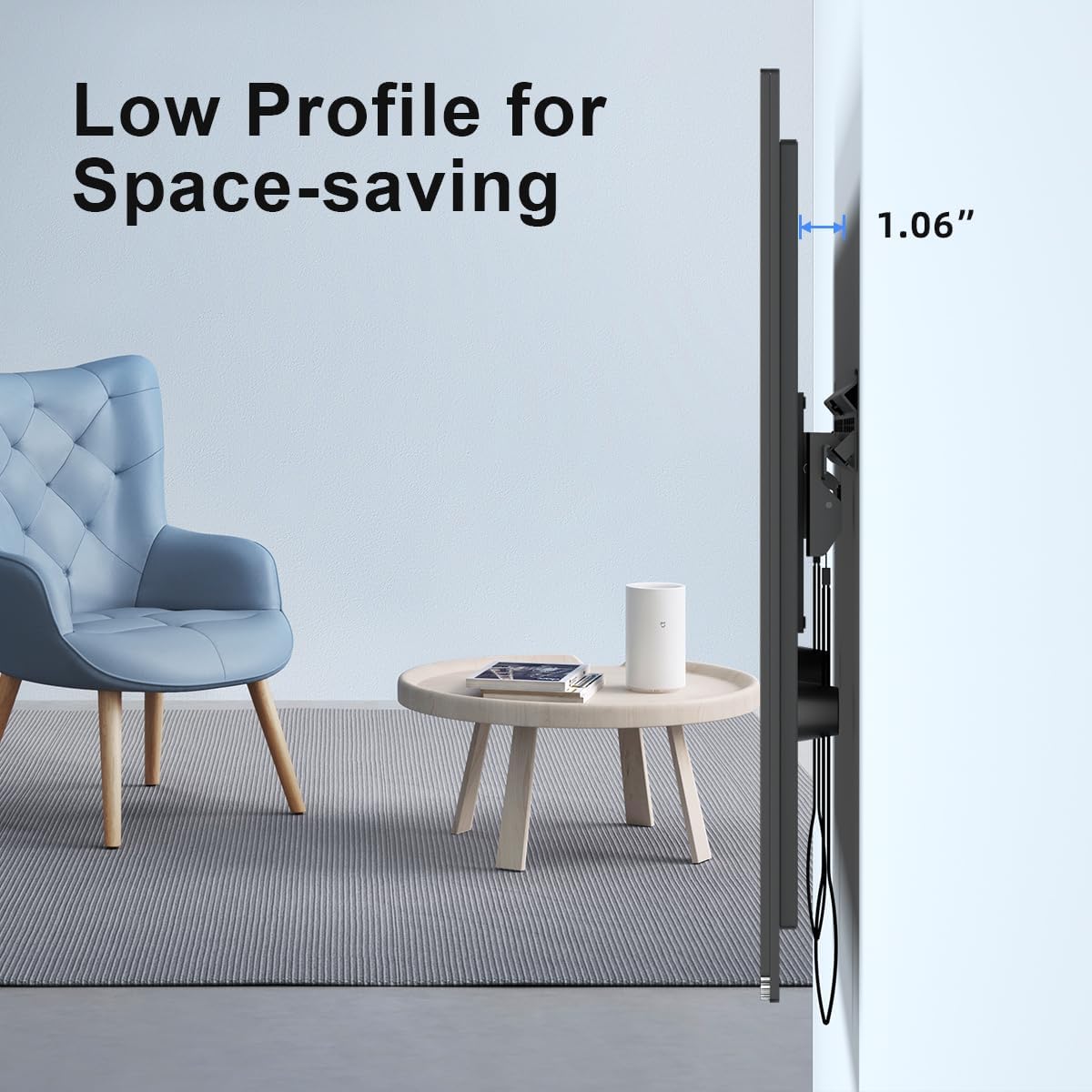
Image: The Suptek MF8M TV wall mount installed, showing its low-profile design, sitting only 1.06 inches from the wall.
2. Safety Information
WARNING: Failure to read and follow all instructions may result in personal injury, property damage, or voiding of your warranty. If you have any questions, please contact customer service.
- Weight Capacity: Do not exceed the maximum weight capacity of 132 lbs (60 kg). This mount is intended for use only with the maximum weights indicated.
- TV Size: This mount is designed for TVs between 32 and 75 inches.
- VESA Compatibility: Ensure your TV's VESA pattern (mounting hole distance) is compatible, ranging from 100x100mm to 600x400mm.
- Wall Type: This mount is primarily designed for drywall installation without studs. However, it includes hardware for installation on 8"/12"/16"/24" wood studs, concrete, brick, and block walls. Always verify your wall type and use appropriate hardware.
- Tools: Use only the recommended tools for installation.
- Children: Keep children away from the installation area during setup.
3. Package Contents
Before installation, please check that all parts are included and undamaged. If any parts are missing or defective, do not proceed with installation and contact customer support.

Image: A visual representation of all components included in the Suptek MF8M TV wall mount package, including the wall plate, TV brackets, various screws, anchors, and a bubble level.
The package typically includes:
- Wall Plate (1)
- TV Brackets (2)
- Rubber Pads (4)
- Various Screws (for TV and wall mounting)
- Concrete Anchors (for concrete/brick walls)
- Nails (for drywall installation)
- Bubble Level (1)
- Instruction Manual (1)
Video: An overview of the Suptek MF8M Studless TV Wall Mount components, including the wall plate, TV brackets, and various hardware. It also demonstrates the quick-release mechanism.
4. Setup and Installation
Follow these steps for a secure installation:
- Determine Mounting Location: Choose a suitable location on your wall. Ensure the desired height and center are marked.
- Install Wall Plate (Drywall - No Studs):
For drywall installation without studs, position the wall plate at your desired height. Use a hammer to gently tap the included nails through the designated holes in the wall plate. Ensure the wall plate is level using the provided bubble level. The design allows for secure attachment directly into drywall.
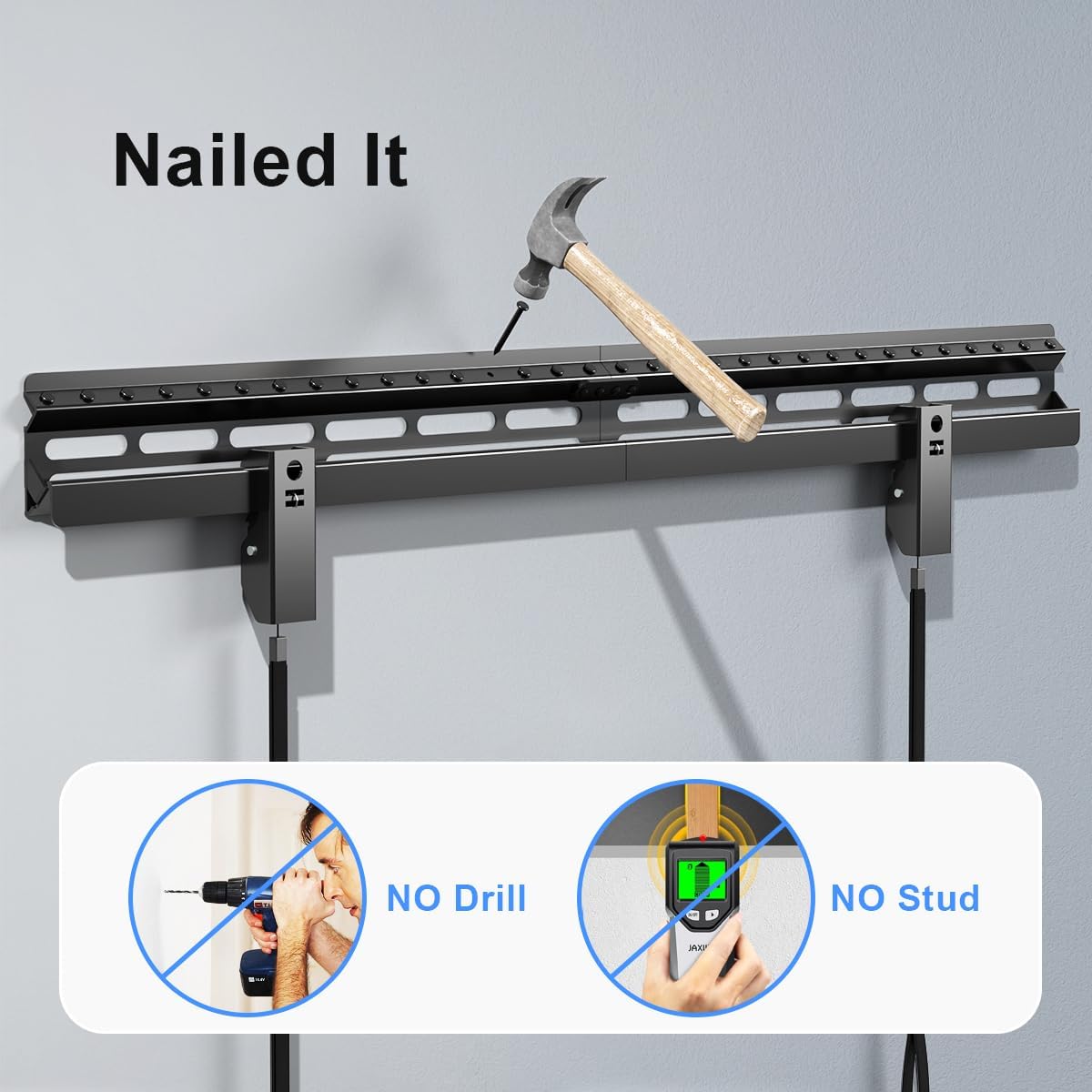
Image: The wall plate being installed on drywall using a hammer and nails, illustrating the 'No Drill, No Stud' feature.
Install Wall Plate (Other Wall Types):
For wood studs, concrete, brick, or block walls, use the appropriate self-tapping screws and anchors provided. Drill pilot holes as necessary and secure the wall plate firmly. Always ensure the wall plate is level.
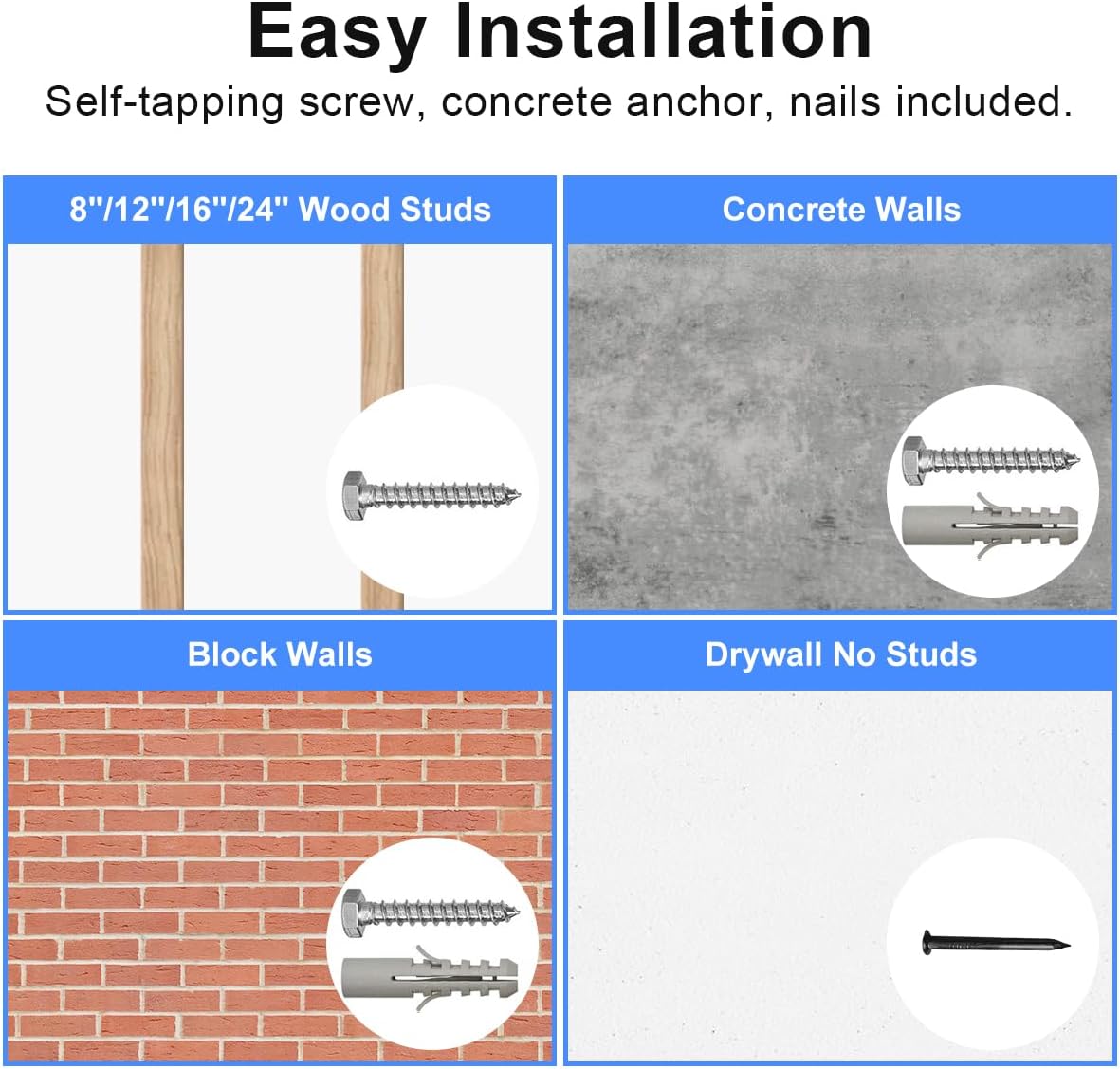
Image: Visual guide showing different installation methods for wood studs, concrete walls, block walls, and drywall without studs, with corresponding hardware.
- Attach TV Brackets to TV:
Lay your TV face down on a soft, clean surface to prevent scratches. Attach the two TV brackets to the VESA mounting holes on the back of your TV using the appropriate screws and rubber pads. Ensure the brackets are securely fastened and the pull cords are accessible at the bottom of the TV.

Image: Close-up of the TV brackets highlighting features like double sturdy hooks, auto-locking clips (straps), anti-drop edges, and the included bubble level for precise installation.
- Hang TV on Wall Plate:
Carefully lift the TV and align the hooks on the TV brackets with the top edge of the installed wall plate. Lower the TV until the brackets engage with the wall plate. The auto-locking clips will secure the TV in place. Gently push the bottom of the TV towards the wall to ensure it is flush and locked.
Video: Demonstration of attaching the TV brackets to the television, installing the wall plate, and finally hanging the TV securely onto the wall mount.
5. Operation (Quick Release)
The Suptek MF8M mount features a quick-release mechanism for easy removal of your TV when needed. To release the TV from the wall mount:
- Locate the pull cords extending from the bottom of the TV brackets.
- Gently pull both cords downwards simultaneously. This will disengage the locking mechanism.
- With the locks disengaged, carefully lift the TV upwards and away from the wall plate.

Image: Illustration of the auto-lock feature when the TV is mounted and the quick-release action using the pull cords to detach the TV.
6. Maintenance
- Cleaning: Wipe the mount with a soft, dry cloth to remove dust. Avoid using abrasive cleaners or solvents.
- Periodic Check: Periodically check all screws and connections to ensure they remain tight and secure.
7. Troubleshooting
- TV Not Level: If the TV appears unlevel after installation, carefully remove the TV, adjust the wall plate or TV brackets as needed, and re-mount. The included bubble level can assist with precise leveling.
- TV Not Locking Securely: Ensure the TV brackets are properly seated on the wall plate and the pull cords are not obstructed. Gently push the bottom of the TV towards the wall to ensure the auto-locking clips engage.
- Difficulty Releasing TV: Ensure both pull cords are pulled firmly and simultaneously. If the mechanism is stiff, check for any obstructions.
8. Specifications

Image: Diagram illustrating the wide compatibility of the mount, supporting VESA patterns from 100x100mm to 600x400mm and TVs from 32 to 75 inches, with a maximum weight of 135 lbs.
| Feature | Detail |
|---|---|
| Brand | suptek |
| Model Number | MF8M |
| Compatible TV Size | 32 - 75 inches |
| Maximum Weight Capacity | 132 lbs (60 kg) |
| VESA Compatibility | 100x100mm to 600x400mm |
| Mounting Type | Wall Mount |
| Movement Type | Fixed |
| Profile from Wall | 1.06 inches |
| Material | Metal |
| Color | Black |
9. Warranty & Support
This product comes with a standard manufacturer's warranty. For specific warranty details, please refer to the product packaging or contact Suptek customer service. If you encounter any issues or have questions regarding your Suptek MF8M TV Wall Mount, please reach out to our support team for assistance.


