
Scatach S-Q16-5000
Scatach Q16 5000A Car Jump Starter with Air Compressor Instruction Manual
Brand: Scatach | Model: S-Q16-5000
1. Introduction
The Scatach Q16 is a versatile portable device designed to provide emergency jump-starting for vehicles, inflate tires, and serve as a power bank for electronic devices. This manual provides essential information for safe and effective use of your Scatach Q16 unit.

Image: Scatach Q16 Jump Starter unit with included accessories.
2. Safety Information
- Always read and understand the user manual before operating the device.
- Ensure the unit is at least 70% charged before attempting to jump-start a vehicle.
- Do not run the air compressor for more than 20 minutes continuously. Allow the unit to cool down for at least 10 minutes after 20 minutes of use.
- Connect jumper cables correctly: Red to positive (+), Black to negative (-). Incorrect connection may cause damage or injury.
- Remove jumper cables from the unit immediately after jump-starting the vehicle.
- Keep the device away from children.
- Store in a cool, dry place.

Image: The Scatach Q16 unit highlighting its 9 integrated safety protections.
3. Product Overview
The Scatach Q16 is a powerful 5000A car jump starter and a 150PSI air compressor, designed for emergency roadside assistance and convenience. It features a large LED display for easy monitoring of pressure and battery status. The unit also includes a 3-mode LED flashlight and serves as a portable power bank.

Image: Close-up of the Scatach Q16's high-definition LED display showing battery percentage and PSI readings.
4. Package Contents
- Scatach Q16 Jump Starter with Air Compressor Unit
- Smart Jumper Cables (Red and Black clamps)
- Air Compressor Hose
- Various Nozzle Adapters (for balls, bicycles, etc.)
- USB-C Charging Cable
- Carrying Case
5. Setup and Charging
Initial Charging:
Before first use, fully charge the Scatach Q16 unit using the provided USB-C charging cable. The LED display will indicate the charging progress.
Recharging:
After each use, especially after jump-starting a vehicle, recharge the unit to ensure it's ready for the next emergency. The unit features USB-C input for convenient charging.
6. Operating Instructions
6.1. Jump Starting a Vehicle
Ensure the Scatach Q16 unit has at least 70% battery charge before attempting to jump-start.
- Open the orange weather-proof cover on the unit and firmly plug in the smart jumper cables.
- Connect the red (+) clamp to the positive terminal of the vehicle's battery.
- Connect the black (-) clamp to the negative terminal of the vehicle's battery.
- The LED indicator on the smart jumper cables will turn solid green when correctly connected and ready.
- Start your vehicle's engine.
- Once the vehicle starts, immediately disconnect the jumper cables from the Scatach Q16 unit, then from the vehicle battery terminals.

Image: The Scatach Q16 unit with jumper cables connected to a car battery.
6.2. Using the Air Compressor
- Screw the air compressor hose firmly into the designated port on the Scatach Q16 unit. Ensure a tight seal to prevent air leakage.
- Attach the appropriate nozzle adapter to the hose if inflating items other than standard car tires.
- Press and hold the power button to turn on the unit. The LED display will activate.
- Use the 'Mode' button to select the desired inflation mode (Car, Bike, Motorcycle, Ball).
- Use the '+' and '-' buttons to set the target PSI. The unit features an auto-shutoff function once the target PSI is reached.
- Press the 'Go' button (usually the power button again) to start inflation.
- Important: Do not operate the compressor for more than 20 minutes continuously. Allow it to cool down for 10 minutes before resuming use.

Image: The Scatach Q16 unit connected to a car tire, demonstrating its inflation capability.
6.3. LED Flashlight Functions
The Scatach Q16 features a 400-lumen LED flashlight with 3 modes:
- Solid Light: For general illumination.
- Blinking Red Light: For emergency signaling or as a hazard light.
- Fast Blinking Red Light (SOS): For distress signaling.
Press the 'Light' button to cycle through the modes. Press and hold to turn off.
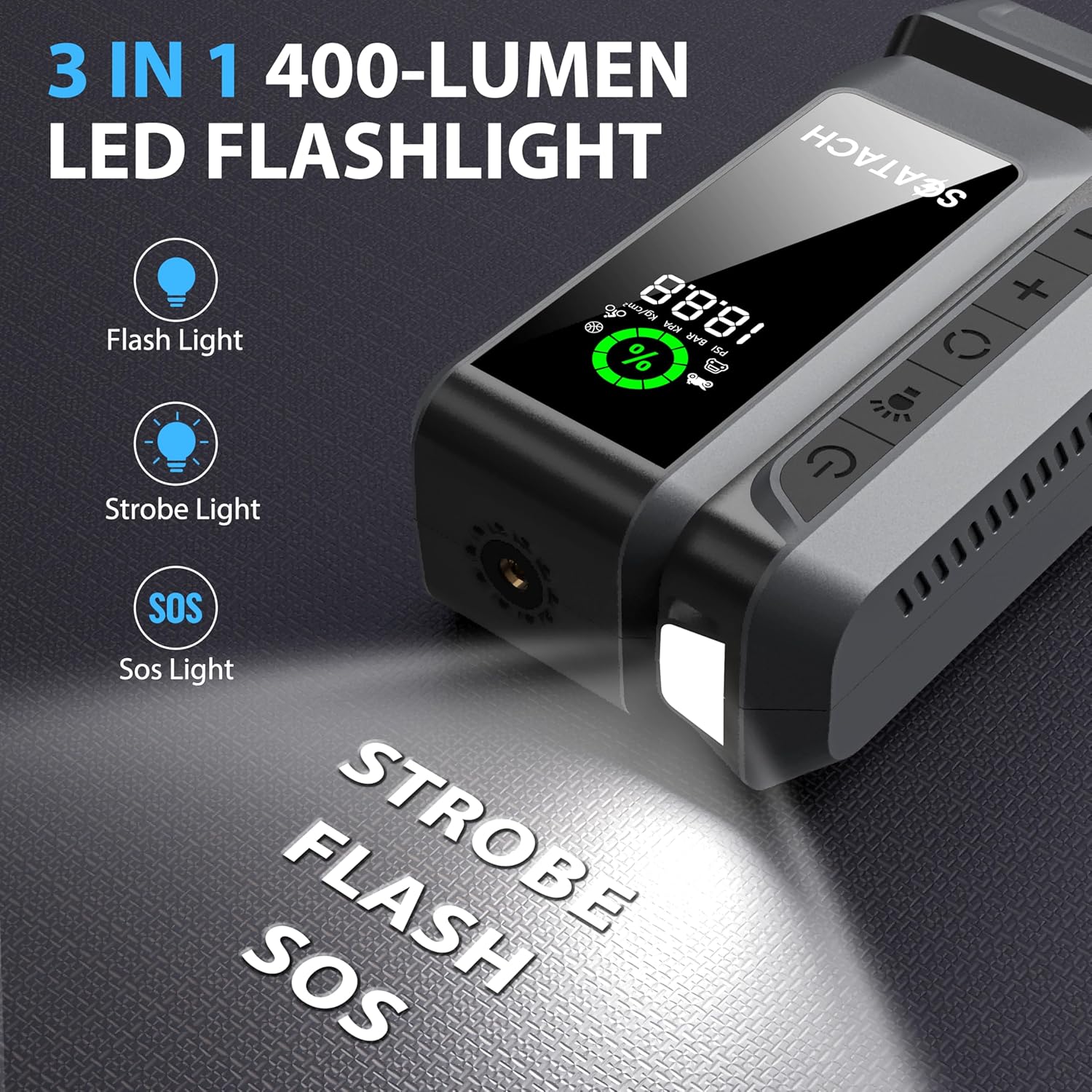
Image: The Scatach Q16 unit displaying its 3-mode LED flashlight feature.
6.4. Portable Power Bank
The unit is equipped with USB-A and USB-C output ports to charge your mobile devices, flashlights, and other USB-chargeable electronics.
- Connect your device's charging cable to the appropriate USB output port (USB-A or USB-C).
- The unit will automatically begin charging your device.

Image: The Scatach Q16 unit acting as a portable power bank, charging a smartphone and wireless earbuds.
7. Maintenance
- Always keep the unit charged, especially after use, to ensure readiness for emergencies.
- Store the device and its accessories in the provided carrying case in a cool, dry place.
- Regularly check the unit's charge level, particularly if stored for extended periods.
8. Troubleshooting
| Problem | Possible Cause | Solution |
|---|---|---|
| Unit does not turn on. | Low battery or unit is off. | Charge the unit. Press and hold the power button for a few seconds. |
| Vehicle does not jump-start. | Insufficient battery charge, incorrect cable connection, or severely dead battery. | Ensure unit is >70% charged. Check cable connections (Red to +, Black to -). If battery is severely dead, allow a few minutes for the unit to transfer some charge before attempting to start. |
| Air compressor not inflating. | Hose not securely attached, incorrect PSI setting, or unit overheated. | Ensure air hose is tightly screwed in. Verify PSI setting. If used for >20 mins, allow to cool. |
9. Specifications
- Brand: Scatach
- Model: S-Q16-5000
- Amperage: 5000 Amps (Peak)
- Air Compressor Pressure: 150 PSI
- Product Dimensions: 5"D x 5"W x 5"H
- Item Weight: 1.65 pounds (0.75 Kilograms)
- Battery Type: Lithium Polymer (1 required, included)
- USB Output: USB-A, USB-C (for charging devices)
- LED Flashlight: 3 Modes (Solid, Blinking Red, Fast Blinking Red)
10. Warranty and Support
The Scatach Q16 comes with 24-month technical support. For any questions or concerns, please contact our dedicated customer service team.
Related Documents - S-Q16-5000
 |
Q16 Smart Sports Watch User Manual Comprehensive user manual for the Q16 Smart Sports Watch, covering setup, features, and precautions. Learn how to connect to the HryFine app, use various functions like calling, messaging, sports tracking, and health monitoring. |
 |
JUSTFOG Q16 PRO PLUS Kit User Manual User manual for the JUSTFOG Q16 PRO PLUS e-cigarette kit, detailing product features, components, voltage settings, and coil compatibility. Includes multilingual instructions and product specifications. |
 |
Emdoor EM-Q16 Rugged Tablet User Manual Comprehensive user manual for the Emdoor EM-Q16 Rugged Tablet, covering setup, features, system settings, and safety warnings. Includes detailed hardware and software configuration. |
 |
Q16 Wireless Earbuds User Manual User manual and operating instructions for the Q16 wireless earbuds, covering pairing, playback controls, call management, and FCC compliance information. |
 |
YYK-Q16 Ear-Mounted Wireless Headphones User Manual User manual for the YYK-Q16 ear-mounted wireless headphones, detailing product specifications, pairing, charging, usage instructions, and safety precautions. |
 |
Q16 Smart Follow Selfie Stick User Manual User manual and specifications for the Q16 Smart Follow Selfie Stick, including operating instructions, gesture controls, and charging details. |
Ask a question about this manual
Ask about setup, troubleshooting, compatibility, parts, safety, or missing instructions. Manuals+ will review the question and use this page’s manual context to help answer it.