
1. Introduction
This manual provides essential information for the proper installation, operation, and maintenance of the RWRAPS CWP-S400A Draw Wire Electrical Resistive Displacement Sensor. This device is designed for efficient linear displacement measurement in various industrial applications, including cylinders and testing machines. Its compact size, robust performance, and accuracy make it suitable for demanding environments such as water conservancy and steel industries.
2. Product Overview
The CWP-S400A sensor is a precision instrument utilizing a resistance sensor theory to provide a 4~20mA output. It is engineered for measuring reciprocating motion in bearings and machinery, offering reliable and accurate data.

Figure 2.1: Front view of the CWP-S400A Draw Wire Displacement Sensor, showing the main body and wire output mechanism.

Figure 2.2: Angled view of the CWP-S400A sensor, highlighting its compact design.
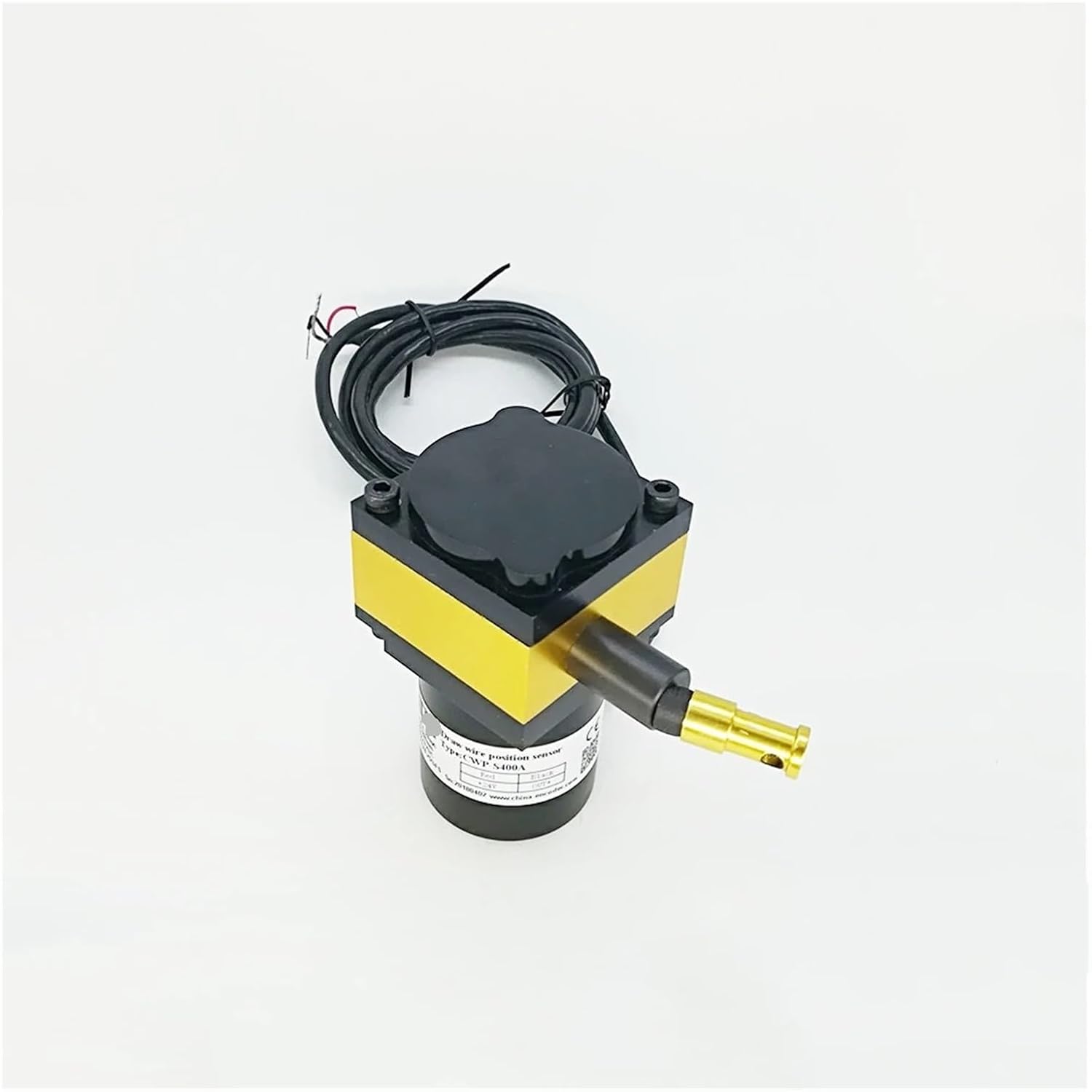
Figure 2.3: Top view of the CWP-S400A sensor, showing the wire spool cover and mounting points.

Figure 2.4: Side view of the CWP-S400A sensor, illustrating the integrated electrical cable for signal output.
Key Features:
- Measures bearing and machine reciprocating motion.
- Efficient linear displacement measurement.
- Suitable for various industrial environments.
- Compact size and lightweight for easy integration.
- High accuracy and flexible installation.
- Durable construction for harsh conditions.
3. Setup and Installation
The CWP-S400A sensor is designed for simple and flexible installation. Proper mounting is crucial for accurate measurements and long-term reliability.
Installation Steps:
- Mounting Location: Select a stable and rigid surface for mounting the sensor. Ensure the sensor's body is securely fastened to prevent vibrations that could affect readings.
- Alignment: Align the sensor such that the draw wire extends parallel to the direction of the displacement to be measured. Misalignment can lead to inaccurate readings.
- Wire Attachment: Securely attach the end of the draw wire to the moving object. Ensure the wire is taut but not over-tensioned.
- Electrical Connection: Connect the sensor's output cable to your measurement system. The sensor provides a 4~20mA output. Refer to your system's wiring diagram for correct polarity and input requirements.
- Power Supply: Provide a stable 12-24VDC power supply to the sensor.

Figure 3.1: Technical drawing showing the dimensions (in mm) and mounting points of the CWP-S400A sensor. Refer to this diagram for precise installation planning.
4. Operating Instructions
Once installed and powered, the CWP-S400A sensor will continuously output a 4~20mA current signal proportional to the measured displacement. The 4mA signal typically corresponds to the minimum displacement (e.g., 0mm), and 20mA corresponds to the maximum displacement (e.g., 400mm).
Operation Guidelines:
- Monitoring Output: Connect the sensor's output to a compatible PLC, data acquisition system, or display unit capable of interpreting a 4~20mA current loop signal.
- Displacement Range: The sensor is designed for a measuring range of 0-400mm. Ensure the actual displacement of the object remains within this range to prevent damage to the sensor or inaccurate readings.
- Pull Speed: The maximum recommended pull speed for the wire is 600m/s. Exceeding this speed may affect sensor accuracy or lifespan.
- Environmental Conditions: Operate the sensor within its specified operating temperature range of -10°C to 70°C.
5. Maintenance
The CWP-S400A sensor is designed for durability and requires minimal maintenance. Regular checks can help ensure optimal performance and extend its lifespan.
Maintenance Tips:
- Cleanliness: Keep the sensor body and especially the wire exit point clean from dust, debris, and corrosive substances. Use a soft, dry cloth for cleaning.
- Wire Inspection: Periodically inspect the draw wire for any signs of fraying, kinks, or damage. Replace the sensor if the wire is compromised.
- Mounting Security: Verify that the sensor remains securely mounted and that all connections are tight.
- Environmental Protection: Ensure the sensor's IP65/IP54 protection rating is maintained by avoiding exposure to conditions beyond its specified limits.
6. Troubleshooting
If you encounter issues with your CWP-S400A sensor, refer to the following common problems and solutions:
| Problem | Possible Cause | Solution |
|---|---|---|
| No output signal or incorrect reading | Incorrect wiring; No power; Sensor damage; Wire stuck/broken | Check wiring connections and polarity; Verify 12-24VDC power supply; Inspect sensor for physical damage; Check draw wire for obstructions or breaks. |
| Inconsistent or fluctuating readings | Vibrations; Loose mounting; Electrical interference; Damaged wire | Ensure stable mounting; Tighten all fasteners; Check for sources of electrical noise; Inspect draw wire for damage. |
| Sensor not responding to movement | Wire detached from object; Internal mechanism fault | Re-attach wire securely; If problem persists, sensor may require replacement. |
7. Specifications
Detailed technical specifications for the CWP-S400A Draw Wire Displacement Sensor:
| Parameter | Value |
|---|---|
| Model Number | CWP-S400A |
| Type | Linear Displacement Sensor |
| Usage | Industrial, Position Sensor |
| Theory | Resistance Sensor |
| Output | 4~20mA output |
| Measuring Range | 0-400mm |
| Detection Method | Precision potentiometer |
| Resolution | Theory of infinite |
| Anti-vibration | 10Hz - 2000Hz, 10G |
| Repeatability | +/-0.02FS |
| Linearity | Standard: 0.25%FS, Precision: 0.1%FS |
| Rope Type | Wire rope 0.6-1.2mm |
| Rope Maximum Load | 16KG |
| Starting Torque | <600g |
| Pull Speed (Max) | 600m/s |
| Operating Voltage | 12-24VDC |
| Operating Temperature | -10°C ~ 70°C |
| Storage Temperature | -20°C ~ 80°C |
| Protection Rating | IP65/IP54 |
| Life Cycle | >200,000 times |
| Sensor Weight | <600g |
| Item Weight (packaged) | 1000 Grams |
8. Warranty and Support
For warranty information or technical support regarding your RWRAPS CWP-S400A Draw Wire Electrical Resistive Displacement Sensor, please contact your point of purchase or the manufacturer directly. Ensure you have your product model number and purchase details available when seeking support.