
1. Introduction
Thank you for choosing the One For All WM6654 Full-Motion TV Wall Mount. This manual provides essential instructions for the safe and correct installation, operation, and maintenance of your TV wall mount. Please read this manual thoroughly before beginning installation and retain it for future reference.
2. Product Overview
The One For All WM6654 is a versatile TV wall mount designed to securely hold televisions between 32 and 90 inches. It offers full-motion capabilities, including 180-degree swivel and 6-degree tilt, allowing for optimal viewing angles and glare reduction. The mount features an ultra-slim design, positioning your TV close to the wall when retracted, and includes an integrated cable management system for a tidy appearance.
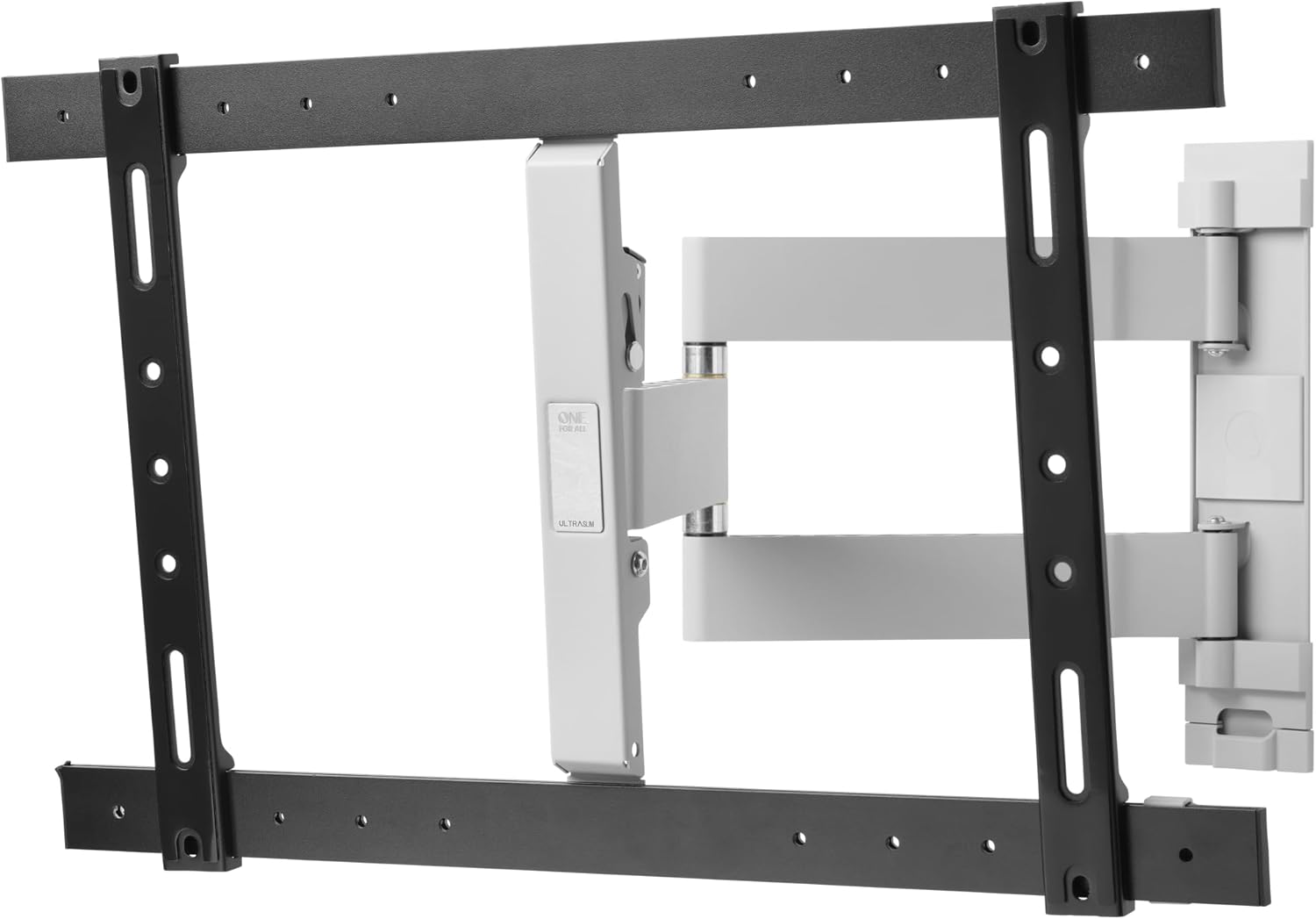
Image 1: The One For All WM6654 TV Wall Mount shown in its fully extended position, illustrating the articulating arms and TV mounting plate.
3. Key Features
- Universal Compatibility: Suitable for all LCD and LED TVs from 32 to 90 inches.
- Full-Motion Adjustment: Offers 180-degree swivel and 6-degree tilt for flexible viewing.
- Ultra-Slim Design: Mounts TV only 35mm from the wall when retracted.
- Integrated Cable Management: Conceals cables for a neat installation.
- Anti-Scratch Padding: Protects the TV from damage during mounting.
- Complete Installation Material: Includes all necessary screws, spirit level, and anchors.
- VESA Compatibility: Supports VESA sizes from 200x100 to 600x400.
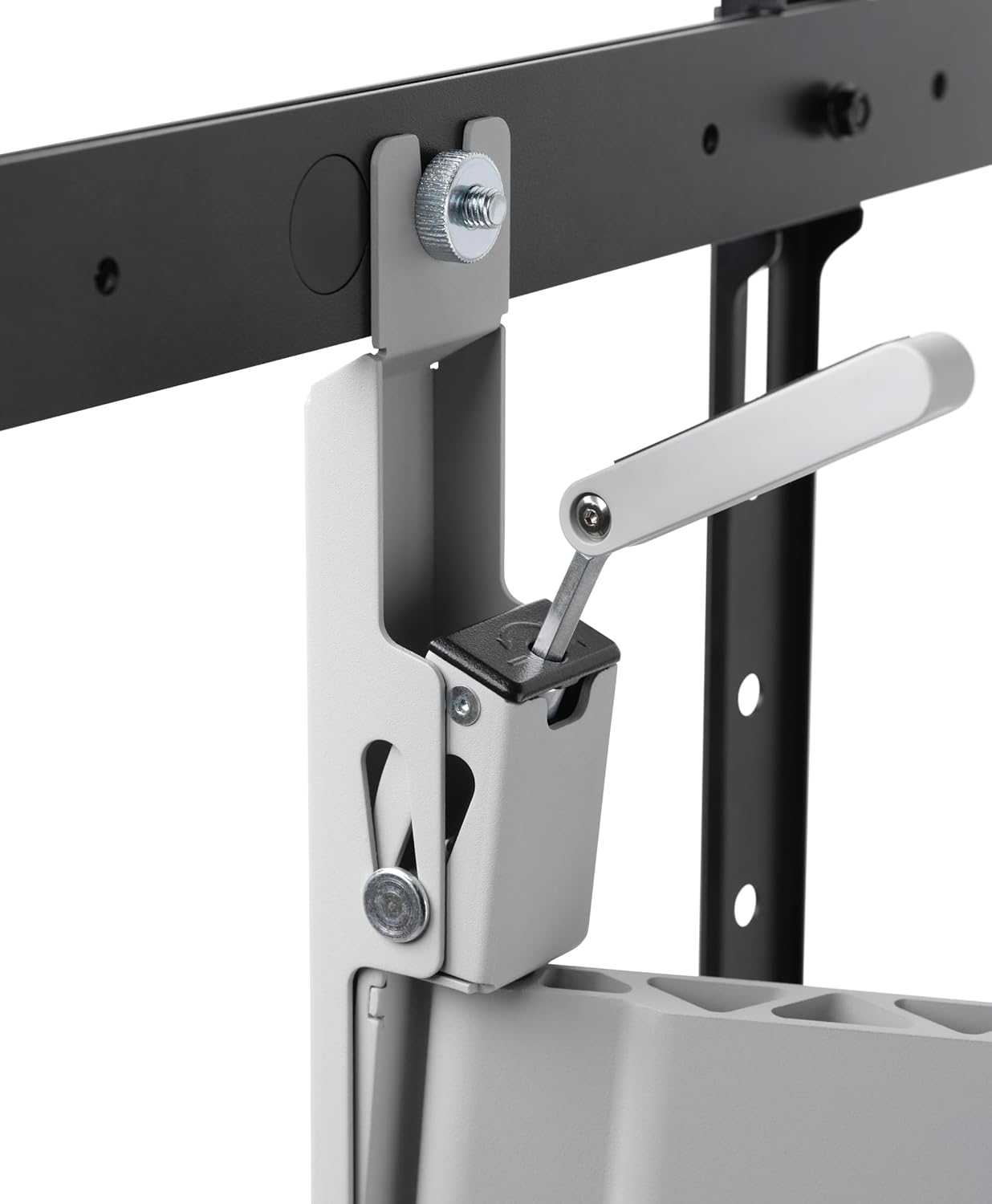
Image 2: A detailed view of the integrated cable management system, designed to keep cables organized and out of sight.
4. Package Contents
Before beginning installation, please verify that all components are present and undamaged. If any parts are missing or damaged, do not proceed with installation and contact customer support.
- TV Wall Mount Assembly (main unit with articulating arms)
- TV Mounting Brackets (2 pieces)
- Wall Plate
- Hardware Kit (various screws, washers, spacers, concrete anchors)
- Spirit Level
- Instruction Manual
5. Setup and Installation
Important Safety Information:
- Ensure the wall structure can support the combined weight of the mount and your TV.
- Use appropriate tools and safety equipment.
- If unsure about any step, consult a qualified professional.
- Do not overtighten screws.
5.1 Pre-Installation Checks
- Verify TV Compatibility: Check your TV's VESA pattern (distance between mounting holes on the back of the TV) and weight. This mount supports VESA patterns from 200x100 to 600x400 and TVs up to 90 inches.
- Choose Mounting Location: Select a suitable wall location, considering viewing angles, power outlets, and stud locations if mounting to wood studs.
- Gather Tools: You will need a drill, stud finder (if applicable), measuring tape, pencil, and screwdriver.
5.2 Wall Plate Installation
- Mark Drilling Holes: Position the wall plate on the desired location and use a pencil to mark the drilling holes. Use the included spirit level to ensure it is perfectly horizontal.
- Drill Holes: Drill pilot holes according to the marked positions and the type of wall (e.g., concrete, wood stud). Insert concrete anchors if required.
- Attach Wall Plate: Secure the wall plate to the wall using the provided screws and washers. Ensure it is firmly attached.
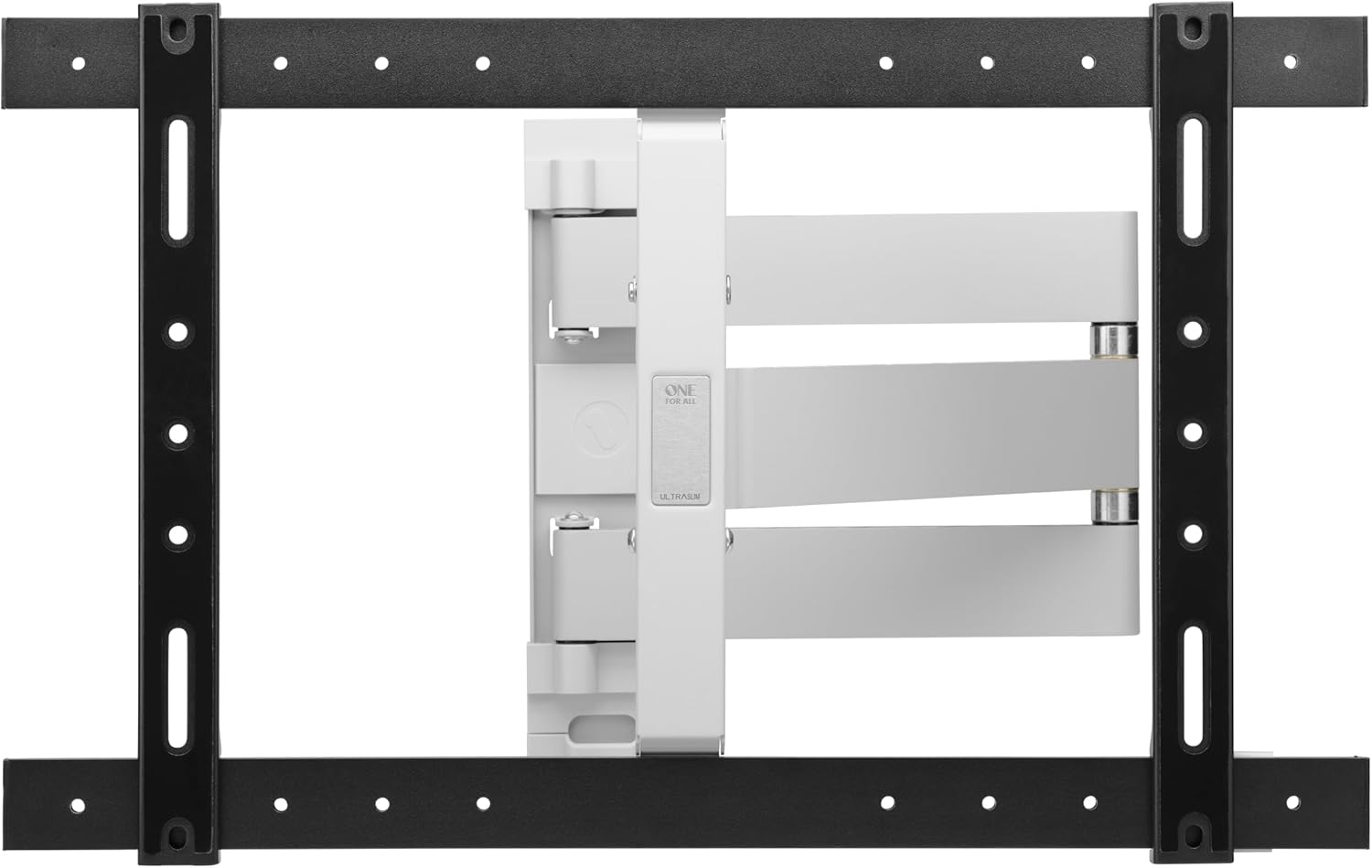
Image 3: The One For All WM6654 TV Wall Mount shown in its retracted position, demonstrating its minimal distance from the wall.
5.3 Attaching TV Brackets
- Select Screws: Choose the correct diameter and length of screws that fit your TV's VESA mounting holes. Use spacers if necessary to ensure proper fit and airflow.
- Attach Brackets: Secure the TV mounting brackets to the back of your TV using the selected screws and washers. Ensure they are aligned and tightened securely. The anti-scratch padding on the arms will protect your TV.

Image 4: A close-up view illustrating how the TV mounting bracket attaches to the television, highlighting the secure connection points.
5.4 Mounting the TV
- Lift and Hook: With assistance, carefully lift the TV and hook the brackets onto the wall plate.
- Secure TV: Engage any safety locks or screws on the brackets to prevent the TV from accidentally disengaging from the wall plate.
Tip: For additional guidance, download the free One For All app, which provides practical installation tools and instructions.
6. Operating Instructions
Once your TV is securely mounted, you can adjust its position to achieve the best viewing experience.
6.1 Swivel Adjustment
The WM6654 mount allows for a 180-degree swivel. Gently pull the TV away from the wall and pivot it left or right to your desired viewing angle. Ensure the movement is smooth and does not strain any cables.

Image 5: A television mounted on the One For All WM6654, demonstrating its full-motion capabilities with the screen swiveled for optimal viewing.
6.2 Tilt Adjustment
The mount supports a 6-degree tilt. This feature is useful for reducing glare from lights or windows. Locate the tilt adjustment mechanism (often a knob or lever) on the TV brackets or articulating arms. Loosen it slightly, adjust the TV to the desired tilt angle (forward or backward), and then re-tighten to secure the position.

Image 6: A close-up of the tilt adjustment mechanism, showing how to modify the vertical angle of the television.
6.3 Cable Management
Utilize the integrated cable management system to route and conceal your TV and accessory cables. This helps maintain a clean and organized appearance. Ensure cables have enough slack to accommodate full range of motion without tension.
7. Maintenance
- Regular Inspection: Periodically check all screws and connections to ensure they remain tight and secure.
- Cleaning: Wipe the mount with a soft, dry cloth. Avoid abrasive cleaners or solvents.
- Lubrication: The moving parts are designed for smooth operation and generally do not require lubrication. If movement becomes stiff, consult customer support.
8. Troubleshooting
| Problem | Possible Cause | Solution |
|---|---|---|
| TV is not level. | Wall plate not installed level. | Remove TV, adjust wall plate using spirit level, re-mount TV. |
| Mount feels loose or unstable. | Screws are not fully tightened; incorrect wall anchors used. | Check and tighten all screws. Ensure appropriate anchors were used for your wall type. If problem persists, consult a professional. |
| Difficulty adjusting tilt/swivel. | Adjustment mechanism is too tight or stiff. | Loosen the tilt/swivel locking mechanism slightly before adjusting. Do not force movement. |
| Cables are pinched or too tight. | Improper cable routing. | Re-route cables through the cable management system, ensuring sufficient slack for full range of motion. |
9. Specifications
- Model: WM6654
- Brand: One For All
- Material: Metal
- Compatible TV Sizes: 32 - 90 inches
- VESA Compatibility: 200x100 to 600x400
- Movement Type: Swivel, Tilt
- Swivel Range: 180 degrees
- Tilt Range: 6 degrees (forward/backward)
- Wall Distance (Retracted): 35mm
- Maximum Wall Clearance (Extended): 700mm
- Maximum Weight Capacity: 40 kg (88 lbs)
- Color: Silver (Mount arms), Black (TV brackets, wall plate)
10. Warranty and Support
One For All products are designed and manufactured to high quality standards. For detailed warranty information, please refer to the warranty card included with your product or visit the official One For All website. For technical support, troubleshooting assistance, or to inquire about replacement parts, please contact One For All customer service through their official channels.
Online Resources:
- Official One For All Website: www.oneforall.com
- One For All Installation App (available on app stores)


