
Introduction
This manual provides essential information for the setup, operation, and maintenance of your Accutime Hello Kitty LCD Watch. Designed for young learners, this watch features a clear digital display, a comfortable pink strap, and engaging flashing LED lights. Please read these instructions carefully to ensure proper use and longevity of the product.

Image: The Hello Kitty LCD Watch presented in its themed tin packaging.
Setup
1. Initial Battery Activation
Your Hello Kitty LCD Watch comes with a pre-installed Lithium Ion battery. If the display is not active, gently press any button to activate it. No initial battery installation is required.
2. Setting the Time
- Locate the small buttons on the side of the watch casing. Typically, there are two buttons: one for display/light activation and another for setting.
- Press the 'Set' button (usually the bottom right button) repeatedly until the hour digits begin to flash.
- Use the 'Mode' or 'Adjust' button (usually the top right button) to change the hour. Pressing it once will advance the hour by one.
- Once the correct hour is set, press the 'Set' button again to move to the minute digits.
- Use the 'Mode' or 'Adjust' button to change the minutes.
- Press the 'Set' button one last time to confirm the time and exit setting mode.
3. Adjusting the Strap
The watch features a soft silicone strap designed for comfort. Adjust the strap by inserting the buckle pin into the appropriate hole to ensure a snug yet comfortable fit on the wrist. Avoid overtightening.

Image: A complete view of the Hello Kitty watch, showcasing its pink strap with a leopard print design.
Operating Instructions
1. Reading the Time
The watch displays time in a clear, easy-to-read digital format. Simply glance at the LCD screen to see the current time.
2. Activating Flashing LED Lights
To activate the colorful flashing LED lights, press the button located on the side of the watch casing (often the top right button, or the same button used to display time if it's not always on). The lights will flash for a few seconds before turning off automatically.
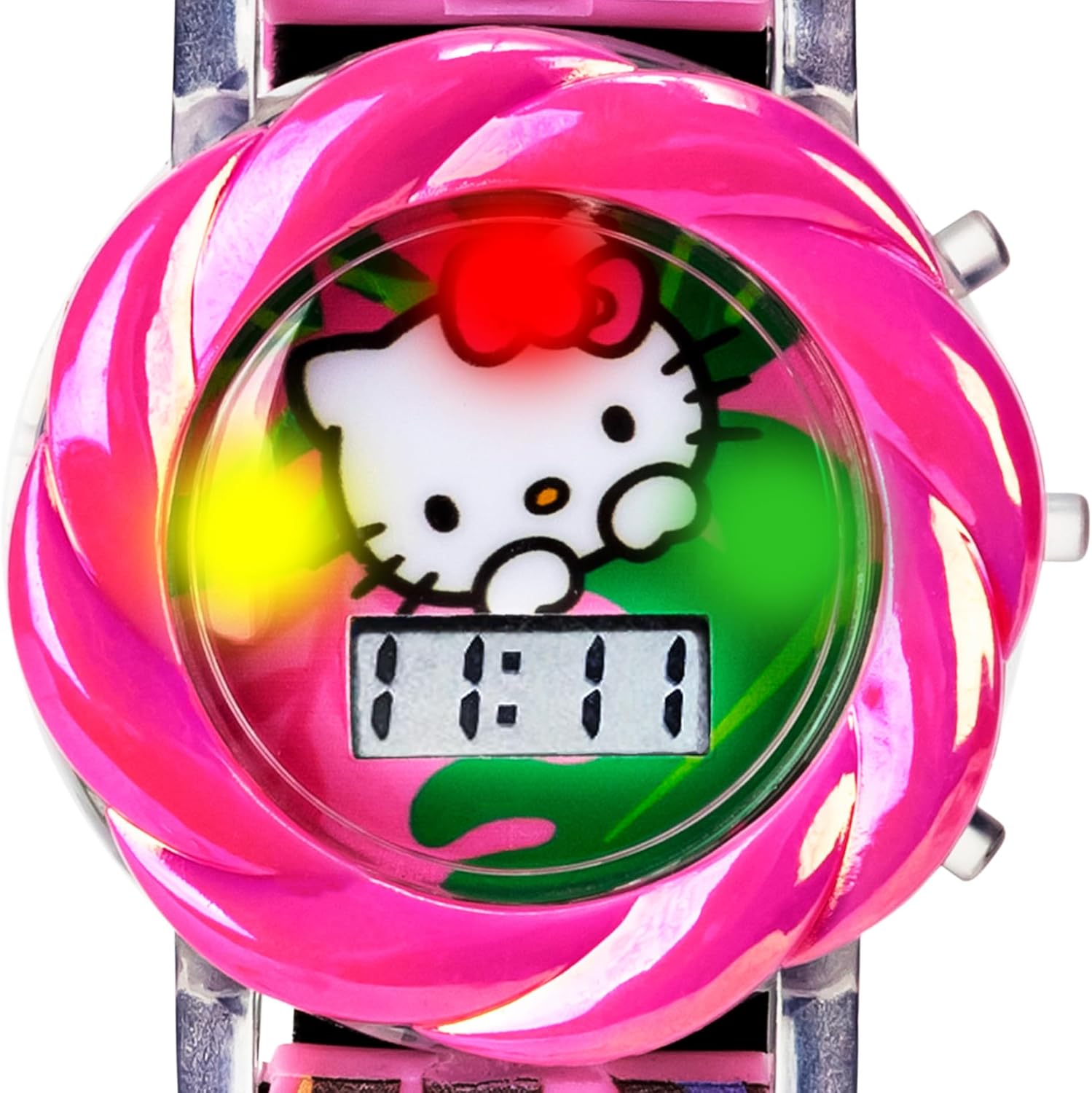
Image: A detailed view of the watch face, showing the digital time display and the vibrant flashing LED lights around the Hello Kitty design.
3. Water Resistance
This watch is designed to be water-resistant, meaning it can withstand splashes from handwashing or light rain. It is not suitable for swimming, showering, or submersion in water. Prolonged exposure to water or pressing buttons underwater may cause damage.
Maintenance
1. Cleaning
To clean your watch, wipe it gently with a soft, damp cloth. Avoid using harsh chemicals or abrasive materials, as these can damage the watch casing or strap.
2. Battery Replacement
The watch uses 1 Lithium Ion battery. When the display dims or the lights stop flashing, it may be time to replace the battery. Battery replacement should ideally be performed by a qualified technician to ensure water resistance is maintained. Refer to the back of the watch for battery type if attempting self-replacement.

Image: The underside of the watch, displaying manufacturing details and battery specifications.
3. Storage
Store the watch in a cool, dry place away from direct sunlight and extreme temperatures when not in use. The original tin box is ideal for storage.
Troubleshooting
- Watch display is blank: Press any button to activate the display. If it remains blank, the battery may need replacement.
- LED lights are not flashing: Ensure the battery has sufficient power. If the display is working but lights are not, the battery may be low, or there could be an internal issue.
- Time is incorrect: Refer to the "Setting the Time" section under Setup to re-adjust the time.
- Watch is not responding to button presses: Check battery status. If the issue persists after battery replacement, contact customer support.
Specifications
| Model Number | HK4178AZ |
| Brand | Accutime |
| Power Source | 1 Lithium Ion battery (included) |
| Department | Girls |
| Water Resistance | Splash resistant (not for swimming or submersion) |
| Package Dimensions | 4.06 x 3.19 x 3.11 inches |
| Item Weight | 1 ounce |
Warranty Information
Accutime products are manufactured with quality in mind. For specific warranty details regarding your Hello Kitty LCD Watch, please refer to the packaging or contact Accutime customer support. Generally, watches are covered against manufacturing defects for a limited period from the date of purchase.
Customer Support
If you encounter any issues or have questions not covered in this manual, please contact Accutime customer support. You can typically find contact information on the product packaging or on the official Accutime website. Please have your model number (HK4178AZ) ready when contacting support.