Introduction
This user manual provides essential information for the setup, operation, maintenance, and troubleshooting of your new Accutime Transformers LCD Digital Watch. Designed for young fans, this watch combines a digital display with iconic Transformers styling and flashing LED lights. Please read this manual thoroughly to ensure proper use and longevity of your watch.
Product Overview
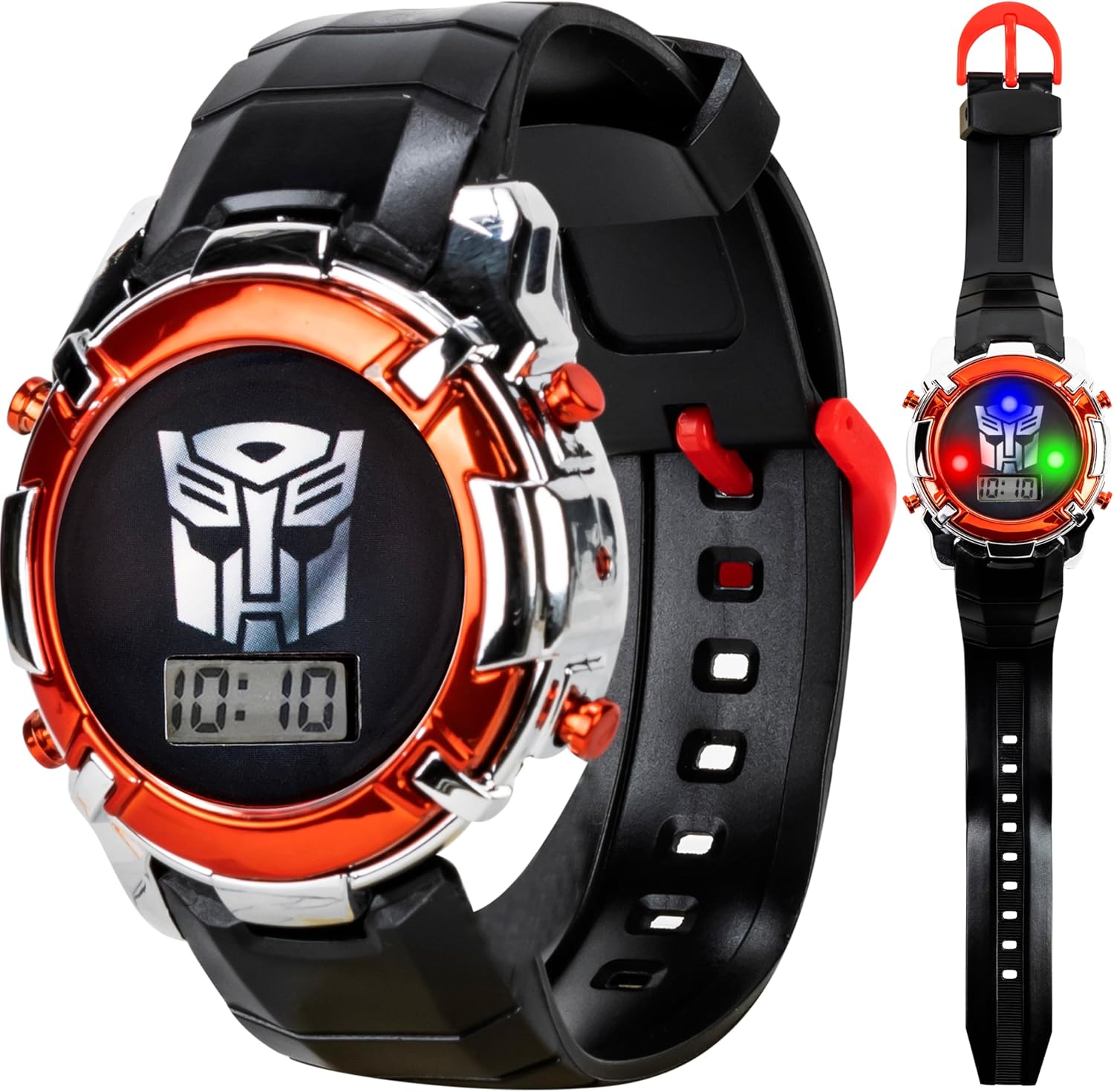
The Accutime Transformers LCD Digital Watch features a vibrant LCD screen displaying the Autobot symbol and digital time. It is equipped with flashing LED lights and a durable black and red strap, making it suitable for daily wear and active play.
Key Features:
- Autobot Emblem Display: Iconic Transformers Autobot symbol on the LCD screen.
- Flashing LED Lights: Dazzling light show activated with wrist movement or button press.
- Built for Action: Constructed with a durable black and red strap and a sturdy case.
- Easy Time-Reading: Clear and easy-to-read digital display.
- Special Edition Tin: Packaged in a Transformers-themed collectible tin, ideal for gifting.
- All-Day Comfort: Adjustable strap designed for a comfortable fit.

Setup
Unboxing:
Your Accutime Transformers watch comes securely packaged in a collectible tin. Carefully open the tin and remove the watch. Retain the tin for storage or as a keepsake.
Battery Information:
The watch includes 1 Lithium Ion battery, pre-installed. No initial battery setup is required for immediate use.
Adjusting the Strap:
The watch features an adjustable silicone strap designed for comfort. To adjust, simply thread the strap through the buckle and secure it at the desired length. Ensure the watch fits snugly but comfortably on the wrist.

Operating Instructions
Reading the Time:
The watch features a clear LCD digital display. The time is shown in a standard digital format (HH:MM).
Activating LED Lights:
To activate the flashing LED lights, press the button located on the side of the watch. The lights will cycle through various colors, illuminating the watch face.

Setting the Time:
While specific buttons for time setting are not detailed, most digital watches for children typically have a small recessed button (often labeled "SET" or "MODE") that can be pressed with a pointed object (like a pen tip) to enter time-setting mode. Use the other buttons (often "ADJ" or "LIGHT") to cycle through hours/minutes and adjust values. Refer to the watch's physical buttons for specific functions.
Maintenance and Care
Cleaning:
Wipe the watch clean with a soft, dry cloth. For stubborn dirt, a slightly damp cloth can be used, followed by immediate drying. Avoid harsh chemicals or abrasive cleaners.
Water Resistance:
This watch is designed for everyday wear and light splashes. It is not waterproof and should not be submerged in water, worn during swimming, or exposed to heavy rain.
Battery Replacement:
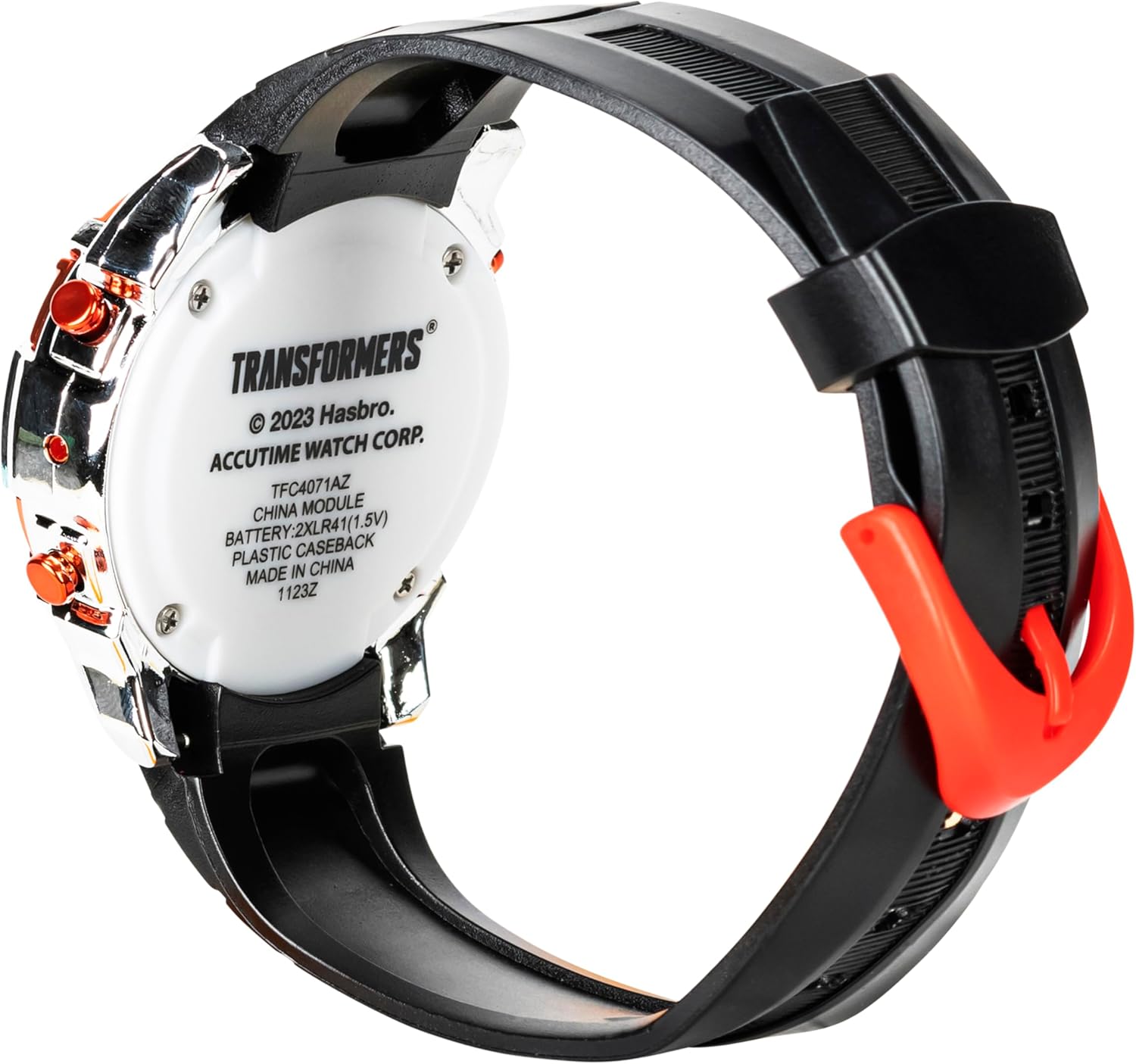
The watch uses 1 Lithium Ion battery. When the display dims or the lights stop functioning, it may be time to replace the battery. Battery replacement should ideally be performed by an adult or a qualified technician to avoid damaging the watch. The battery compartment is located on the back of the watch.
Troubleshooting
- Display is blank or dim:
This usually indicates a low battery. Replace the Lithium Ion battery as described in the "Maintenance and Care" section.
- LED lights are not flashing:
Ensure the battery is not low. If the battery is new or fully charged, check if the light activation button is stuck or damaged. If the issue persists, contact customer support.
- Time is incorrect or cannot be set:
Refer to the "Setting the Time" instructions in the "Operating Instructions" section. Ensure you are using a fine-tipped object to press any recessed setting buttons. If the watch still does not respond, the internal mechanism may be faulty, and professional assistance or replacement may be required.
- Strap broke or detached:
While the watch is built for durability, excessive force can damage the strap or its attachment points. If the strap is damaged, it may need to be replaced. Contact Accutime customer support for replacement strap options.
Specifications
| Feature | Detail |
|---|---|
| Model Number | TFC4071AZ |
| Brand | Accutime |
| Display Type | LCD Digital |
| Battery Type | 1 Lithium Ion battery (included) |
| Package Dimensions | 4.76 x 2.83 x 1.69 inches |
| Item Weight | 1 ounce |
| Manufacturer | Accutime Watch Corp |
| Country of Origin | China |
Warranty and Support
For warranty information, technical support, or replacement parts, please contact Accutime Watch Corp directly. Keep your purchase receipt as proof of purchase.
Manufacturer: Accutime Watch Corp
For further assistance, visit the Accutime Store on Amazon.