
Introduction
The Nokta Score Metal Detector with Accupoint is a fully waterproof, rechargeable, multi-frequency device designed for treasure hunting. This manual provides essential information for setting up, operating, and maintaining your detector to ensure optimal performance.
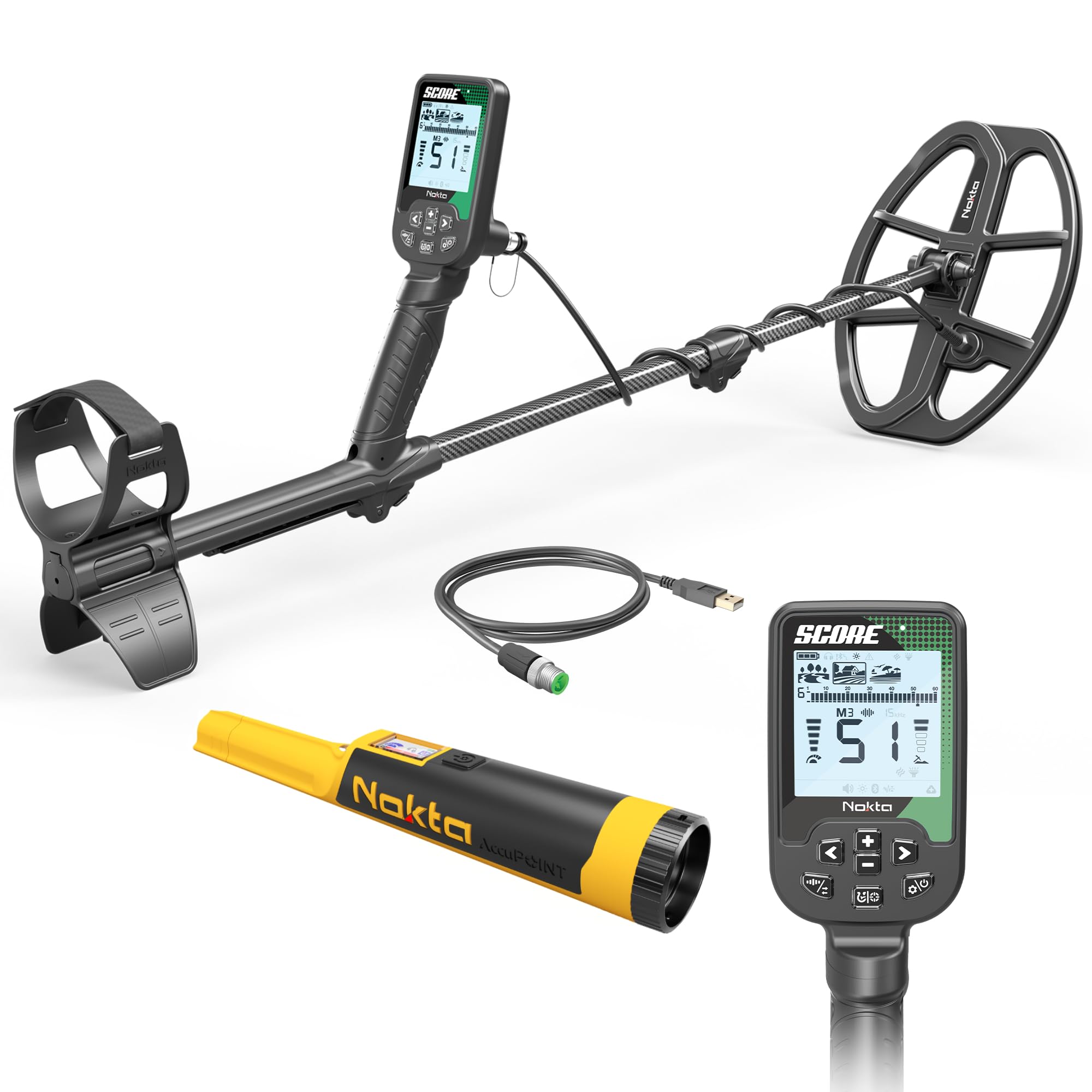
Image: The Nokta Score Metal Detector with Accupoint, showcasing its main unit and search coil.
Setup
Package Contents
- Nokta Score Metal Detector main unit
- Search coil
- Accupoint Pinpointer
- USB charging cable
- Pinpointer holster
- Lanyard

Image: The Nokta Accupoint Pinpointer along with its holster, USB charging cable, and lanyard.
Assembly
- Carefully unpack all components.
- Attach the search coil to the lower stem.
- Connect the lower stem to the middle stem, and then to the upper stem with the control box. Ensure all connections are secure.
- Wrap the coil cable neatly around the stem and plug it into the control box.
- Adjust the stem length for comfortable operation.
Charging the Battery
The Nokta Score Metal Detector is equipped with a rechargeable 3250 mAh Lithium Polymer battery, providing up to 12 hours of use. Charge the device using the provided USB charger or a power bank. Ensure the device is fully charged before its first use.
Operating Instructions
Power On/Off
To power on the detector, press and hold the power button until the screen illuminates. To power off, press and hold the power button again until the device shuts down.
Search Modes
The Nokta Score features 3 search modes designed for various terrains and target types. Refer to the on-screen icons to select the appropriate mode for your environment (e.g., Park, Field, Beach).

Image: Close-up of the Nokta Score Metal Detector's control panel, showing the display and button layout.
Bluetooth Headphone Pairing
The detector supports Bluetooth connectivity for wireless headphones. For optimal performance, use low-latency Bluetooth headphones to minimize lag between detecting a target and hearing the audio response.
- Ensure your Bluetooth headphones are powered on and in pairing mode.
- On the detector, tap the settings button.
- Use the left/right arrow buttons to navigate to the Bluetooth icon.
- Set the Bluetooth option to '1' for on.
- The headphones icon and Bluetooth icon on the information bar will flash as the detector attempts to connect. Once connected, the icons will become solid.
Video: Instructions on how to pair Bluetooth headphones with the Nokta Score Metal Detector.
Noise Cancellation (Frequency Shift)
To reduce interference from power lines, cell towers, or other electromagnetic devices, perform a noise cancellation (frequency shift).
- Lift the search coil into the air, away from the ground.
- Press and hold the frequency shift button (often integrated with a settings or pinpoint button) for approximately 3 seconds.
- The detector will cycle through 13 different channels to find the quietest operating frequency.
Video: Demonstrates how to perform noise cancellation on the Nokta Score Metal Detector to minimize electromagnetic interference.
Target ID Scale and Two-Digit Target ID
The detector's display includes a Target ID scale from 1 to 60, represented by 30 dashes, where each dash covers two unique Target ID numbers. A two-digit number in the center of the screen provides a more precise identification.
- Low Conductors: Targets like iron will typically show lower numbers (e.g., 1-12) and appear on the left side of the scale.
- High Conductors: Targets like copper and silver coins will show higher numbers (e.g., above 40) and appear on the right side of the scale.
- An arrow on the scale indicates the segment where the detected target falls.
- If a solid rectangle appears above a dash, the detector will alert you to targets within that segment. If no rectangle is present, those targets are discriminated against.
Video: Explanation of the Target ID scale on the Nokta Score Metal Detector, showing how different metals register.
Video: Detailed guide on using the two-digit Target ID feature for more precise target identification.
Recovery Speed
Recovery speed determines how quickly your detector can process and relay information about multiple targets in close proximity. The Nokta Score model does not offer adjustable recovery speeds, while other models like the Double Score (1-3) and Triple Score (1-5) do.
- Higher Recovery Speed: Better for differentiating multiple targets close together, but may decrease detection depth.
- Lower Recovery Speed: May struggle to distinguish closely spaced targets but increases overall detection depth.
Video: Explains the recovery speed setting and its impact on detecting multiple targets and depth. Note: This video refers to the Triple Score model, which has adjustable recovery speed, unlike the standard Score model.
Ground Balance
Ground balancing helps the detector offset mineralization in the soil, leading to increased stability and depth.
- Find a quiet area free of targets.
- Press and hold the pinpoint button.
- Pump the search coil up and down about 8 inches off the ground. The detector will read the ground and settle on a mineralization number.
- Release the pinpoint button once the number stabilizes.
Ground Tracking: Tapping the pinpoint button again will activate ground tracking, indicated by an icon on the information bar. With ground tracking on, the detector continuously monitors ground conditions and makes automatic adjustments. This consumes battery life faster. To turn it off, tap the ground balance option once more.
Search Mode Specific: Ground balance settings are specific to each search mode. If you change modes, you will need to re-ground balance.
Video: Guide on how to perform ground balance and utilize the ground tracking feature for stable detection.
Waterproof Operation
The Nokta Score Metal Detector is fully waterproof with an IP68 rating, allowing it to be submerged up to 16ft (5 meters). This makes it suitable for use as an underwater metal detector. Ensure all seals and covers are properly secured before submerging the device.

Image: A person using the Nokta Score Metal Detector in shallow water, demonstrating its waterproof capability.
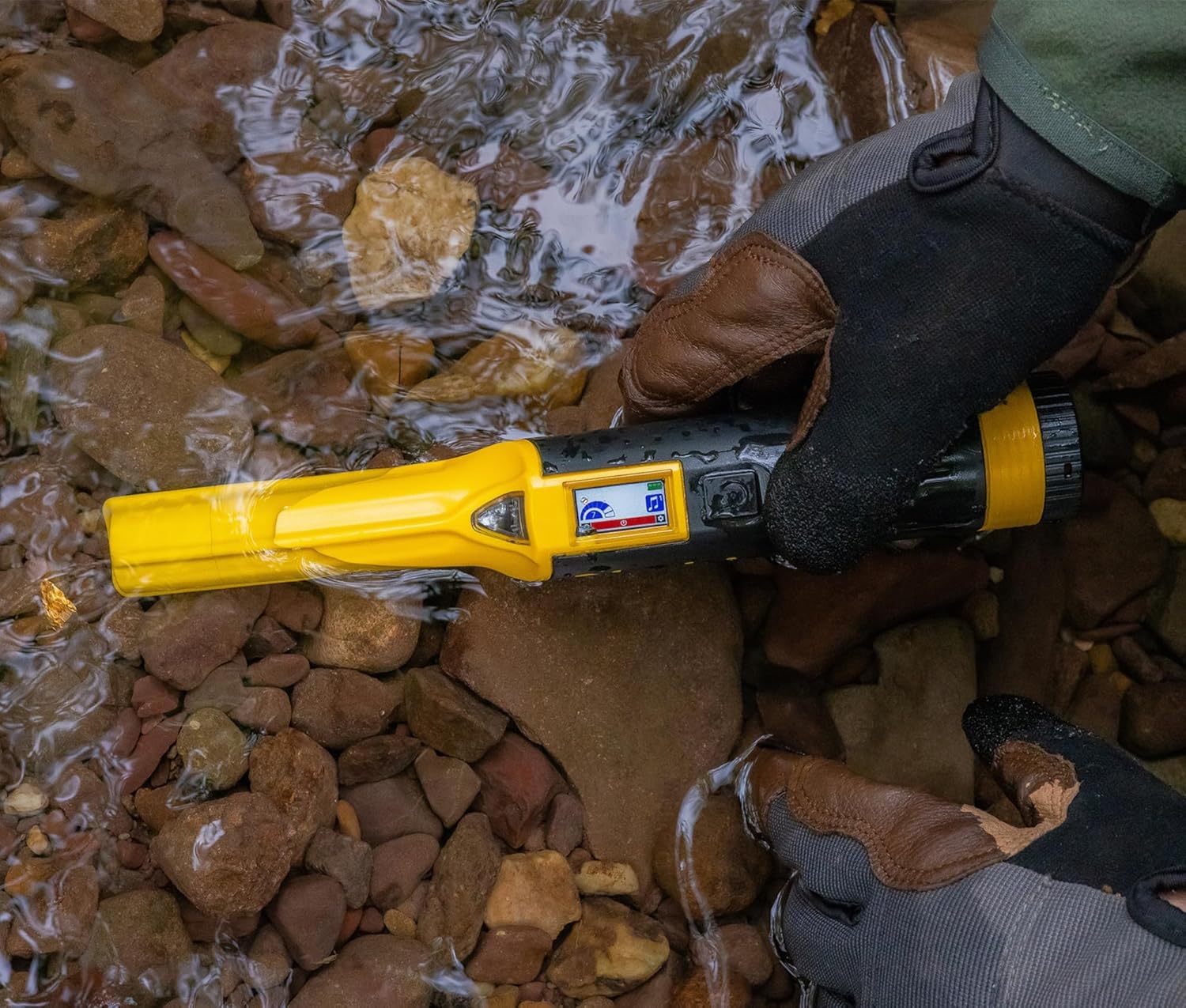
Image: The Nokta Accupoint Pinpointer being used to locate a target underwater, highlighting its waterproof design.
Maintenance
Firmware Updates
Keep your detector up-to-date with the latest features and improvements by performing online firmware updates via USB. Visit the official Nokta website for instructions and available updates.
Cleaning and Storage
- After each use, especially in wet or sandy conditions, rinse the detector with fresh water and wipe it dry with a soft cloth.
- Avoid using abrasive cleaners or solvents.
- Store the detector in a cool, dry place away from direct sunlight and extreme temperatures.
Troubleshooting
If you encounter issues with your Nokta Score Metal Detector, consider the following general troubleshooting steps:
- No Power: Ensure the battery is fully charged. Check the charging cable and adapter.
- Erratic Signals: Perform a noise cancellation (frequency shift) to eliminate electromagnetic interference. Re-ground balance the detector for current soil conditions.
- No Audio: Check headphone connection (if wired) or Bluetooth pairing (if wireless). Ensure volume is not set to zero.
- Poor Depth/Sensitivity: Re-ground balance the detector. Ensure the search coil is clean and free of debris.
For more detailed troubleshooting or persistent issues, please refer to the official Nokta support resources.
Specifications
| Feature | Specification |
|---|---|
| Brand | NOKTA DETECTION TECHNOLOGIES |
| Model Number | 11000866 |
| Color | Black |
| Material | Carbon Fiber |
| Power Source | Battery Powered |
| Battery Type | 3250 mAh Lithium Polymer |
| Battery Average Life | 12 Hours |
| Adjustable Length | Yes |
| Display Type | LCD |
| Item Weight | 2.7 Pounds (1.25 kg) |
| International Protection Rating | IP68 (Fully submersible up to 16ft / 5 meters) |
| Recommended Uses | Metal Detection, Concrete Rebar Detection, Field, Park, Beach |
Warranty and Support
For detailed warranty information and customer support, please visit the official NOKTA DETECTION TECHNOLOGIES Store or their official website. Regular firmware updates are available online to enhance your detector's performance.


