
Gerrit MT300
GeRRiT MT300 AMOLED Smart Watch User Manual
Model: MT300
Introduction
Welcome to the user manual for your new GeRRiT MT300 AMOLED Smart Watch. This device is designed to enhance your daily life with advanced health monitoring, communication features, and fitness tracking capabilities. It features a vibrant 1.43-inch AMOLED screen with a resolution of 466x466 pixels, ensuring clear and crisp visuals. The MT300 supports Bluetooth calls, message notifications, and a variety of sport modes. Health features include ECG, heart rate, blood pressure, blood oxygen, HRV, body composition, stress, body temperature, and comprehensive sleep monitoring.
This manual will guide you through the setup process, explain how to use its various functions, provide maintenance tips, and offer solutions to common issues. Please read this manual carefully to ensure optimal performance and longevity of your smartwatch.
What's in the Box
Upon opening your GeRRiT MT300 Smart Watch package, please verify that all the following items are included:
- GeRRiT MT300 Smart Watch (Silver with Silicone band)
- Magnetic Charging Cable
Setup
1. Charging the Smart Watch
Before first use, fully charge your MT300 Smart Watch. Connect the magnetic charging cable to the 2PIN thimble charging port on the back of the watch. Connect the other end of the cable to a USB power adapter (not included) or a computer's USB port. The watch features a 440mAh battery.
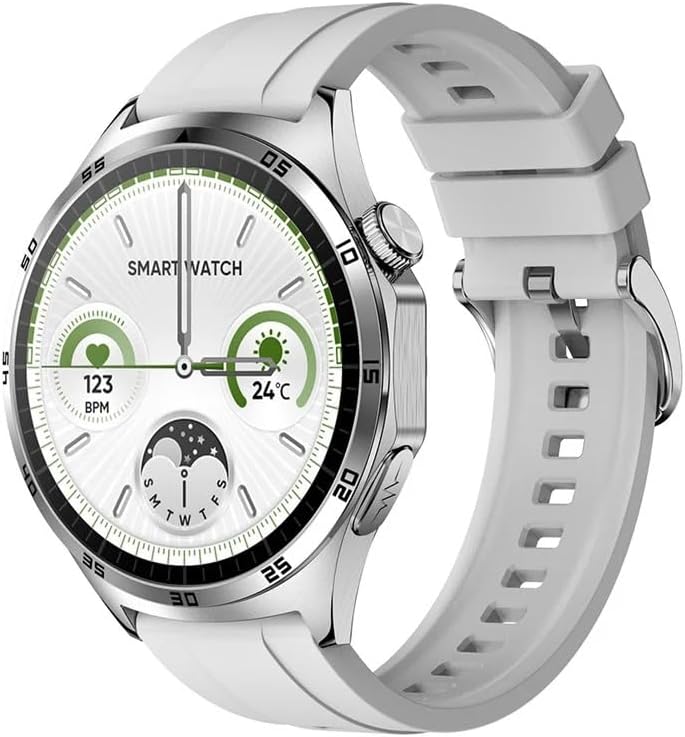
Image: The GeRRiT MT300 Smart Watch in silver with a white silicone band, showcasing its round AMOLED display.
2. App Installation
To unlock the full potential of your MT300 Smart Watch, download and install the 'H Band' application on your smartphone. The app is compatible with Android 4.4 and above, and iOS 8.0 and above.
- Scan the QR code provided in the quick start guide (if available) or search for 'H Band' in your smartphone's app store (Google Play Store for Android, Apple App Store for iOS).
- Install the 'H Band' app.
3. Pairing the Smart Watch with Your Phone
Ensure Bluetooth is enabled on your smartphone.
- Open the 'H Band' app on your smartphone.
- Follow the on-screen instructions to add a new device. The app will search for available Bluetooth devices.
- Select 'MT300' from the list of found devices to initiate the pairing process.
- Confirm the pairing request on both your phone and the smartwatch if prompted.
- Once successfully paired, the watch will synchronize data with the app.
Operating the Smart Watch
Display and Navigation
The MT300 features a 1.43-inch Real AMOLED screen with a resolution of 466*466. It supports touch gestures for navigation. You can customize the watch face and choose from 3 kinds of menu styles. The 'Raise to wake up' feature automatically illuminates the screen when you lift your wrist.

Image: Two smartwatches, one black and one silver, demonstrating the 1.43-inch AMOLED screen with PGG+ECG capabilities and long battery life.
Bluetooth Calls and Messages
Once paired with your smartphone, the MT300 allows you to make and receive Bluetooth calls directly from your wrist. You will also receive message notifications pushed from your phone to the watch.

Image: A user's hand wearing the smartwatch, which displays an incoming call, illustrating the Bluetooth call feature.
Health Monitoring
The MT300 is equipped with advanced sensors for comprehensive health tracking:
- ECG (Electrocardiogram): Utilizes an innovative electrode type for ECG measurement, capturing heart bioelectric signals.
- Heart Rate Monitoring: Continuous and automatic heart rate monitoring using the VP556ER optoelectronic chip.
- Blood Pressure & Blood Oxygen: Monitor your blood pressure and blood oxygen levels.
- HRV, Body Composition, Stress: Advanced metrics for a deeper understanding of your health.
- Body Temperature: Track your body temperature.
- Sleep Monitoring: Provides detailed analysis of your sleep patterns.

Image: A smartwatch on a wrist displaying an ECG waveform, highlighting its innovative electrocardiogram feature.

Image: A close-up view of the smartwatch display, clearly showing ECG and PPG (photoplethysmography) data.
Fitness Tracking
Engage in multiple sport modes and track your activity with the built-in activity record feature. The watch helps you monitor your progress and achieve your fitness goals.
Additional Features
The MT300 offers a range of convenient features:
- Bluetooth Music Control
- Weather Viewing
- AI Voice Assistant
- Calculator
- Alarm Clock & Timer
- Stopwatch
- Find Phone function
- Breathe Training
- Female Cycle Tracking
- Do Not Disturb Mode
- Adjustable Screen Brightness
- Always-on display (Screen off clock)
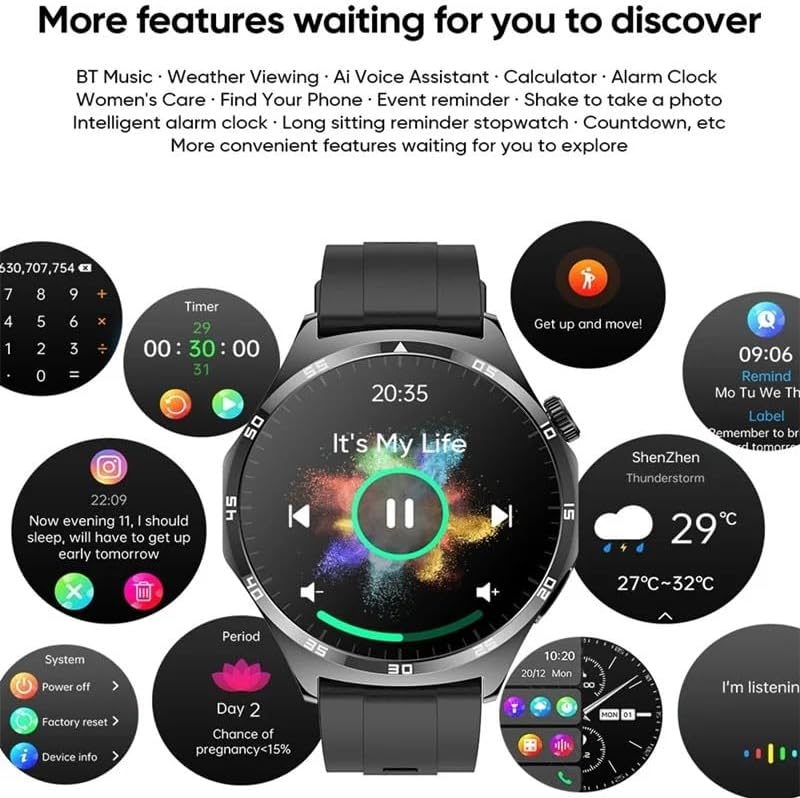
Image: The smartwatch display surrounded by icons representing various features such as calculator, timer, weather, music control, and health reminders.
Maintenance
Proper care and maintenance will ensure the longevity and optimal performance of your GeRRiT MT300 Smart Watch.
- Cleaning: Regularly clean the watch screen and strap with a soft, dry, lint-free cloth. For stubborn dirt, slightly dampen the cloth with water. Avoid using harsh chemicals or abrasive materials.
- Water Resistance: While the watch may have some water resistance, avoid prolonged exposure to water, hot water, or steam. Do not press buttons underwater.
- Temperature: Do not expose the watch to extreme temperatures (very hot or very cold) or sudden temperature changes, as this can damage the battery and internal components.
- Impact: Avoid dropping the watch or subjecting it to strong impacts, which can cause physical damage to the screen or internal circuitry.
- Charging: Always use the provided magnetic charging cable. Ensure the charging contacts on the watch and cable are clean and dry before charging.
Troubleshooting
If you encounter issues with your GeRRiT MT300 Smart Watch, try the following troubleshooting steps:
- Watch not turning on: Ensure the watch is fully charged. Connect it to the charger and wait a few minutes before attempting to power it on again.
- Cannot pair with phone:
- Ensure Bluetooth is enabled on your phone and the watch.
- Make sure the watch is within the Bluetooth range of your phone.
- Restart both your phone and the watch.
- Forget the device in your phone's Bluetooth settings and try pairing again through the 'H Band' app.
- Inaccurate health data:
- Ensure the watch is worn snugly on your wrist, not too tight or too loose.
- Clean the sensors on the back of the watch.
- Avoid excessive movement during measurements.
- Notifications not received:
- Check if the watch is properly connected to the 'H Band' app.
- Ensure notification permissions are granted for the 'H Band' app in your phone's settings.
- Verify that 'Do Not Disturb' mode is not active on either your phone or the watch.
- App not syncing data: Ensure the 'H Band' app is running in the background and has stable internet access.
If these steps do not resolve the issue, please refer to the support information provided by the manufacturer.
Specifications
| Feature | Specification |
|---|---|
| Brand | Gerrit |
| Model Number | MT300 |
| Screen Size | 1.43 inch |
| Screen Type | Real AMOLED |
| Screen Resolution | 466*466 |
| Dimensions | 48*54*11.16mm |
| Bluetooth Version | Low power Bluetooth 5.0 |
| Built-in Chip | JL7013A |
| Heart Rate & ECG Chip | VP556ER |
| Optoelectronic Chip | VP556ER |
| Strap Material | Silicone |
| Enclosure Material | Metal alloy (Zinc alloy housing) |
| Charging Type | 2PIN thimble magnetic charging |
| Battery Capacity | 440mAh |
| Menu Styles | 3 kinds |
| Compatibility | Android 4.4 and above & iOS 8.0 and above |
| Companion App | H Band |
| Supported Languages | Chinese Simplified, Chinese Traditional, English, Japanese, Italian, Spanish, Portuguese, French, German, Russian, Polish |
| Operating System | Proprietary (Gerrit) |
| Special Features | Sleep, Calorie Tracker, Heart Rate Monitor, ECG, Blood Pressure, Blood Oxygen, HRV, Body Composition, Stress, Body Temperature, Bluetooth Calls, Message Push, Multiple Sport Modes, Always-on Display, Find Phone, Breathe Training, Female Cycle Tracking, Calculator, Stopwatch, Alarm Clock, Timer, Weather, AI Voice Assistant |
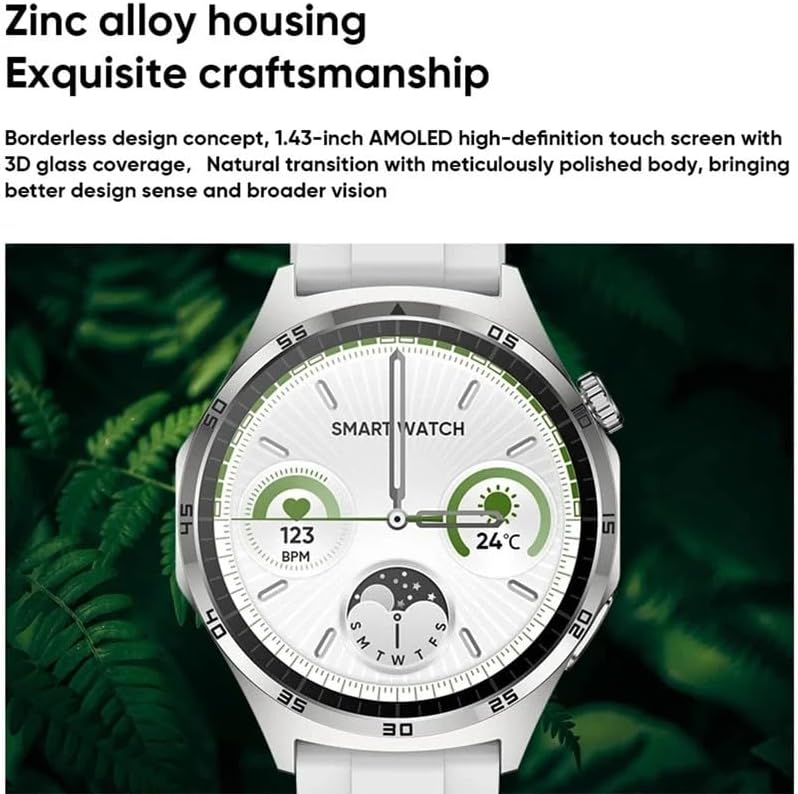
Image: A close-up view of the smartwatch, highlighting its zinc alloy housing and exquisite craftsmanship, with a borderless design and 3D glass coverage.
Warranty and Support
The GeRRiT MT300 Smart Watch is manufactured by Gerrit. For any warranty claims, technical support, or service inquiries, please contact the seller or refer to the official Gerrit support channels. Please retain your proof of purchase for warranty validation.
For further assistance, you may also refer to the 'H Band' app's help section or the manufacturer's website for updated FAQs and support resources.
Ask a question about this manual
Ask about setup, troubleshooting, compatibility, parts, safety, or missing instructions. Manuals+ will review the question and use this page’s manual context to help answer it.