
MARBERO M823SL60
MARBERO M823 Portable Power Station with 60W Solar Panel
Model: M823SL60 | Brand: MARBERO
1. Introduction
This manual provides detailed instructions for the safe and efficient operation of your MARBERO M823 Portable Power Station with 60W Solar Panel. Please read this manual thoroughly before use and retain it for future reference. This device is designed to provide reliable power for various small electronic devices during outdoor activities, emergencies, or off-grid situations.

Image: The MARBERO M823 Portable Power Station shown with its accompanying 60W foldable solar panel.
2. Safety Information
To ensure safe operation, always follow these precautions:
- Do not expose the unit to rain, moisture, or immerse it in water.
- Do not disassemble or attempt to repair the unit yourself. Refer all servicing to qualified personnel.
- Keep the unit away from high temperatures, direct sunlight, and flammable materials.
- Ensure proper ventilation during use to prevent overheating.
- WARNING: Using devices that exceed the rated 300W output (375W peak) may damage this portable generator, particularly those with heating elements. Always check the power requirements of your devices before connecting.
- Keep out of reach of children and pets.
3. Package Contents
Verify that all items are included in your package:
- 1 x MARBERO Portable Power Station M823
- 1 x MARBERO 60W Foldable Solar Panel
- 1 x AC Wall Charger
- 1 x Car Charger Cable
- 1 x DC to DC Cable
- 1 x User Manual (this document)
4. Product Overview
The MARBERO M823 Portable Power Station is a compact and versatile power source. Familiarize yourself with its components and ports:

Image: Overview of the MARBERO M823 Power Station showing its various output ports including AC, USB-A, USB-C, and DC.
The unit features a clear display indicating battery level and active outputs. It includes multiple output ports to charge a variety of devices simultaneously.
5. Setup
5.1 Initial Charging
Before first use, fully charge the power station using the provided AC wall charger. Plug the charger into a standard wall outlet and connect it to the DC input port on the power station. The display will indicate charging status.
5.2 Connecting the Solar Panel
To charge the power station using the 60W solar panel:
- Connect the provided DC cable to the solar panel's DC port.
- Select the appropriate DC adapter from the other end of the cable and attach it securely to your MARBERO portable power station M823.
- Place the solar panel in direct sunlight. The panel will efficiently convert solar power into electrical energy, which will then be transferred to your solar powered generator, ensuring you have reliable power whenever you need it.

Image: The versatile 60W foldable solar panel, demonstrating its IP65 water resistance and 23% conversion rate for efficient charging.
6. Operating Instructions
6.1 Charging the Power Station
Your MARBERO M823 can be recharged via multiple methods:
- AC Wall Outlet: Use the included AC wall charger. Recharges from 0-80% in approximately 2 hours.
- 12V Car Outlet: Use the included car charger cable. Recharges from 0-80% in approximately 3 hours.
- 60W Solar Panel: Connect the included 60W solar panel. Recharges from 0-80% in approximately 3 hours under optimal sunlight conditions.

Image: Diagram illustrating the efficient recharging speeds of the power station using wall, car, and solar inputs.
6.2 Using AC Outputs
The power station features 2 AC wall outlets (300W rated, 375W peak) with pure sine wave output, ensuring stable and safe power for sensitive electronics.
- Press the AC power button to activate the AC outlets. The indicator light will illuminate.
- Plug your AC-powered devices into the outlets.
- When finished, press the AC power button again to turn off the outlets and conserve power.

Image: Illustration of the pure sine wave output, indicating safer and more stable power delivery for connected devices.
6.3 Using USB Outputs
The unit provides multiple USB ports for charging mobile devices:
- 2 x USB-A QC3.0 ports (5V/3A, 9V/2A, 12V/1.5A, up to 18W)
- 2 x USB-A ports (5V/2.1A, 15W Max)
- 1 x USB-C port (5V/3A, 9V/2A, 12V/1.5A, 18W PD)
Simply plug your USB devices into the appropriate ports. The power station will automatically detect and deliver optimal charging speed.
6.4 Using DC Output
The power station includes 1 DC output port (12-16.8V/10A, 14A Max) for compatible DC devices.
- Press the DC power button to activate the DC output.
- Connect your 12V DC device.
- Press the DC power button again to turn off the output.
6.5 Using the LED Flashlight
The built-in LED flashlight offers three modes for various situations:
- Press the flashlight button once for standard illumination.
- Press again for Strobe mode.
- Press a third time for SOS mode.
- Press a fourth time to turn off the flashlight.

Image: The power station's bright LED flashlight, featuring three brightness levels and an SOS mode for emergency situations, providing up to 30 hours of light.
6.6 Capacity Overview
With a 237Wh/64000mAh high-quality lithium-ion battery pack, the M823 can power various devices:
- Drone: Approximately 7 charges (27Wh)
- Mobile Phone: Approximately 16 charges (10Wh)
- Tablet: Approximately 10 charges (19Wh)
- Camera: Approximately 36 charges (5Wh)
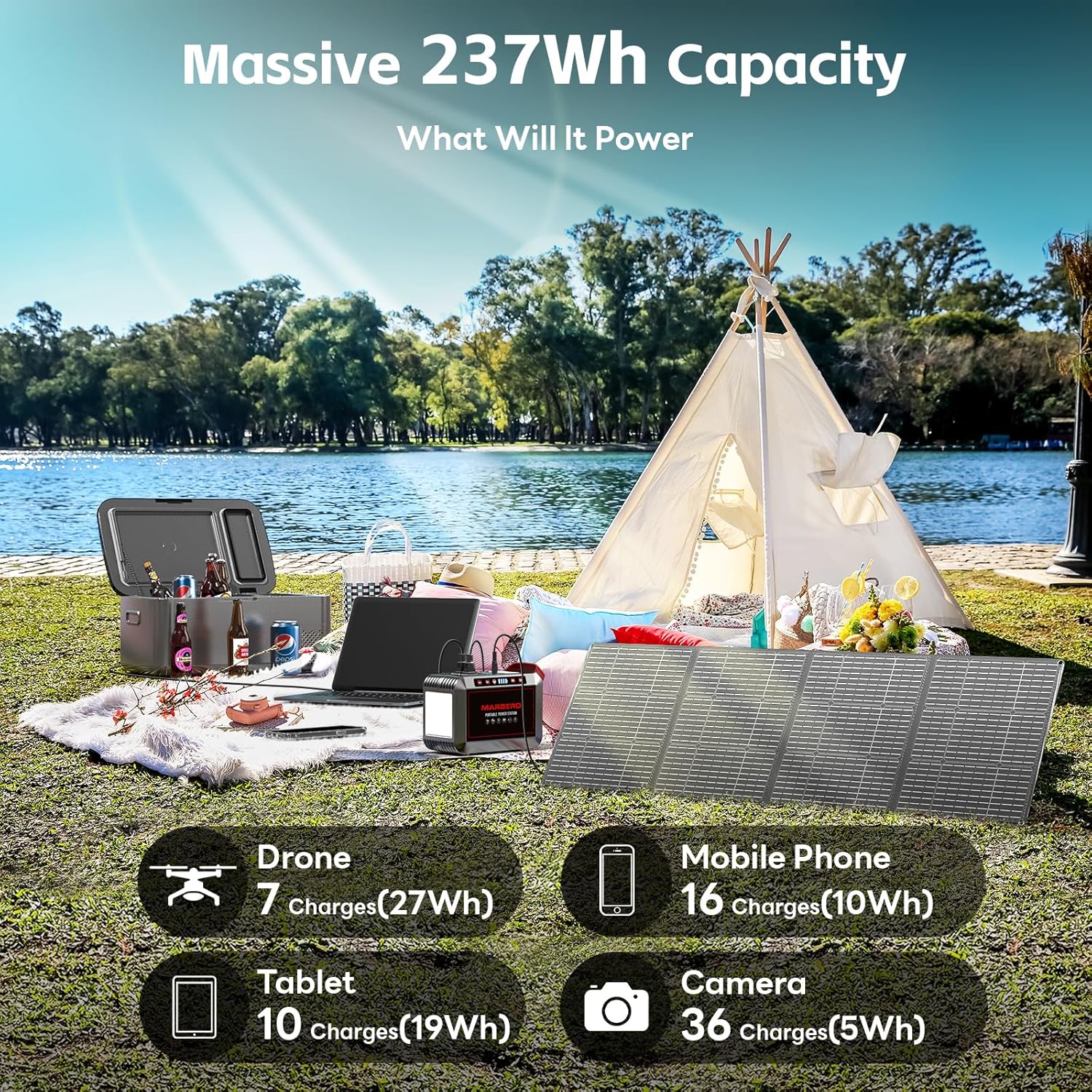
Image: Visual representation of the 237Wh capacity, showing estimated charges for various electronic devices like drones, mobile phones, tablets, and cameras.
7. Maintenance
- Storage: Store the power station in a cool, dry place away from direct sunlight and extreme temperatures.
- Recharging: If not in regular use, recharge the unit every 3-6 months to maintain battery health and extend its lifespan.
- Cleaning: Use a soft, dry cloth to clean the exterior of the unit. Do not use abrasive cleaners or solvents.
- Battery Care: Avoid fully discharging the battery frequently. It is best to recharge before the battery level drops too low.
8. Troubleshooting
If you encounter issues with your MARBERO M823, refer to the following common problems and solutions:
- Unit not turning on: Ensure the power button is pressed firmly. Check if the battery is completely depleted and needs charging.
- Devices not charging: Verify that the specific output (AC, USB, DC) is activated. Check the cable connections and ensure the device is compatible with the power station's output specifications.
- Overload Protection Activated: If the unit shuts down, it may be due to an overload. Disconnect devices that exceed the 300W rated output. Restart the unit after removing the overloaded device.
- Slow Charging: For solar charging, ensure the solar panel is in direct sunlight and not obstructed. For all charging methods, ensure the charger and cables are correctly connected and undamaged.
9. Specifications
| Feature | Specification |
|---|---|
| Brand | MARBERO |
| Model Name | M823SL60 |
| Battery Type | Lithium Ion |
| Battery Capacity | 237Wh / 64000mAh |
| AC Output | 110V Pure Sine Wave, 300W (Rated), 375W (Peak) |
| USB-A QC3.0 Output | 2 x (5V/3A, 9V/2A, 12V/1.5A, up to 18W) |
| USB-A Output | 2 x (5V/2.1A, 15W Max) |
| USB-C PD Output | 1 x (5V/3A, 9V/2A, 12V/1.5A, 18W PD) |
| DC Output | 1 x (12-16.8V/10A, 14A Max) |
| Solar Panel Wattage | 60W (Foldable) |
| Solar Panel Conversion Rate | 21.5-23.5% |
| LED Flashlight | 3 Modes (Flashlight, Strobe, SOS) |
| Product Dimensions (Power Station) | 12"L x 10"W x 16"H |
| Item Weight (Power Station) | 9 Pounds |
| Material | ABS |
| Operating Temperature | 0°C to 40°C (32°F to 104°F) |
10. Warranty and Support
MARBERO products come with a standard manufacturer's warranty. For detailed warranty information, please refer to the warranty card included with your product or visit the official MARBERO website. If you experience any issues or have questions regarding your MARBERO M823 Portable Power Station, please contact our customer support team:
- Email: support@marbero.com
- Website: www.marbero.com
Ask a question about this manual
Ask about setup, troubleshooting, compatibility, parts, safety, or missing instructions. Manuals+ will review the question and use this page’s manual context to help answer it.