
iENYRID M4 Pro S+ 800W
iENYRID M4 Pro S+ 800W Electric Scooter User Manual
Model: M4 Pro S+ 800W | Brand: iENYRID
1. Introduction
This manual provides essential information for the safe operation, maintenance, and troubleshooting of your iENYRID M4 Pro S+ 800W Electric Scooter. Please read it thoroughly before your first ride to ensure optimal performance and safety.
The iENYRID M4 Pro S+ electric scooter features an 800W motor (1000W peak power) and a 48V 12.5Ah lithium battery, offering a long range of 20-30 miles on a full charge. It is designed for adults and includes a detachable seat for versatile riding. Key features include a dual damping system for a comfortable ride, dual disc brakes for safety, and 10-inch off-road pneumatic tires suitable for various terrains.
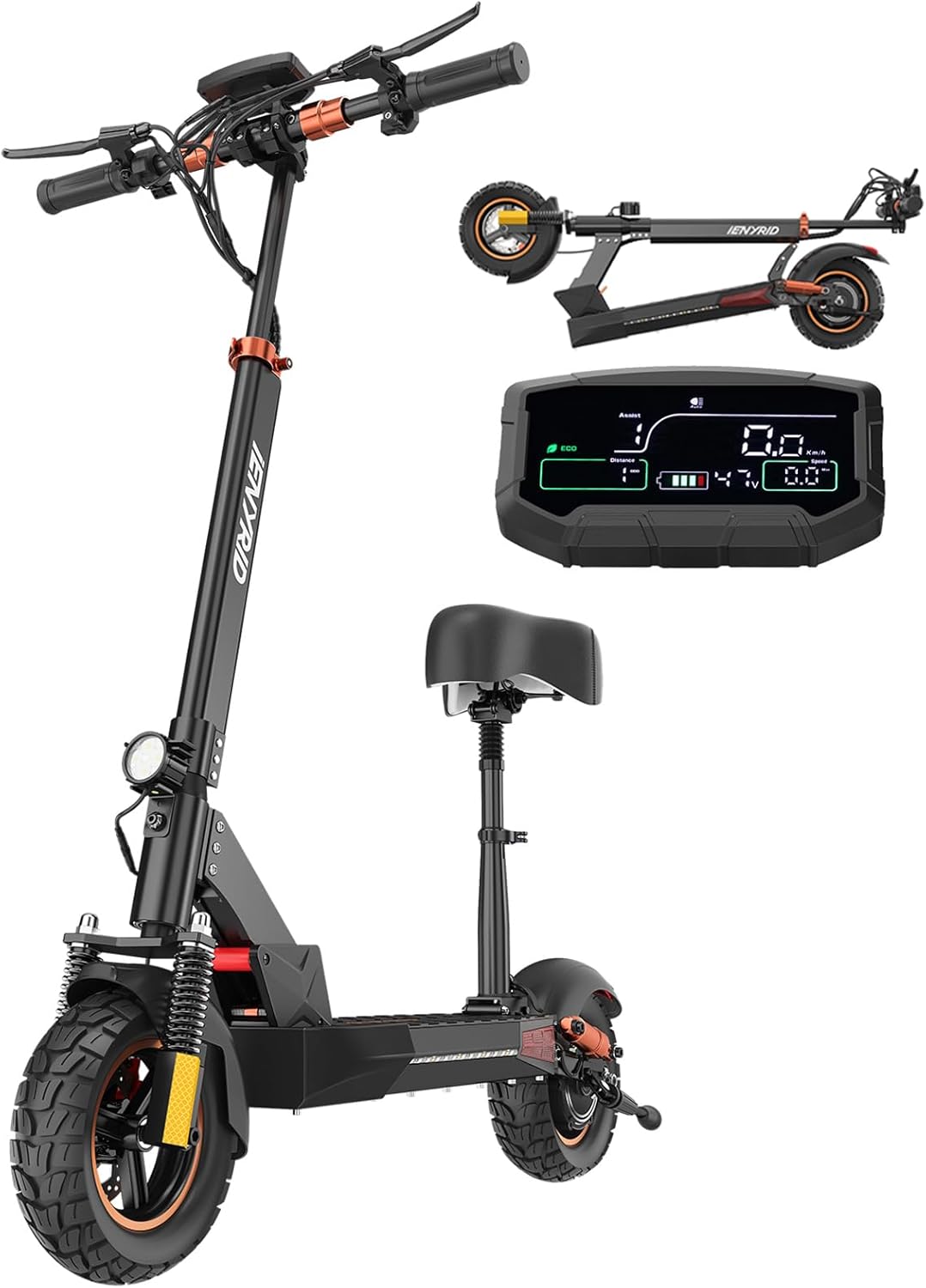
Figure 1: iENYRID M4 Pro S+ Electric Scooter with detachable seat and digital display.

Figure 2: Key features of the iENYRID M4 Pro S+ Electric Scooter.
2. Safety Guidelines
- Always wear a helmet and appropriate safety gear (knee pads, elbow pads) when riding.
- Ensure all bolts and fasteners are tightened before each ride.
- Check tire pressure regularly.
- Familiarize yourself with local laws and regulations regarding electric scooter use.
- Do not ride in heavy rain or through standing water.
- Avoid riding on slippery surfaces, steep inclines, or uneven terrain at high speeds.
- The maximum weight limit for this scooter is 330 lbs (150 kg). Do not exceed this limit.
- Perform regular brake checks to ensure proper functionality.
- Keep hands and feet clear of moving parts.
- Do not allow children to operate the scooter without adult supervision.
3. Setup and Assembly
3.1 Unboxing
Carefully remove all components from the packaging. Inspect for any damage during transit. Ensure all listed accessories are present: 1 x Electric Kick Scooter, 1 x Charger, 1 x User Manual.
Video: Unboxing the iENYRID M4 PRO S+ Electric Scooter 800W. This video demonstrates the unboxing process and initial setup steps for the scooter.
3.2 Handlebar Installation
Attach the handlebars to the main stem. Ensure all connections are secure and cables are not pinched. Use the provided tools to tighten the screws firmly.
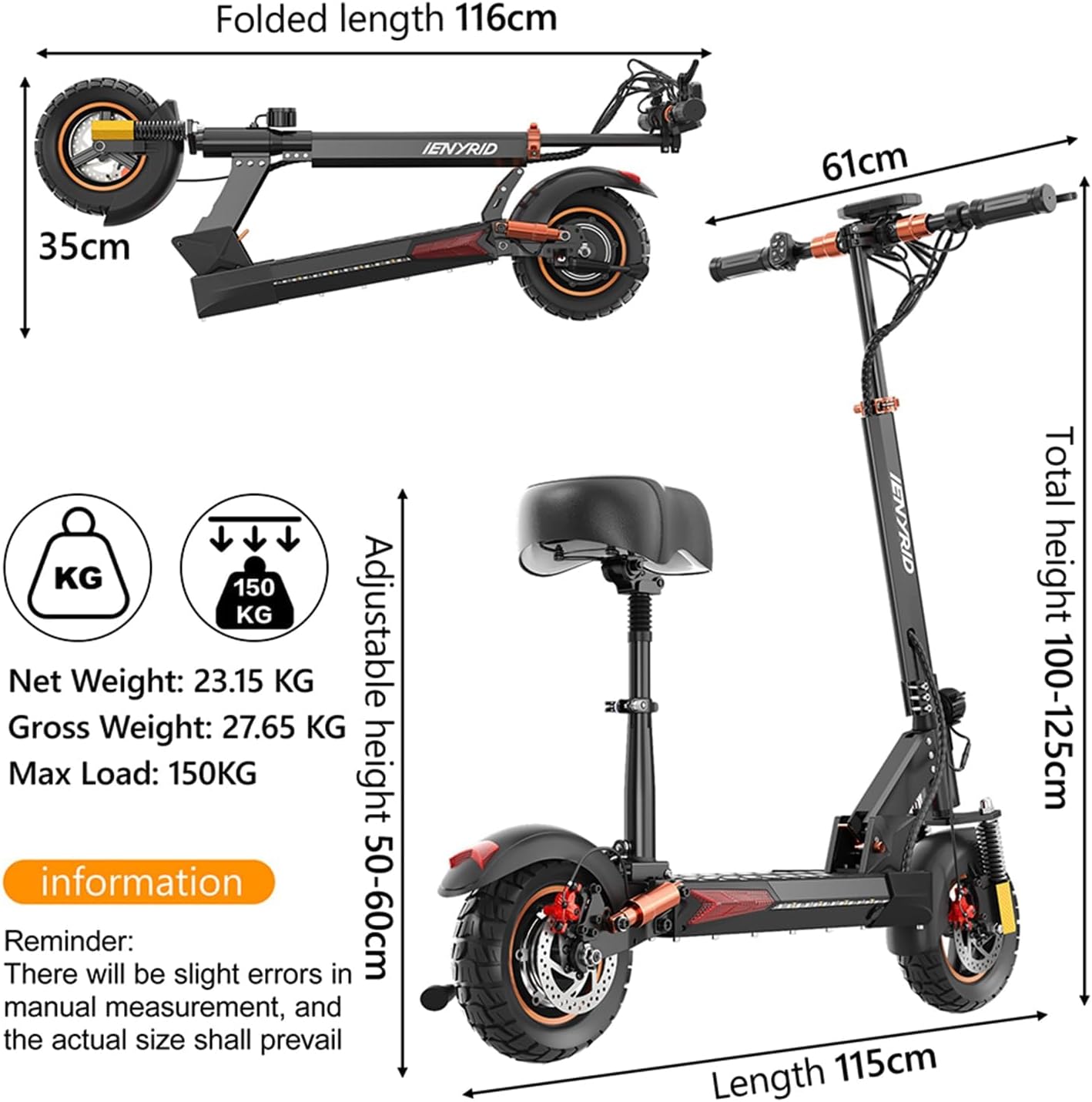
Figure 3: Scooter dimensions, useful for understanding assembly and storage.
3.3 Seat Installation (Optional)
The iENYRID M4 Pro S+ comes with a detachable seat. To install, align the seat post with the designated slot on the scooter's deck and secure it using the provided fasteners. Adjust the seat height for comfortable riding.
Video: How to change the foot-kick to the Seat of M4 Pro S+. This video provides detailed instructions on installing the detachable seat.
3.4 Initial Charging
Before first use, fully charge the scooter's battery. Connect the charger to the charging port and then to a power outlet. The charging indicator on the charger will change color (e.g., red to green) when fully charged. A full charge takes approximately 8 hours.
4. Operating Instructions
4.1 Power On/Off and Display
Press and hold the power button on the display to turn the scooter on or off. The digital display shows current speed, battery level, distance traveled, and selected speed mode.

Figure 4: The multi-functional large-size color display provides real-time riding information.
4.2 Speed Modes
The scooter features three adjustable speed modes:
- Model 1: 15 km/h (approx. 9.3 mph)
- Model 2: 30 km/h (approx. 18.6 mph)
- Model 3: 45 km/h (approx. 28 mph)
Use the mode button on the handlebar controls to cycle through these speed settings.
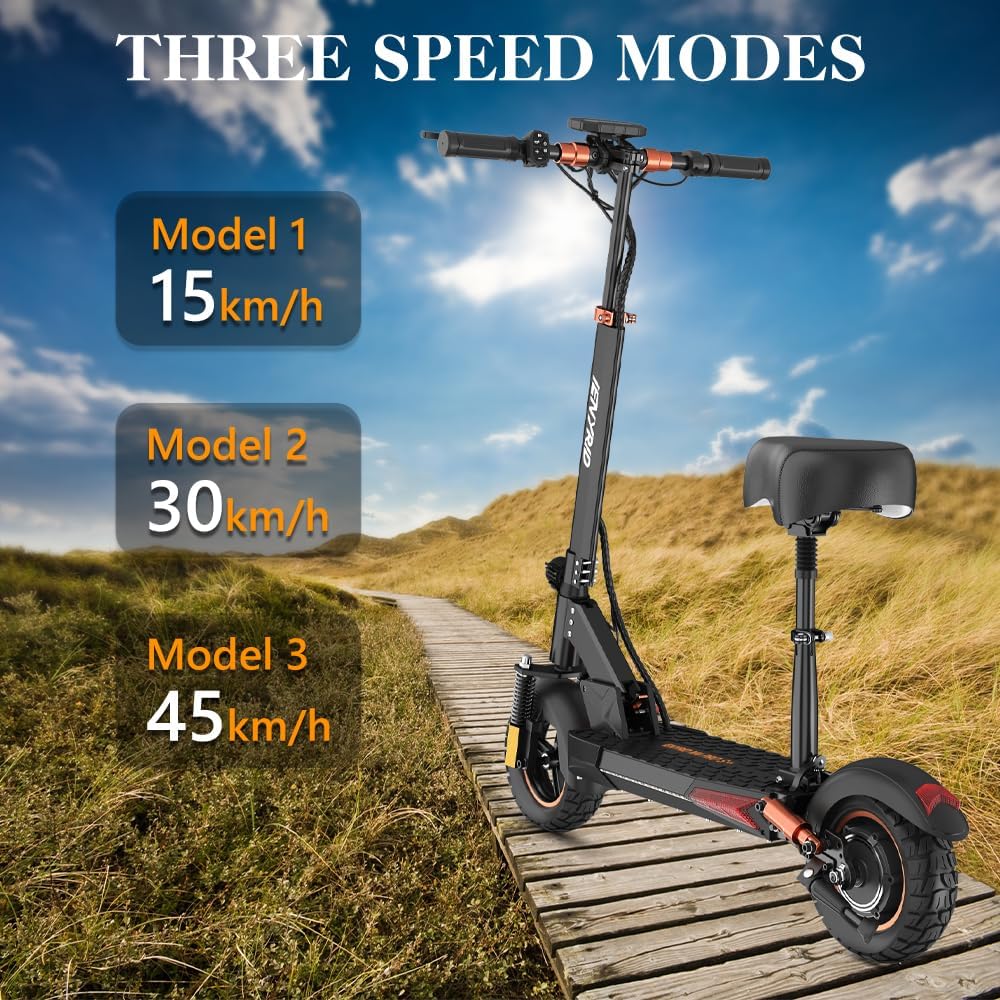
Figure 5: Three distinct speed modes for varied riding experiences.
4.3 Changing Speed Units (km/h to mph)
To switch the display unit from kilometers per hour (km/h) to miles per hour (mph), follow the instructions in the video below. This typically involves accessing a setting menu via the display controls.
Video: Change kmph to mph for iENYRID Electric Scooter M4 Pro S+. This video demonstrates how to change the speed unit on the display.
4.4 Adjusting Speed Limit
You can set the speed limit of your scooter, for example, from 45 km/h to 25 km/h. This adjustment is typically done through a series of button presses on the display unit. Refer to the video for a visual guide.
Video: Set the Speed Limit from 45kmh to 25kmh (5 Clicks of the M). This video shows how to adjust the scooter's speed limit.
4.5 Folding and Unfolding
The iENYRID M4 Pro S+ is designed for portability with a foldable mechanism. Follow the steps in the video to safely fold and unfold your scooter for storage or transport.
Video: iENYRID M4P S+ e Scooter Fold and Unfold Operating Guideline. This video demonstrates the folding and unfolding procedure.
5. Maintenance
- Tires: Regularly check tire pressure (pneumatic tires) and inflate to the recommended PSI to ensure optimal performance and prevent punctures.
- Brakes: Inspect brake levers and disc brakes for wear and proper function. Adjust or replace brake pads as needed.
- Cleaning: Clean the scooter with a damp cloth. Avoid using high-pressure water jets or harsh chemicals, especially near electrical components.
- Battery Care:
- Charge the battery fully after each use, especially if storing for extended periods.
- Do not overcharge or completely drain the battery.
- Store the scooter in a cool, dry place away from direct sunlight and extreme temperatures.
- Fasteners: Periodically check and tighten all screws and bolts to ensure structural integrity.
6. Troubleshooting
| Problem | Possible Cause | Solution |
|---|---|---|
| Scooter does not power on | Low battery; loose connections; faulty power button | Charge battery fully; check all cable connections; contact support if issue persists. |
| Reduced range/power | Under-inflated tires; low battery charge; riding uphill frequently; heavy load | Inflate tires to correct PSI; ensure battery is fully charged; adjust riding habits. |
| Brakes not effective | Worn brake pads; loose brake cable; misaligned calipers | Inspect brake pads and replace if worn; adjust brake cable tension; consult a professional for caliper alignment. |
| Unusual noises during ride | Loose components; debris in wheels; motor issue | Check all fasteners; inspect wheels for foreign objects; contact support if motor noise is persistent. |
If you encounter issues not listed here or if the suggested solutions do not resolve the problem, please contact iENYRID customer support.
7. Specifications
| Feature | Detail |
|---|---|
| Brand | iENYRID |
| Model Name | M4 Pro S+ 800W (Adults electric scooter with seat) |
| Motor Power | 800W (1000W Peak Power) |
| Battery | 48V 12.5Ah Lithium Ion Battery |
| Max Speed | Up to 28 mph (45 km/h) |
| Max Range | 20-30 Miles |
| Charging Time | 8 Hours |
| Weight Limit | 330 Pounds (150 kg) |
| Tire Size | 10 Inches Off-Road Pneumatic Tires |
| Brake Style | Dual Disc Brakes (Front and Rear) |
| Suspension Type | Dual Suspension |
| Frame Material | Aluminum |
| Product Dimensions (LxWxH) | 45"L x 24"W x 47"H |
| Item Weight | 25 Kilograms (approx. 55 lbs) |
| Special Features | Digital Display, Detachable Seat, Adjustable Handlebar Height, Foldable, Adjustable 3 Speed Mode |

Figure 6: The 800W Hub Motor provides powerful and efficient performance.

Figure 7: The scooter's long-range capability.
8. Warranty and Support
For detailed information regarding the product warranty, please refer to the manufacturer's warranty rules and instructions provided with your purchase. It is recommended to retain your original packaging for a period in case of returns or service needs.
If you have any questions, require technical assistance, or need to claim warranty service, please contact iENYRID customer support. Contact details can typically be found on the manufacturer's official website or on the product packaging.
The manufacturer is Shenzhen Tianshengle Robot Co.,Ltd.
Related documentsM4 Pro S+ 800W


Ask a question about this manual
Ask about setup, troubleshooting, compatibility, parts, safety, or missing instructions. Manuals+ will review the question and use this page’s manual context to help answer it.